


The 13 make most sense in three groups. On a weekly chart: where the swings are, how far a move may run, and whether momentum agrees. On an intraday chart: the opening range, where the session traded most, and when a trendline gives way. On a daily chart: whether volume is behind the trend.
All three charts are Ipca Laboratories on SAHI web, captured on 23 October 2026. Click a label to light up its part, or take the tour.
Swings, targets and momentum
1Where it is
WhereAny chartƒx (Manage Indicators)Search by name
All 13 are in Manage Indicators, opened from the ƒx button in the chart header. Search by name and press the green plus. Williams Fractals, KAMA and Auto Fib Extension draw on the candles; RSI Divergence and Awesome Oscillator open their own pane below.
- ASearch
Type part of a name: fractal, kaufman, fib, divergence or awesome.
- BMain chart or Sub chart
Main chart indicators draw on the candles; Sub chart ones, such as RSI Divergence, get their own pane.
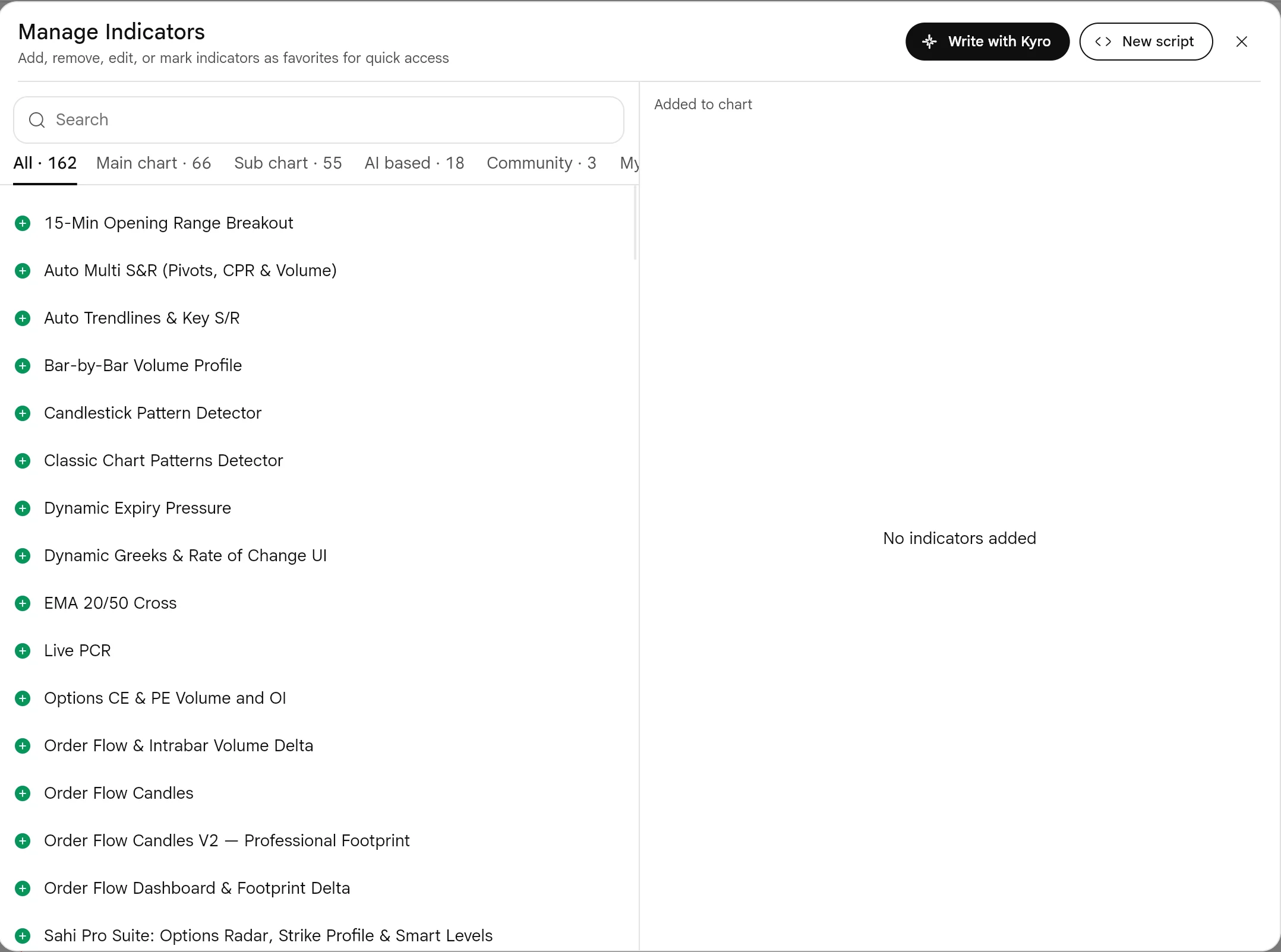
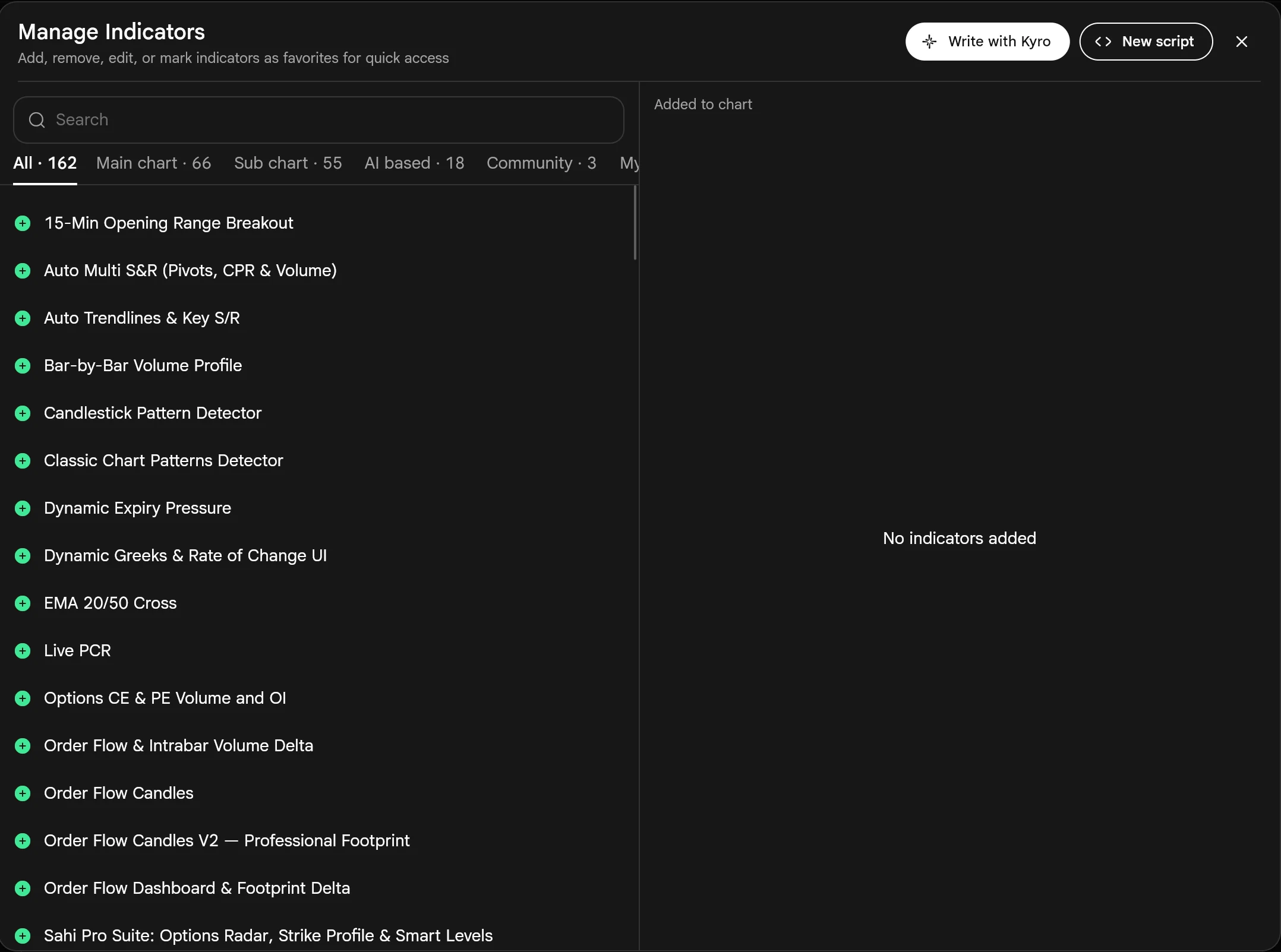
- CAdd with the plus
The green plus adds the indicator at once, with its default settings.
- DAdded to chart
Each added indicator gets a pencil for its settings and a red minus to remove it.
Add an indicator4 steps
- Open a chart and press ƒx in the chart header.
- Type part of the name in Search, for example Fractal or KAMA.
- Press the green +. The indicator is drawn at once with its default settings.
- Under Added to chart, use the pencil to change its settings, or the red minus to remove it.
2What it is
Five of the new indicators on a weekly chart. On the candles: Williams Fractals, small triangles that mark swing highs and swing lows; Kaufman's Adaptive Moving Average (KAMA), a moving average that speeds up in a clean trend and flattens in chop; and Auto Fib Extension, which finds the last swing and draws Fibonacci levels from it by itself.
Below: RSI Divergence, an RSI that labels the points where price and RSI disagree, and the Awesome Oscillator, a histogram of short-term against long-term momentum.
- AWilliams Fractals
A triangle above a candle marks a swing high: a high with lower highs on both sides. A triangle below marks a swing low.
- CAuto Fib Extension
Drawn from the swing 1,470.0 to 1,734.3. The 1.618 extension sits at 1,897.6, and price closed the week above it, at 1,940.50.
- FLegend
Each indicator's name, settings and current value. Click a name to hide, edit or remove it.
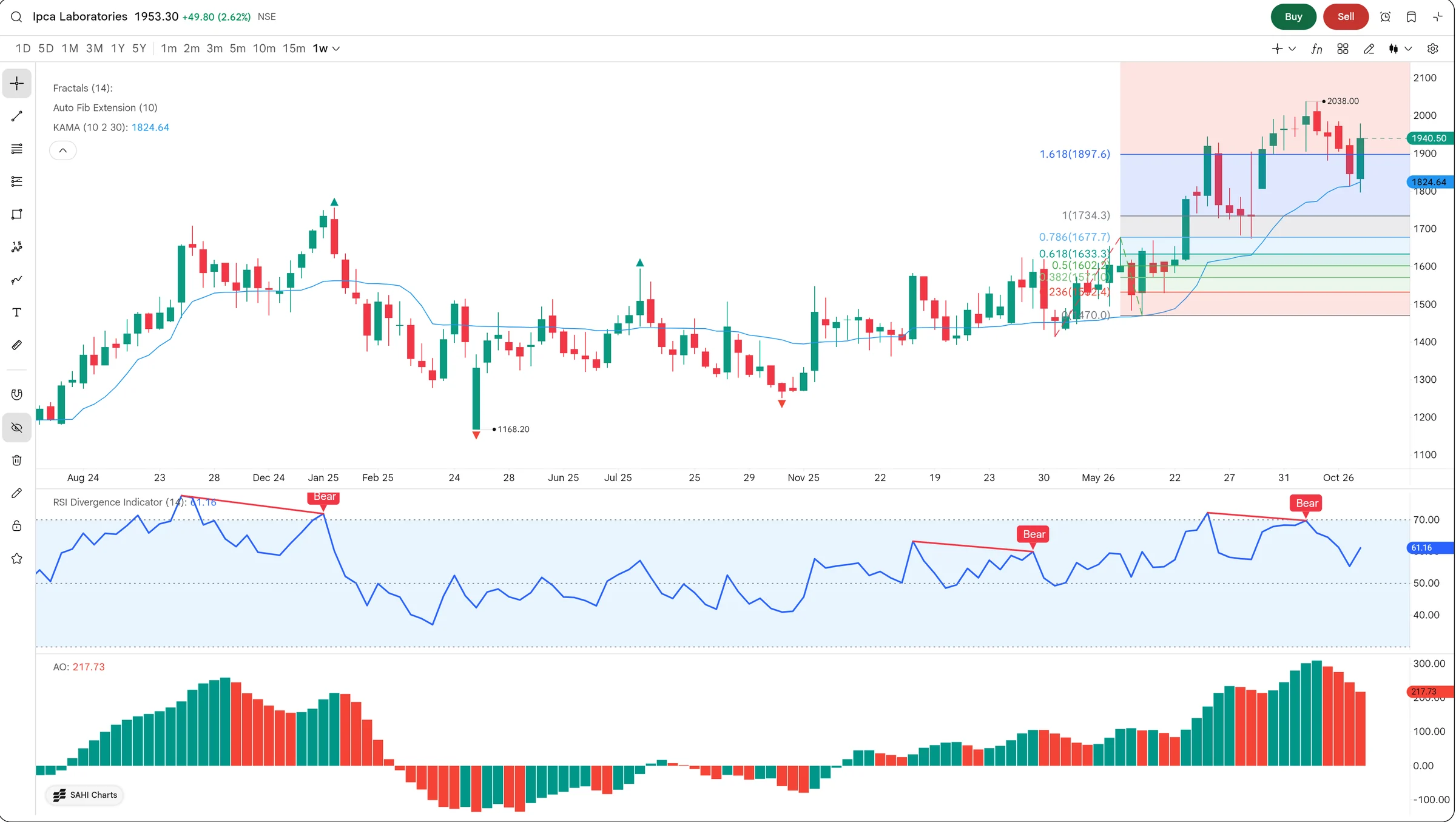
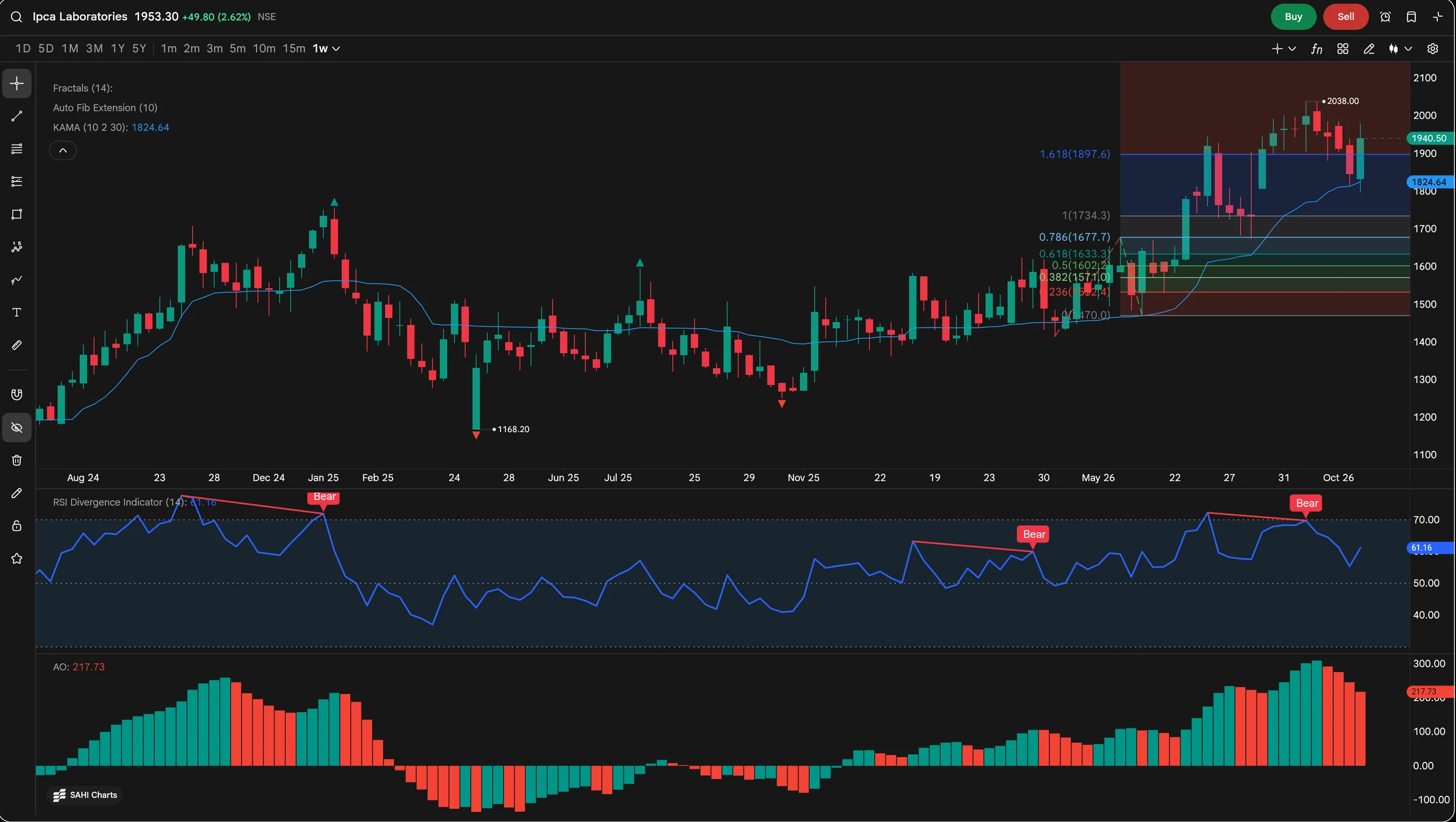
- BKAMA (10, 2, 30)
The blue line, at 1,824.64. It hugs price when the trend is clean and goes flat when price chops, so it whipsaws less than a fixed moving average.
- DRSI Divergence (14)
RSI is at 61.16. Each Bear label marks a higher high in price with a lower high in RSI: the rise is losing force.
- EAwesome Oscillator
217.73, above zero, so short-term momentum is ahead of the long-term average. Red bars mean it is smaller than last week.
3How it helps
- Swing points without drawing them. Williams Fractals mark every swing high and low, so the levels a breakout has to clear are already on the chart.
- A moving average that sits still in chop. KAMA follows a clean trend closely and flattens when price goes sideways, so it crosses price less often for no reason.
- Targets drawn for you. Auto Fib Extension finds the last swing and draws the levels from it, and redraws them when a new swing forms.
- A warning when momentum disagrees. RSI Divergence labels the bars where price makes a new high and RSI does not; the Awesome Oscillator shows the same fade as shrinking red bars.
Ipca closed the week at 1,940.50, above the 1.618 extension at 1,897.6 and above KAMA at 1,824.64: the trend is up. Two things disagree: the last Bear label on RSI Divergence, and the Awesome Oscillator printing red bars while still at 217.73. Price is still rising, but with less force than at the last peak.
Fractals and divergence labels need the next few candles to close before they appear, so the newest swing is always marked a little late. Use them to read structure, not to time the exact top.
- These indicators are on SAHI web charts.
- Auto Fib Extension redraws when a new swing forms, so its levels move with the chart.
The trading day: opening range, session volume and trendline breaks
1Where it is
WhereAny chartIntraday timeframeƒx (Manage Indicators)
Same place: ƒx, then search for Opening Range, Session Volume Profile, Trendlines with Breaks or Chaikin Money Flow. Use an intraday timeframe such as 15m: the opening range and session profiles are drawn once per trading day.
2What it is
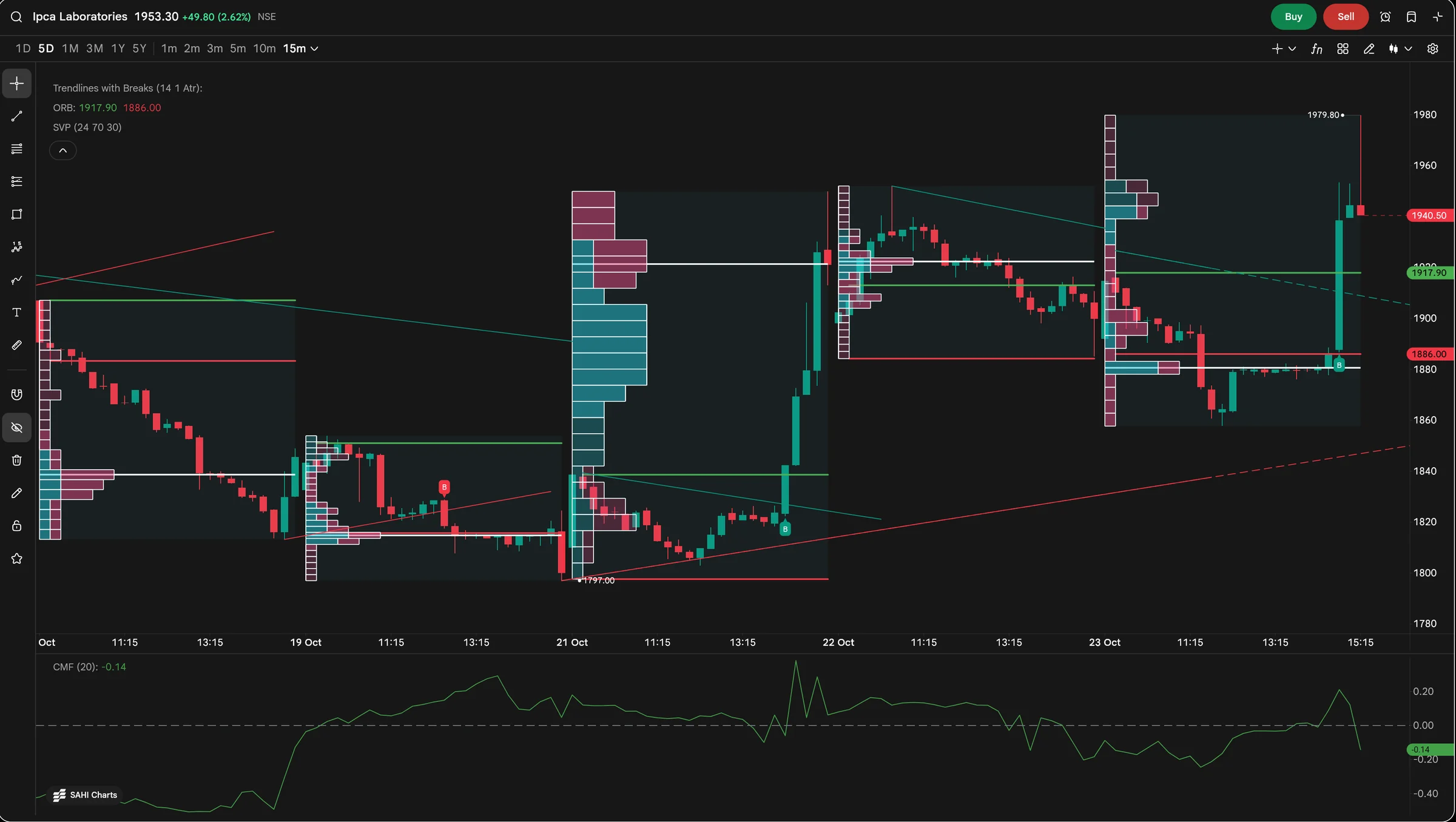
Four of the new indicators on five days of 15-minute candles. Opening Range Breakout (ORB) draws the high and low of the first part of the session; SAHI offers the first 15, 30 or 60 minutes. Session Volume Profile shows how much traded at each price, one profile per day. Trendlines with Breaks draws trendlines from recent swings and labels the bar that breaks one.
Below, Chaikin Money Flow weighs each bar's volume by where it closed in its range, to show whether buying or selling pressure led over the last 20 bars.
- AOpening range, 23 October
Green line at the range high, 1,917.90; red line at the range low, 1,886.00. Price slipped under the low for most of the day, then broke out above the high late in the session.
- DTrendlines with Breaks (14, 1, ATR)
Falling lines join swing highs; rising lines join swing lows. The dashed part continues the line ahead of price.
- FORB values
The current opening-range high and low, 1,917.90 and 1,886.00, in the legend.
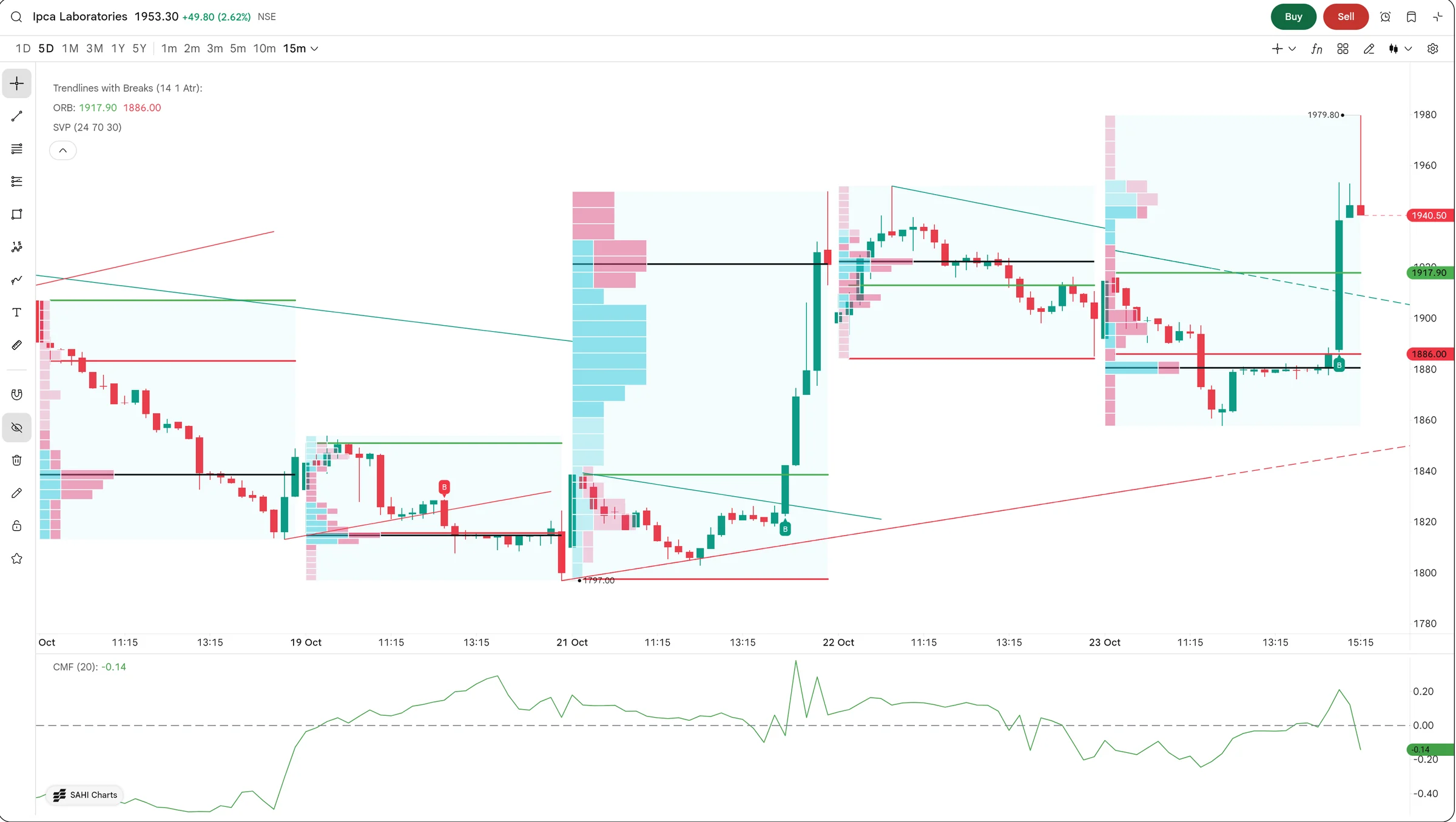
- BBreak label
The B marks the bar that broke a trendline. Green labels are breaks up through a falling line; red labels are breaks down through a rising one.
- CSession Volume Profile (24, 70)
Volume at each price for 21 October, in 24 rows. Each row is split into volume on rising bars and on falling bars. The longest row is where the day traded most.
- EChaikin Money Flow (20)
-0.14 now. Above zero, closes have been near the bars' highs on volume; below zero, near the lows.
3How it helps
- The day's first reference level, drawn for you. ORB marks the opening high and low every session, so a breakout or a failed one is plain to see.
- Where the day agreed on price. Session Volume Profile shows the prices that traded most each day; those prices often act as support or resistance the next day.
- Trendlines that keep up. Trendlines with Breaks redraws its lines as new swings form and labels the break, instead of you redrawing lines every session.
- A check on the breakout. Chaikin Money Flow shows whether volume backed the move or not.
On 23 October the opening range was 1,886.00 to 1,917.90. Ipca slipped under the low to about 1,860 and drifted sideways just below it for most of the day. Late in the session a green B marked a break above a falling trendline, and the next bar closed above the range high. Chaikin Money Flow turned up with it, then fell back to -0.14 at the close.
Opening range and session profiles are built from intraday bars. On a daily or weekly chart there is one bar per session, so there is nothing to draw: switch to 15m or 5m first.
- These indicators are on SAHI web charts.
- The opening range can be the first 15, 30 or 60 minutes of the session; change it from the pencil beside ORB in Manage Indicators.
The volume behind a trend
1Where it is
WhereAny chartDaily timeframeƒx (Manage Indicators)
Same place: ƒx, then search for Volume Profile, Negative Volume Index, Percentage Volume Oscillator or Chaikin Oscillator. Typing volume lists most of them at once.
2What it is
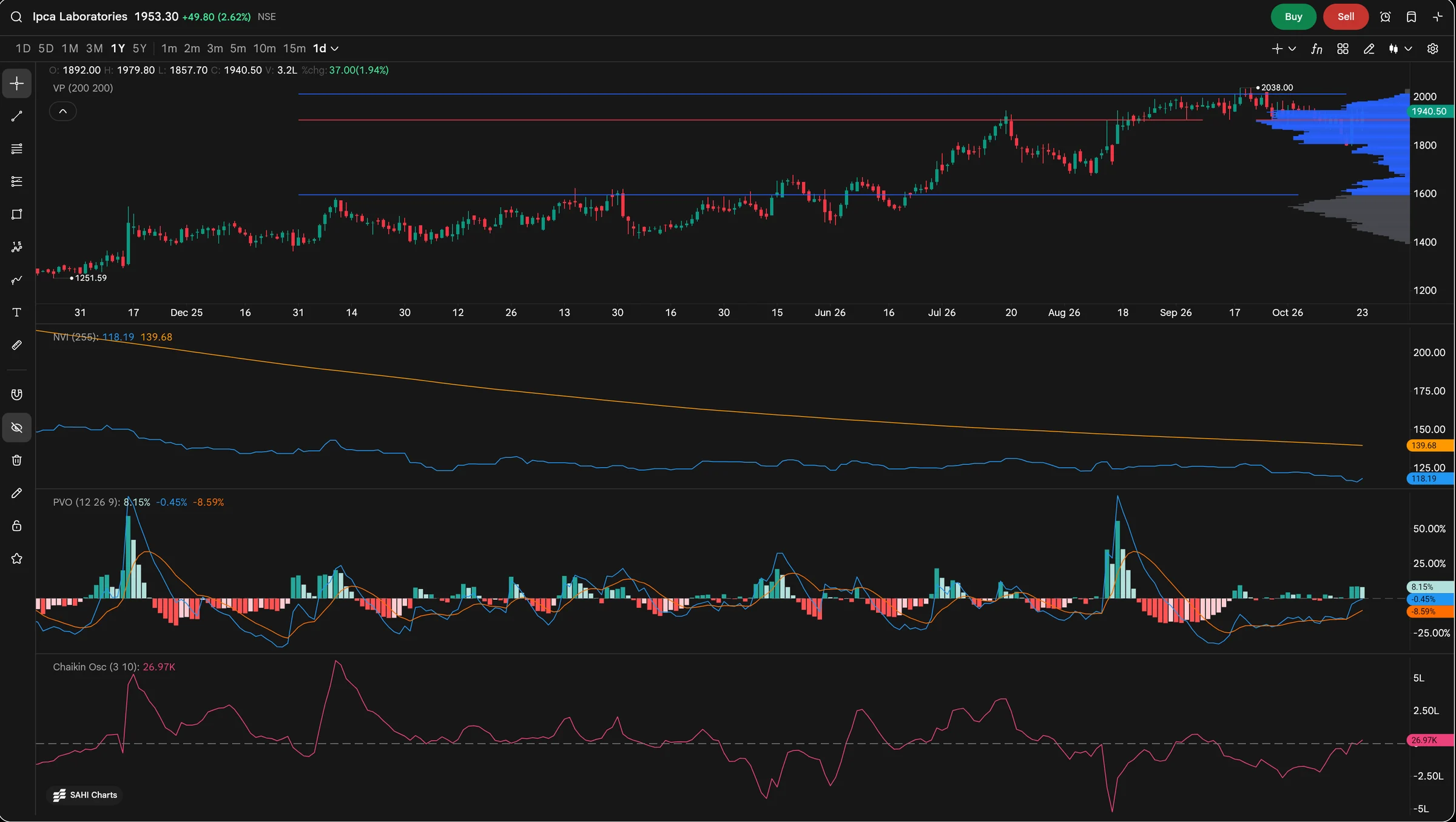
Four of the new indicators on a year of daily candles. Volume Profile totals the volume at each price across the visible chart and marks the price where most traded. The other three each open a pane.
Negative Volume Index (NVI) changes only on days when volume falls, to follow the quieter trading that tends to lead. Percentage Volume Oscillator (PVO) compares short-term volume with its longer average, in percent. Chaikin Oscillator measures how fast money is flowing in or out.
- AVolume Profile (200, 200)
Volume at each price over the year, drawn against the right edge. Blue rows are the value area, the band where most of the volume traded; grey rows fall outside it.
- BPoint of control
The red line, near 1,900: the single price where the most shares changed hands this year.
- CValue area edges
The blue lines near 2,010 and 1,600 are the top and bottom of the value area.
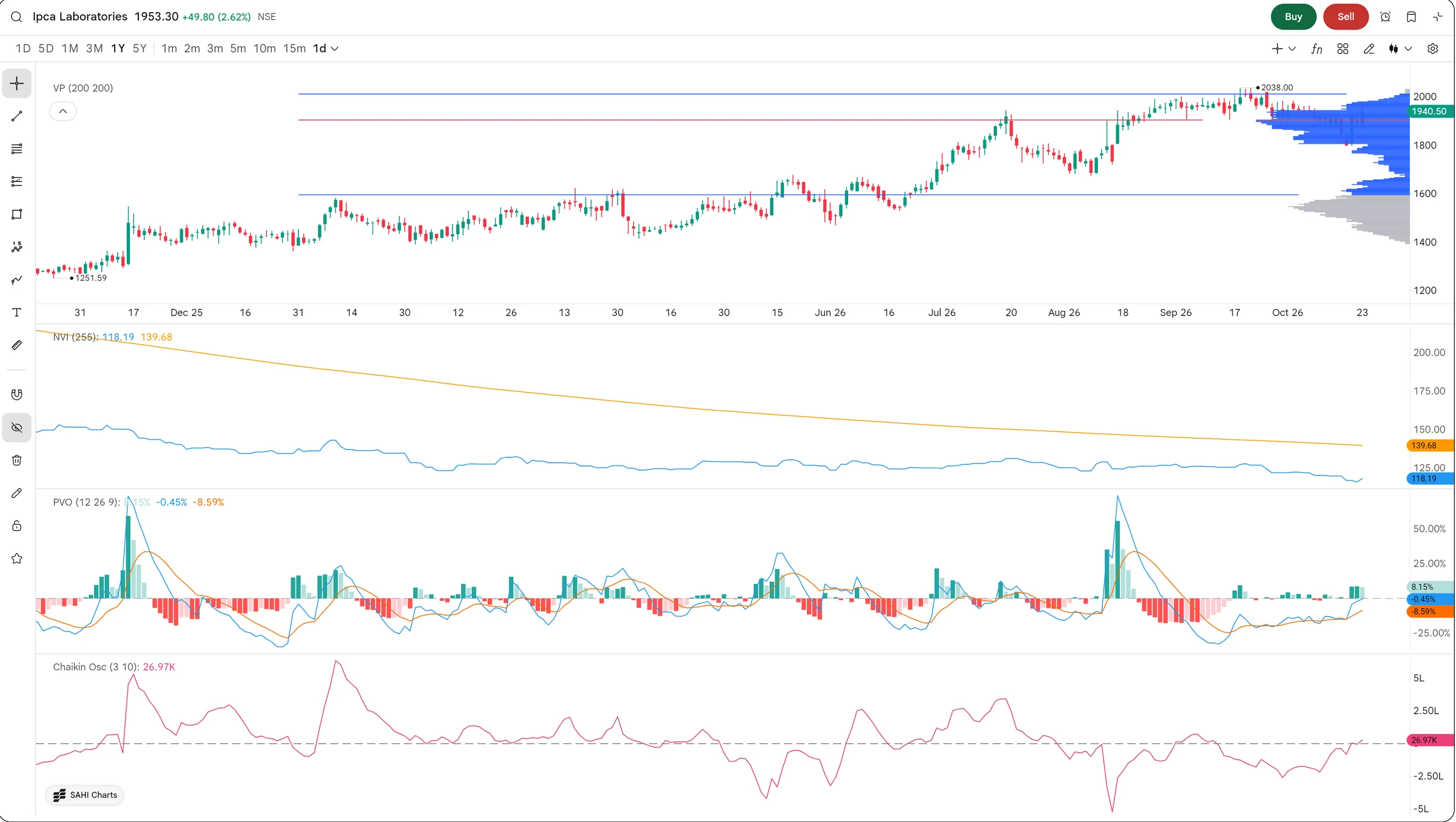
- DNegative Volume Index (255)
The blue line, 118.19, is under its own one-year average in orange, 139.68. On quieter days, price has been falling more than rising.
- EPercentage Volume Oscillator (12, 26, 9)
PVO is -0.45%: volume is slightly below its longer average, but well above its signal line at -8.59%. Volume is picking up from a low.
- FChaikin Oscillator (3, 10)
26.97K, just back above zero after weeks below it: money flow has turned from outflow to a small inflow.
3How it helps
- The prices that matter most. Volume Profile shows where the most shares traded; those prices often hold as support or resistance.
- A view of the quieter money. NVI follows only low-volume days; when it runs above its one-year average the trend is getting support even on quiet days.
- Whether volume is growing. PVO turns volume into a percentage, so a rise in activity is easy to compare across stocks and timeframes.
- When the flow turns. Chaikin Oscillator crossing zero shows money flow changing direction, often before price makes it obvious.
Ipca trades near 1,940, above the point of control near 1,900 and inside the value area. The volume picture is mixed: NVI at 118.19 is below its average, so quiet days have not backed the rise, while the Chaikin Oscillator has just turned positive and PVO is climbing toward zero. Volume is starting to come back, but it has not yet confirmed the trend.
Volume Profile covers the bars on screen. Zoom or change the range and the profile is recalculated for the new window, so set the range you want to study first.
- These indicators are on SAHI web charts.
- NVI's long average needs a year of daily bars before it means much; on a short history it is still settling.
Questions
Which 13 indicators were added?
Williams Fractals, Kaufman's Adaptive Moving Average (KAMA), Auto Fib Extension, RSI Divergence, Awesome Oscillator, Opening Range Breakout (ORB), Session Volume Profile, Trendlines with Breaks, Volume Profile, Chaikin Money Flow, Chaikin Oscillator, Negative Volume Index and Percentage Volume Oscillator.
Where do I find them?
Open any chart on SAHI web, press ƒx in the chart header to open Manage Indicators, search by name and press the green plus.
Why does the opening range not show on my chart?
ORB and Session Volume Profile are built from intraday bars. Switch the chart to an intraday timeframe such as 15m.
How do I change the opening range to 30 or 60 minutes?
In Manage Indicators, under Added to chart, press the pencil beside ORB and change the range length.
How do I remove one?
Press the red minus beside it under Added to chart.
Try them on your own chartOpen a chart on web.sahi.com, press ƒx and add one indicator from each group: a swing tool, a session tool and a volume tool.
Open web.sahi.com