

sahi.com, page by page
What is missing on each of sahi.com's main pages, what is broken or poorly done there, and what this rebuilt copy changed, on desktop and on a phone. First checked on 12 October 2026; the product pages checked again on 28 October 2026. The "i" button at the bottom left of every page opens that page's part of this report.
- 32Missing on sahi.com
- 263Broken or poor
- 32Changed here
- 20Pages checked
Showing all 327.
Every page (header, footer, motion, theme)
1 missing · 22 bad · 6 changedChecked 27 October 2026Missing on sahi.com 1
-
No dark theme, and a dozen slightly different backgrounds
The site ignores the reader's light or dark setting. Bands switch between near-black, navy-slate, two lavenders, two light greys and white with no pattern, and some headings carry an inline color: black, which would vanish on a dark background.
Our copy: One set of surfaces (white, light grey, near-black stage) used the same way on every page, plus a full dark theme that follows the reader's setting and can be switched with the button at the bottom right.
Broken or poor on sahi.com 22
-
Menu dropdowns are see-through and hard to read
Products, Advantage, Tools, News and Learn open as a translucent grey panel. Over the dark hero the items are grey on grey, and the page heading behind shows through the panel, so on Pricing "Futures & Options" sits on top of the words "SAHI Pricing".
Our copy: Solid menu panels in both themes, items at full contrast, the current page marked, and keyboard support (Enter, arrows, Escape).
-
Sections fade away again when you scroll back up
Every section fades up as it scrolls in, then fades out when it leaves the screen. Scroll back up and you meet blank space until each block animates in a second time.
Our copy: Each section animates in once and stays. Reduced-motion readers get no movement at all.
-
Every section is invisible until the JavaScript runs
The server sends each block with an inline opacity: 0 and a 50px offset. On a slow phone, or when a script fails, the page stays blank below the header. Search engines and link previews also get hidden content.
Our copy: Content is visible in the HTML. Only when the script is running and motion is allowed does a section start hidden and fade in.
-
The brand name is written three ways and changes while the page loads
The server sends "Sahi" ("Trade from Charts, at Sahi Speed"); the browser then rewrites it to "SAHI". That mismatch is what throws React error 418 (hydration) in the console, and the text visibly flips. Menus mix "Sahi Charts" and "SAHI Research"; the footer says "sahi.com".
Our copy: One spelling, SAHI, in the HTML from the start, so nothing flips and nothing errors. sahi.com stays lower case as a web address.
-
The floating QR card covers the page and cannot be closed
"Scan to get started on SAHI" is fixed to the right edge at every width from laptop up. At 1440px it covers the right edge of the content: the news carousel's next arrow, the right side of the charts screenshot and table columns. There is no way to dismiss it.
Our copy: The QR card shows only on screens wide enough to hold it in the margin (1560px and up), never over content, and it has a close button that is remembered.
-
Footer links are too small to tap
On a 390px phone every page has 34 to 36 links shorter than 24px, mostly the footer columns (20px tall) and the breadcrumb home icon (16px).
Our copy: Footer links and breadcrumbs have at least a 24px target, most 44px.
-
Regulatory ticker cannot be paused on a phone, and starts mid-sentence
"Attention Investors" runs three regulatory notices in a 50-second marquee. It pauses only on mouse hover or keyboard focus, so a phone reader cannot stop it, and it starts already moving so the first words are cut ("s again when approaching another intermediary").
Our copy: The ticker enters from the right edge, has a Pause button, and becomes a plain paragraph for reduced-motion readers.
-
Legal links in the footer fail contrast
The footer's legal links are mid-blue on the near-black footer: about 3.9:1 at 12px, under the 4.5:1 minimum for small text.
Our copy: Light grey, underlined links at more than 10:1.
-
A SEBI risk line is separated from the risk disclosure it belongs to
"Those making net trading profits, incurred between 15% to 50% of such profits as transaction cost" is part of the derivatives risk disclosure, but the footer prints it after the unrelated "Samajh Se Investing Simple" list.
Our copy: The line sits back inside the derivatives risk disclosure, as SEBI words it.
-
The main sign-up button changes size from section to section
"Open FREE Demat" is a small button at the top of most pages and a large one in the sections further down, so the most important button looks less important where readers meet it first.
Our copy: One size for every main call to action: large at the top of the page and in each section, with the same arrow.
-
The site's own analytics requests are blocked by its own security policy
On 17 October 2026 the browser console on about a dozen pages reported that the page's Content Security Policy (connect-src) refuses connections to the analytics endpoints the page itself calls: an on.aws events address, a run.app events address and stats.g.doubleclick.net. Those events are dropped and each page logs four or five errors.
Our copy: Our copy loads no analytics and makes no such requests. On the real site, add the endpoints to connect-src or stop calling them.
-
"Open FREE Demat" changes colour as you scroll
The header button is black at the top of every page and turns magenta after the first scroll, so the main call to action looks different from one moment to the next.
Our copy: The button is SAHI magenta all the time.
-
Menu links bounce through redirects
Futures & Options (/products/options-trading), Option Buyer (/products/options-buying) and Option Seller (/advantage/option-selling) all answer 301 and redirect to another address, in the header and the footer. Footer legal links also mix sahi.com, www.sahi.com and cms.sahi.com, which redirect too.
Our copy: Every link points at the page's final address.
-
The phone menu has no backdrop
The menu slides in from the right but leaves a strip of the page visible on the left at full brightness, so it looks as if the page behind is still active.
Our copy: A dimmed backdrop behind the menu; tapping it, the close button or Escape closes the menu, and focus stays inside while it is open.
-
The NEW badge on Kyro is 10px text
Measured on every page: the gradient NEW badge is set at 10px.
Our copy: 12px, the smallest size used anywhere on the rebuilt pages.
-
Typo and naming drift in the footer
"Chart Based Trading Plaforms" (missing t). The footer column is "Sahi Advantage" while the menu says "Advantage"; the footer says "Option Scalper" where the menu says "Sahi Scalper"; AI Insights and AI Indicators are in the menu but not the footer.
Our copy: Typo fixed; menu labels use the same names everywhere.
-
Two office addresses, one without a label
The footer address block gives 3rd Floor, Brigade Metropolis, Summit B; the regulatory text gives the Registered Office as 11th Floor, Summit A. The first is not labelled, so a reader cannot tell which to use.
Our copy: Kept both as sahi.com publishes them. Flagged for the SAHI team to label the first one.
-
Eight console errors on every page
The site's own Content-Security-Policy blocks two analytics endpoints (an AWS and a Google Cloud Run host), so every page logs four CSP errors and four failed fetches, plus Facebook pixel errors.
Our copy: The rebuilt pages load no third-party scripts; the console is clean.
-
Pages prefetch data for pages you never open
Each page prefetches the JSON for 20 or more other pages as their links scroll into view (/_next/data/…/about.json, …/glossary.json, …/privacy.json), and most of those requests are cancelled half way (net::ERR_ABORTED).
Our copy: Plain links; nothing is fetched until you click.
-
Cards and panels use seven different corner sizes
Cards, panels, video frames and FAQ boxes round their corners at 14, 16, 18, 20, 22, 24 and 28 pixels, so blocks that sit side by side never quite match.
Our copy: Two corner sizes only: a small one for cards and controls, a large one for panels.
-
Some controls are square-cornered while every other control is a pill
The blog search button and the video-guide tags have small square-ish corners; every other button, chip and tab on the site is fully rounded.
Our copy: Every control is a rounded pill; only images and table cells keep square corners.
-
Wide screens leave the header and hero squeezed in the middle
On a 1920px screen the floating header stops at 1360px and the hero video at 980px, leaving wide empty margins either side.
Our copy: The header grows to 1600px and the home hero video to 1280px on wide screens.
Changed here 6
-
One header on every page, with our options tools in it
sahi.com's menu (Products, Advantage, Tools, News, Partners, Pricing, Learn, Support) is the header on every page of this site, including our twelve options tools, guides, FAQ and glossary. Its Tools menu lists those twelve tools and its Learn menu adds our guides beside sahi.com's lessons.
-
The rebuilt home page is this site's front page
sahi.mrchartist.com/ opens on the rebuilt sahi.com home, with the ₹10 pricing split beside its calculator. The live index strip and the separate SAHI Tools section are gone (owner, 27 Oct 2026).
-
sahi.com's own colours on the home and product pages
White and light grey bands, light grey cards, weight-500 headings and the magenta "Open FREE Demat" button, as on sahi.com's product pages, in place of our earlier warmer palette. The dark theme keeps its own colours.
-
A reworked footer
The footer links run in two or three even columns, the quote is centred, and our Learn pages have their own block beside sahi.com's links.
-
An "i" button on every page: what differs from sahi.com
The button at the bottom left opens this page's part of the report: what is missing on sahi.com, what is broken or poor there, and what this copy changed, with links to the sahi.com page and the full report.
-
SAHI Charts follows sahi.com to /products/charts
sahi.com moved SAHI Charts from /advantage/charts to /products/charts in October 2026. Our menu and links follow it; our copy still lives at /sahi/advantage/charts/ and names the new address as its source.
Missing on sahi.com 2
-
Two of the five product cards have no Learn More link
Stocks, IPO and ETFs have Learn More; Options Buying and Options Selling do not.
Our copy: All five have one.
-
The product list under the headline is plain text, not links
"Options | Stocks | Commodities | IPO | ETF | Research" reads like a menu but nothing in it can be clicked.
Our copy: Each product is a rounded pill that opens its own page.
Broken or poor on sahi.com 8
-
The hero monitor is an empty black box
The hero video has preload="none" and its poster image (/assets/home/home-banner-poster.jpg) returns 404, so the first thing on the page is a black rectangle in a monitor frame until the 1.5 MB video arrives.
Our copy: A real poster frame taken from the video, so the screen is never black; the video loads and plays only while it is on screen.
-
The product showcase changes by itself and cannot be stopped or chosen
"Built for single-screen high performance across …" swaps between Options Buying, Options Selling, Stocks, IPO and ETFs every few seconds. There are no tabs, dots or pause control, so you cannot go back to a product or stop it while reading (WCAG 2.2.2).
Our copy: The five products are tabs you can pick. It still rotates, with a progress line, pauses while the pointer or keyboard focus is on it, and stops for good once you choose one.
-
"Learn more" on option strategies opens the app download
The "Analyse, Trade Option Strategies With Confidence" card's Learn more goes to the app-install link (sahi.onelink.me), not to a page about strategies.
Our copy: It opens the Option Seller page, which covers the strategy builder.
-
The phone gets more than twice the data of the desktop
Measured load: 2.4 MB on a 1440px desktop, 5.9 MB on a 390px phone, with nine console errors on the phone.
Our copy: Images are sized for where they are drawn and the video loads only when on screen.
-
Inconsistent button wording and award name
"Learn More" and "Learn more", "Explore Now" and "Explore now" on the same page. The hero calls the award "IFTA Startup of the year 2025" while the footer calls it "Fintech Startup of the Year, India FinTech Awards 2025".
Our copy: One wording for each button, and the award named the way the footer names it.
-
News pictures are cropped through their captions
The news images are drawn at a different shape from the files, so the dateline printed on each image is cut ("ALURU, INDIA"). Dates read "1 day ago", which is wrong as soon as the page is cached.
Our copy: Images keep their own 16:9 shape; dates are written out (10 Oct 2026).
-
News carousel arrows sit on top of the pictures
The previous and next arrows are placed over the first and last card images, and the third card is cut by the right edge with no sign that more follow except that cut.
Our copy: Arrows below the row, disabled at either end; cards snap into place when swiped.
-
The hero headline breaks into two lines even on wide screens
The headline is capped to a narrow width, so "Built for active traders and investors" wraps on a 1920px screen where it fits on one line.
Our copy: One-line headline and lead on screens wider than 1100px.
Changed here 1
-
New app screenshots in the product showcase
The IPO panel shows the current IPO tab (the open issues in front of the Applied list, light or dark to match the page) and the Stocks panel the Gainers scanner, in an iPhone 18 frame, from the owner's screenshots of October 2026. sahi.com still shows the earlier IPO screen and a stock picture without the scanners.
Futures & Options
4 missing · 19 bad · 2 changedChecked 27 October 2026First screen, side by side
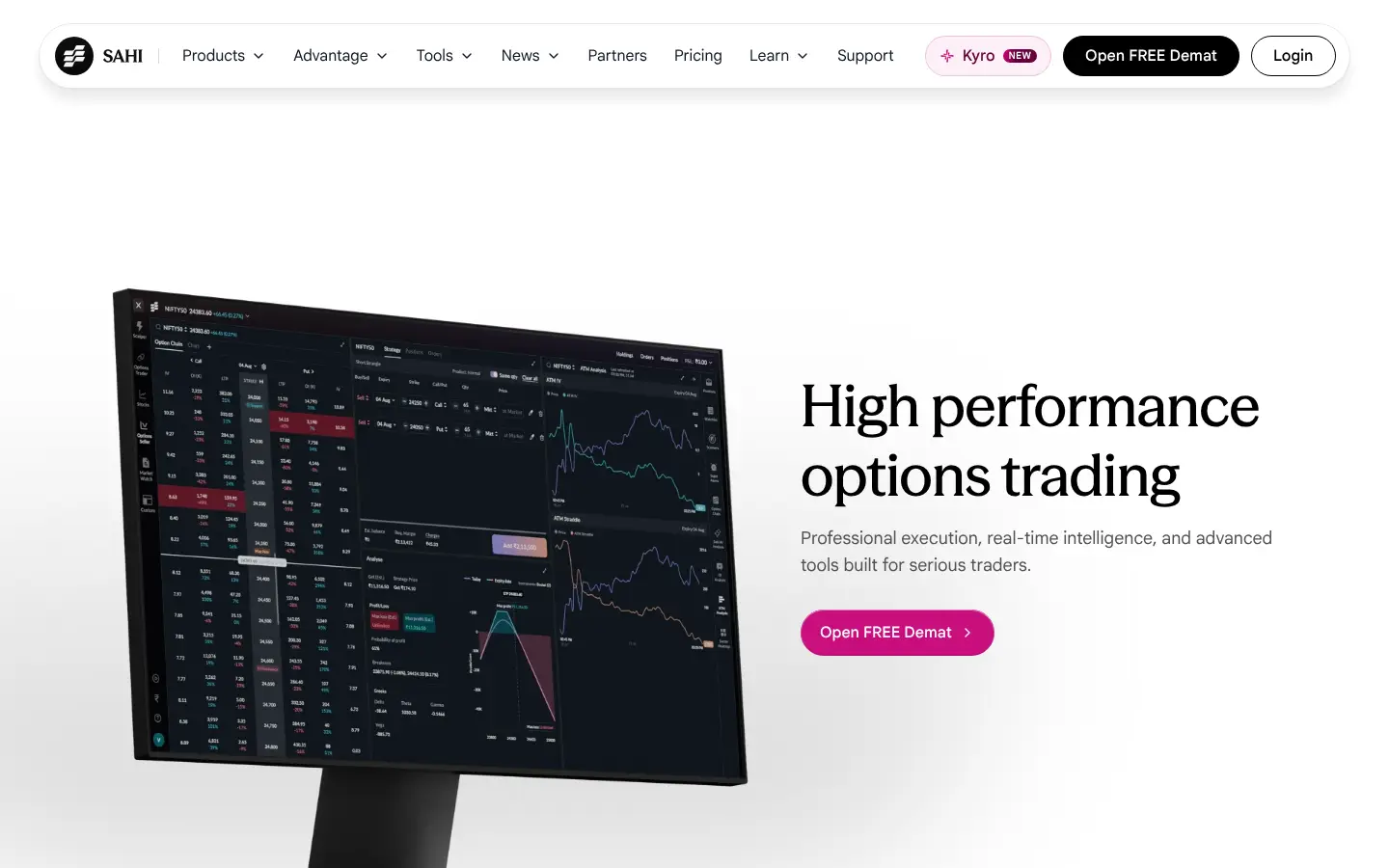


Missing on sahi.com 4
-
The futures-or-options answer leaves out the seller's risk
"What is the difference between futures and options?" says an option caps the buyer's loss at the premium, but says nothing about the seller, whose loss can be far larger than the premium received. On a page that sells an option-selling terminal, that is the half a reader most needs.
Our copy: The answer adds that the seller collects the premium but takes on the obligation, and can lose far more than the premium.
sahi.com 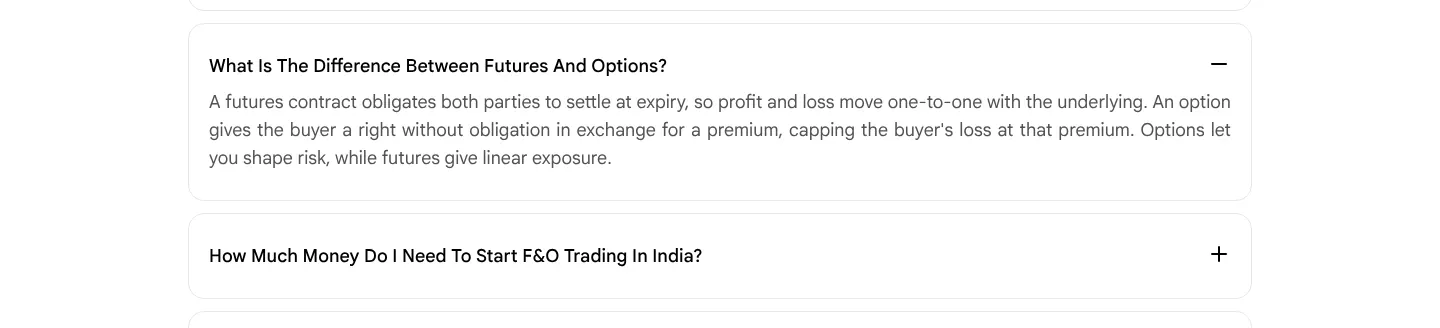
Our copy 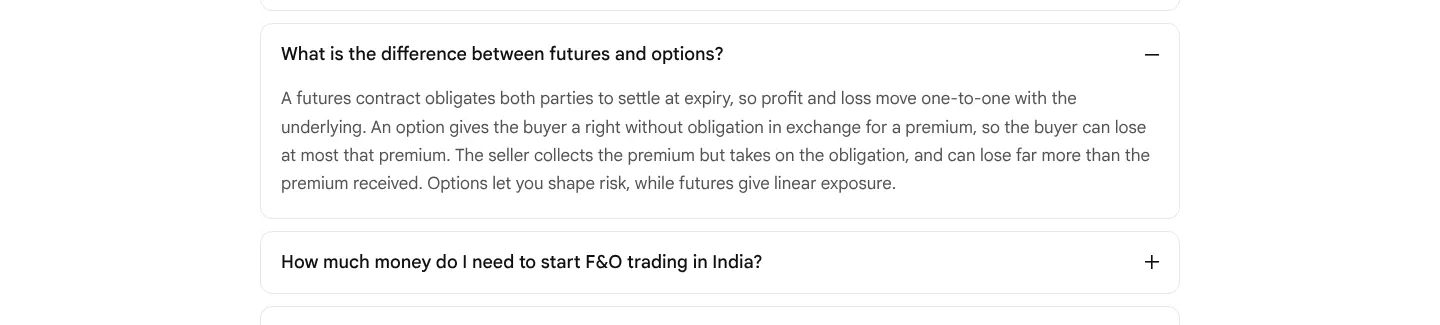
-
"Is F&O trading profitable?" gives no figure
The answer says "SEBI studies have found that the large majority of individual F&O traders make net losses" without saying how large.
Our copy: It gives SEBI's figure: 93% of individual F&O traders made losses over the 2021-22 to 2023-24 financial years.
sahi.com 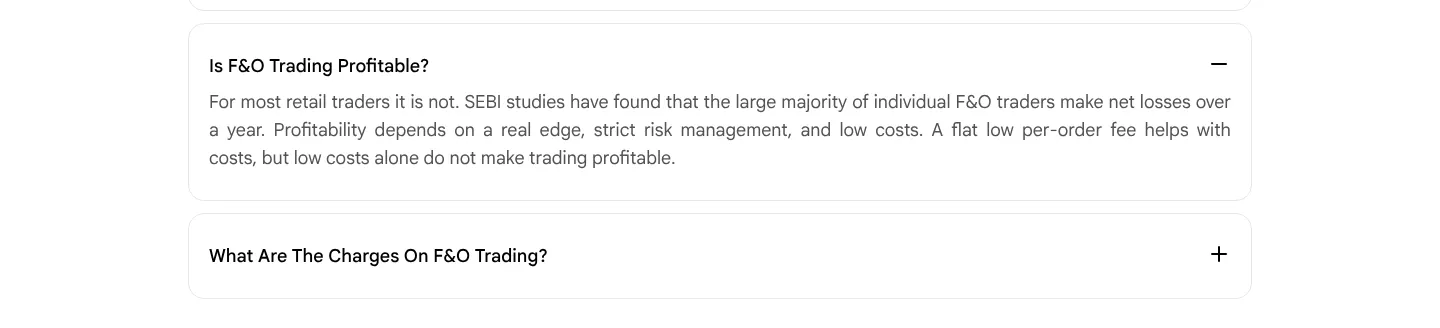
Our copy 
-
The app shows OI support, OI resistance and max pain, but the page never explains them
The F&O home and the options analytics tab mark "OI support", "OI resistance" and "Max Pain" on every Open Interest chart (owner's screenshots, October 2026), and the page's own SAHI AI section talks about OI, but neither the page nor its FAQs say what the three terms mean.
Our copy: A new FAQ explains each term in two lines, and says they show where positions are, not where the price will go.
Our copy 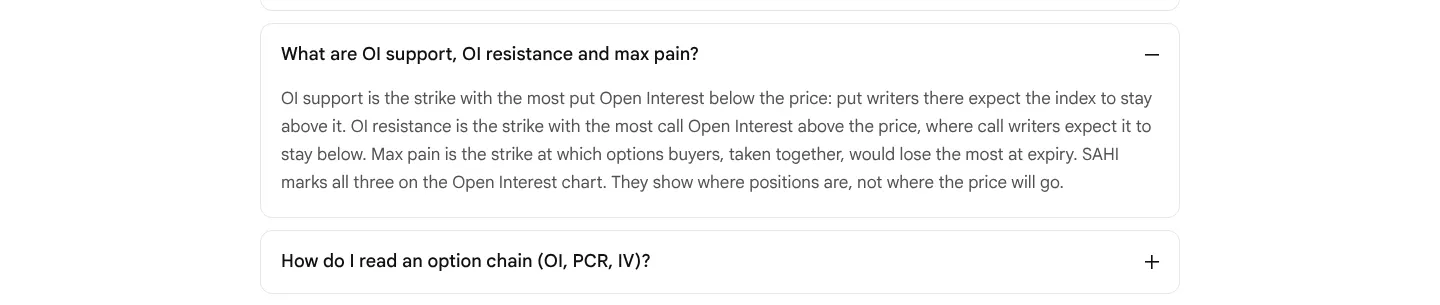
-
The tax answer does not say how long a loss can be carried forward
"How is F&O income taxed in India?" says losses "can be set off and carried forward under the rules" without saying against what, or for how long.
Our copy: It says a loss can be set off against other income except salary, and the rest carried forward for up to eight years against business income.
sahi.com 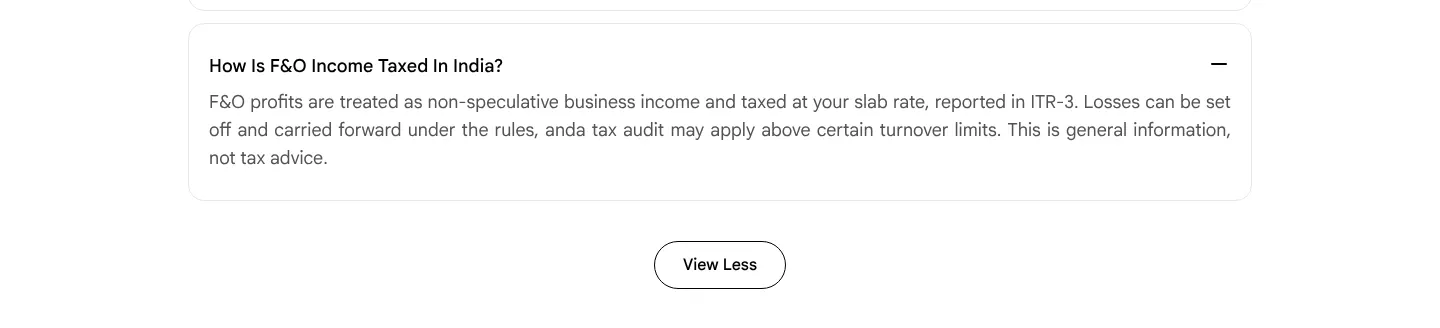
Our copy 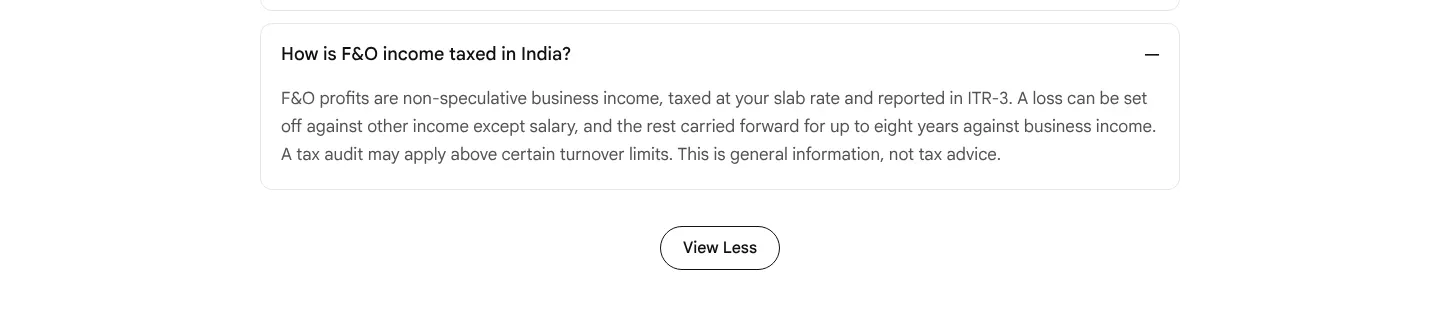
Broken or poor on sahi.com 19
-
The price cards are sent with the wrong prices, and their flip plays where nobody sees it
Under "High performance trading at unmatched value" the HTML says ₹20 account opening, ₹16 AMC and ₹21 brokerage per order, at opacity 0. The script flips them to ₹0, ₹0 and ₹10 as soon as the page loads, while the cards are still five screens down, so a reader who scrolls there only ever meets the finished numbers. Without the script, and for search engines and link previews, the page states the higher prices.
Our copy: The real prices (₹0, ₹0, ₹10) are the text of the cards. With motion allowed, each card shows the higher figure and one split-flap leaf falls to the real price when the card reaches the screen, staggered as on sahi.com; with reduced motion or no script the real prices simply show.
-
SAHI Option Scalper cards are cut off mid-sentence
At 1440px each card is 724px wide inside a 1168px tray, so the second card is sliced at the tray's edge in the middle of a word: "Choose market for an immediate fill or limit for your pri". At the last position the card before is sliced on the left the same way ("ividual trade, not just the day's total").
Our copy: Two whole cards per view from tablet width up, snapping card by card; on a phone one card with a faded peek of the next, never a hard cut through a word.
sahi.com 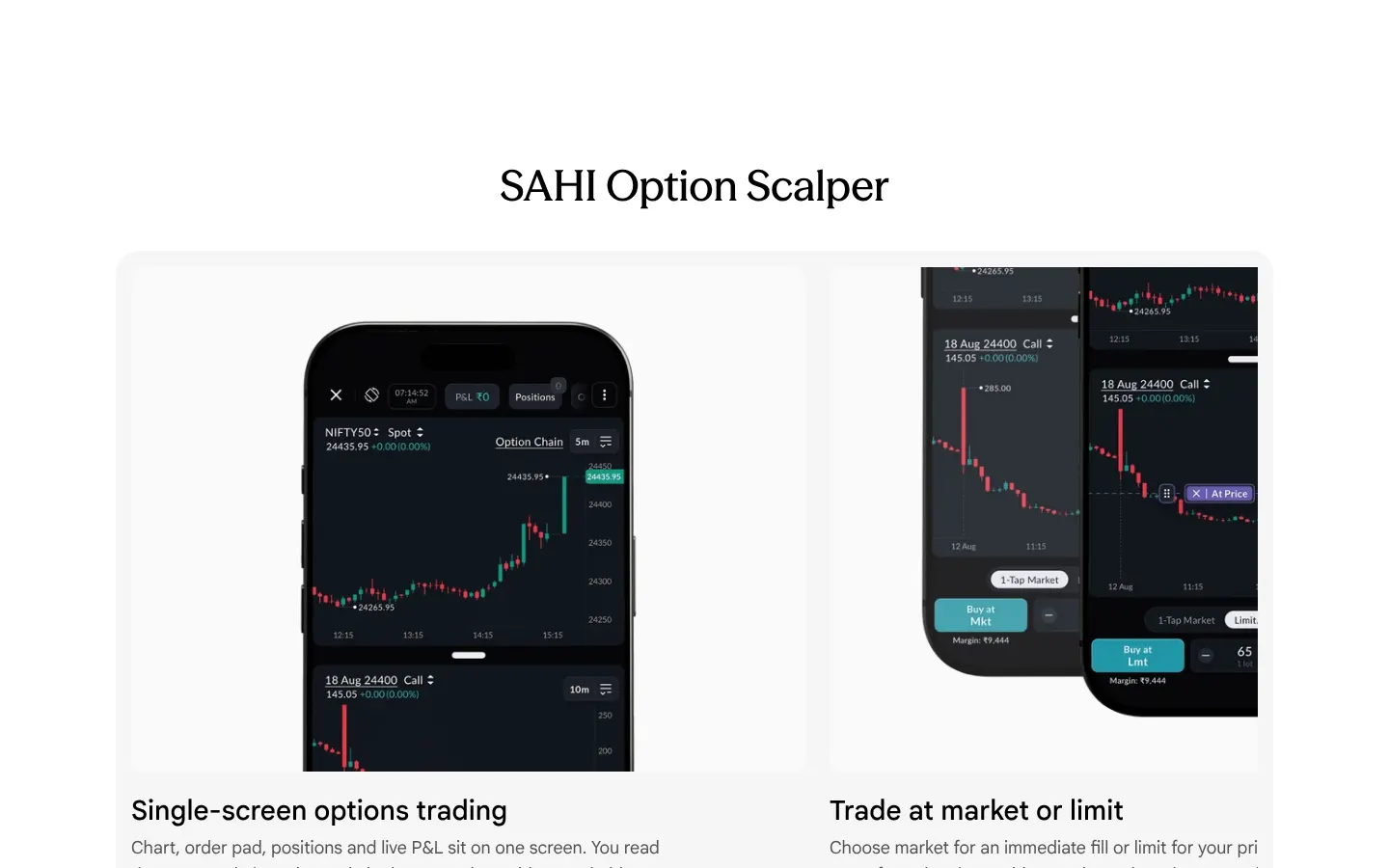
Our copy 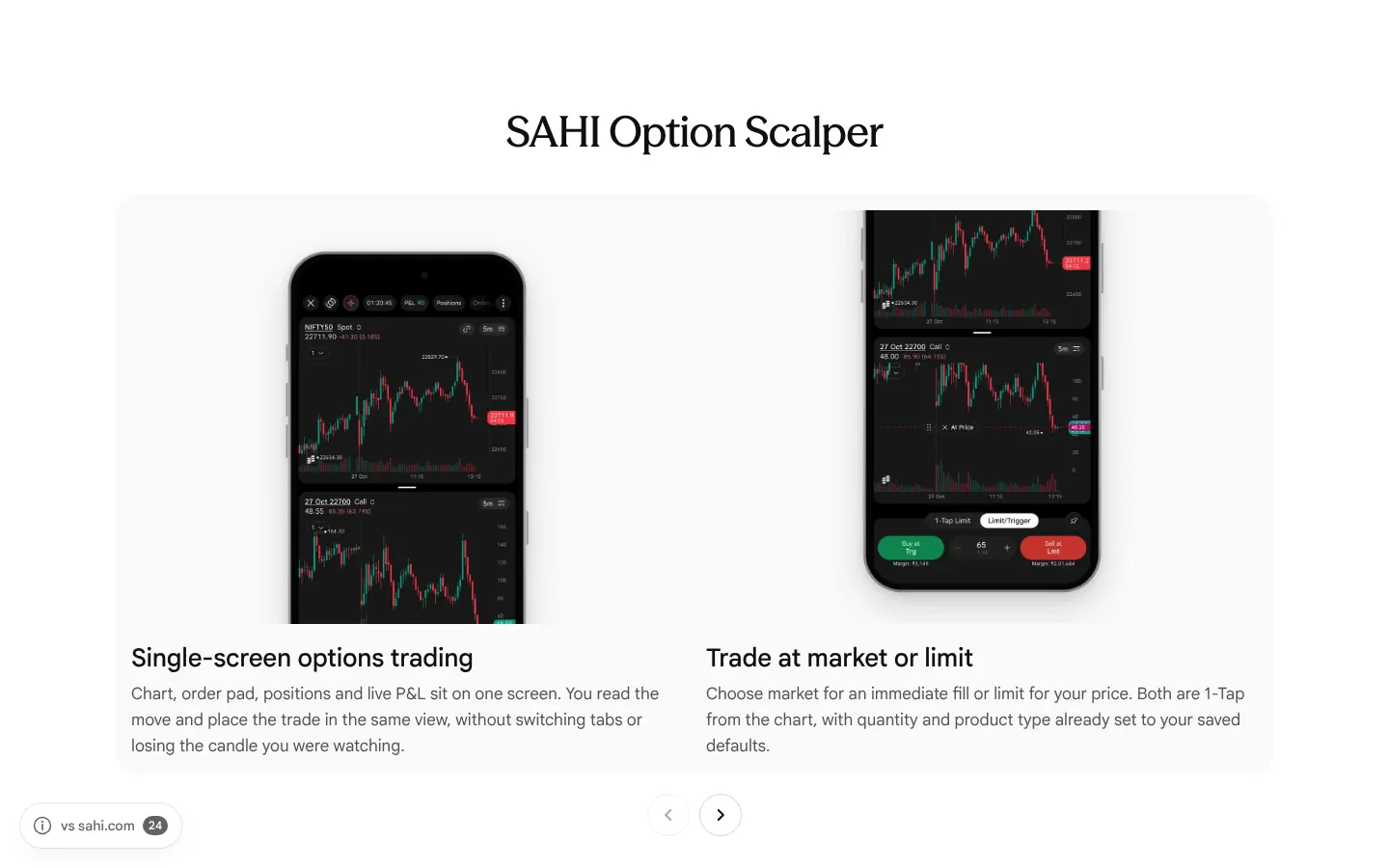
-
FAQ answers run words together and stop without a full stop
"How is F&O income taxed in India?" reads "carried forward under the rules, anda tax audit may apply" (two text runs joined with no space). "Is F&O trading gambling?" ends "…usually lose money" and "How do I activate the F&O segment on my account?" ends "…inside the app", both with no full stop.
Our copy: "and a tax audit", and every answer ends with its full stop.
-
The app pictures show the older app, with July and August dates
The Option Scalper cards trade an "18 Aug 24400 Call" in the older design with teal and purple buttons, the Option strategy phone is the older payoff screen, and the SAHI AI phone reads NIFTY50 on 29–30 Jul. The app has since moved to its new design.
Our copy: Current screens from the owner's screenshots (October 2026), in an iPhone 18 frame: the Options Scalper (spot chart over the option chart, 1-Tap Limit, and Limit/Trigger with a price line), the short call's payoff graph, and SAHI AI's summary with options analytics and the PCR and ATM IV charts.
sahi.com 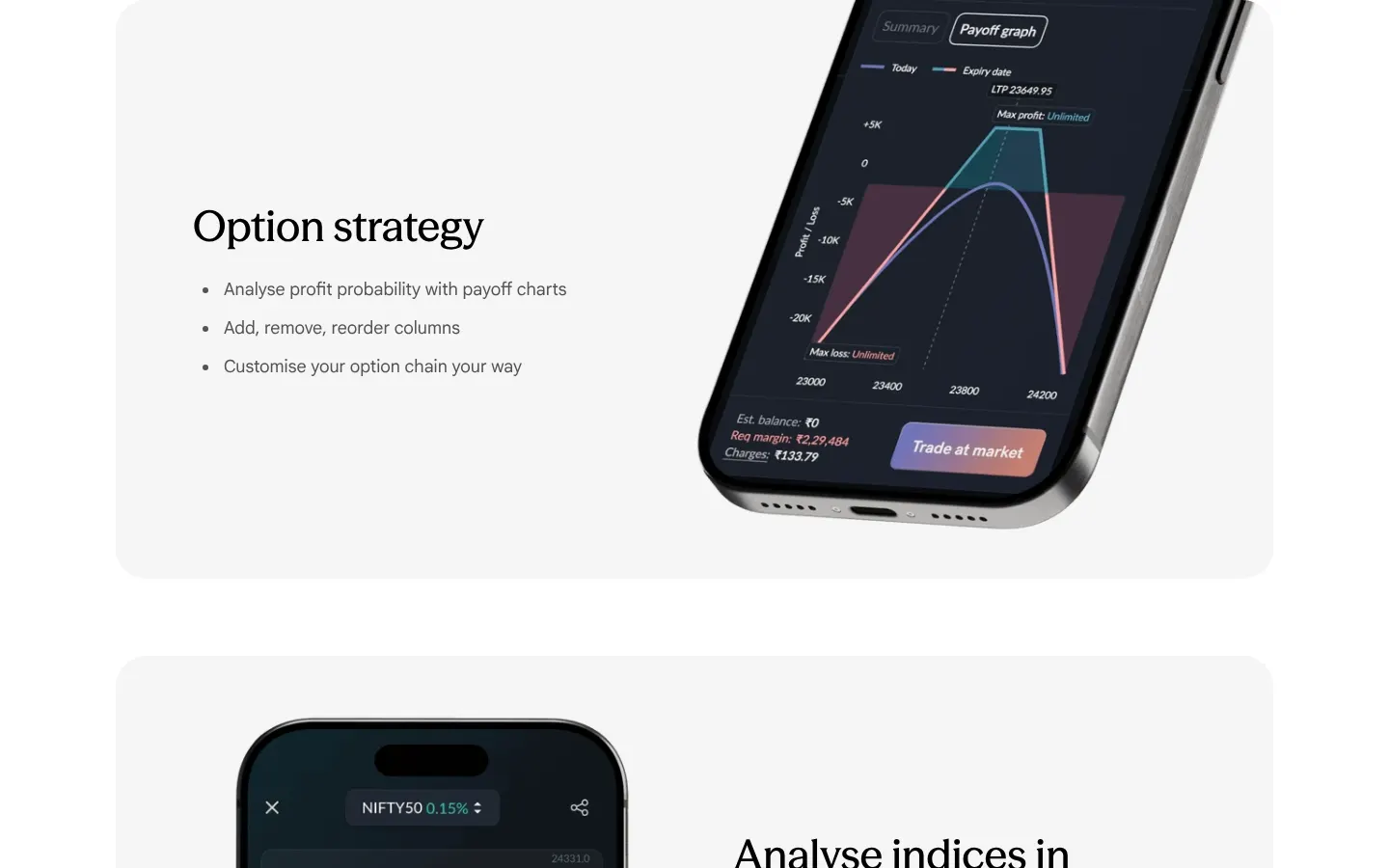
Our copy 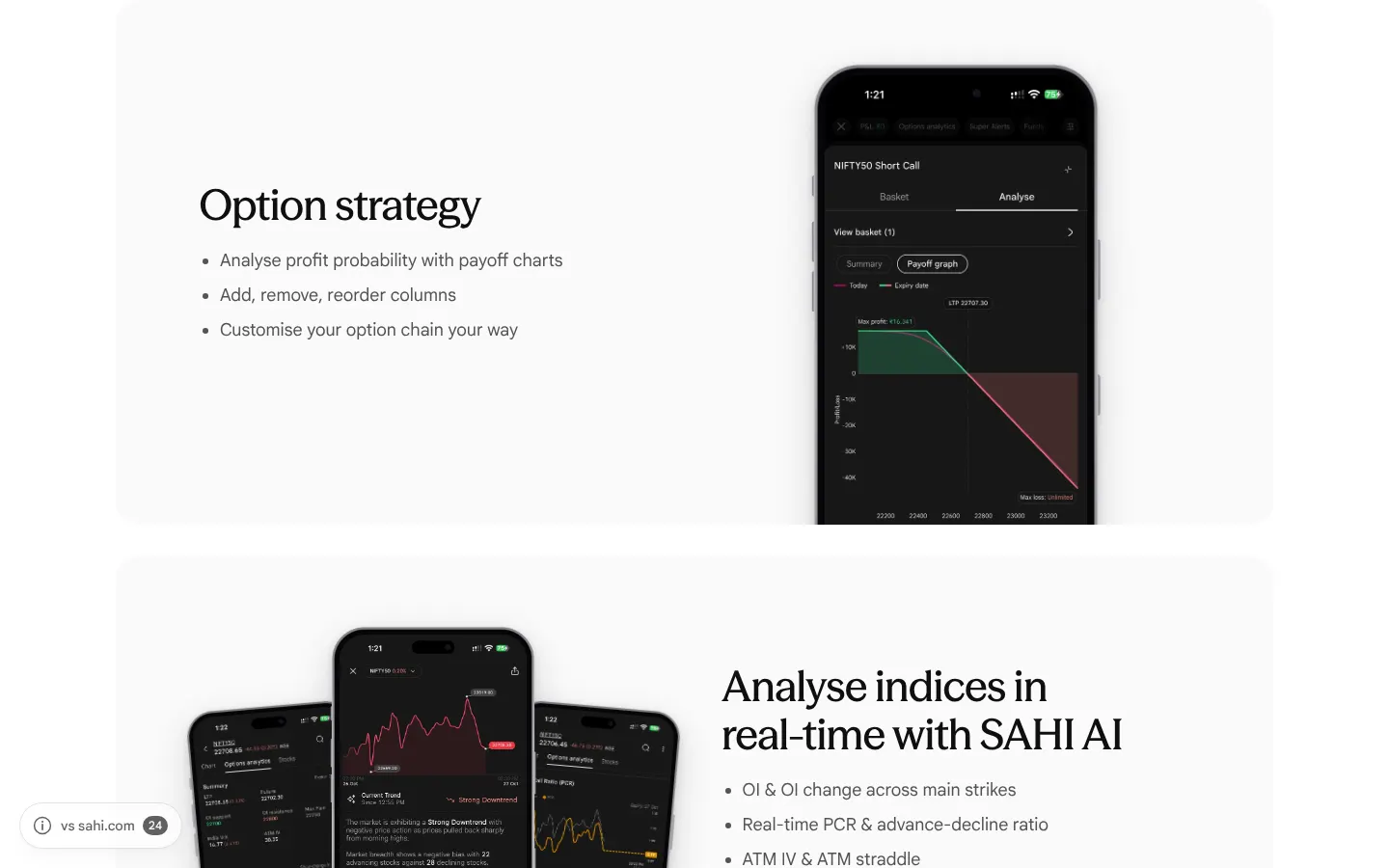
-
Carousel arrows look clickable when they do nothing
At the first card the previous arrow is disabled and at the last card the next arrow is, but both keep full opacity (1) and a pointer cursor, identical to the working arrow.
Our copy: A disabled arrow is dimmed with a plain cursor, and the arrow row disappears if every card fits.
-
FAQ questions are forced into Title Case
A capitalise rule turns every question into "What Is The Difference Between Futures And Options?" and "How Much Money Do I Need To Start F&O Trading In India?", unlike every other heading on the page and unlike the answers below them.
Our copy: Questions are shown as written, in sentence case.
sahi.com 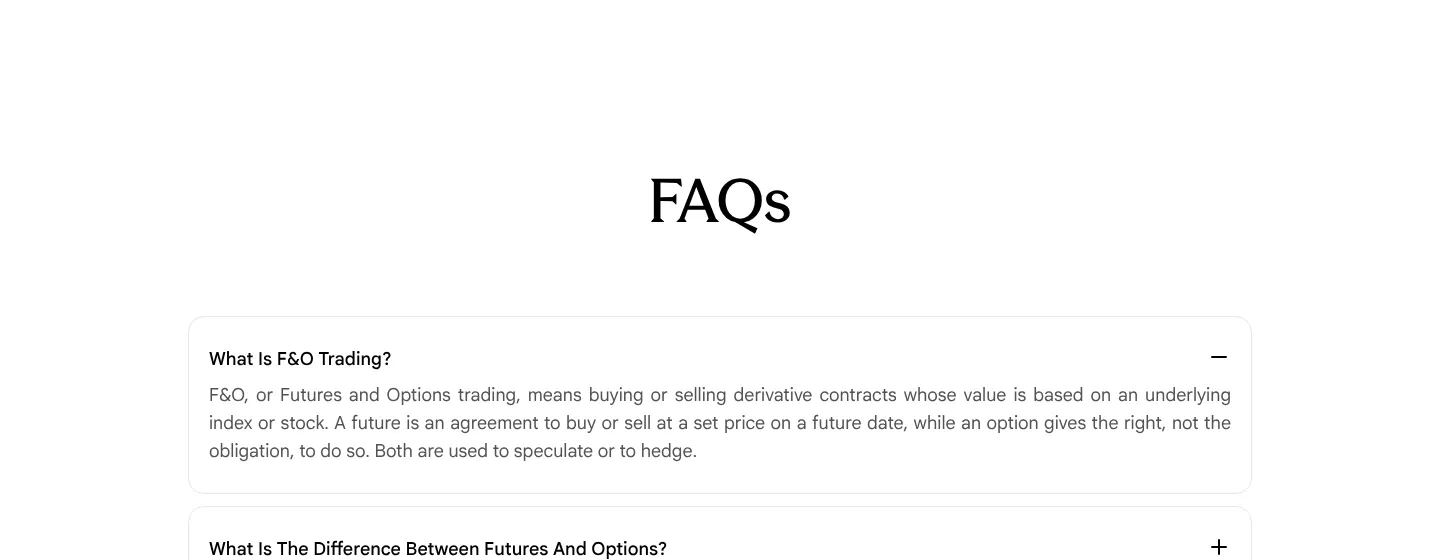
Our copy 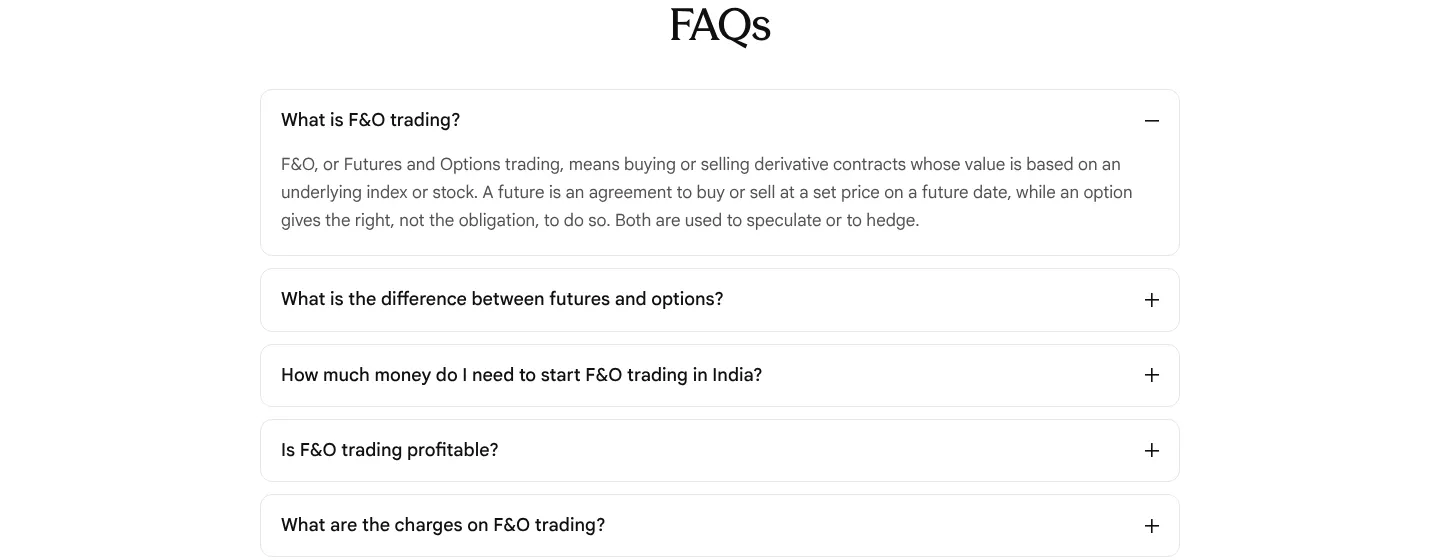
-
FAQ answers are justified, leaving rivers of space on a phone
Answers are set text-align: justify. In a 390px column the first answer stretches lines such as "means buying or selling derivative" with gaps several characters wide.
Our copy: Answers are left-aligned at a comfortable line length.
sahi.com 
Our copy 
-
A typo and mixed capitals in the five feature cards
"Drag & Drop SL/TP" says "a number you type on a seperate order form". The card titles switch styles from one to the next: "Trade at market or limit", then "Drag & Drop SL/TP" and "Track P&L at Trade level"; the Stocks page writes the same cards differently again.
Our copy: "separate", and one style for the titles ("Drag & drop SL/TP", "Track P&L at trade level"), the same on Futures & Options and on Stocks.
-
The two feature screenshots are hidden from screen readers
The phone pictures beside "Option strategy" (the payoff graph) and "Analyse indices in real-time with SAHI AI" (the NIFTY50 trend reading) have alt="", so a screen reader skips the only picture of each feature.
Our copy: Each picture says what it shows: the strategy's payoff graph, and SAHI AI's uptrend reading for NIFTY50.
-
The ₹0 / ₹0 / ₹10 comparison takes a screen and a half on a phone
On a 390px phone the three price cards stack one per row as 237px squares, so the price band is 1,375px tall and the three figures are never on screen together.
Our copy: The three cards stay side by side on a phone; the band is under 500px tall and the comparison reads at a glance.
sahi.com 
Our copy 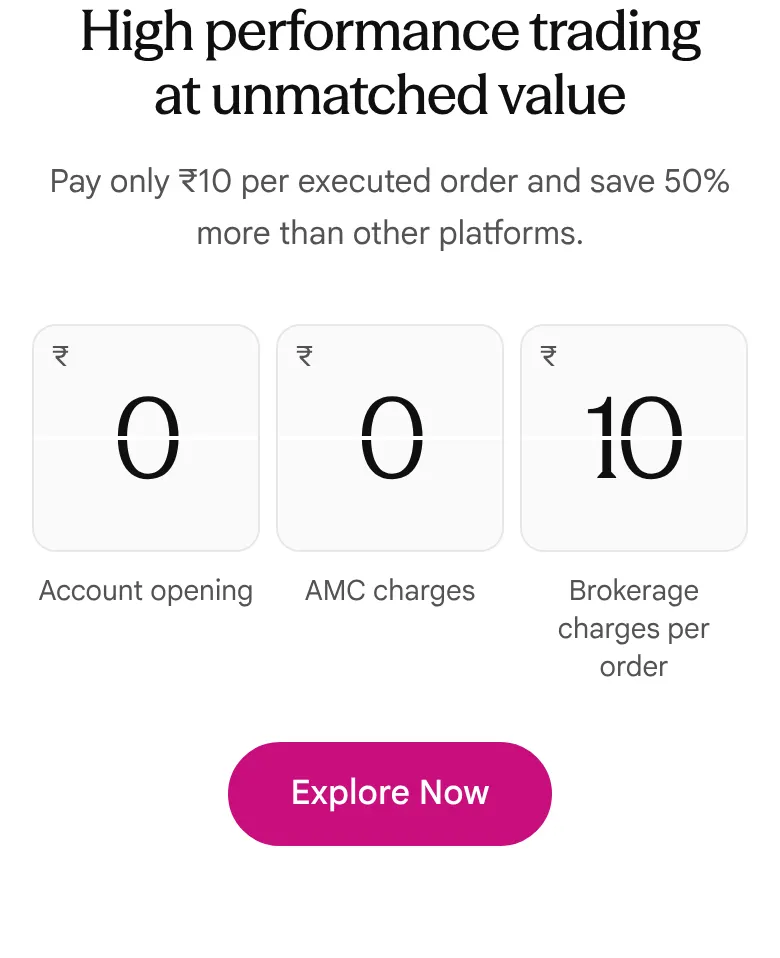
-
Search title and description disagree with the page
The description reads "Options Trading | Fast, efficient, smooth | Trade at Rs.10/executed order" while the page says ₹10 throughout, and the title ends "| Sahi " with a trailing space and the brand in a different case from the page.
Our copy: Title "High Performance Futures & Options Trading | SAHI" and a description in sentences with ₹10.
-
The charges answer says statutory charges apply "on every trade"
"What are the charges on F&O trading?" says STT, GST and stamp duty "apply on every trade". STT on F&O is charged on the sell side and stamp duty on the buy side, so neither applies to every trade.
Our copy: The answer says which side each charge falls on: STT on the sell side, stamp duty on the buy side, GST on brokerage and fees.
sahi.com 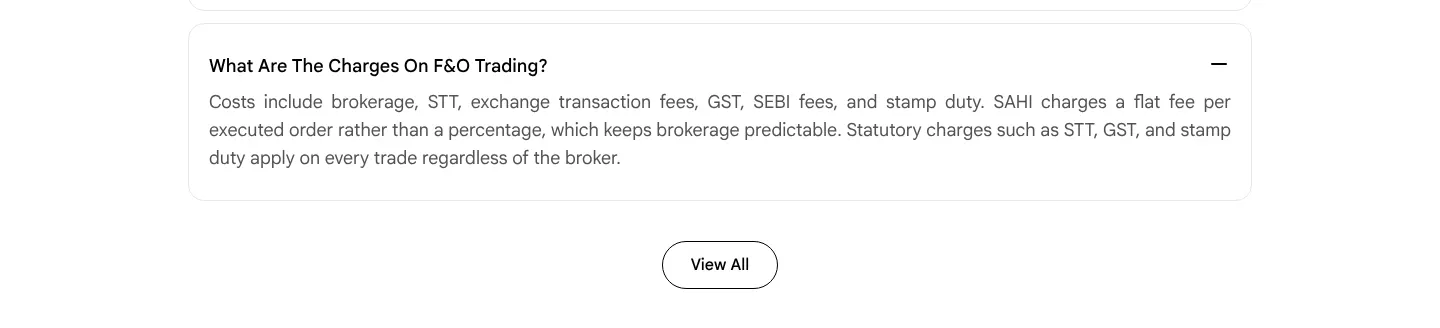
Our copy 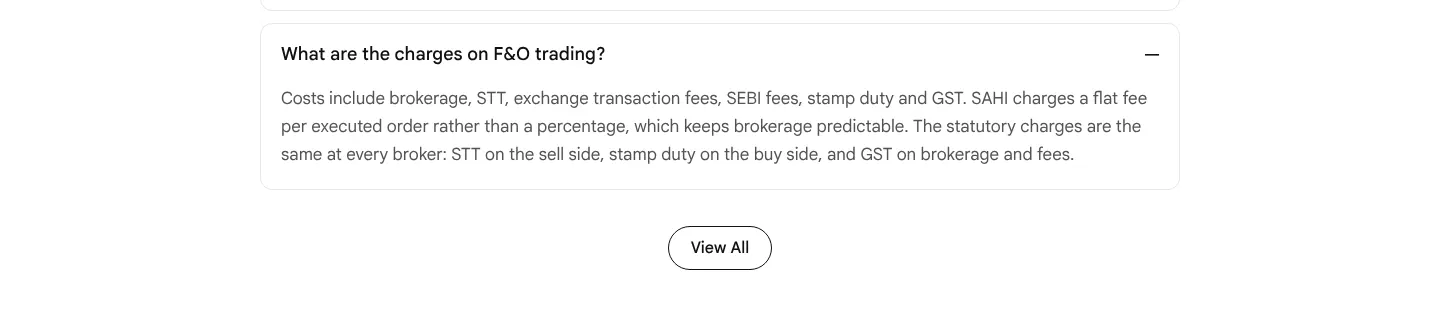
-
In the app, SAHI AI gives ATM IV as 0.33 while the analytics tab says 30.35
SAHI app, owner's screenshots of 27 Oct 2026 (about 1:21 PM): the SAHI AI summary says "ATM IV(7) remains steady at 0.33", while the options analytics tab a minute later shows ATM IV 30.35 and the ATM IV chart reads 33.2. The summary writes IV as a fraction and the rest of the app as a percentage, so the same figure reads a hundred times smaller.
Our copy: Not something this site can change: recorded for the app team. Our page shows the screens as they are.
-
In the app, the floating Kyro button covers values at the right edge
SAHI app, owner's screenshots (October 2026): the Kyro button floats over the right edge of the F&O screens, covering the end of the OI summary row, the ATM IV chart's axis and the edge of the SAHI AI text, as it does on the IPO screens (see ipo-17).
Our copy: Not something this site can change: recorded for the app team.
-
In the app, three different PCRs within two minutes
SAHI app, owner's screenshots of 27 Oct 2026: at 1:21 PM the SAHI AI summary says "OI PCR is neutral at 1.0" and the OI summary box on the F&O home says PCR 0.91. At 1:22 PM the options analytics tab still gives PCR 0.91 in its box, while the Put Call Ratio chart on the same tab ends at 0.99. Only the analytics box says its figure is "aggregated values for 11 strikes around ATM"; the home box has just an (i) icon, and neither the chart nor SAHI AI says which strikes it counts. A trader sees three PCRs and cannot tell which one to use.
Our copy: Not something this site can change: recorded for the app team. Label each figure with the strikes it covers, for example "PCR, 11 strikes around ATM" and "PCR, all strikes" (Needs verification: which strikes the chart and SAHI AI use).
-
In the app, the index chart writes "Oct 26" for October 2026
SAHI app, owner's screenshot of the NIFTY50 chart (27 Oct 2026): the daily chart's date axis reads 27, 8, 21, Oct 26, 14, 27. "Oct 26" marks the start of October 2026, but the app writes dates as "26 Oct" elsewhere (the PCR and ATM IV charts), so it reads as 26 October. The last-price tag at the right edge is also cut off ("22710.2" for 22710.20), as on the scanner charts (see stocks-23). In the Options Scalper the live price tag sits on the axis label next to it, so "22711.2" covers "22700".
Our copy: Not something this site can change: recorded for the app team. Write the month marker as "Oct" or "Oct 2026", and give the price tag room for two decimals.
-
In the app, a fall is shown by red alone
SAHI app, owner's screenshots (October 2026): the percentage change carries no minus sign, so "(0.23%)" in red is the only sign that NIFTY50 fell. Next to the price, the F&O home shows only "22701.00 (0.23%)", and the analytics summary gives India VIX as "16.77 (2.27%)" in red, with no point change at all. A colour-blind trader cannot tell whether VIX rose or fell.
Our copy: Not something this site can change: recorded for the app team. Put the sign on every change: "−0.23%".
-
In the app, small text slips on the home screen
SAHI app, owner's screenshots (October 2026): the Customise Home list names a widget "Learn how to use Sahi app", while the widget itself says "Master the SAHI app" and the brand is SAHI everywhere else. On that widget, the video thumbnail's title "What is Scalping?" sits under the play button, which covers half of it.
Our copy: Not something this site can change: recorded for the app team.
-
In the app, the Scalper's option chart loses its top in Limit/Trigger mode
SAHI app, owner's screenshots of 27 Oct 2026 (about 1:20 PM): in 1-Tap Limit mode the 27 Oct 22700 Call chart runs from 40 to 160 and shows the day's high of 154.70. Three seconds later, in Limit/Trigger mode with a price line at 48, the same chart runs from 0 to about 100, so every candle above 100 is cut off at the top and runs under the "1" selector. Two price tags (48.25 and the live price with its 04:12 timer) also sit on top of each other, so neither can be read. Needs verification: whether the chart rescales on its own or was dragged.
Our copy: Not something this site can change: recorded for the app team.
Changed here 2
-
SAHI AI shown with three current screens
"Analyse indices in real-time with SAHI AI" now shows the AI market summary in front, with options analytics (OI support and resistance, max pain, India VIX, ATM IV) and the PCR and ATM IV charts behind it, which are the three things the section's list promises. The two behind slide out once as the panel arrives, not with reduced motion.
sahi.com 
Our copy 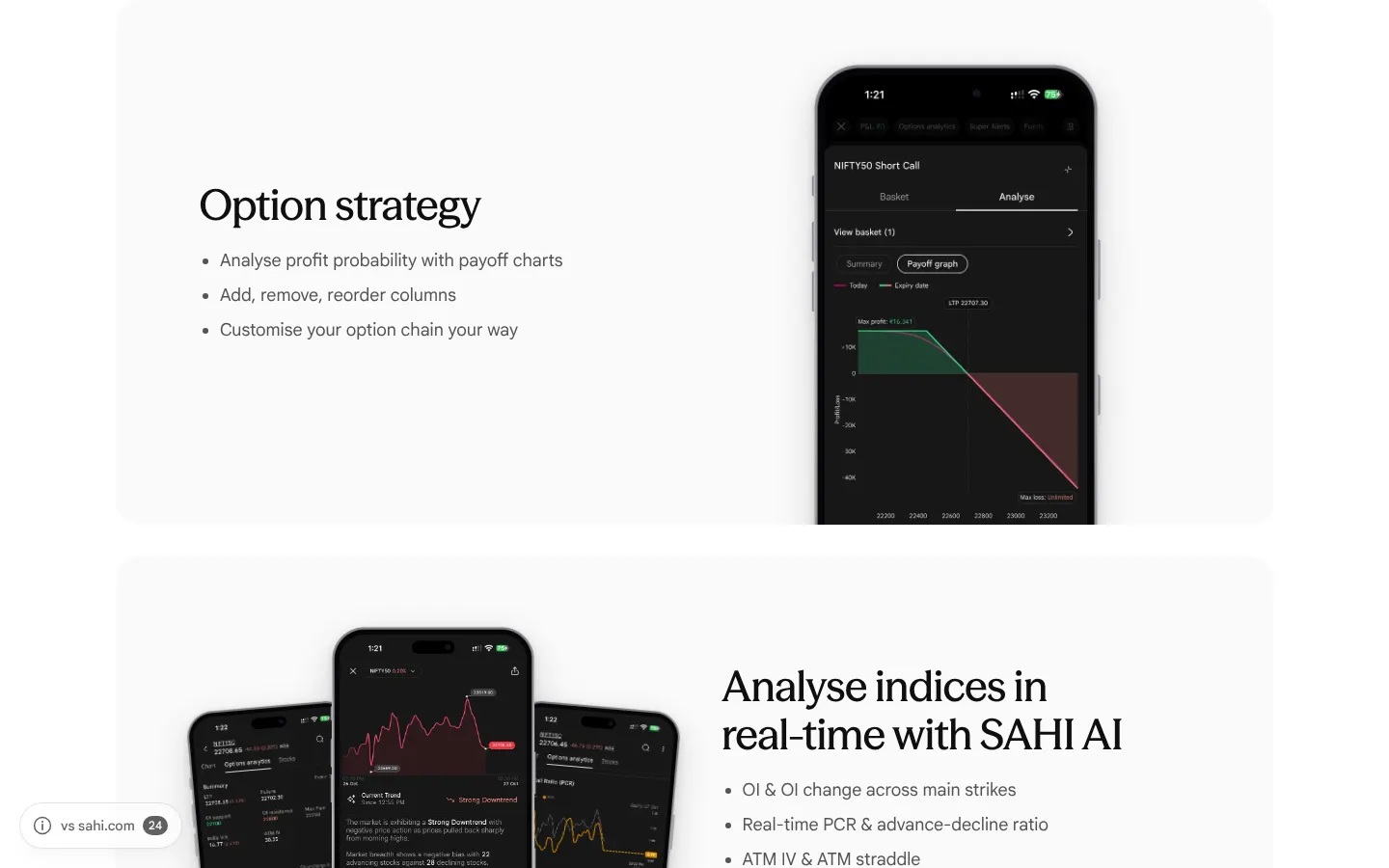
-
A new section: "Inside the F&O tab"
Six more screens from the app: the indices with today's expiry tag, Open Interest by strike on the F&O home (with OI support, OI resistance and max pain), OI buildups by stock, the index chart with Options Seller, Futures and the Option Chain one tap away, the Options Scalper full screen, and Customise Home. On a desktop they are two rows of three; on a phone, a row to swipe.
Our copy 
First screen, side by side


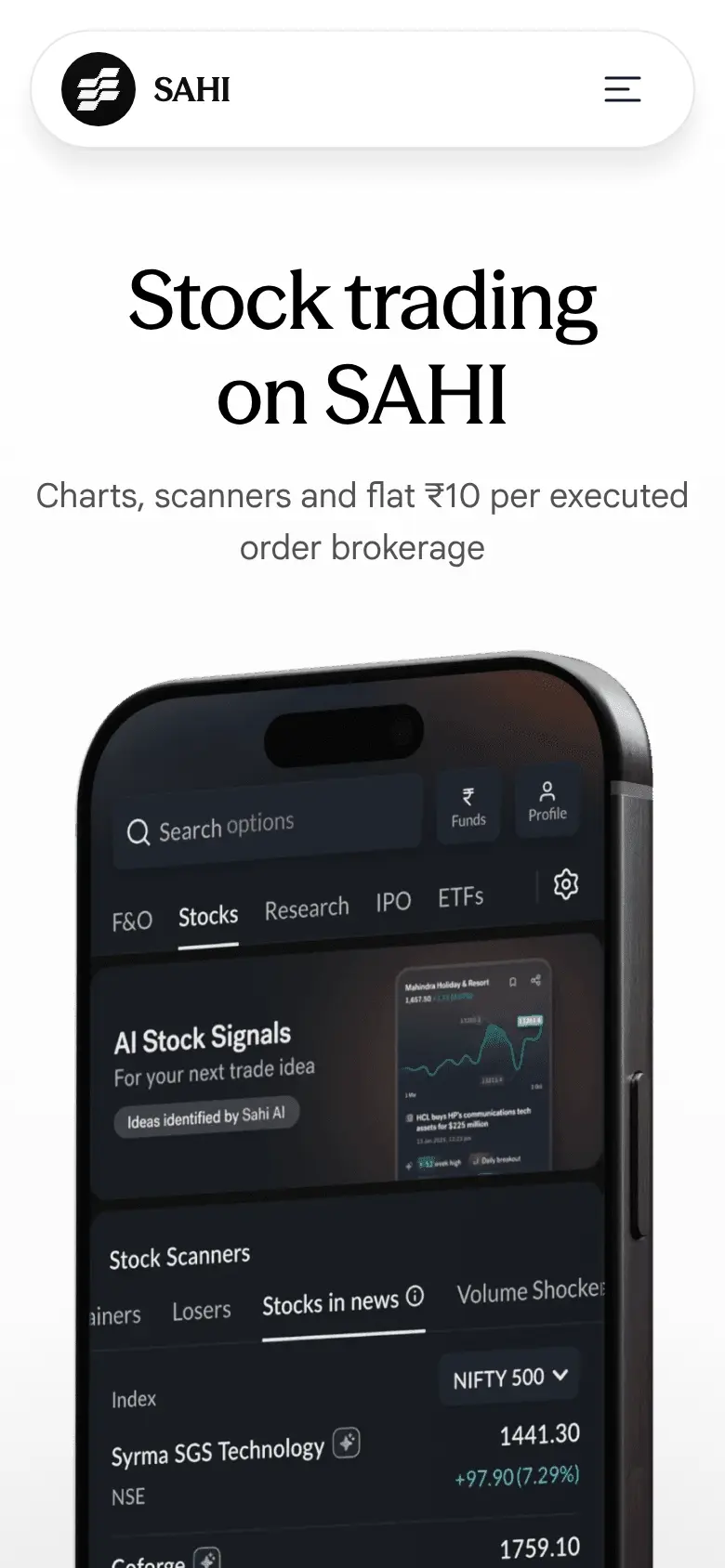
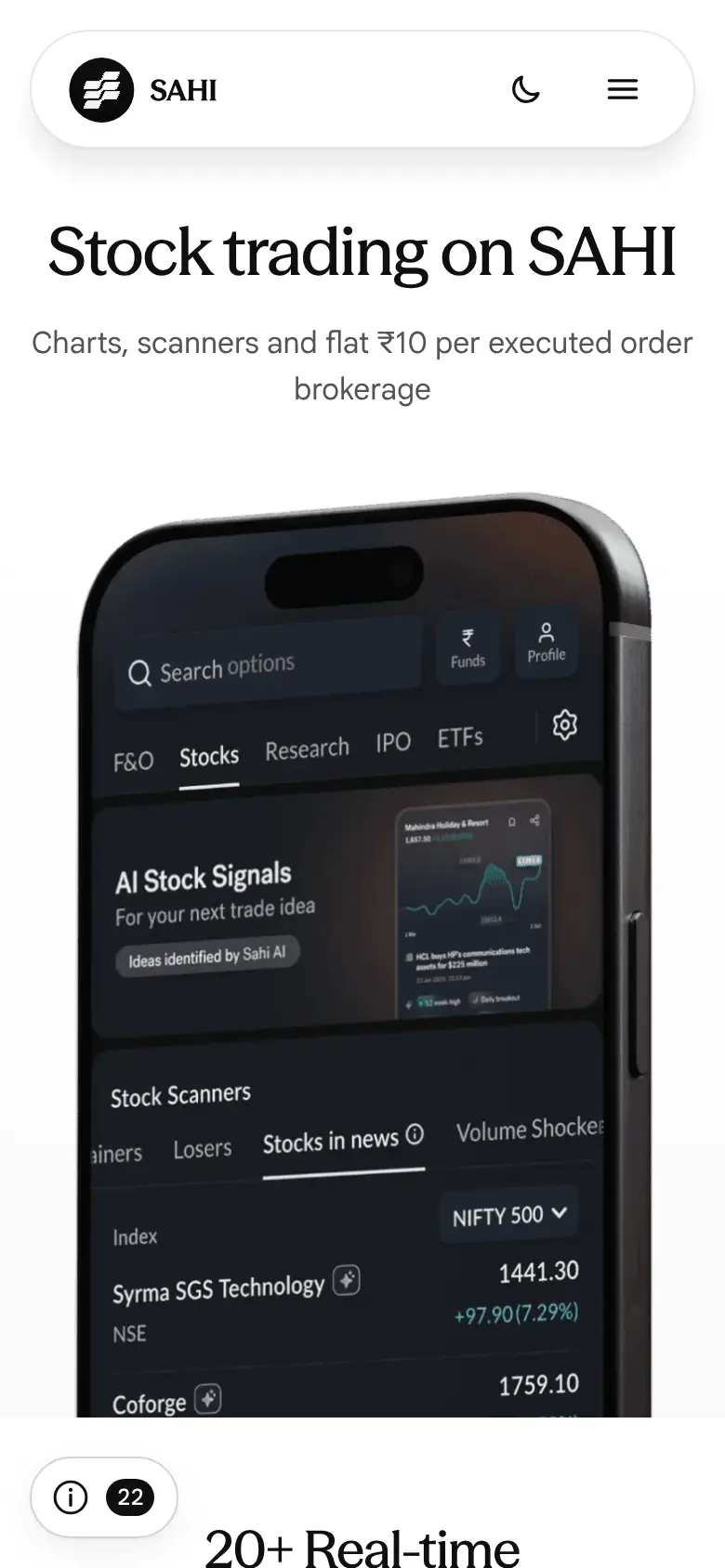
Missing on sahi.com 3
-
The tax answer gives no rates
"How is intraday trading taxed in India?" says delivery holdings under a year are short-term capital gains, then "Set off and report as per the rules." It gives no rate for short-term or long-term gains and does not say how intraday losses can be set off.
Our copy: The answer gives the rates (short-term 20%; long-term 12.5% on gains above ₹1.25 lakh a year, from 23 July 2024) and says speculative losses can only be set off against speculative gains.
sahi.com 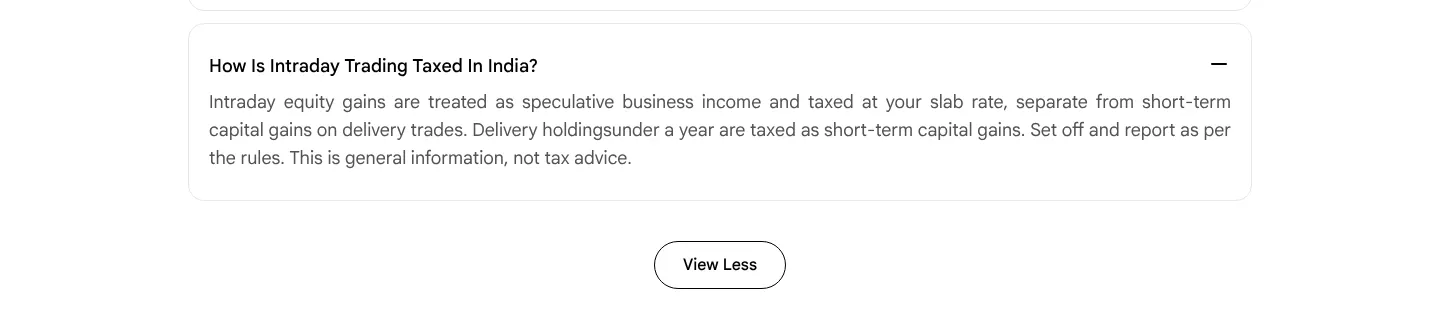
Our copy 
-
Nothing on the Kill Switch or P&L Protect, though both cover intraday equity
The app's Kill Switch stops equity intraday along with F&O and commodity F&O, and its P&L Protect adds up equity intraday, equity F&O and commodity F&O (owner's screenshots, October 2026). Intraday is where losses build fastest, yet sahi.com's Stocks page never mentions either; only the Commodities page does.
Our copy: A new section, "Put a limit on the day", shows the Kill Switch segments, P&L Protect with a stop at −₹500, and the P&L Protect disclaimer, in words taken from the app's own screens.
Our copy 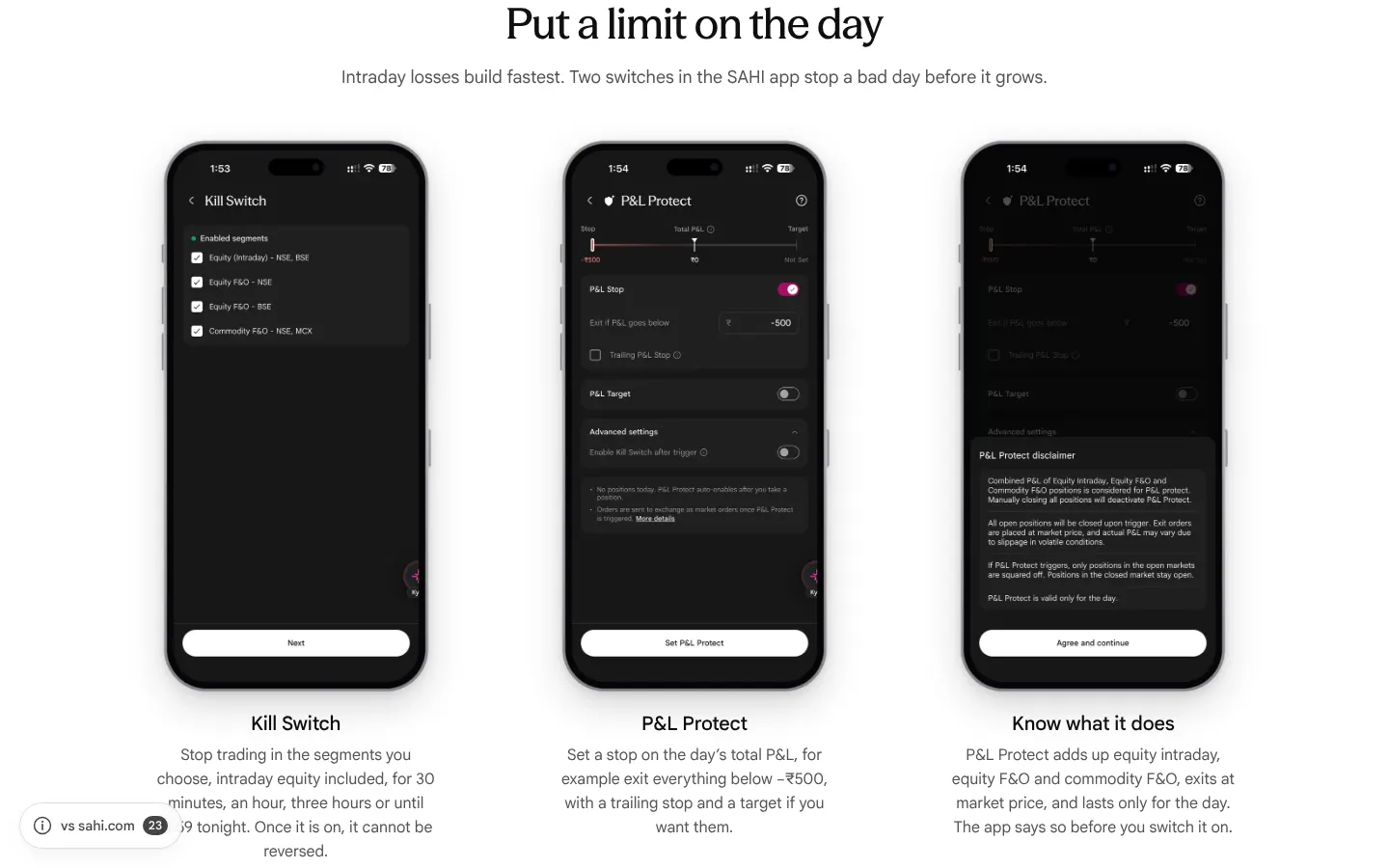
-
"Is intraday trading profitable?" gives no evidence
The answer says intraday trading is not profitable for most beginners, with nothing to back it.
Our copy: It cites SEBI's study of 2022-23: about 7 in 10 individual intraday traders in the cash market made a loss.
sahi.com 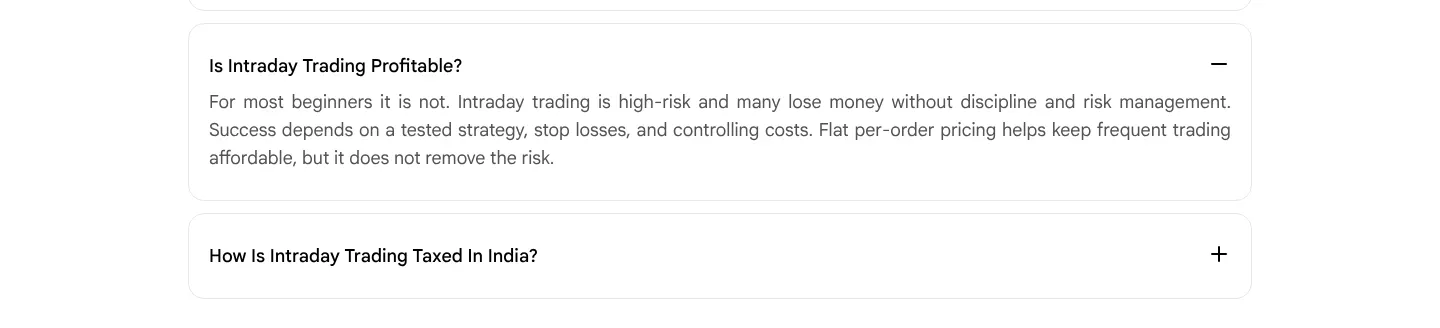
Our copy 
Broken or poor on sahi.com 20
-
The price cards are sent with the wrong prices, and their flip plays where nobody sees it
Under "High performance trading at unmatched value" the HTML says ₹20 account opening, ₹16 AMC and ₹21 brokerage per order, at opacity 0. The script flips them to ₹0, ₹0 and ₹10 the moment the page loads, while the reader is still at the top of the page, about 6,000px above the cards, so nobody sees the flip. Without the script, and for search engines and link previews, the page states the higher prices.
Our copy: The real prices (₹0, ₹0, ₹10) are the text of the cards. With motion allowed, each card shows the higher figure and one split-flap leaf falls to the real price when the card reaches the screen; with reduced motion or no script the real prices simply show.
-
"Trade from charts" cards are cut off mid-sentence
At 1440px each card is 724px wide inside a 1168px tray, so the second card is sliced at the tray's edge: "Choose market for an immediate fill or limit for your pri". After the last click the card before is sliced on the left: "ividual trade, not just the day's total."
Our copy: Two whole cards per view from tablet width up, snapping card by card; on a phone one card with a faded peek of the next.
sahi.com 
Our copy 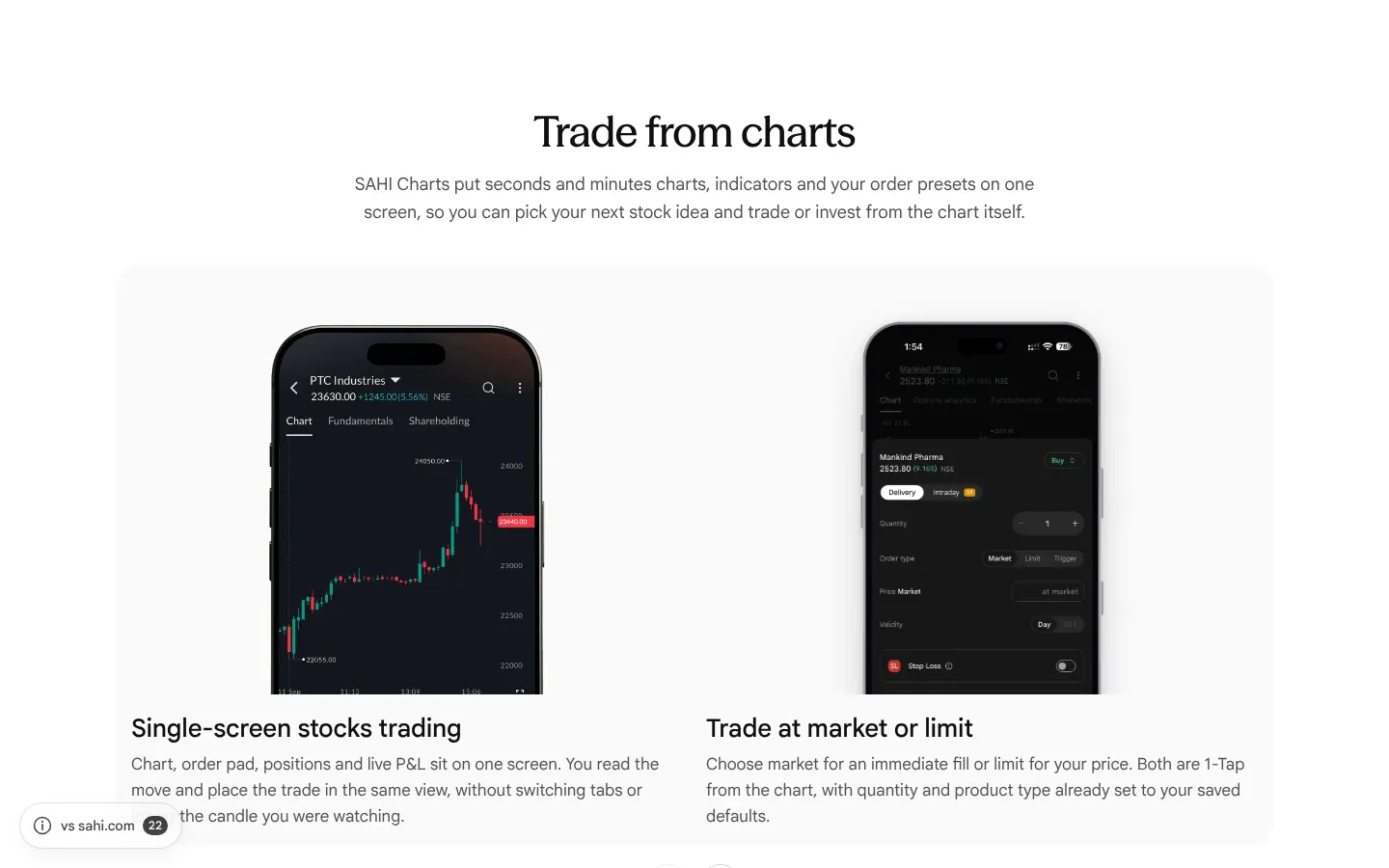
-
FAQ answers run words together, miss a full stop and hide a control character
"How is intraday trading taxed in India?" reads "Delivery holdingsunder a year". "What is the difference between a demat and a trading account?" ends "They are usually opened together" with no full stop. "How do I find good stocks for intraday trading?" has an invisible control character (U+0002) inside "large caps", which some fonts and screen readers show or read as a stray symbol.
Our copy: "Delivery holdings under a year", a full stop, and plain text with the stray character removed.
-
The GTT footnote is 10px text and its asterisk points at nothing
"*SAHI supports both Good-Till-Triggered (GTT) and Good-Till-Cancelled (GTC) orders…" is set at 10px on desktop and phone (measured), in black on the grey panel. It starts with an asterisk, but nothing in the panel carries one.
Our copy: The note is 13px in the caption colour, sits under the list it qualifies, and loses the orphan asterisk.
sahi.com 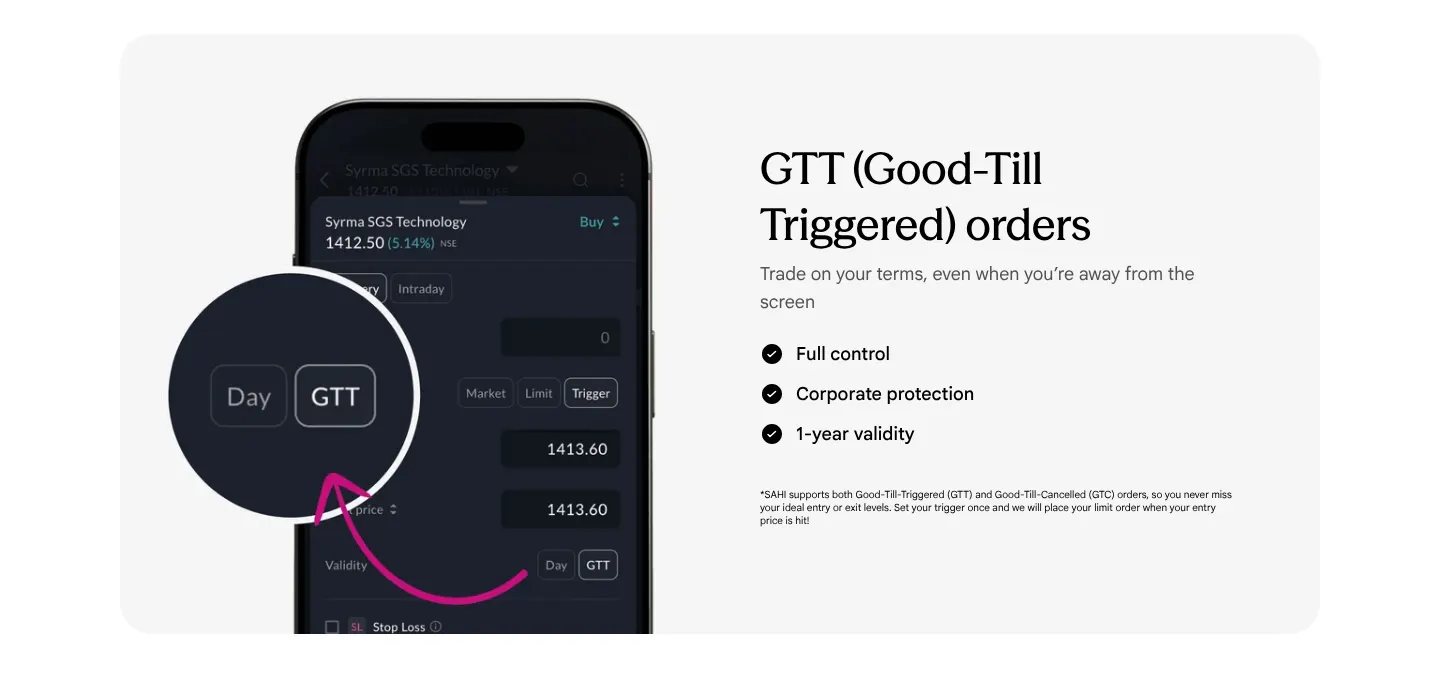
Our copy 
-
Pictures are announced by file name or not at all
The hero picture's alt text is "stock-hero-mobile.png", and the Buzzing stocks and GTT phone pictures have alt="", so a screen reader hears a file name for the first picture and nothing for the two feature shots.
Our copy: Each picture says what it shows (the desktop and app screens, the Buzzing stocks earnings card, the GTT validity switch).
-
GTT and GTC: the page contradicts itself
The note under "GTT (Good-Till-Triggered) orders" says "SAHI supports both Good-Till-Triggered (GTT) and Good-Till-Cancelled (GTC) orders", and the page's description says the same. The FAQ then says Indian exchanges do not support true GTC, and ends "SAHI supports GTT and GTC-style order handling", which does not say what a reader actually gets.
Our copy: The note describes GTT, valid for up to a year (the app's own order screen says "GTT orders are valid for 1 year"). The FAQ explains GTC plainly and why brokers offer GTT instead. What sahi.com means by GTC on SAHI is not explained anywhere: Needs verification.
sahi.com 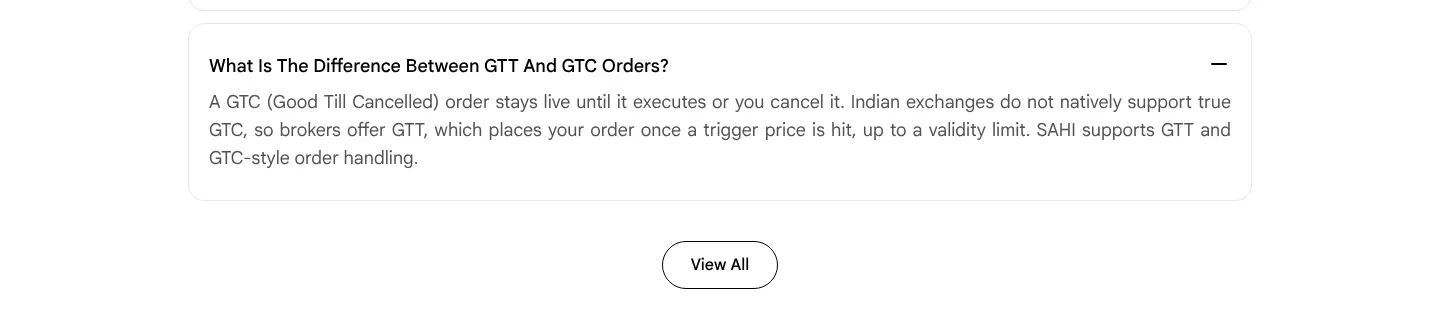
Our copy 
-
The app pictures show the older app
The scanner phone is titled "My Watchlist" and lists PINELABS, PWL and AIIL from an older session, the order pad is the older design, and the GTT phone is the older order pad for Syrma SGS. The app's watchlist, order screen and GTT validity now look different.
Our copy: Current screens from the owner's screenshots (October 2026), in an iPhone 18 frame: Gainers, Bullish Engulfing and Daily Breakouts in the scanner tabs, the delivery order screen, and the order screen with Day or GTT validity.
sahi.com 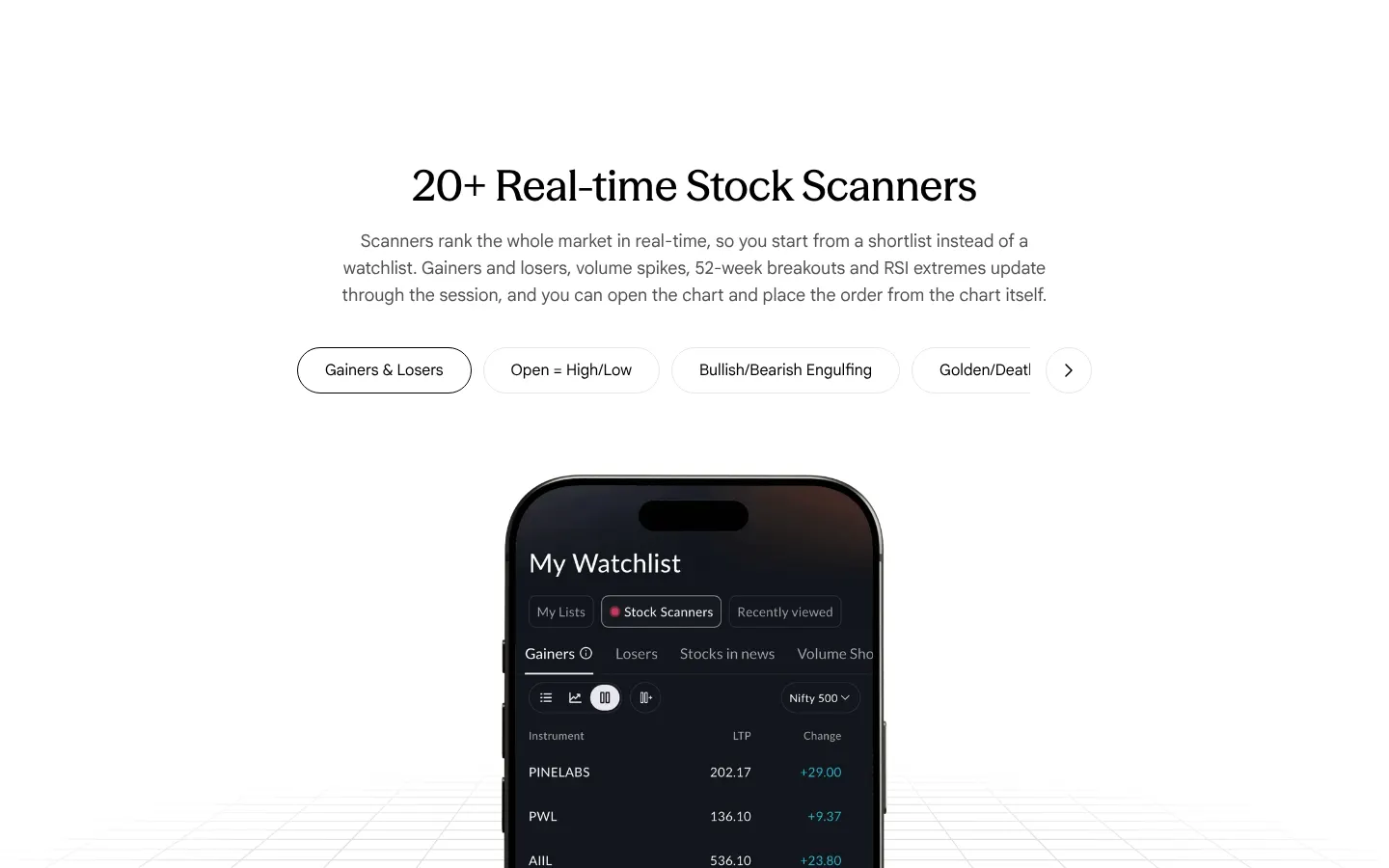
Our copy 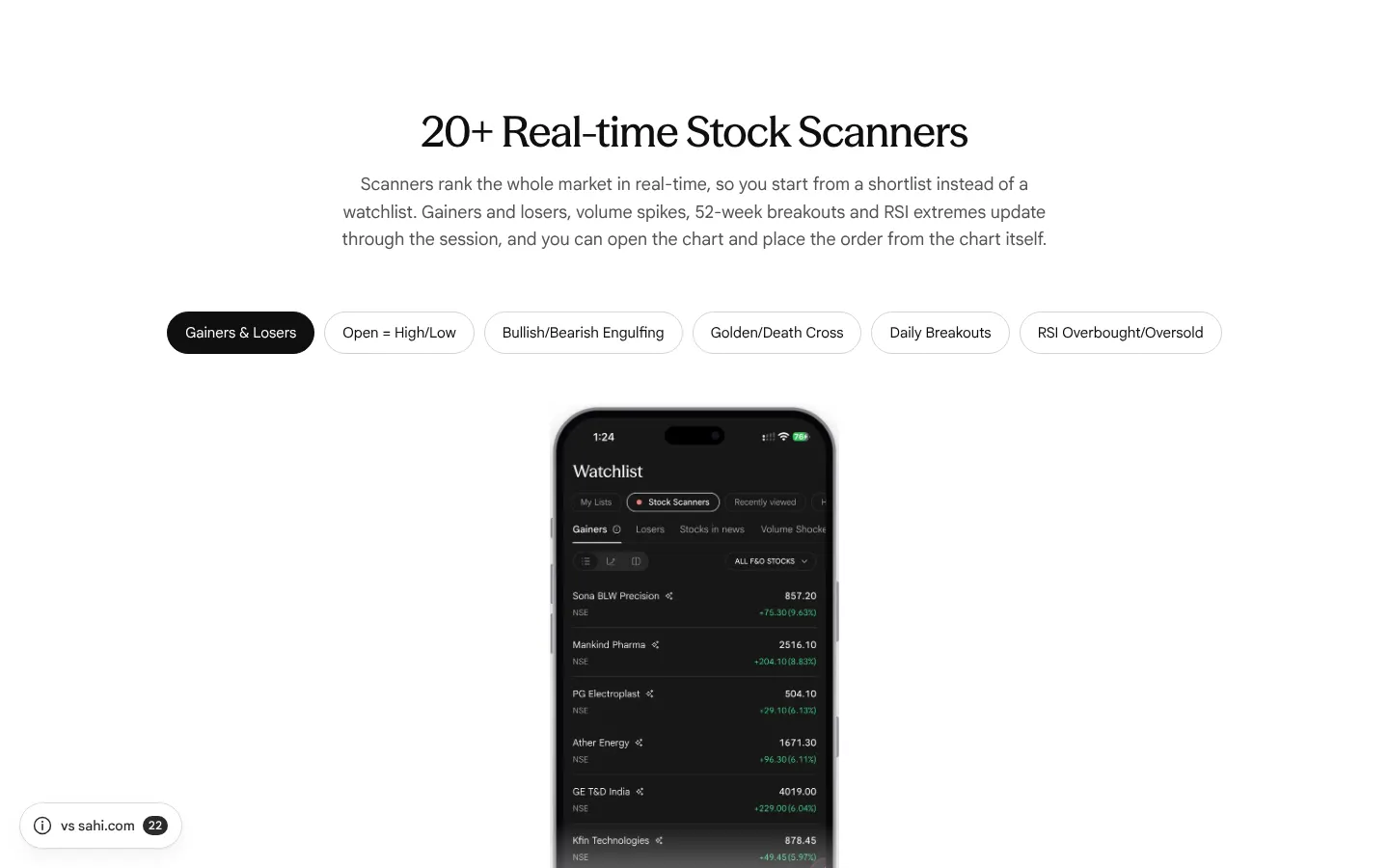
-
Carousel arrows look clickable when they do nothing
Measured: at the first card the previous arrow is disabled, and after four clicks the next arrow is, but both keep opacity 1 and a pointer cursor, identical to the working arrow. A fifth click does nothing with no sign why.
Our copy: A disabled arrow is dimmed with a plain cursor.
-
FAQ questions are forced into Title Case
A capitalise rule turns the questions into "What Is A GTT Order?" and "What Is The Difference Between GTT And GTC Orders?", unlike every other heading on the page.
Our copy: Questions are shown as written, in sentence case.
sahi.com 
Our copy 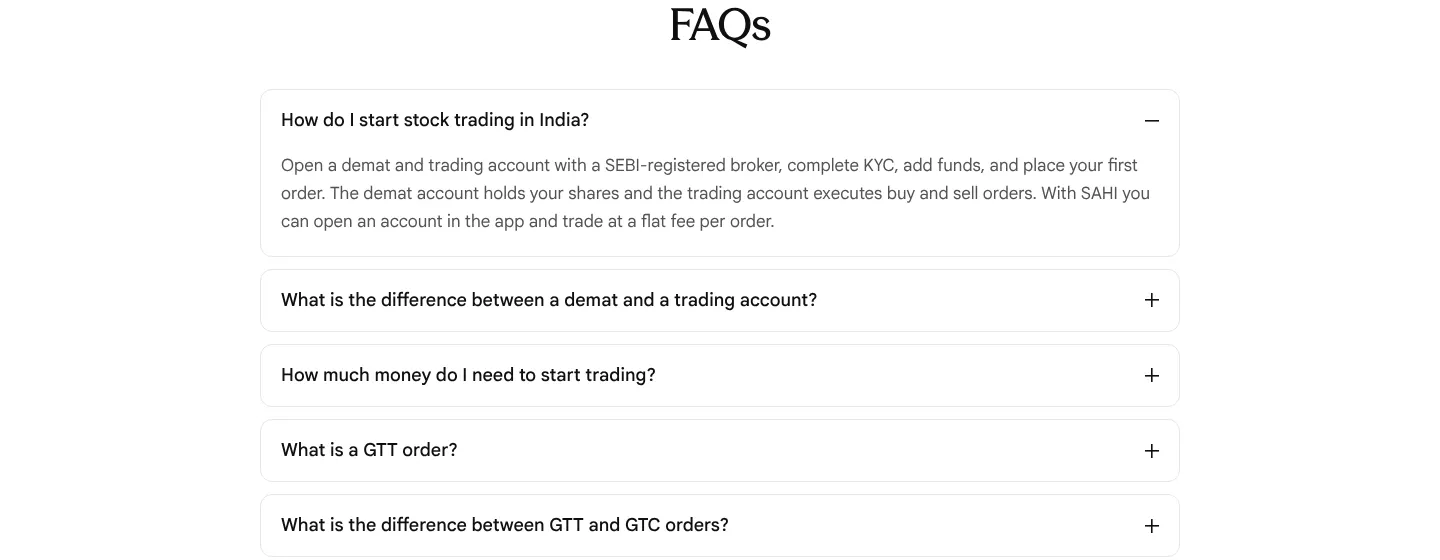
-
FAQ answers are justified, leaving rivers of space on a phone
Answers are set text-align: justify. In a 390px column the first answer stretches "with a SEBI-registered broker," across the whole line.
Our copy: Answers are left-aligned.
sahi.com 
Our copy 
-
On a phone each GTT check mark sits on its own line
Under "GTT (Good-Till Triggered) orders" the list is centred so that each check icon lands on a line by itself above its words (icon, "Full control", icon, "Corporate protection"…), and the list reads as six lines instead of three.
Our copy: The icon stays beside its words; the list is centred as a block.
sahi.com 
Our copy 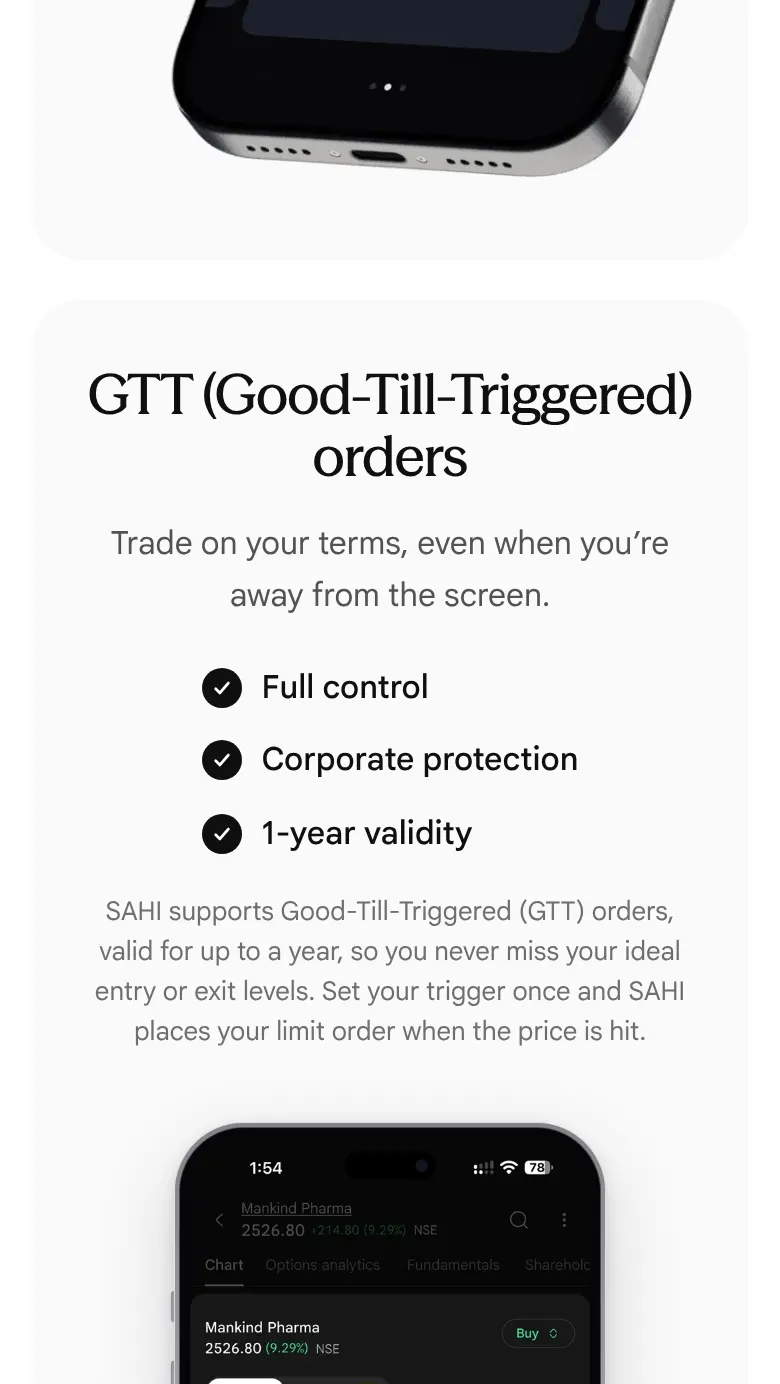
-
GTT is spelled three ways on one page
The heading says "Good-Till Triggered", the footnote under it "Good-Till-Triggered" and the FAQ "Good Till Triggered" (and "Good Till Cancelled"). The heading also splits the bracketed name across two lines on desktop and phone ("GTT (Good-Till / Triggered) orders").
Our copy: "Good-Till-Triggered" and "Good-Till-Cancelled" everywhere, and the bracketed name never breaks across lines.
-
Typos and a lower-case sentence start
The "Trade from charts" intro starts a sentence in lower case ("…investment decision. seconds/minutes charts, indicators…"). "Drag & drop SL/TP" says "a seperate order form". Buzzing stocks lists "RSI breakouts and other technical trigger". The card titles mix styles ("Trade at Market or Limit", "Drag & drop SL/TP", "Track P&L at Trade level") and differ from the same cards on Futures & Options.
Our copy: "Seconds/minutes charts", "separate", "technical triggers", and one title style shared with Futures & Options.
-
The scanner row is cut mid-word and only goes one way
At 1440px the six scanner tabs (1,278px of them) sit in a 760px row, so the fourth is cut at "Golden/Deat" with no fade, and the last two are out of sight. The only control is a "Next stock scanner" arrow; there is no way back except swiping.
Our copy: On wide screens all six scanners are in view at once. On a phone the row scrolls, fades where it continues and has an arrow that hides at the end.
sahi.com 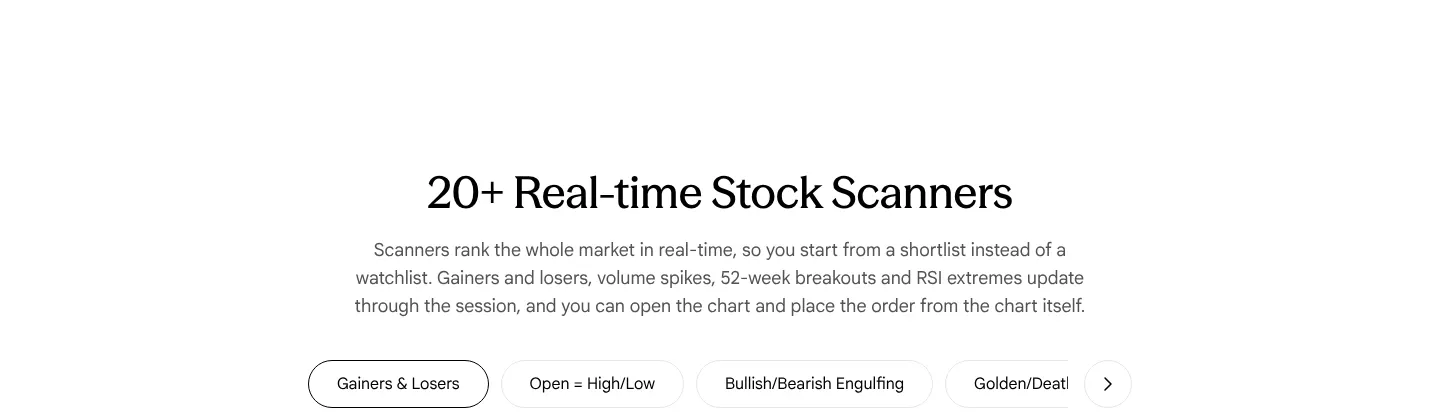
Our copy 
-
The selected scanner is hard to tell apart
The chosen scanner tab differs from the others only by a 1px black border instead of a pale grey one: same white fill, same weight, same text colour (measured).
Our copy: The selected scanner is a filled chip in the ink colour, in light and dark.
sahi.com 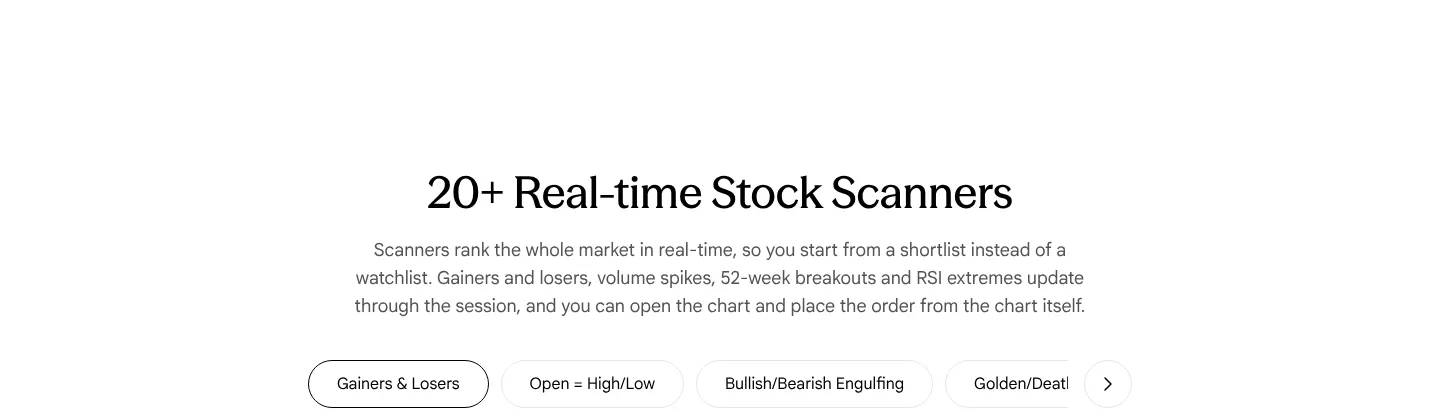
Our copy 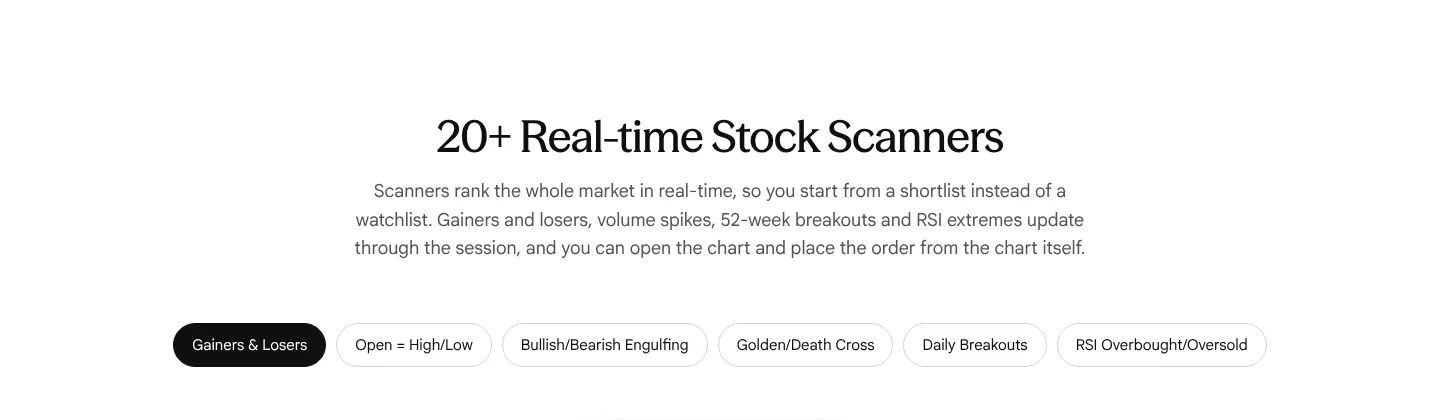
-
The ₹0 / ₹0 / ₹10 comparison takes a screen and a half on a phone
On a 390px phone the three price cards stack one per row as 237px squares; the price band measures 1,375px and the three figures are never on screen together.
Our copy: The three cards stay side by side on a phone; the band measures 479px.
sahi.com 
Our copy 
-
The "Trade from charts" introduction is hard to read
"Our advanced SAHI charts let you make an efficient trading and investment decision. Seconds/minutes charts, indicators and order presets, all on a single screen. On SAHI, choose your next stock idea and trade and invest from charts, seamlessly." The first sentence is ungrammatical, the second has no verb, and "seconds/minutes" uses a slash for "and".
Our copy: One plain sentence: SAHI Charts put seconds and minutes charts, indicators and your order presets on one screen, so you can pick your next stock idea and trade or invest from the chart itself.
sahi.com 
Our copy 
-
In the app, the scanner table cuts off its last column
SAHI app, owner's screenshots (October 2026): in the table view of Daily Breakouts and Volume Shockers the last column, "Change %", is cut off at the screen's right edge ("+9.6", "+6.1"), with nothing to show the table scrolls sideways. The floating Kyro button also sits over that edge.
Our copy: Not something this site can change: recorded for the app team.
-
In the app, the scanner charts cut off the last price
SAHI app, owner's screenshots (October 2026): in the chart view of a scanner, the last-price tag at the right edge of each chart is cut off. Sona BLW Precision at 856.95 shows "856.9", and Mankind Pharma at 2514.40 shows "2514.4". The price written above the chart is correct.
Our copy: Not something this site can change: recorded for the app team.
-
In the app, a Buy trigger order opens with the trigger below the last price
SAHI app, owner's screenshots of 27 Oct 2026 (1:54 PM): on a Buy order for Mankind Pharma, choosing Trigger fills in a trigger price and limit of 2523.70 while the last price is 2526.00 to 2526.80, in both Delivery and Intraday. For a Buy stop order the trigger normally has to be above the last price, so this default would either be refused by the exchange or fire at once. Needs verification: whether the app warns before sending.
Our copy: Not something this site can change: recorded for the app team. Fill in a Buy trigger a tick above the last price, and a Sell trigger a tick below.
Changed here 3
-
A new section: "More scanners in the SAHI app"
sahi.com promises 20+ scanners but shows six tabs. Eleven more screens from the app show Losers, Volume Shockers, Gap Up and Stocks in news, a scanner as a table and as charts, the seven chart types and the time range, choosing which stocks it covers and which columns it shows, and Stock Scanners on the home screen.
Our copy 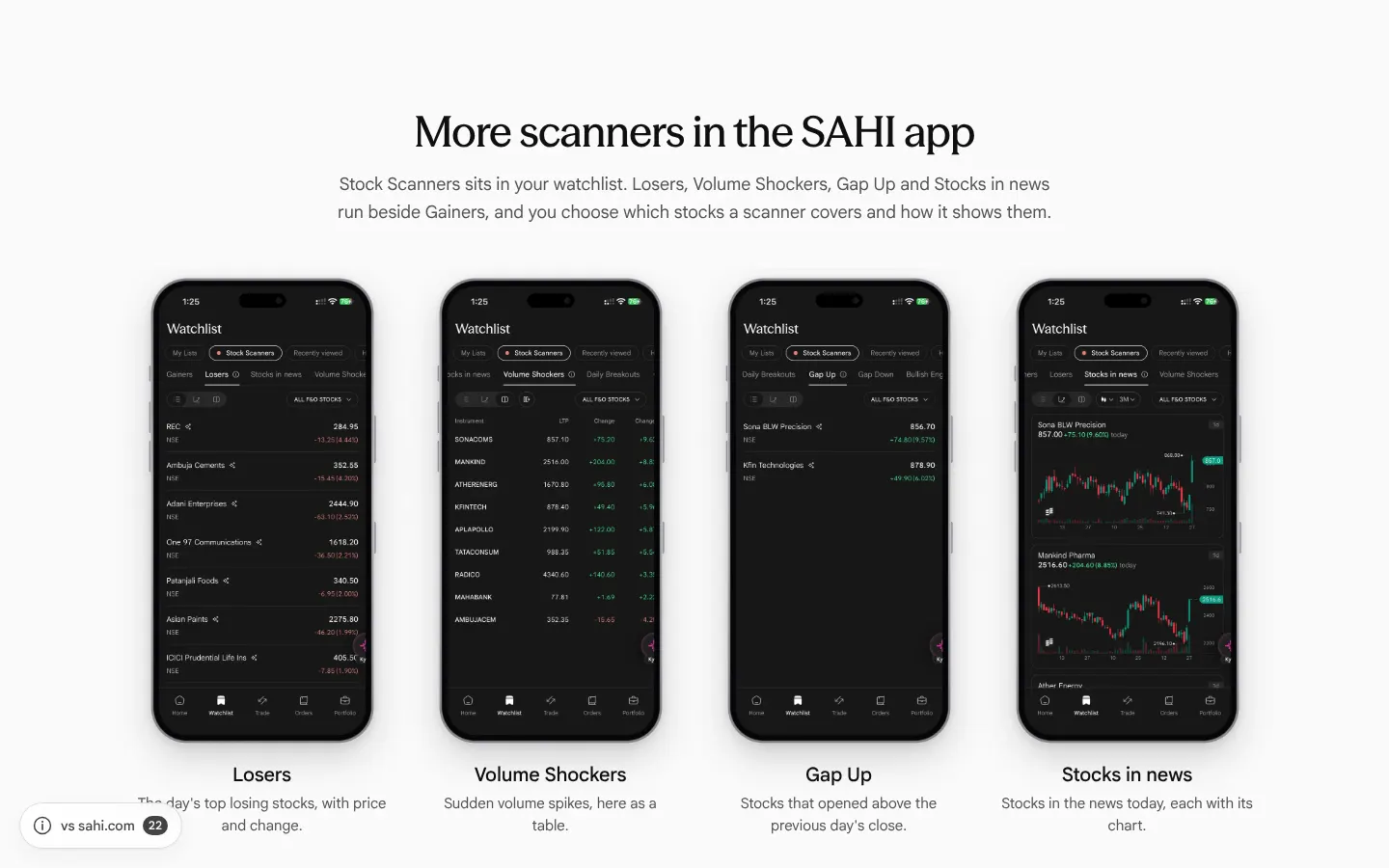
-
Today's order and GTT screens
"Trade at market or limit" shows the current order screen (Delivery or Intraday, Market, Limit or Trigger, Stop Loss and Take Profit), and the GTT panel the order screen with Day or GTT validity and the line "GTT orders are valid for 1 year". On a phone the GTT screen is drawn smaller, so that line stays in view.
sahi.com 
Our copy 
-
A new card: an intraday order at 5X with its exit set
"Trade from charts" gains the app's intraday order screen: Mankind Pharma at 5X with a trigger price, and a Take Profit 5% above, shown as a price (2649.90) and as a percentage, with the estimated profit (₹126.20). sahi.com's Stocks page never shows that the order screen takes a Stop Loss or Take Profit.
Our copy 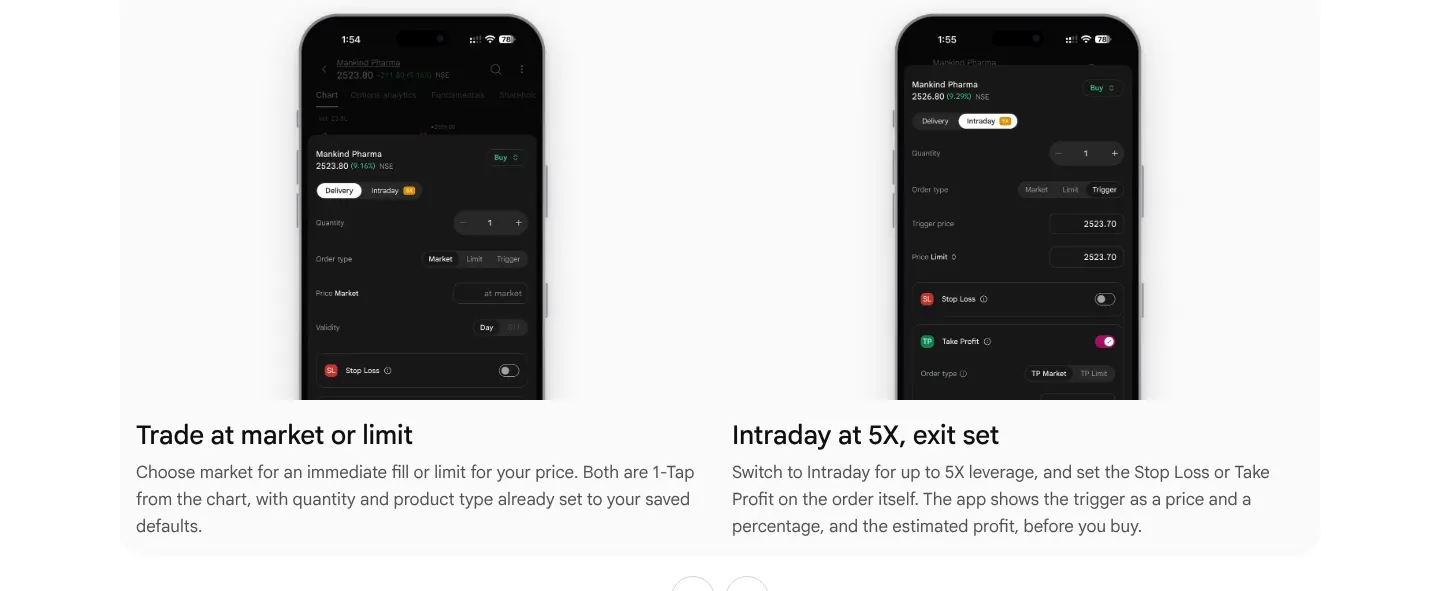
Commodities
4 missing · 19 bad · 4 changedChecked 27 October 2026First screen, side by side
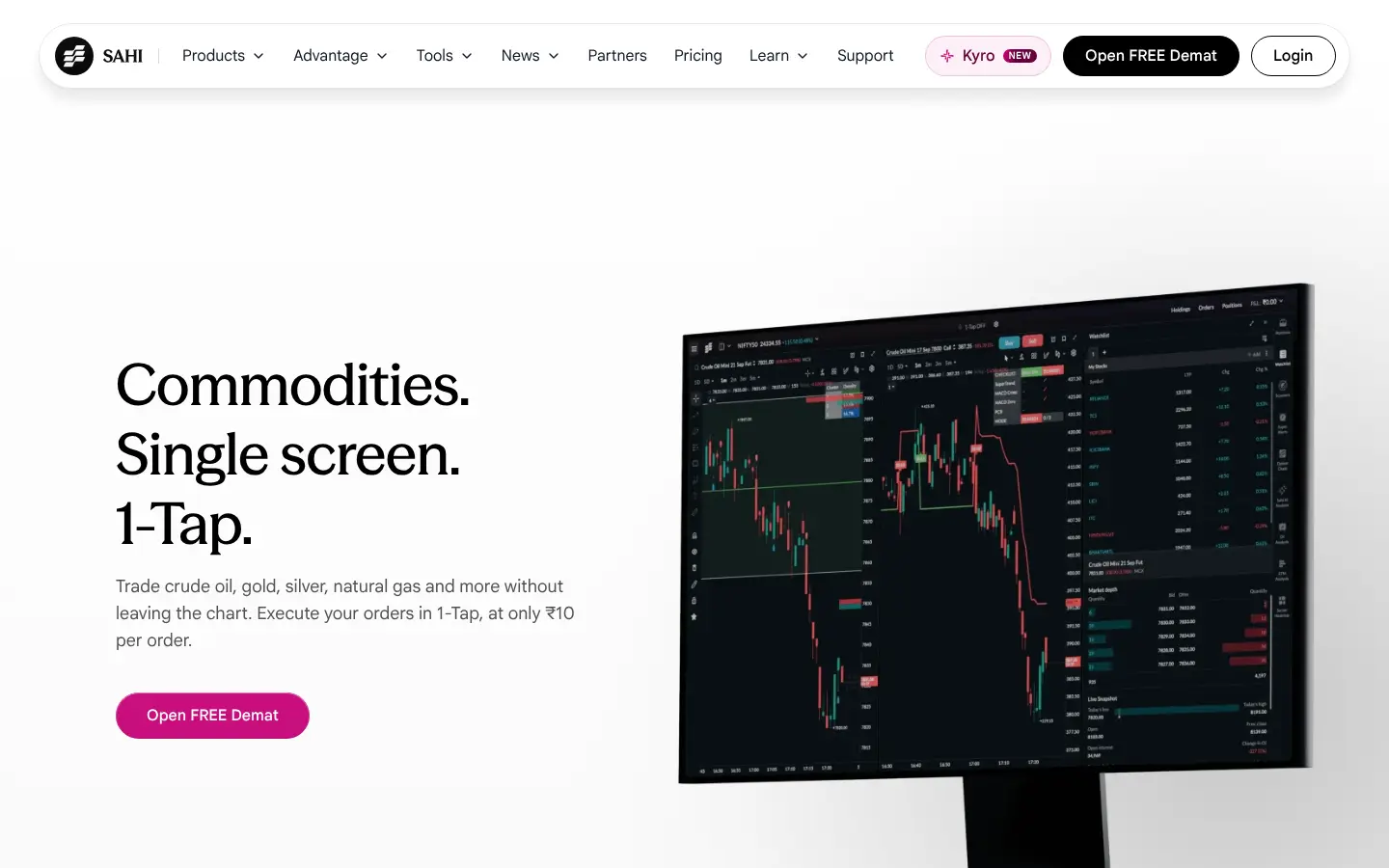


Missing on sahi.com 4
-
The tax answer gives the futures rate only, and nothing on income tax
"How is commodity F&O taxed compared to equity F&O?" says only "Commodity Transaction Tax is 0.01% on the sell side", which is the rate for futures. Commodity options carry 0.05% of the premium on the sell side, and the answer says nothing about how the profit itself is taxed. The STT rates it quotes for equity F&O (0.05% futures, 0.15% options) are kept as sahi.com states them: Needs verification against the current Finance Act.
Our copy: The answer gives CTT for futures and for options, keeps the STT comparison, and adds that both are taxed as non-speculative business income.
sahi.com 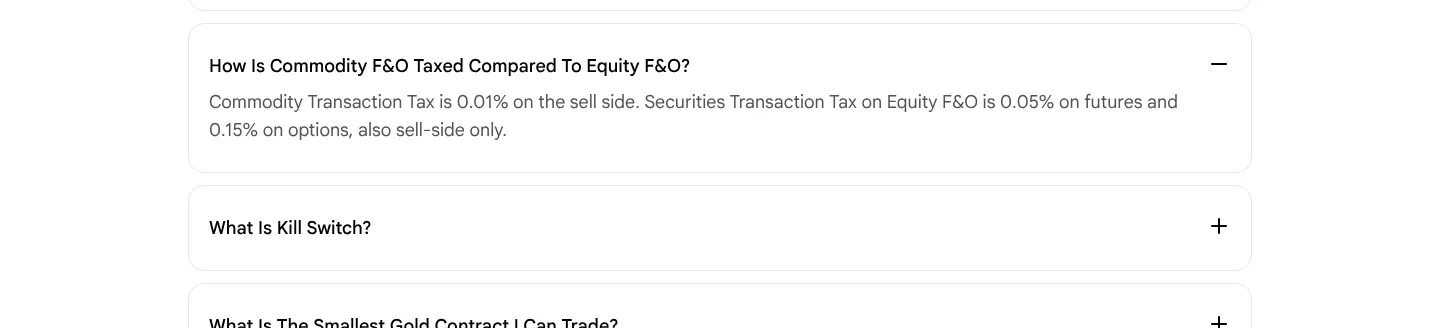
Our copy 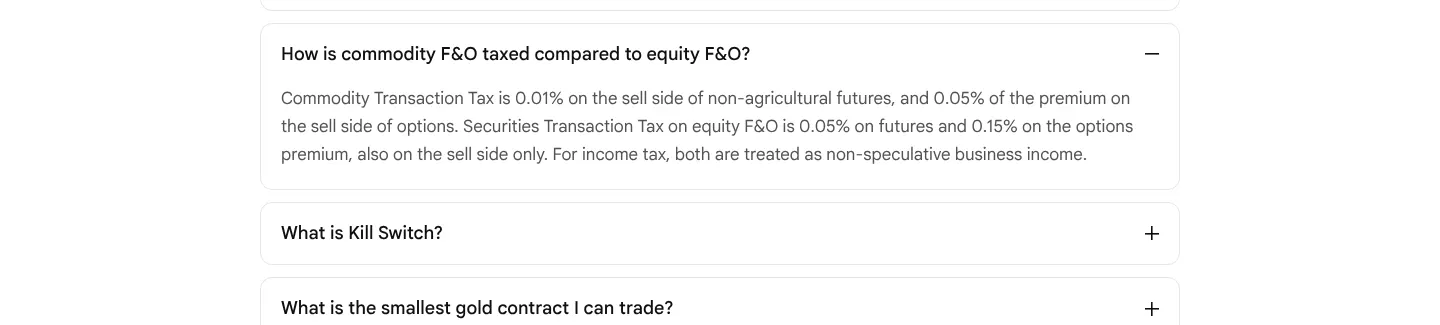
-
Nothing says a Kill Switch cannot be undone
The Kill Switch card and its FAQ describe blocking yourself from trading for a period, but neither says that, once set, it cannot be reversed before the time is up. The app says so on the same screen ("Once disabled, it cannot be reversed"). It is the one thing a reader must know before using it.
Our copy: The card ends: "…and it cannot be undone until the time is up."
-
The Commodity Scalper is shown but never named
"Single screen. 1-Tap." and "Read the contract before you commit" are pictures of the Commodity Scalper, and the app's Commodities tab lists it by that name, but the word "Scalper" does not appear anywhere in the page's copy (checked in its page data). A reader cannot tell what to open in the app.
Our copy: A line under "Single screen. 1-Tap." names it: the Commodity Scalper, on the Commodities tab.
sahi.com 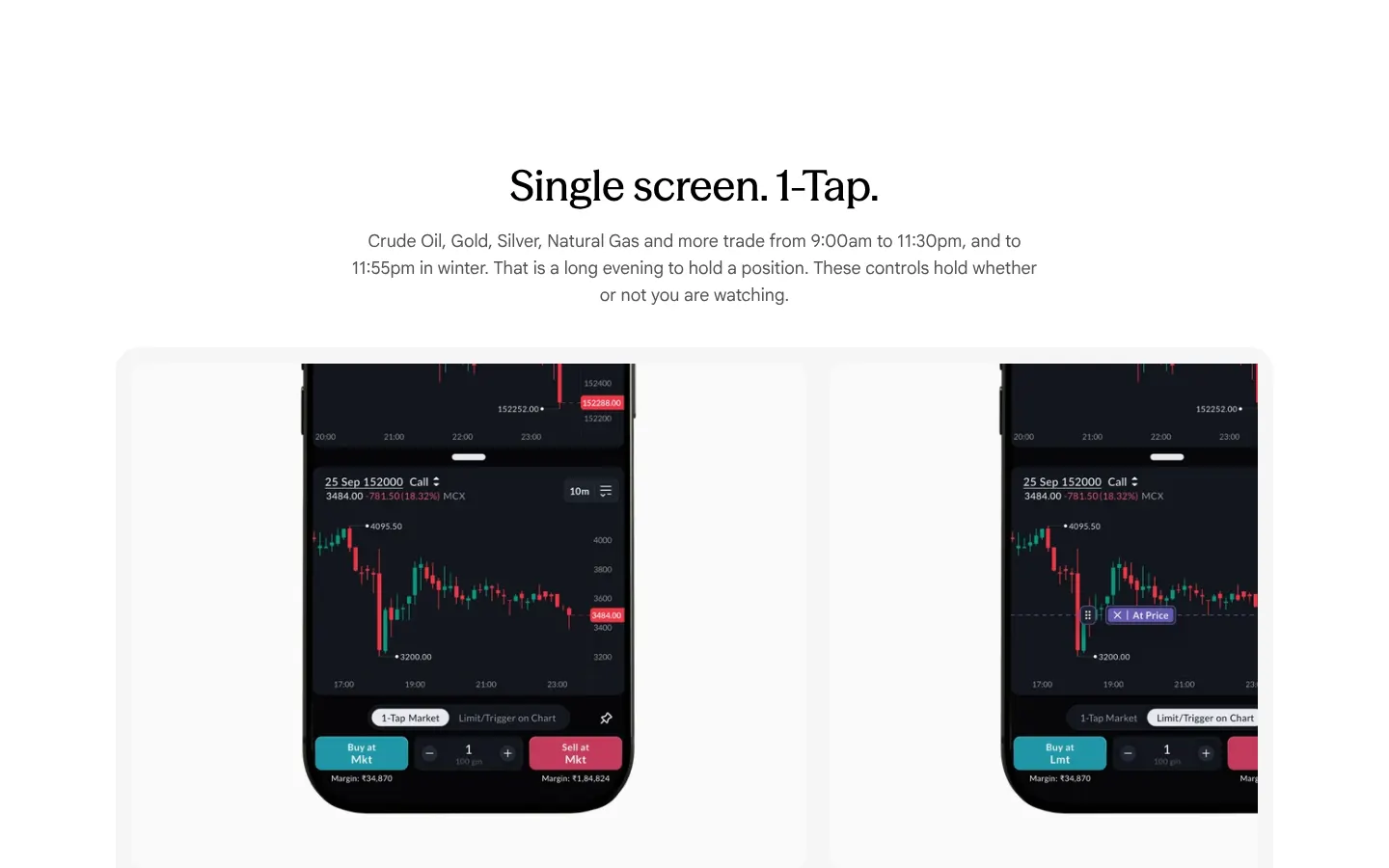
Our copy 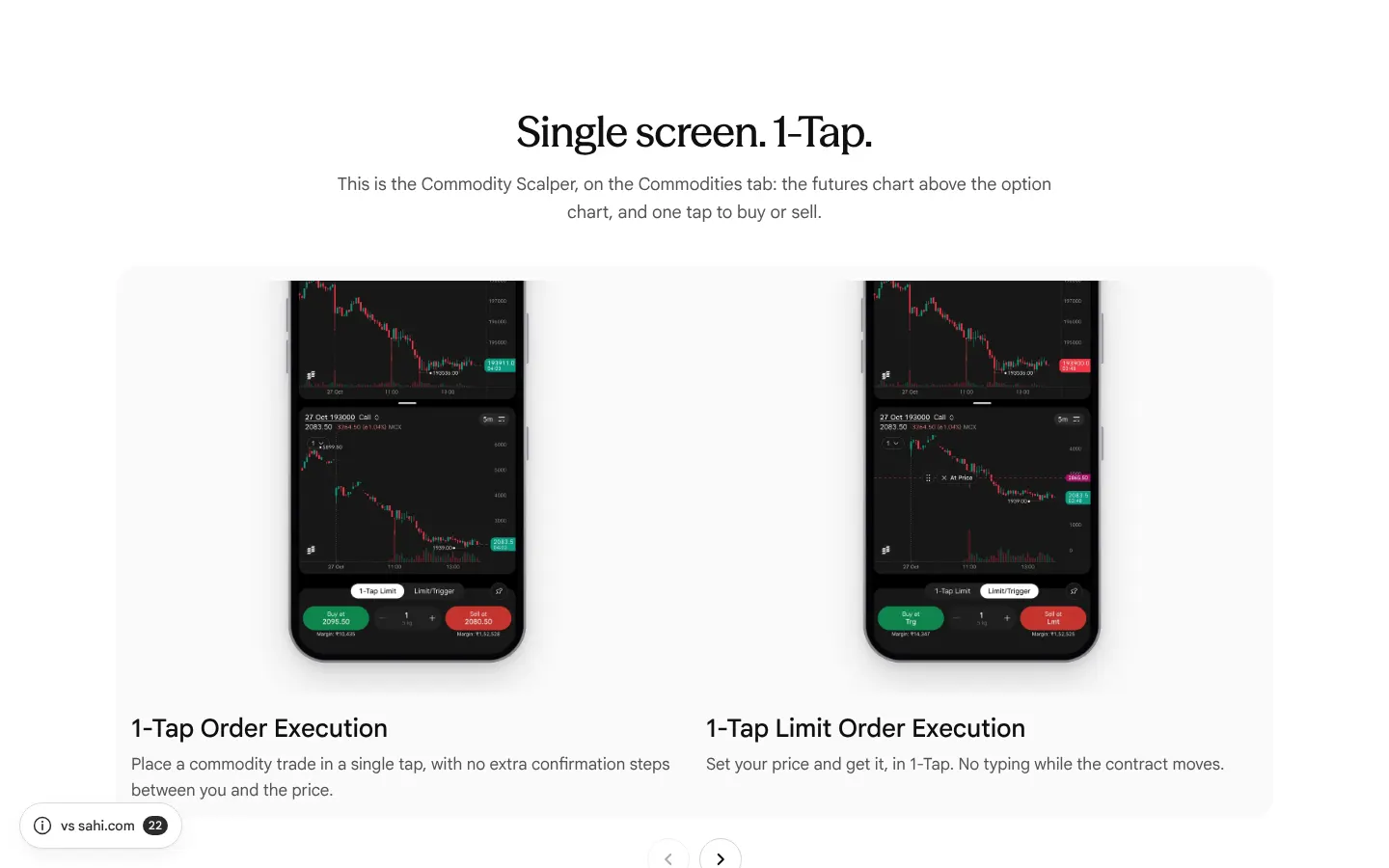
-
The brokerage answer leaves out the other charges
"What is the brokerage on commodity trading?" gives zero for 30 days and then ₹10 per order, with no word that CTT, exchange and SEBI fees, stamp duty and GST are charged on top.
Our copy: One sentence lists the statutory charges that are extra.
sahi.com 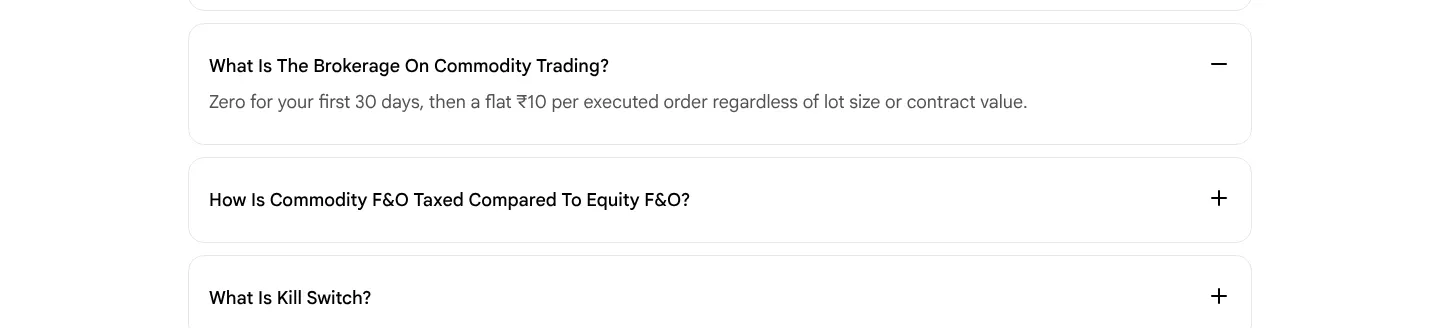
Our copy 
Broken or poor on sahi.com 19
-
The price cards are sent with the wrong prices, and their flip plays where nobody sees it
Under "High performance trading at unmatched value" the HTML says ₹20 account opening, ₹16 AMC and ₹21 brokerage per order, at opacity 0. The script flips them to ₹0, ₹0 and ₹10 as the page loads, about ten screens above the cards, so a reader never sees the flip. Without the script, and for search engines and link previews, the page states the higher prices, on a page whose FAQ promises a flat ₹10.
Our copy: The real prices (₹0, ₹0, ₹10) are the text of the cards. With motion allowed, each card shows the higher figure and one split-flap leaf falls to the real price when the card reaches the screen; with reduced motion or no script the real prices simply show.
-
"What is commodity trading on SAHI?" holds the screen and stays unreadable until scrolled past
The answer is pinned in a section 1,800px tall on desktop (1,688px on a 390px phone), so the reader scrolls almost two screens while the page appears stuck. Its four phrases sit at 28% opacity (about 2:1 contrast, grey on white) and only reach full strength one by one as the scroll position passes them; stop part way and half the paragraph stays too faint to read.
Our copy: The paragraph sits in the normal flow at full contrast. When it first arrives its four phrases light up in turn, once, over two seconds; with reduced motion or no script it is simply there.
sahi.com 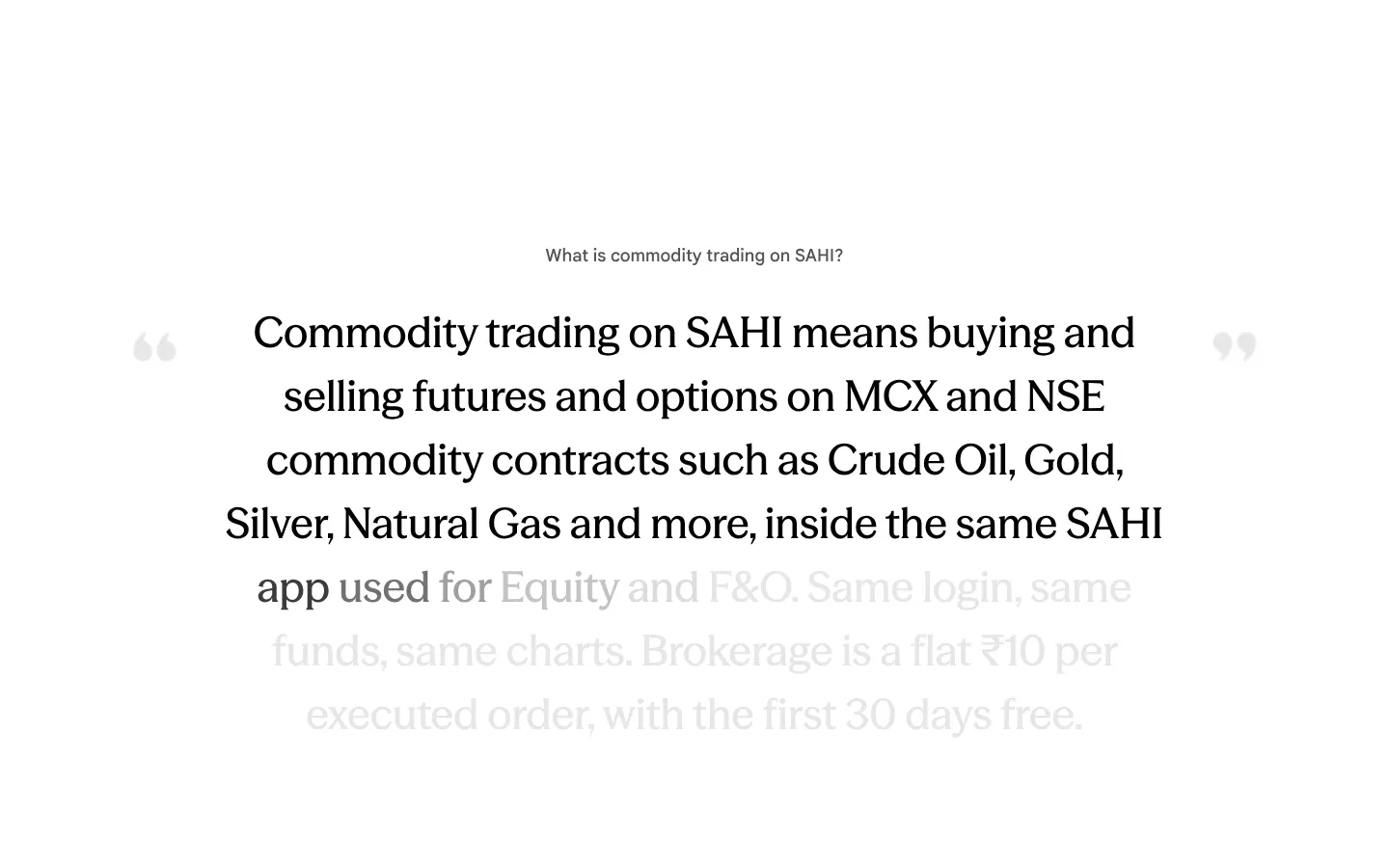
Our copy 
-
The FAQ says every commodity contract is cash settled
"Are commodity contracts on SAHI cash settled or physically settled?" is answered "Cash settled." On MCX, Crude Oil and Natural Gas settle in cash, but Gold and Silver futures (among others) settle by delivery. A trader who reads this answer and holds a gold or silver position into its delivery period, on a platform that does not support delivery, is caught out.
Our copy: The answer says SAHI does not support physical delivery, that Crude Oil and Natural Gas settle in cash, and that Gold, Silver and other delivery-settled contracts must be closed before their delivery period begins. SAHI's own square-off time for such positions is not stated anywhere: Needs verification.
sahi.com 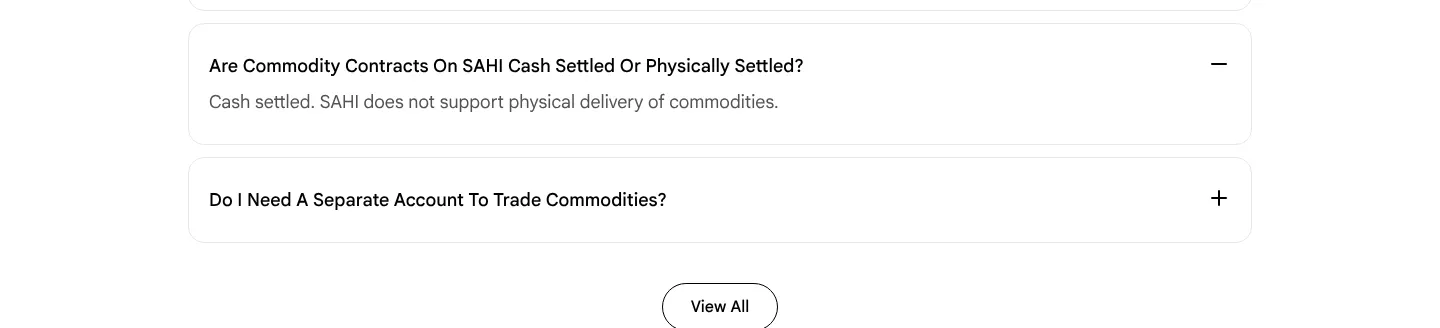
Our copy 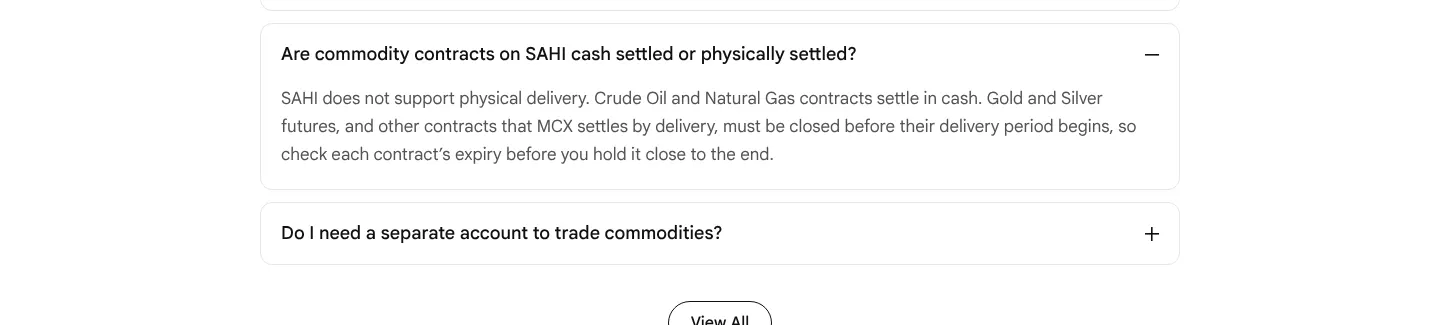
-
"Single screen. 1-Tap." repeats the risk-controls paragraph
The section about order execution is introduced by the paragraph from the risk-controls section, word for word: "Crude Oil, Gold, Silver, Natural Gas and more trade from 9:00am to 11:30pm… These controls hold whether or not you are watching." It says nothing about the five 1-Tap cards beneath it.
Our copy: The copied paragraph is gone. In its place one line says what the cards show: the Commodity Scalper, on the Commodities tab.
sahi.com 
Our copy 
-
Hard line breaks run words together on a phone and split sentences on desktop
"Start at 1 gram" has line breaks typed into its copy. A phone hides the breaks without putting spaces back, so it reads "That gap is exactly why thesmaller contracts exist" and "Gold Guinea andGold Petal". On desktop the risk-controls paragraph is broken after "and to", so "11:55pm in winter" starts a new line mid-sentence.
Our copy: No typed line breaks in running text; paragraphs wrap on their own at every width, with every space in place.
sahi.com 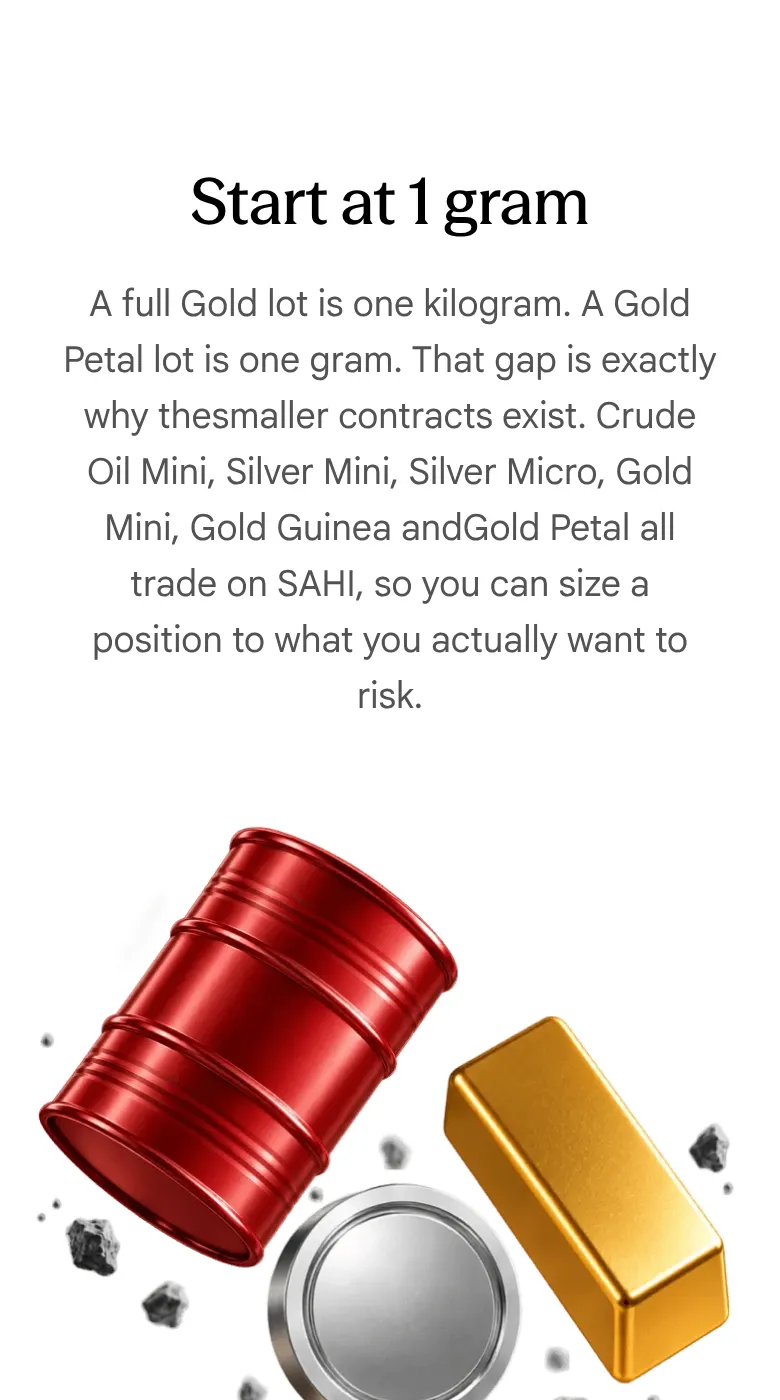
Our copy 
-
21 pictures are announced by their file names
Measured at 1440px: the alt text of 21 visible images is a file name, among them "commodity mobile hero.webp", "Left Quote.png", "kill-switch-risk.png", "portfolio-pnl-risk.png", "start-gram.png" and "same-funds-section.png", so a screen reader reads out file names for every feature card.
Our copy: Each feature picture says what it shows (for example, Kill Switch disabling four segments till 11:59 PM); the decorative quote marks are silent.
-
Cards in all three carousels are cut off mid-sentence
At 1440px each card is 724px wide inside a 1168px tray, so the second card is sliced at the tray's edge: "Set a loss limit across your whole commodities portfoli" in the risk controls, "No typing while the c" under 1-Tap Limit Order Execution, and the same in "Read the contract before you commit".
Our copy: Two whole cards per view from tablet width up, snapping card by card; on a phone one card with a faded peek of the next.
sahi.com 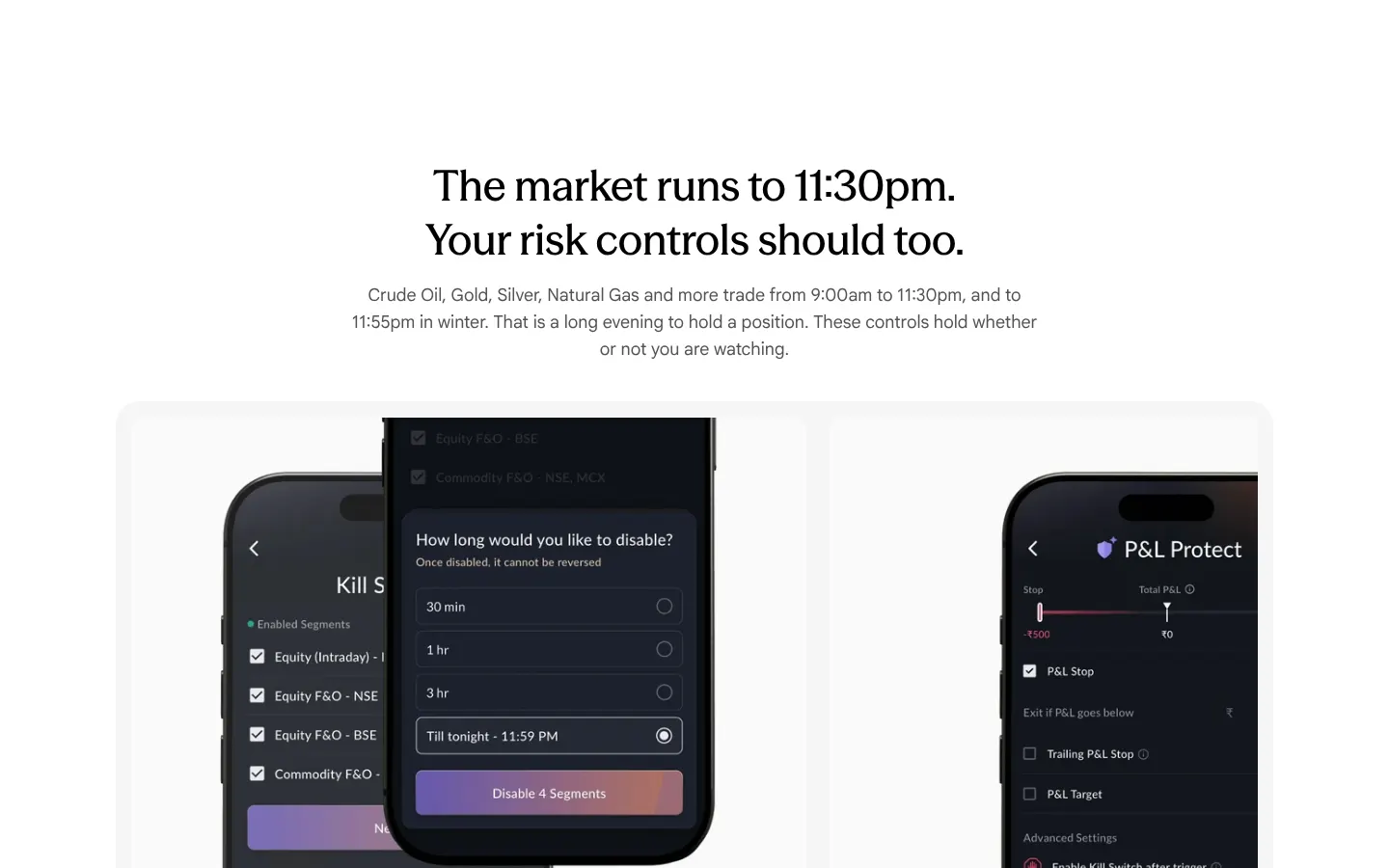
Our copy 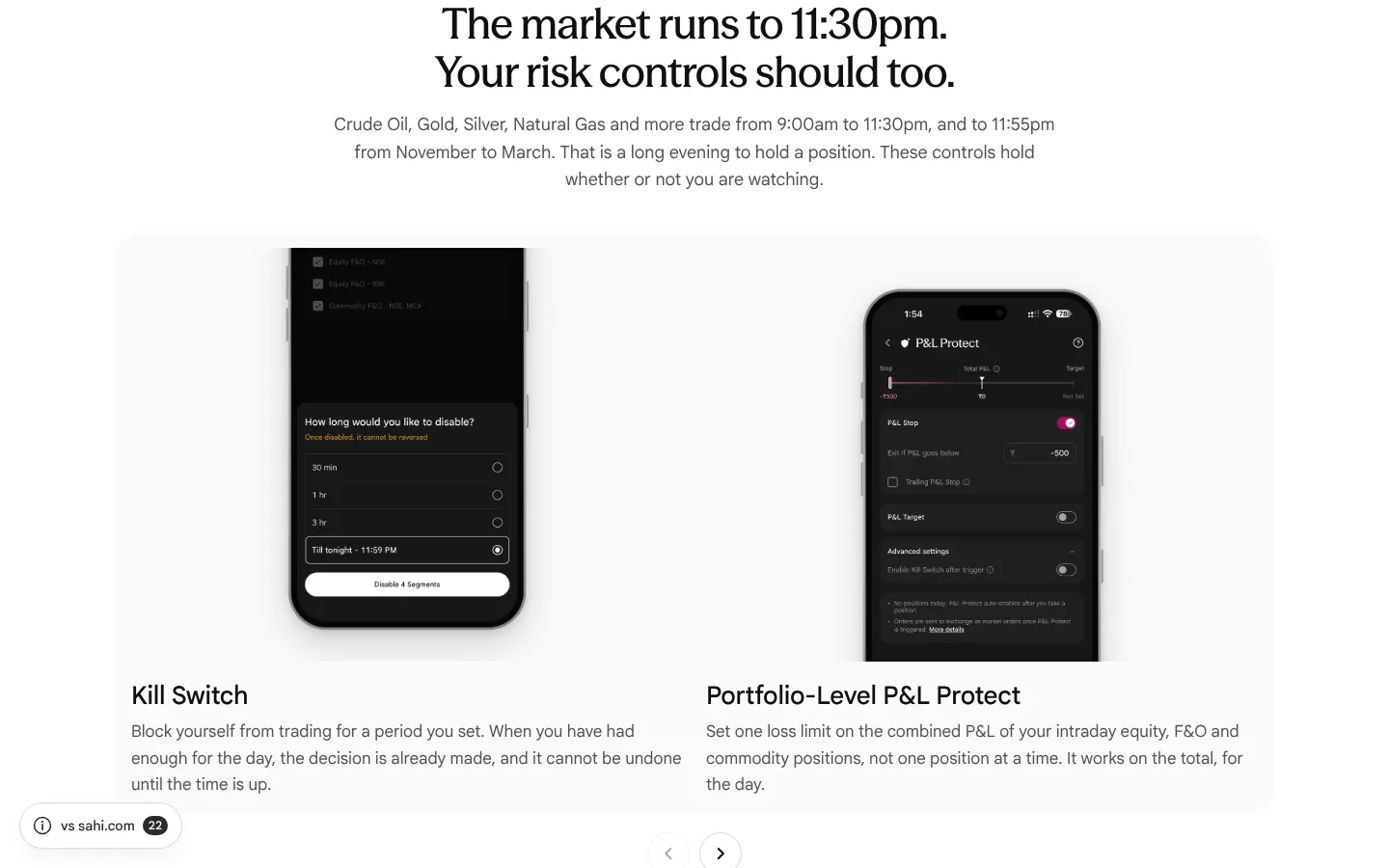
-
The app pictures show the older app, with September dates
Kill Switch and P&L Protect are shown in the older purple-button design. "Trade the headlines" shows Crude Oil Mini on 10–11 Sep, the 1-Tap cards trade a "25 Sep 152000 Call", and the "Start at 1 gram" phone still has the old "Search futures" bar. The app has since moved to its new design.
Our copy: Current screens from the owner's screenshots (October 2026), in an iPhone 18 frame: the Kill Switch time sheet, P&L Protect, Crude Oil Mini's live trend, the Commodity Scalper (1-Tap Limit and Limit/Trigger), the chart with OI support and resistance, and the Commodities tab.
sahi.com 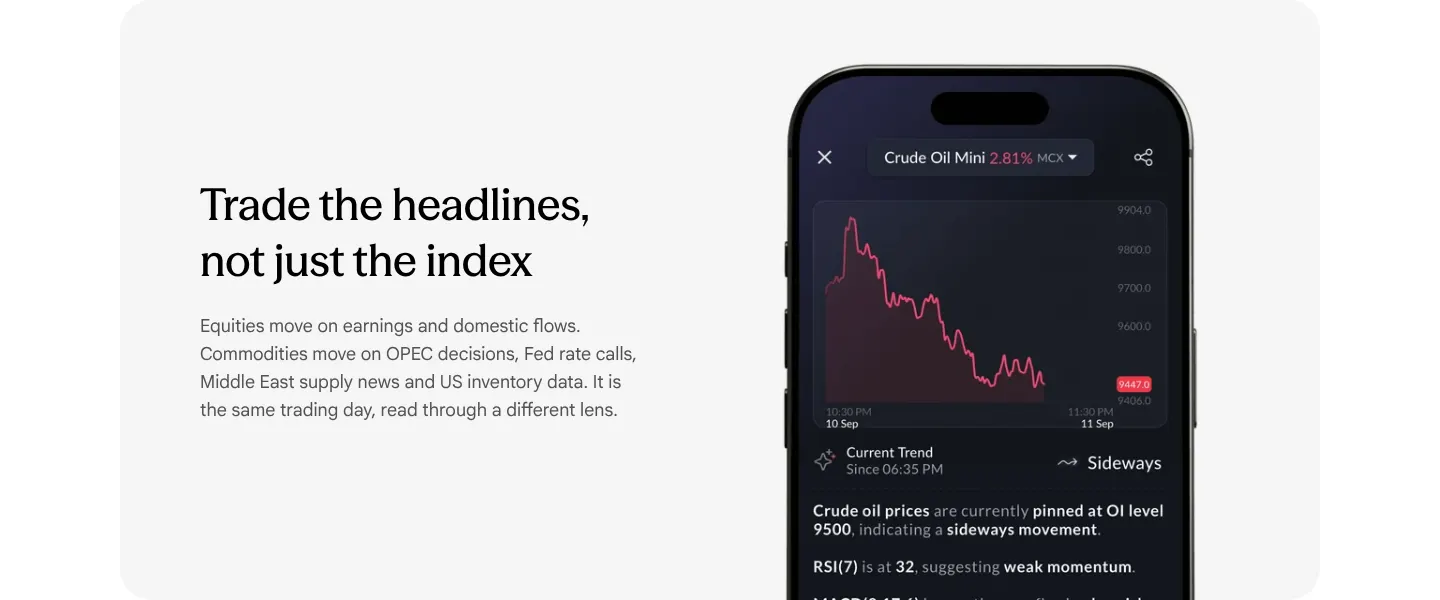
Our copy 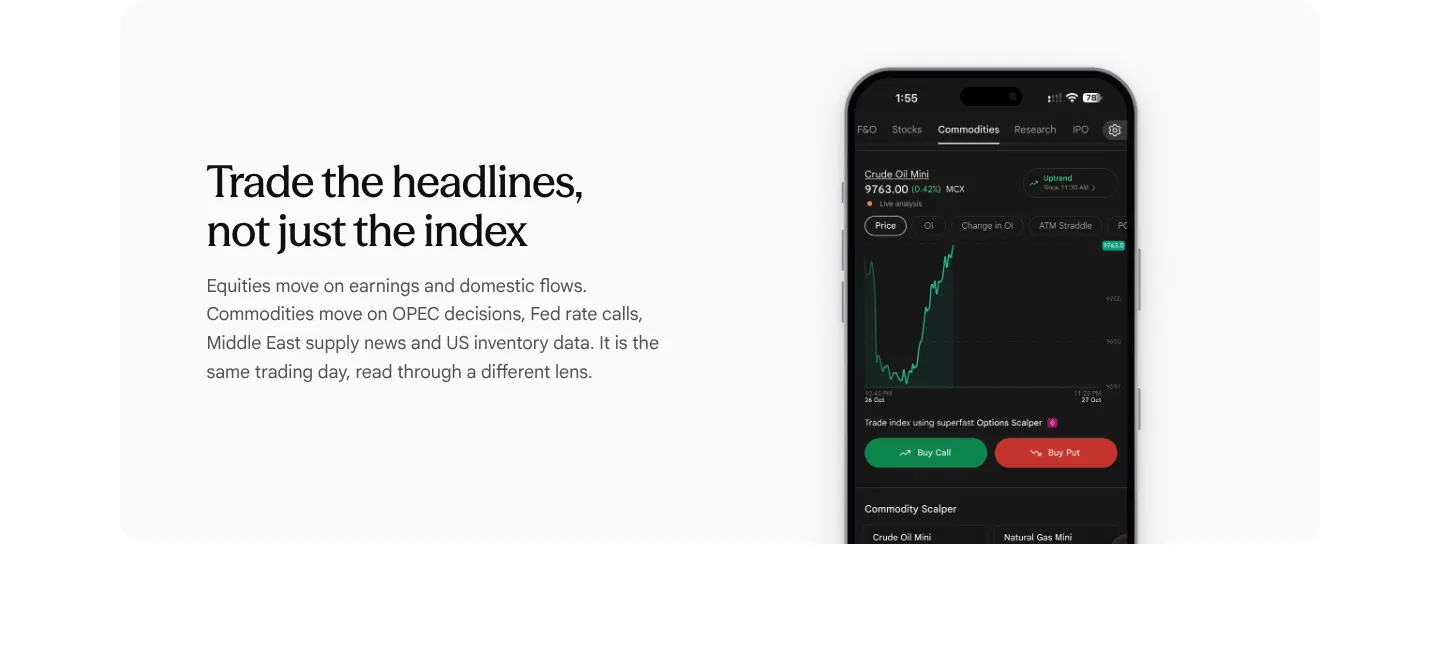
-
P&L Protect is described as working on the commodities portfolio only
The "Portfolio-Level P&L Protect" card says "Set a loss limit across your whole commodities portfolio". The app's own P&L Protect disclaimer (owner's screenshot, October 2026) says it works on the combined P&L of Equity Intraday, Equity F&O and Commodity F&O positions, and only for the day.
Our copy: The card says it works on the combined P&L of intraday equity, F&O and commodity positions, for the day.
sahi.com 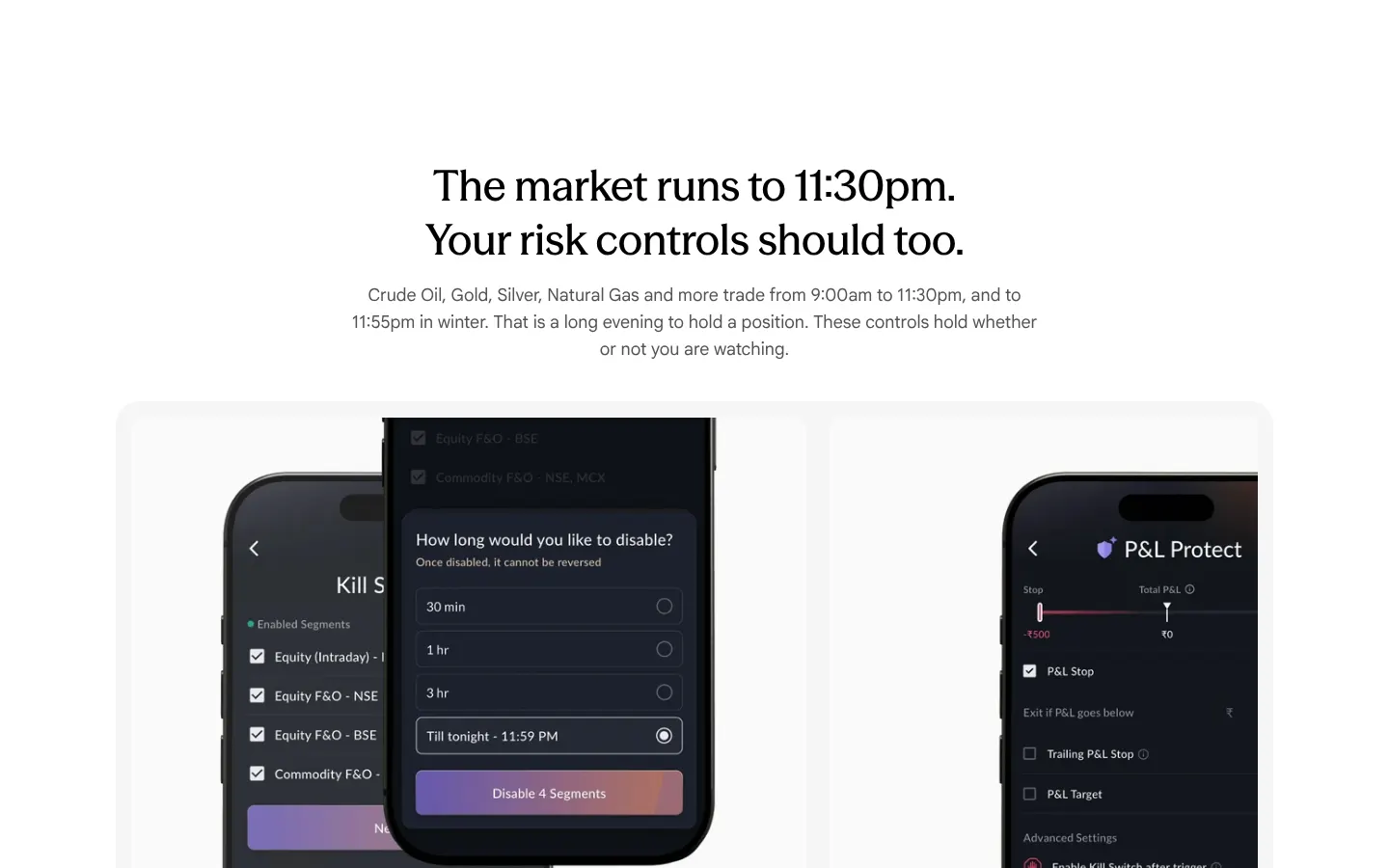
Our copy 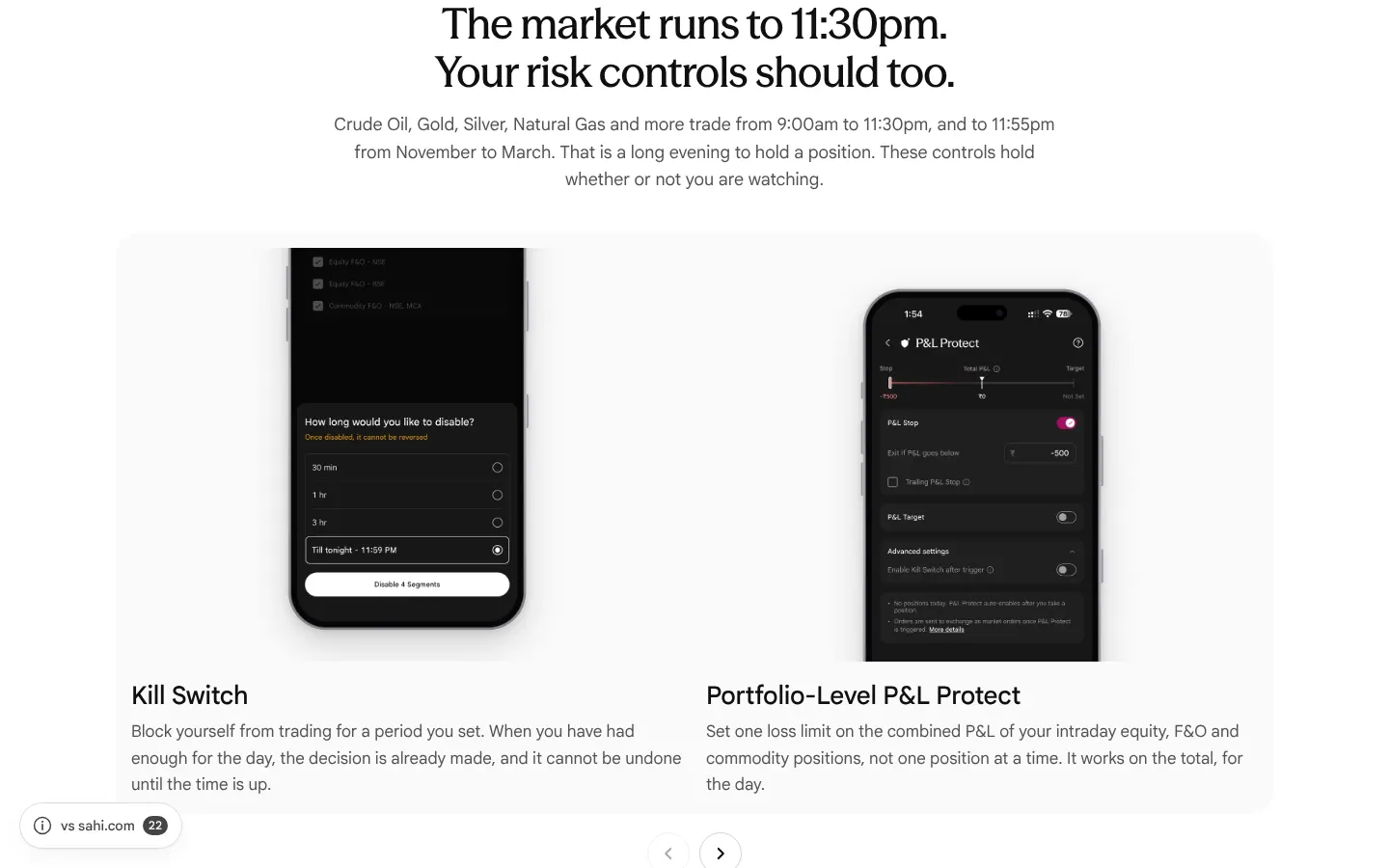
-
Carousel arrows look clickable when they do nothing
In all three carousels a disabled arrow (previous at the start, next at the end) keeps opacity 1 and a pointer cursor, identical to the working arrow (measured).
Our copy: A disabled arrow is dimmed with a plain cursor.
-
FAQ questions are forced into Title Case
A capitalise rule shows "Which Commodities Can I Trade On SAHI?", "What Is Kill Switch?" and "Are Commodity Contracts On SAHI Cash Settled Or Physically Settled?".
Our copy: Questions are shown as written, in sentence case.
sahi.com 
Our copy 
-
On a phone "Same funds. Same holdings." puts its picture first
Every other panel on the page reads heading, words, then picture on a phone; this one shows the rupee sculpture above its heading, so the picture arrives before the reader knows what it is about.
Our copy: Words first, picture second, like the other panels; on desktop the picture stays on the left as on sahi.com.
sahi.com 
Our copy 
-
The ₹0 / ₹0 / ₹10 comparison takes a screen and a half on a phone
On a 390px phone the three price cards stack one per row as 237px squares, so the price band is about 1,375px tall and the three figures are never on screen together.
Our copy: The three cards stay side by side on a phone; the band is under 500px tall.
sahi.com 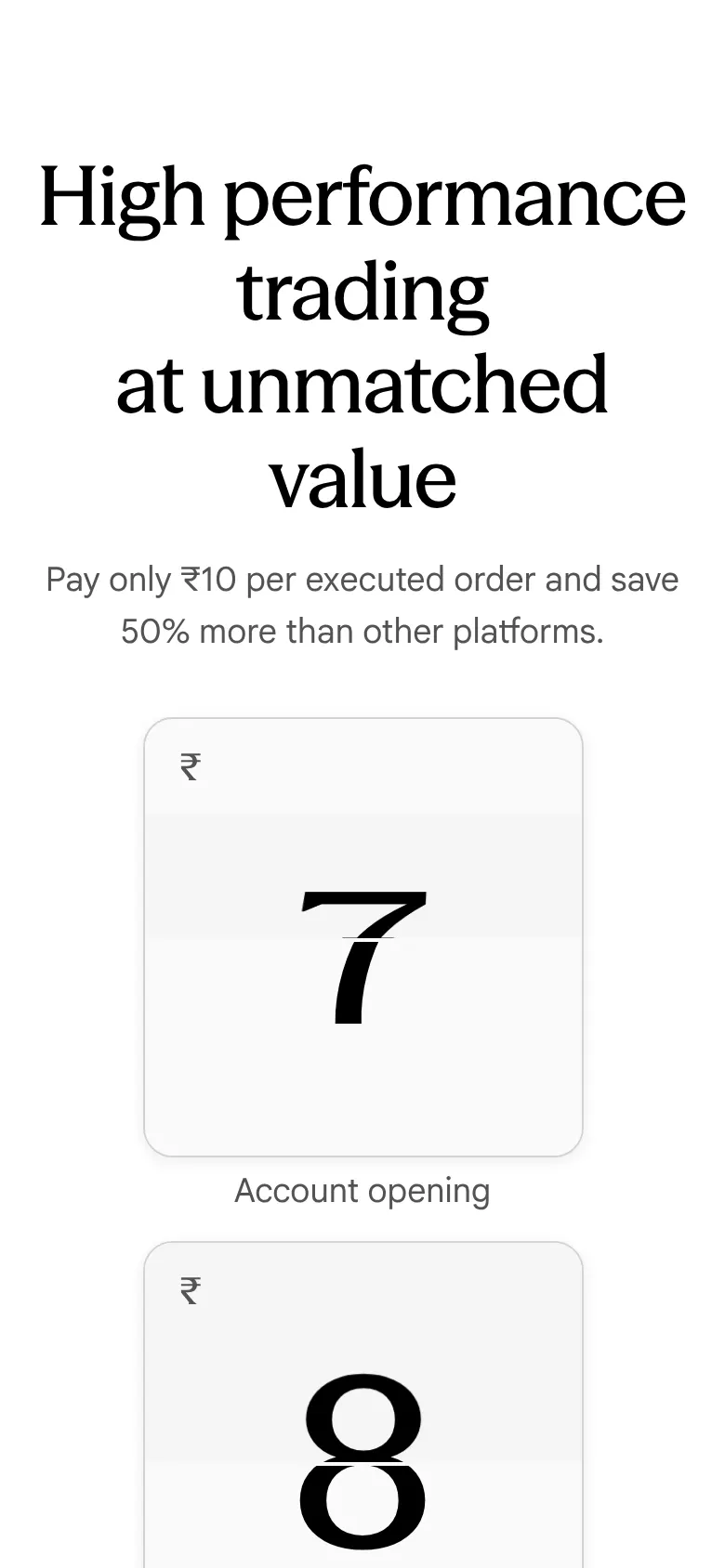
Our copy 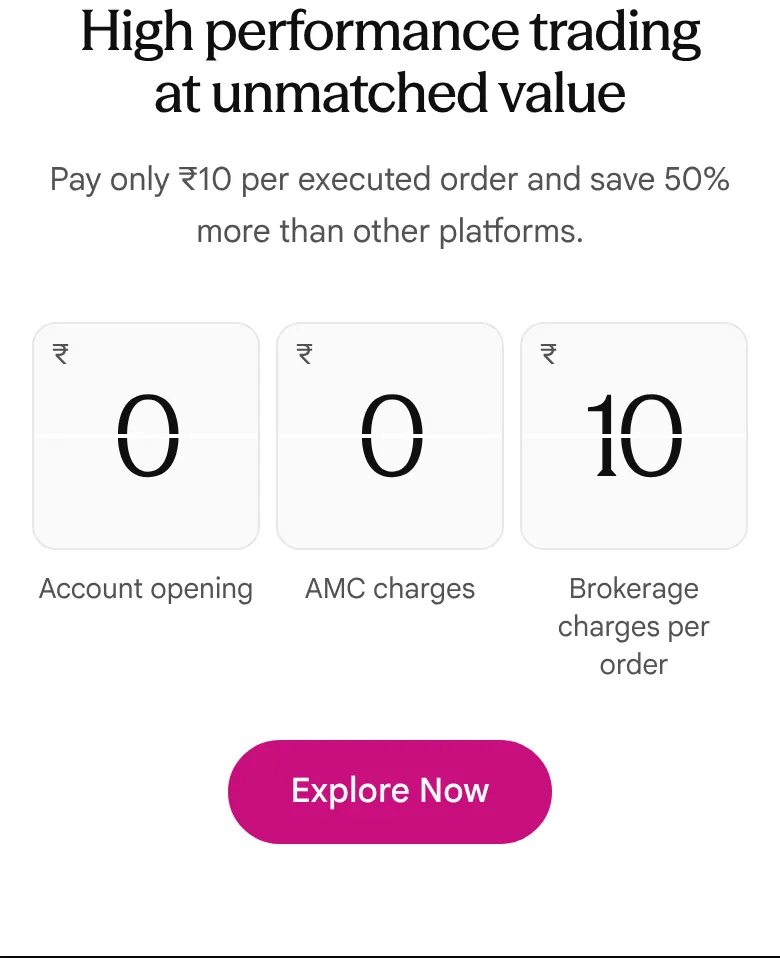
-
"Until 11:55pm in winter" is vague
The trading hours are given as "to 11:55pm in winter". MCX extends non-agricultural trading when US daylight saving time ends, from early November to mid-March, which is not the same as Indian winter.
Our copy: The hours say "from November to March" in the section text, and the FAQ gives early November to mid-March and the reason.
sahi.com 
Our copy 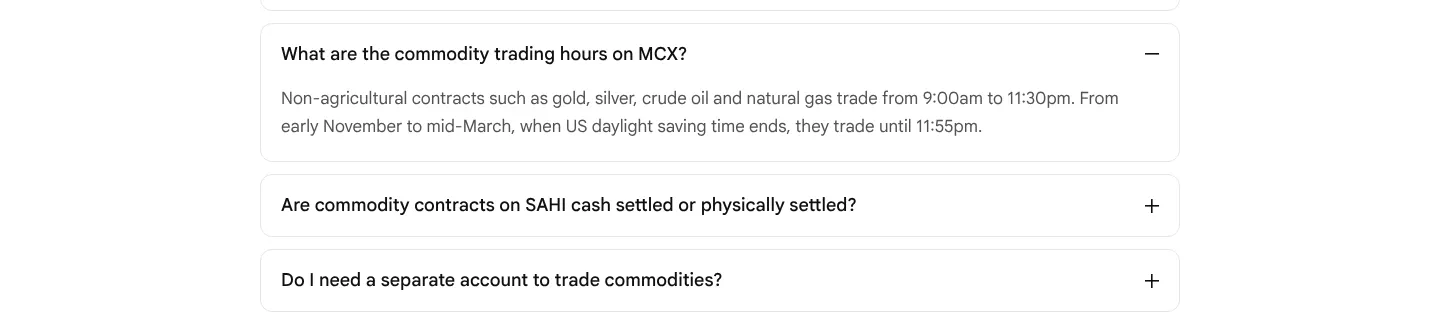
-
"1-Click" in a section about "1-Tap"
Under "Single screen. 1-Tap." the first card is titled "1-Click Order Execution" and the next "1-Tap Limit Order Execution". The page, the hero and the app all say 1-Tap.
Our copy: The card is titled "1-Tap Order Execution".
sahi.com 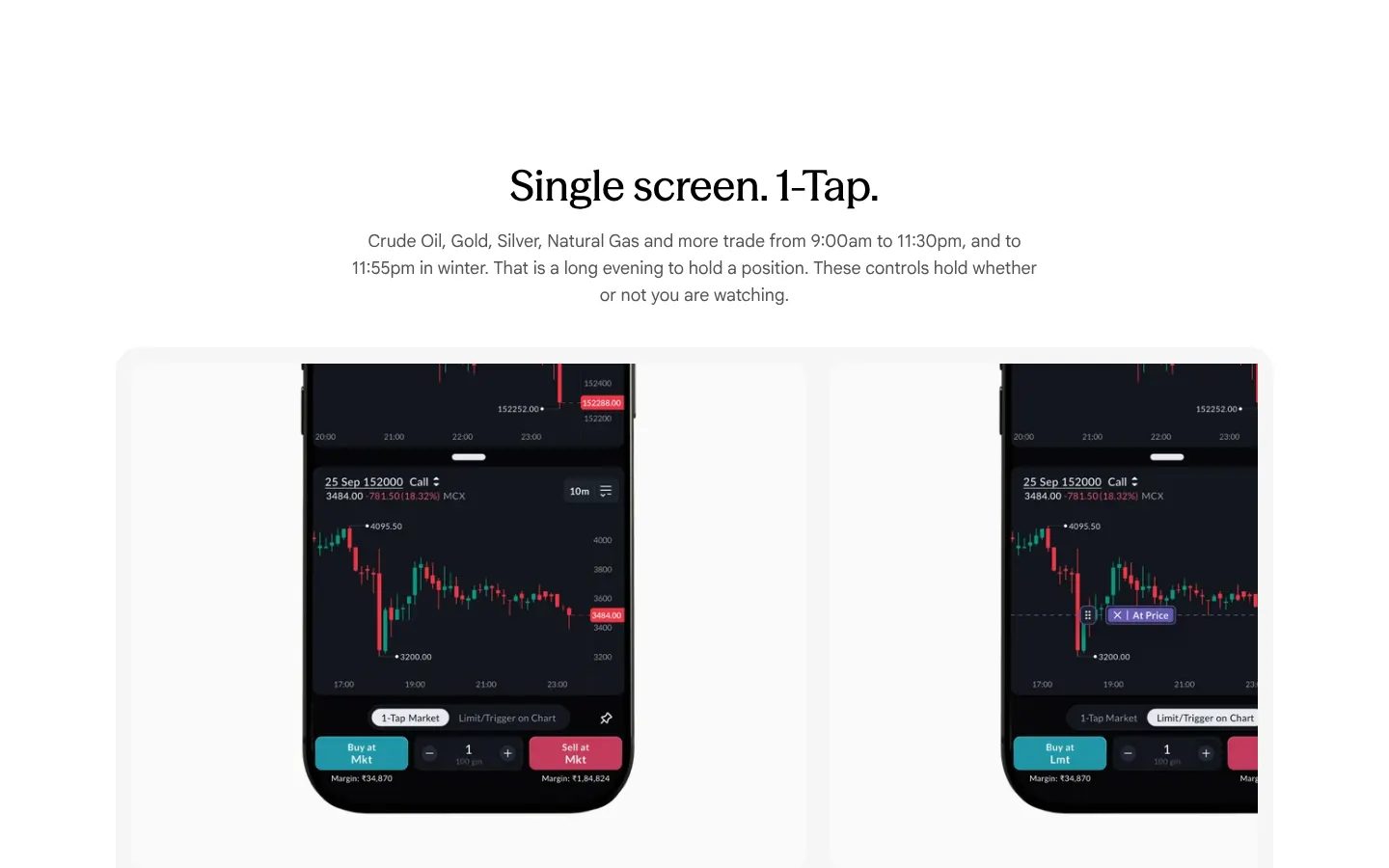
Our copy 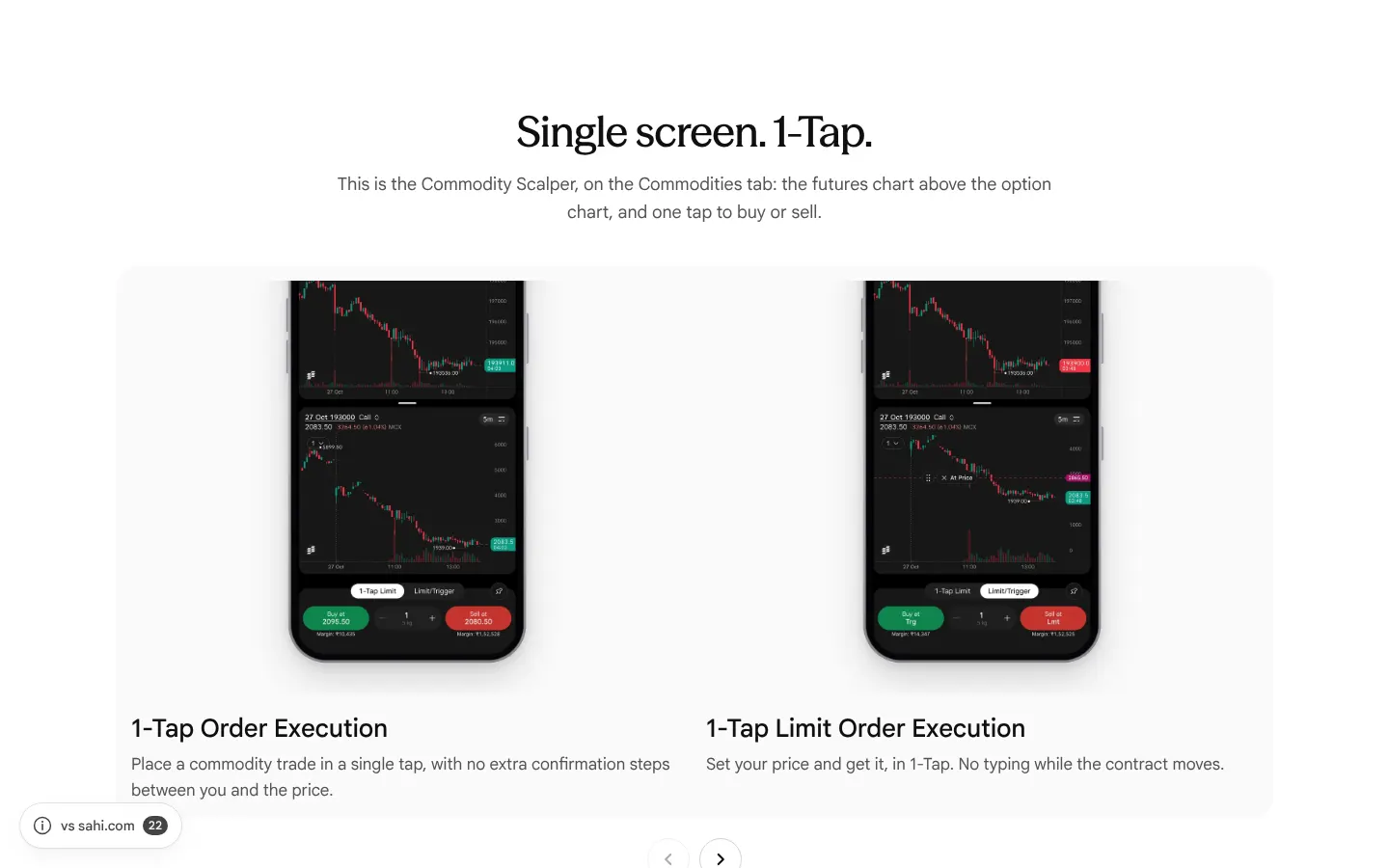
-
In the app, the Commodities tab says "Trade index"
SAHI app, owner's screenshot of the Commodities tab (27 Oct 2026, 1:55 PM): under the Crude Oil Mini analysis the line reads "Trade index using superfast Options Scalper", the same words as on the F&O tab. Crude Oil Mini is a commodity, not an index, and the scalper here is called Commodity Scalper.
Our copy: Not something this site can change: recorded for the app team. For example: "Trade Crude Oil Mini options using the superfast Commodity Scalper".
-
In the app, "Expiry Today" sits next to a futures price that does not expire today
SAHI app, owner's screenshots (27 Oct 2026, 1:55 PM): under Top Traded Commodity, Silver Mini shows 193948.00 with an "Expiry Today" tag, and Silver shows the same tag. Two widgets below, the same price belongs to "Silver Mini 30 Nov Fut", which expires on 30 November. The tag seems to mean that the Silver Mini options expire today (the Scalper shows the 27 Oct 193000 Call), but the row does not say so. Needs verification: which contract the tag refers to.
Our copy: Not something this site can change: recorded for the app team. Say which contract expires, for example "Options expire today".
-
In the app, the Kyro button covers prices on the Commodities tab
SAHI app, owner's screenshots (October 2026): the floating Kyro button sits over the right edge of the Commodities tab. It cuts Silver's price to "191906.0" and "(1.99%" in Top Traded Commodity, and covers the corner of the Silver Mini option chain tile, as on the F&O and IPO screens (see options-19 and ipo-17).
Our copy: Not something this site can change: recorded for the app team.
-
In the app, the Scalper's daily chart writes "Oct 26" and cuts off the last price
SAHI app, owner's screenshots of the Commodity Scalper (27 Oct 2026): on the daily Silver Mini chart the date axis reads 11, 22, Oct 26, 16, 27, where "Oct 26" means October 2026, not 26 October. The last-price tags lose their final digit: "193684.0" for 193684.00 and "193968.0" for 193968.00. The same happens on the F&O screens (see options-22).
Our copy: Not something this site can change: recorded for the app team.
Changed here 4
-
New app screens in the risk-control and 1-Tap cards
Kill Switch shows the "How long would you like to disable?" sheet, P&L Protect its stop and target, the 1-Tap cards the Commodity Scalper on Silver Mini (1-Tap Limit, and Limit/Trigger with a price line on the chart), the OI card the chart with OI support and resistance, and Personalised Trading Layouts the Customise Home screen for commodities. Three cards are new in the 1-Tap carousel: both Scalper charts full screen, the Scalper settings, and the top traded futures with an option chain for each commodity. Phones whose point is at the foot (the order buttons, the Kill Switch sheet) rise from the bottom of their card.
sahi.com 
Our copy 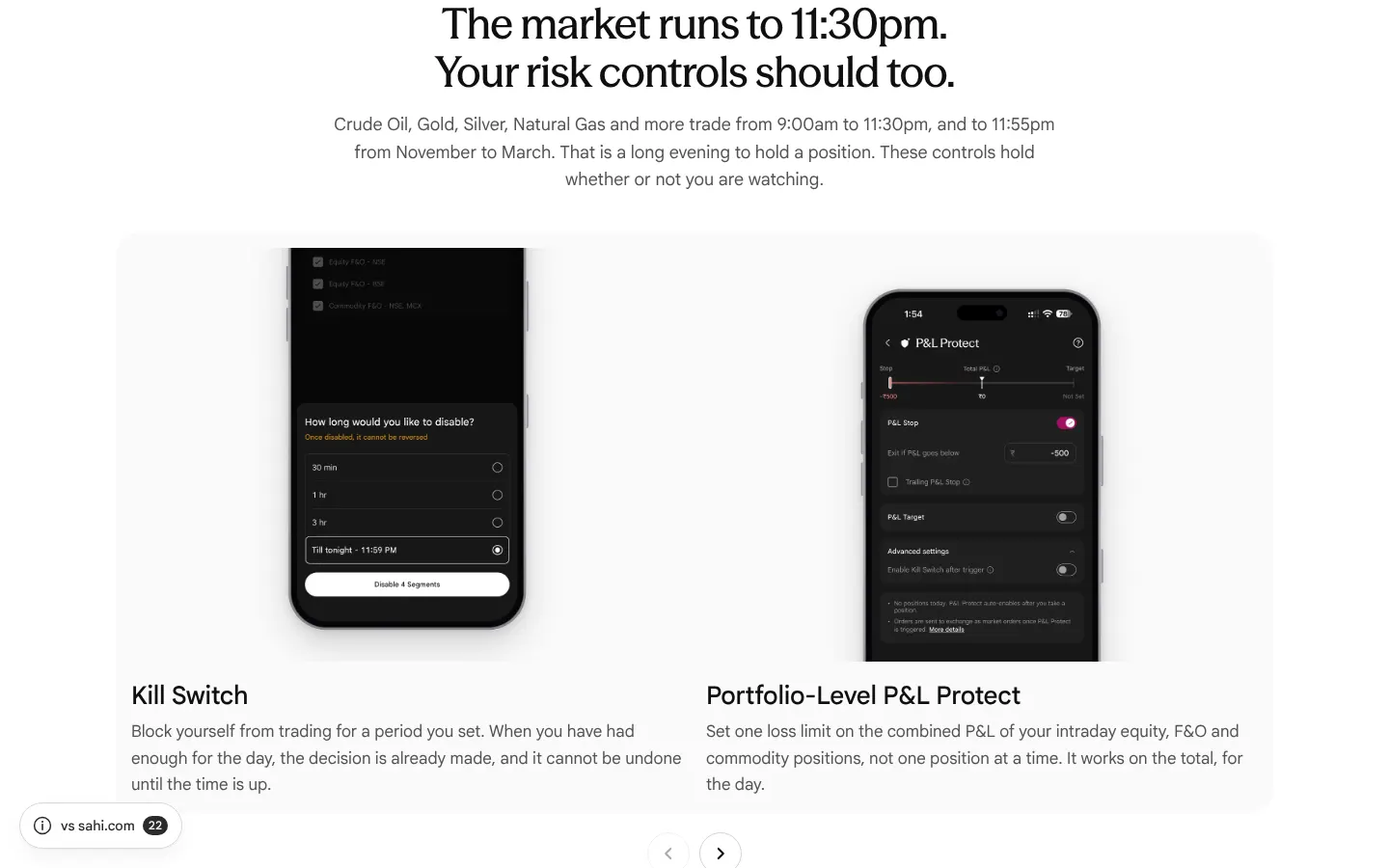
-
"Start at 1 gram" keeps sahi.com's art, with today's Commodities tab in the phone
The barrel, gold and silver stay as sahi.com drew them; the phone in the middle now shows the Commodities tab as the app has it today (categories and top traded contracts), laid exactly over the old screen. On a phone and in the dark theme the art without a phone is shown, as on sahi.com.
sahi.com 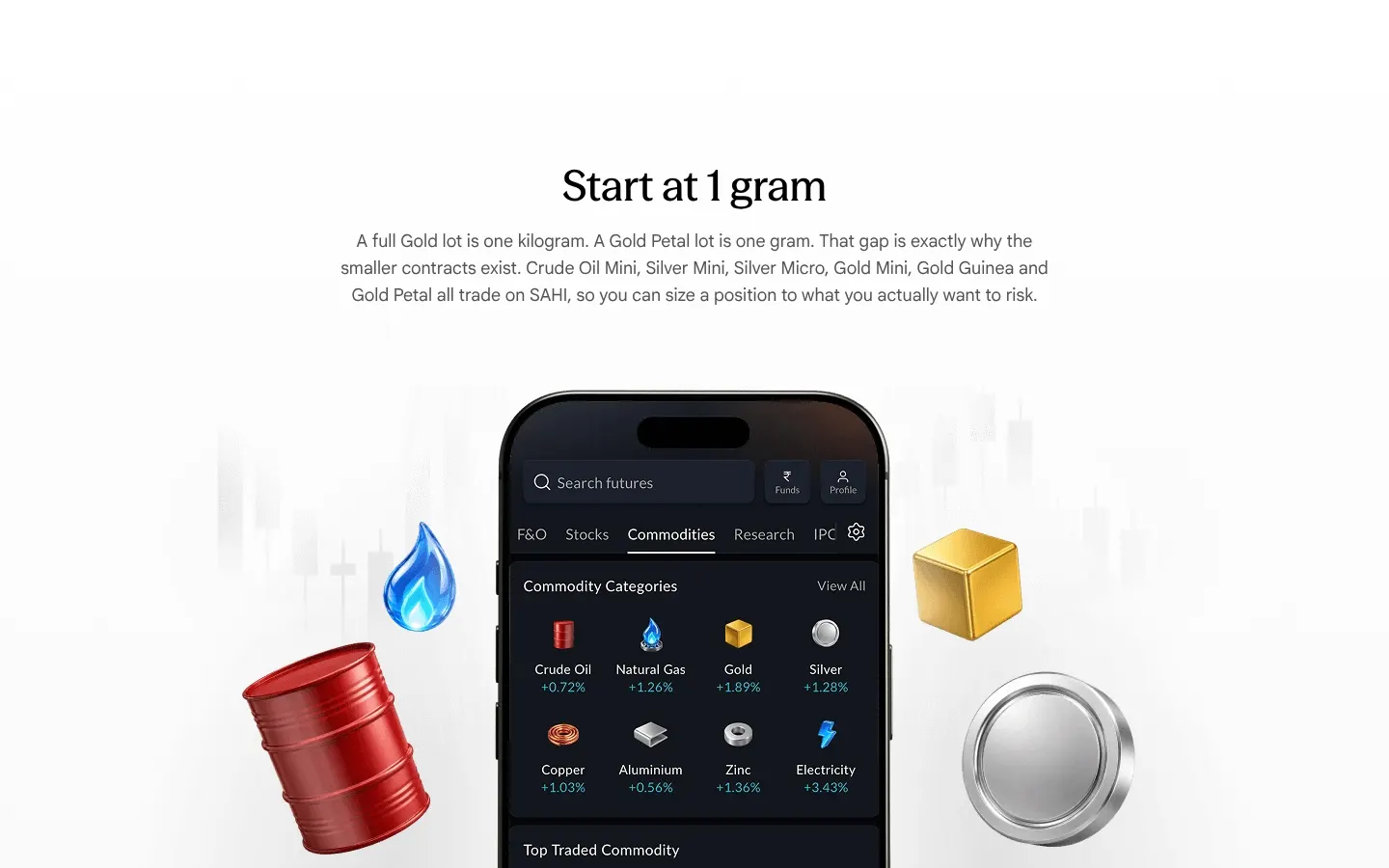
Our copy 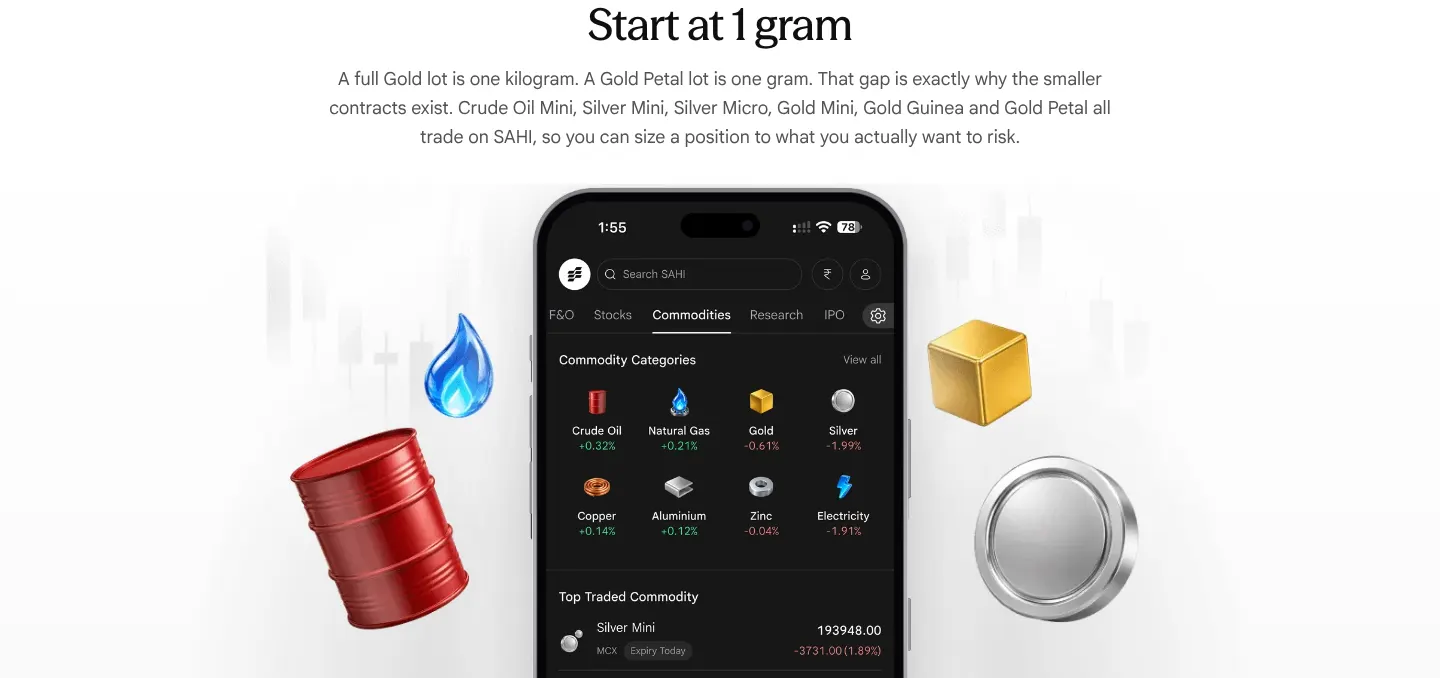
-
The account FAQ says plainly what has to be switched on
"If your income proof is on file from the last 12 months, activation takes 24 to 48 hours" did not say what is being activated. It now says the commodity segment is switched on once, and is active within 24 to 48 hours if income proof from the last 12 months is on file.
-
The hero shows today's Commodities tab and Commodity Scalper
sahi.com's hero is a desktop monitor and an older phone. Ours shows the current Commodities tab and the Commodity Scalper on Silver Mini, on two upright phones (owner's screenshots, October 2026).
First screen, side by side


Missing on sahi.com 4
-
Upcoming issues show only an opening date
Under Upcoming, M. K. Sons Fine Jewels and Bombay Coated and Special Steels show the type, an opening date and an "IPO Doc" link, and nothing else. sahi.com's own data already has their price bands, lots, closing and listing dates (M. K. Sons: ₹153 – ₹162, 91 shares, 28–30 Oct, listing 4 Nov).
Our copy: Upcoming issues show the same columns as open ones: bid window, price band, lot, one lot at cut-off, issue size and listing date.
sahi.com 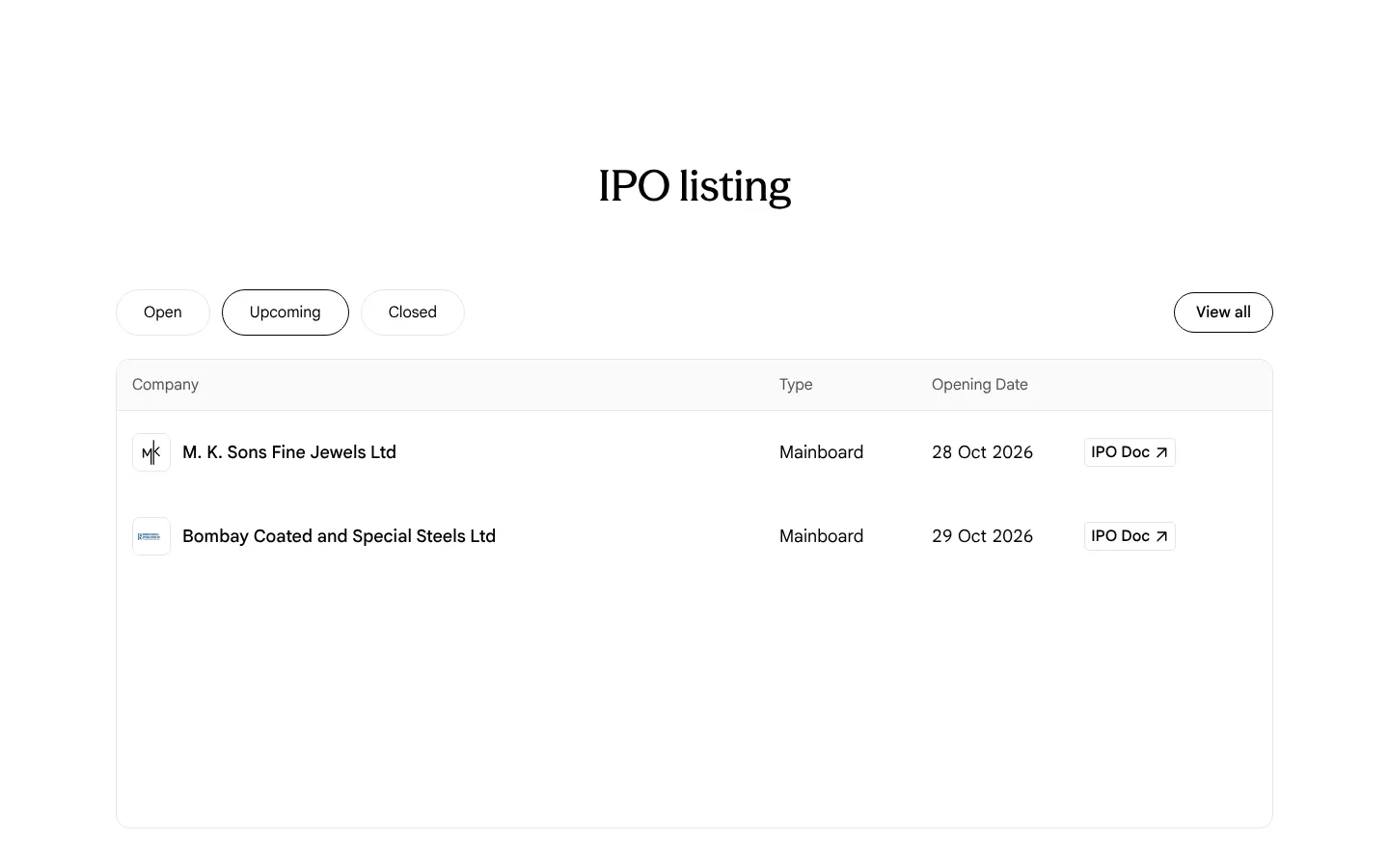
Our copy 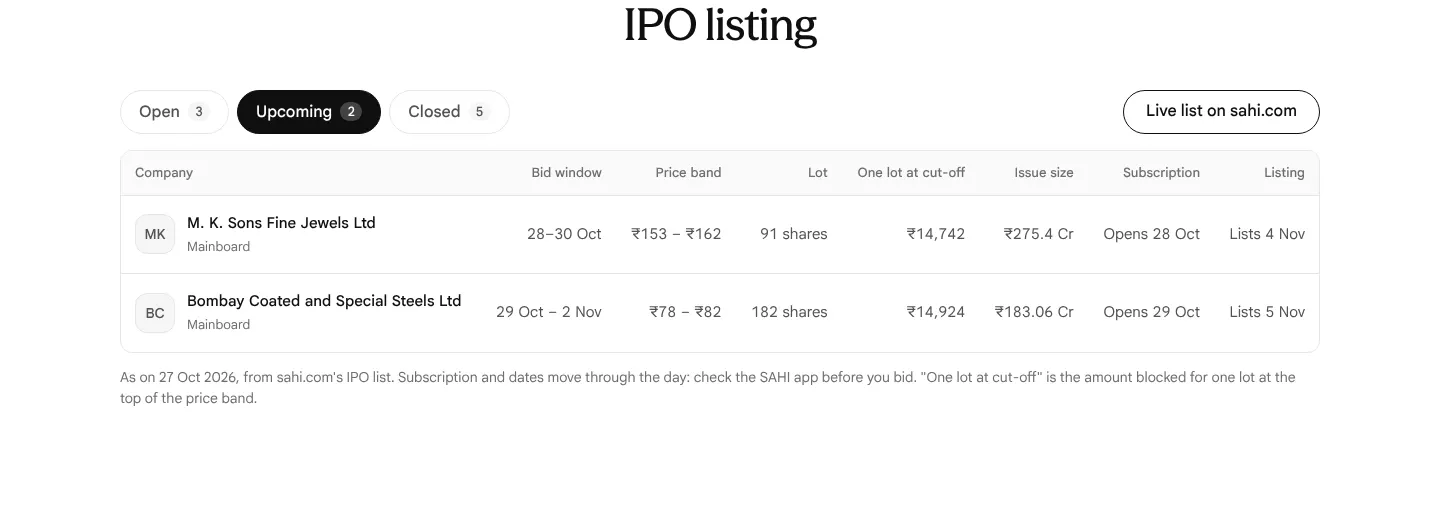
-
Issues that have listed still show a dash for listing price and performance
Bonfiglioli Transmissions, Sahajanand Medical Technologies and Tonbo Imaging listed on 23 Oct. On 27 Oct the Closed tab still shows "-" under Listing Price and Performance for all three.
Our copy: Each closed issue says whether it has listed ("Listed 23 Oct", "Lists 28 Oct"). The listing price is not in sahi.com's data, so it is not printed: Needs verification at source.
-
Company logos have no alt text and are tiny, stretched files
Every logo in the listing has no alt attribute. The files are 40×21, 40×29 and 40×10 pixels, drawn into 30–40px squares, so they are blurred and squashed; on a 390px phone one did not load at all (0×0). Several are screenshots named "Screenshot 2026-10-21 at 10.25.59 AM.png".
Our copy: Each company gets a lettered mark beside its name in text, so nothing depends on the logo files.
sahi.com 
Our copy 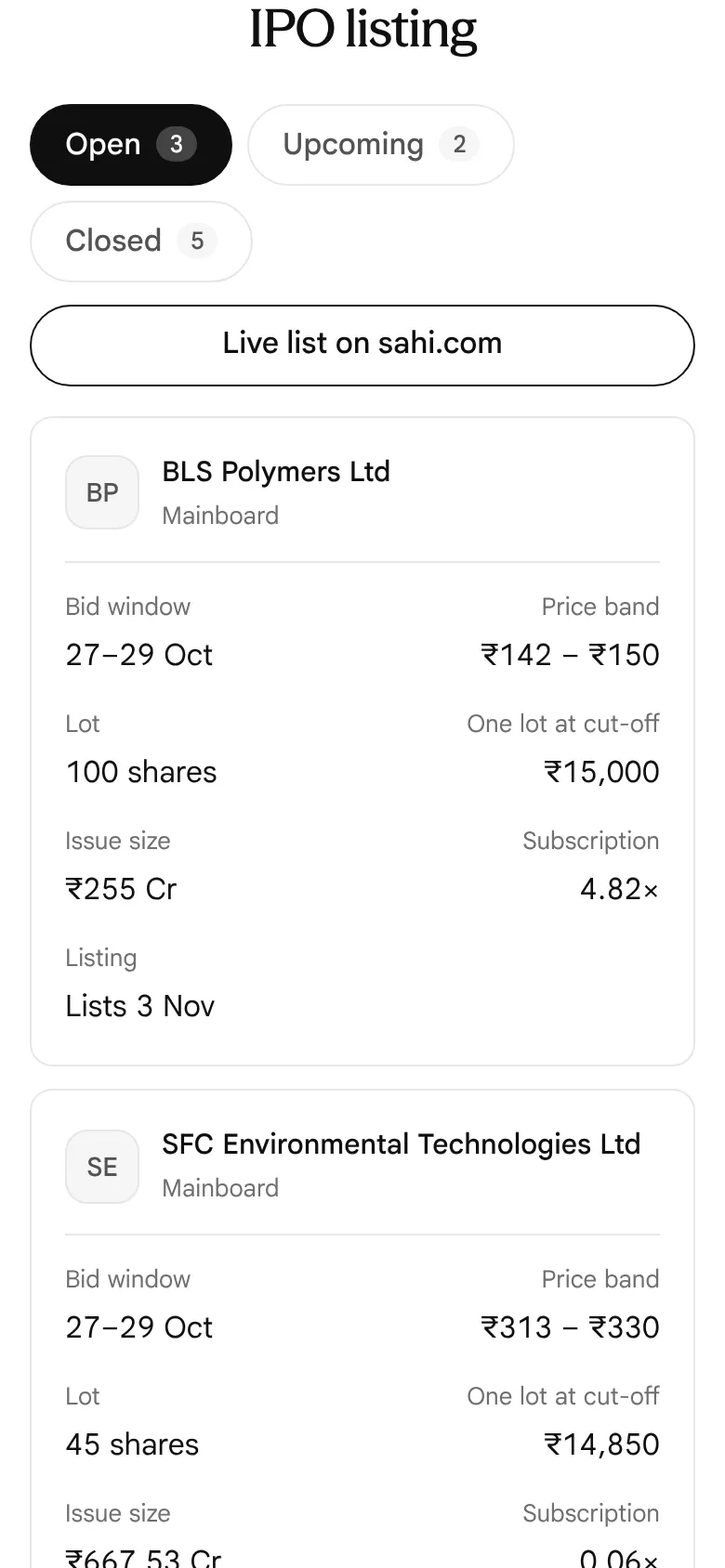
-
The refund answer gives no timeline
"When is my blocked IPO money refunded if I am not allotted?" says the money is released "typically within a day or two of the basis of allotment". Every mainboard IPO now runs to SEBI's fixed T+3 timeline, which tells a reader exactly which day to expect it.
Our copy: The answer gives the T+3 timeline: allotment on T+1, money unblocked and shares credited on T+2, listing on T+3, counting from the day the issue closes.
sahi.com 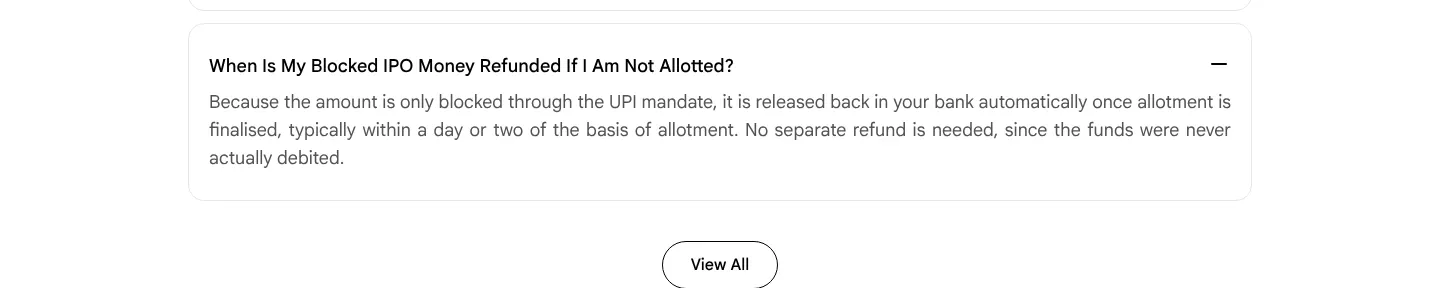
Our copy 
Broken or poor on sahi.com 14
-
The price tiles print the wrong prices until the script runs
"High performance trading at unmatched value" shows ₹0 account opening, ₹0 AMC and ₹10 brokerage as split-flap tiles. The server HTML puts 20, 16 and 21 in those tiles (the figures the flip animation starts from) while each tile's aria-label says "rupees 0" or "rupees 10". Anyone whose script is slow, blocked or has not run yet, and every search engine or link preview, reads ₹20 to open an account, ₹16 AMC and ₹21 a trade.
Our copy: The real prices are in the HTML. The tiles flip once from the old figure to the price only when the script is running and motion is allowed, and screen readers get "Account opening: ₹0" as text.
-
The new IPO listing labels the issue size "Issue price"
The IPO listing sahi.com added in October 2026 has a column headed "Issue price" that holds the issue size: ₹255 Cr for BLS Polymers, ₹668 Cr for SFC Environmental Technologies and ₹1,200 Cr for EAAA India Alternatives. The price band sits in a separate "Price range" column, so a reader sees two prices that do not agree.
Our copy: "Issue size" and "Price band" are separate, correctly named columns.
sahi.com 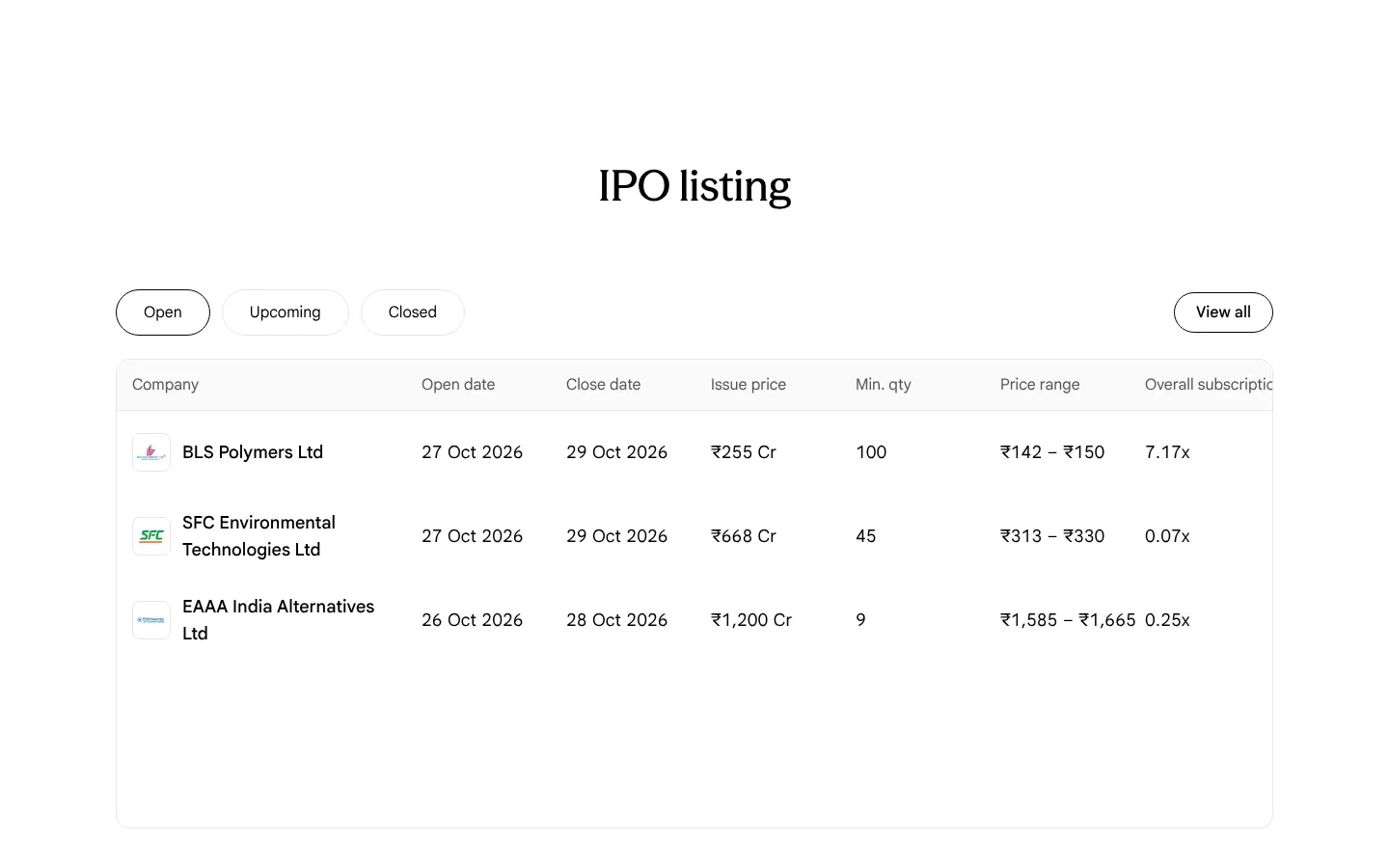
Our copy 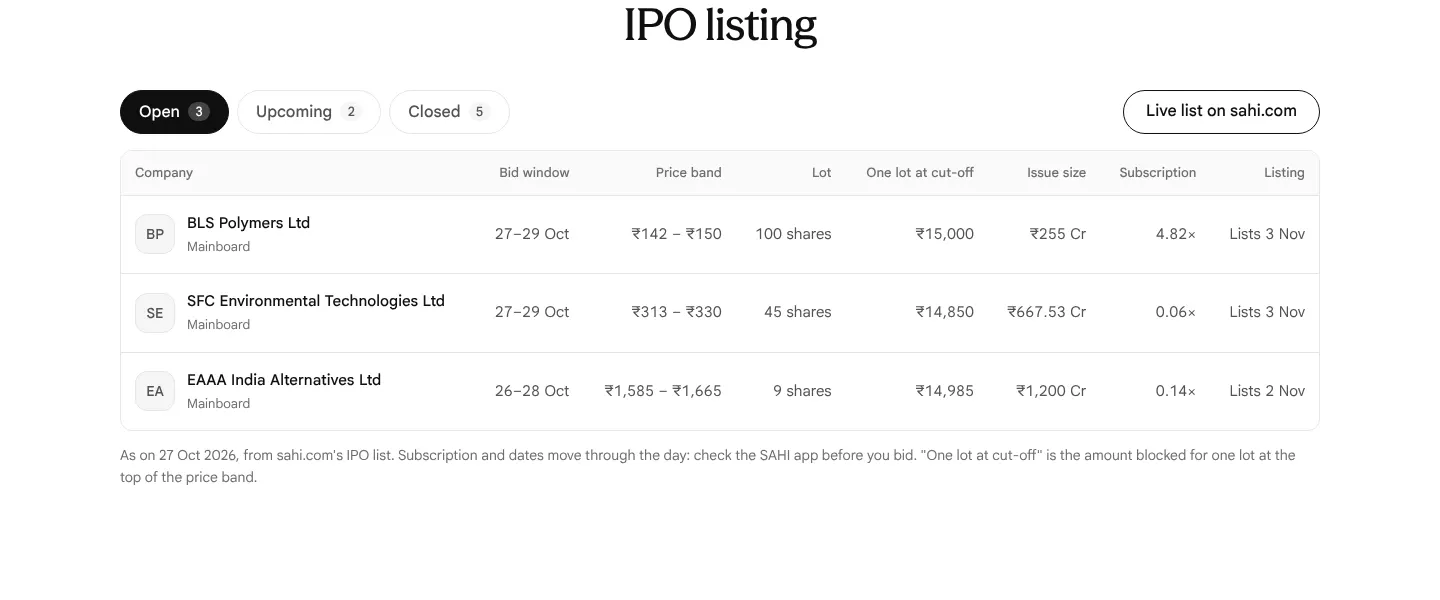
-
Every closed issue shows its price as "₹… – ₹0"
Under Closed, all five issues print a range that ends at zero: Jio Platforms "₹1,119 – ₹0", Paras Healthcare "₹693 – ₹0", Bonfiglioli Transmissions "₹586 – ₹0", Sahajanand Medical Technologies "₹344 – ₹0" and Tonbo Imaging "₹700 – ₹0". sahi.com's data keeps the final price in the lower field and 0 in the upper one, and the table prints both.
Our copy: A closed issue shows its final issue price alone (₹1,119), and what one lot cost at that price.
sahi.com 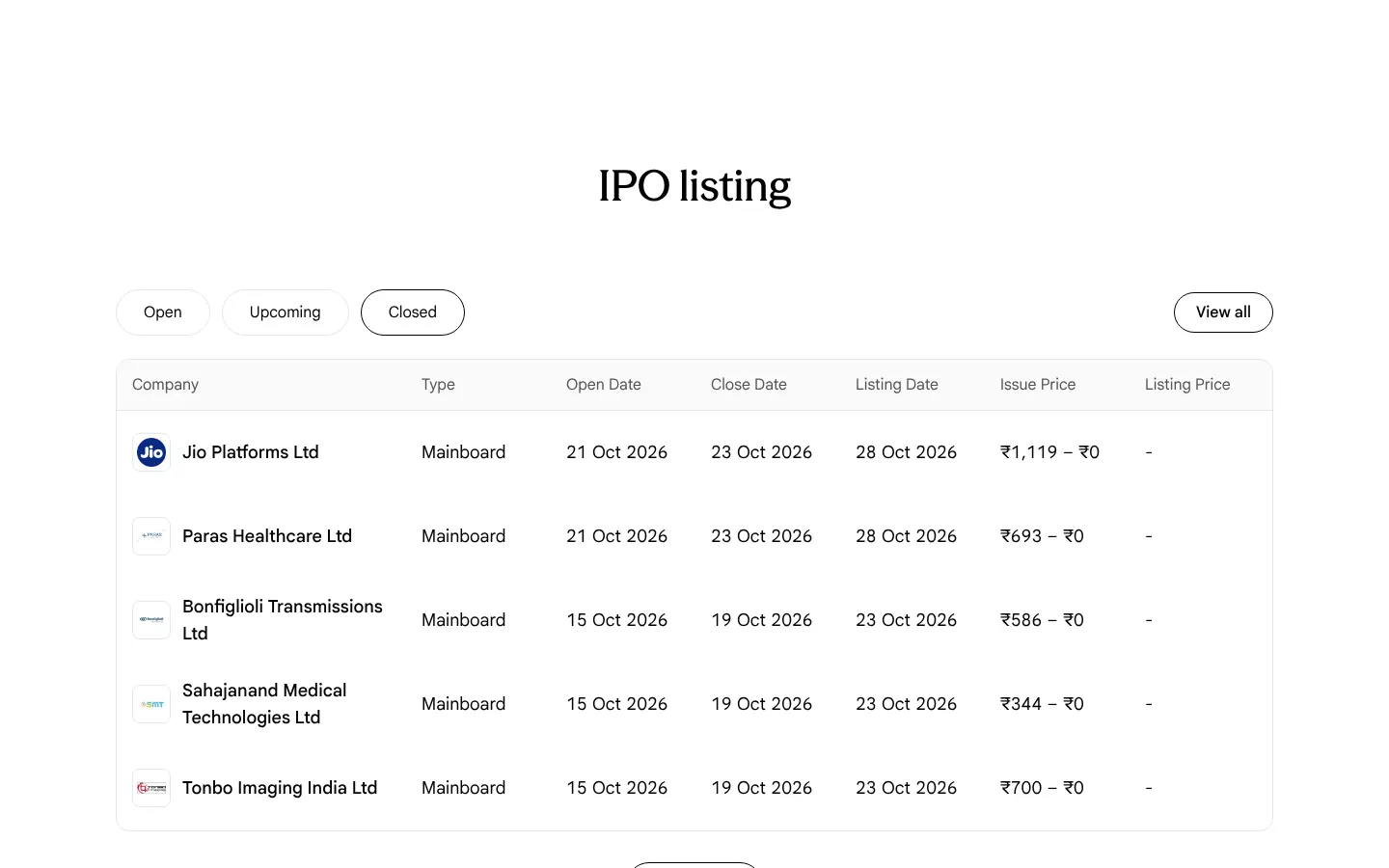
Our copy 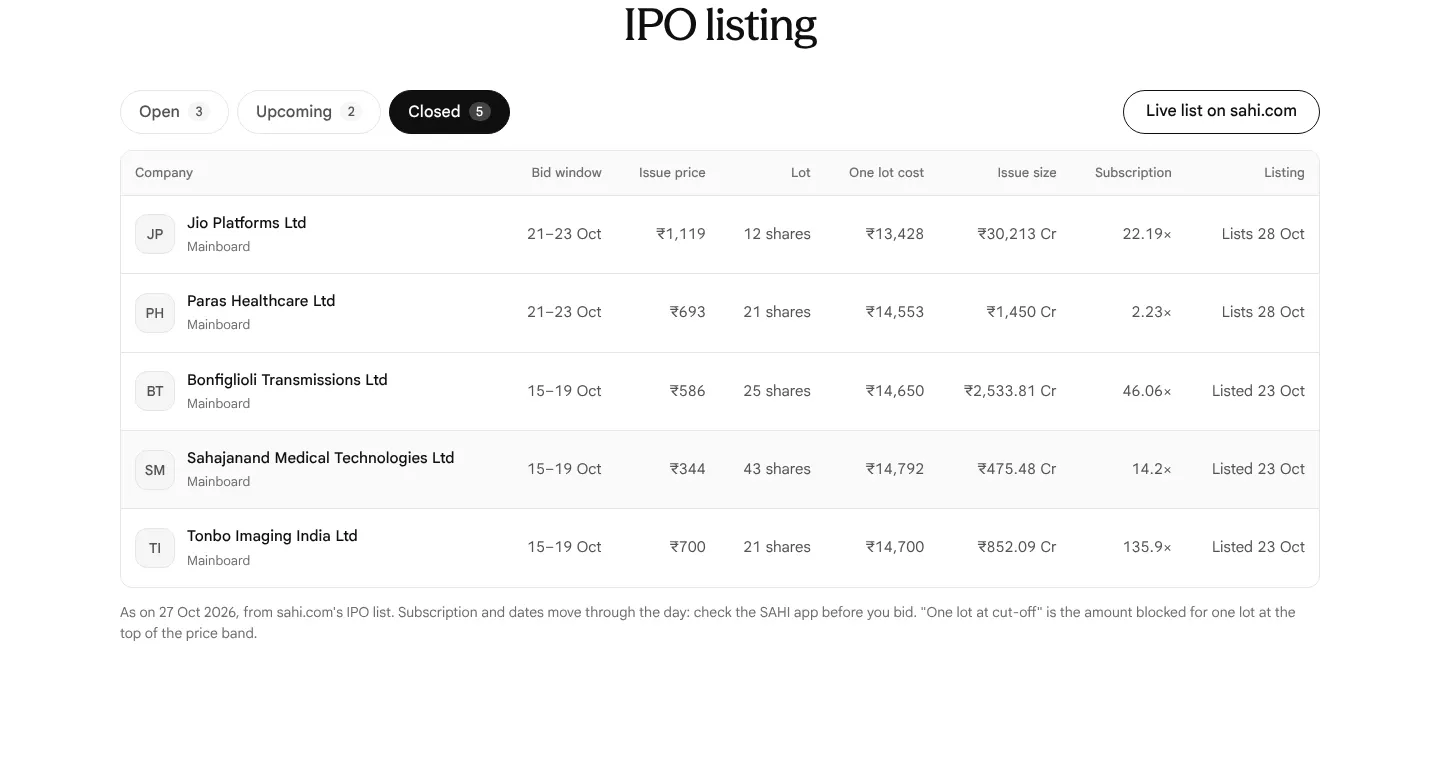
-
"How IPO works": the demo clips never play and the browser's play bar covers the phone
The Browse, Bid and Apply clips have the browser's native controls switched on and do not start by themselves: measured four seconds in view, still paused at 0:00 with nothing loaded, and the step progress bars stay empty. The control bar (play, 0:00, mute, full screen) sits on top of the app's own Home, Watchlist and Trade tab bar. On desktop the clip sits in a 900px-tall grey panel, so the three step tabs and the whole phone never fit on a laptop screen together; on a phone each clip gets its own 729px panel.
Our copy: Each clip plays muted while it is on screen and pauses when it leaves, with no control bar over the phone. On desktop the steps advance by themselves with a progress line, pause under the pointer or keyboard focus, and stop once a step is picked; the panel is sized so the tabs and the phone fit one laptop screen. Reduced-motion readers get the still frame with controls to play it on request.
sahi.com 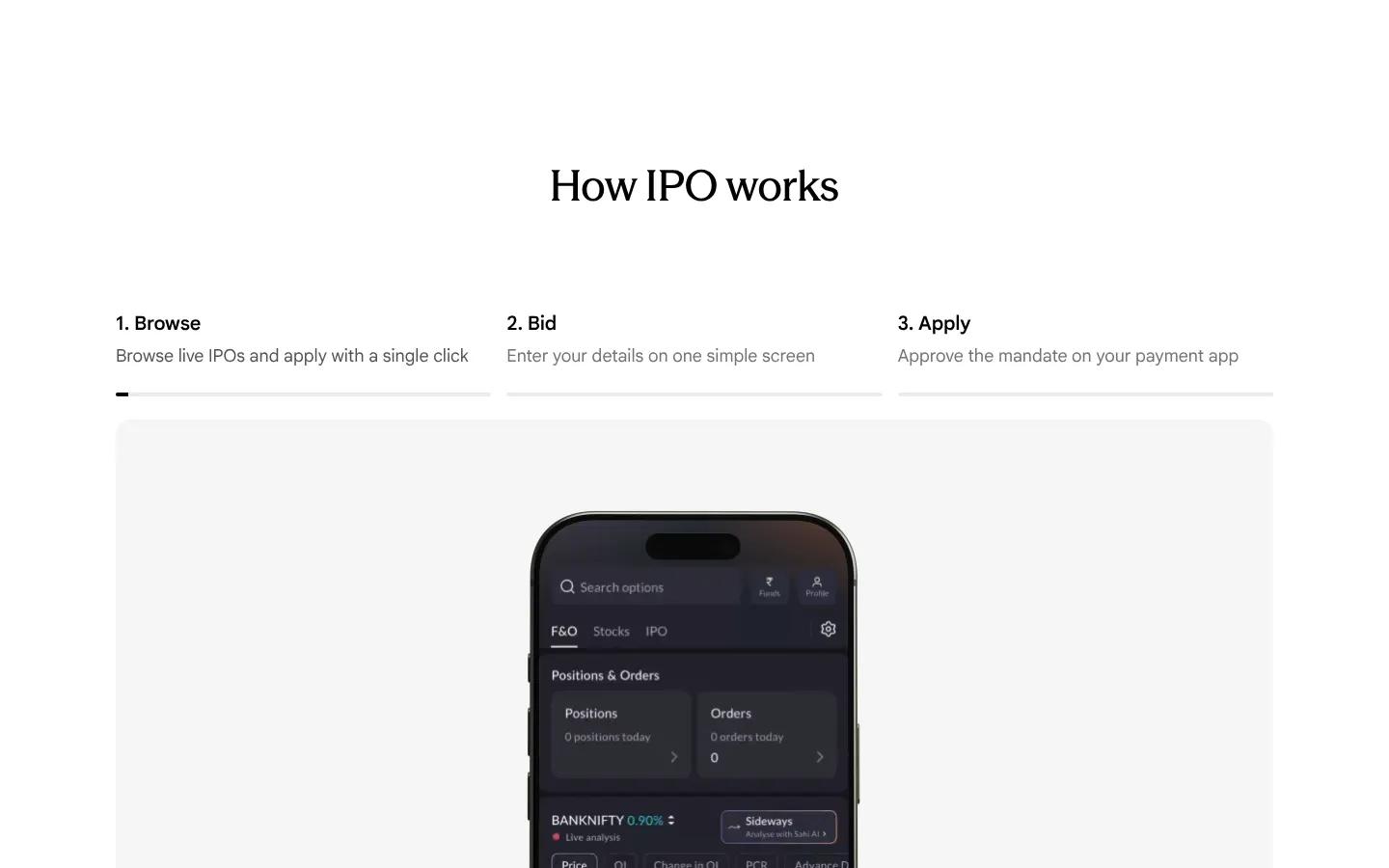
Our copy 
-
FAQ answers are justified and the questions are forced into Title Case
Answers are set with text-align: justify, so on a 390px phone the words are pulled apart with wide gaps ("approve the UPI mandate in your"). Questions are written in sentence case but styled with text-transform: capitalize, so they read "How Do I Apply For An IPO Online?" and "Why Did I Not Get IPO Allotment?".
Our copy: Answers are left-aligned at 17px with a 1.65 line height; questions read in sentence case as written.
sahi.com 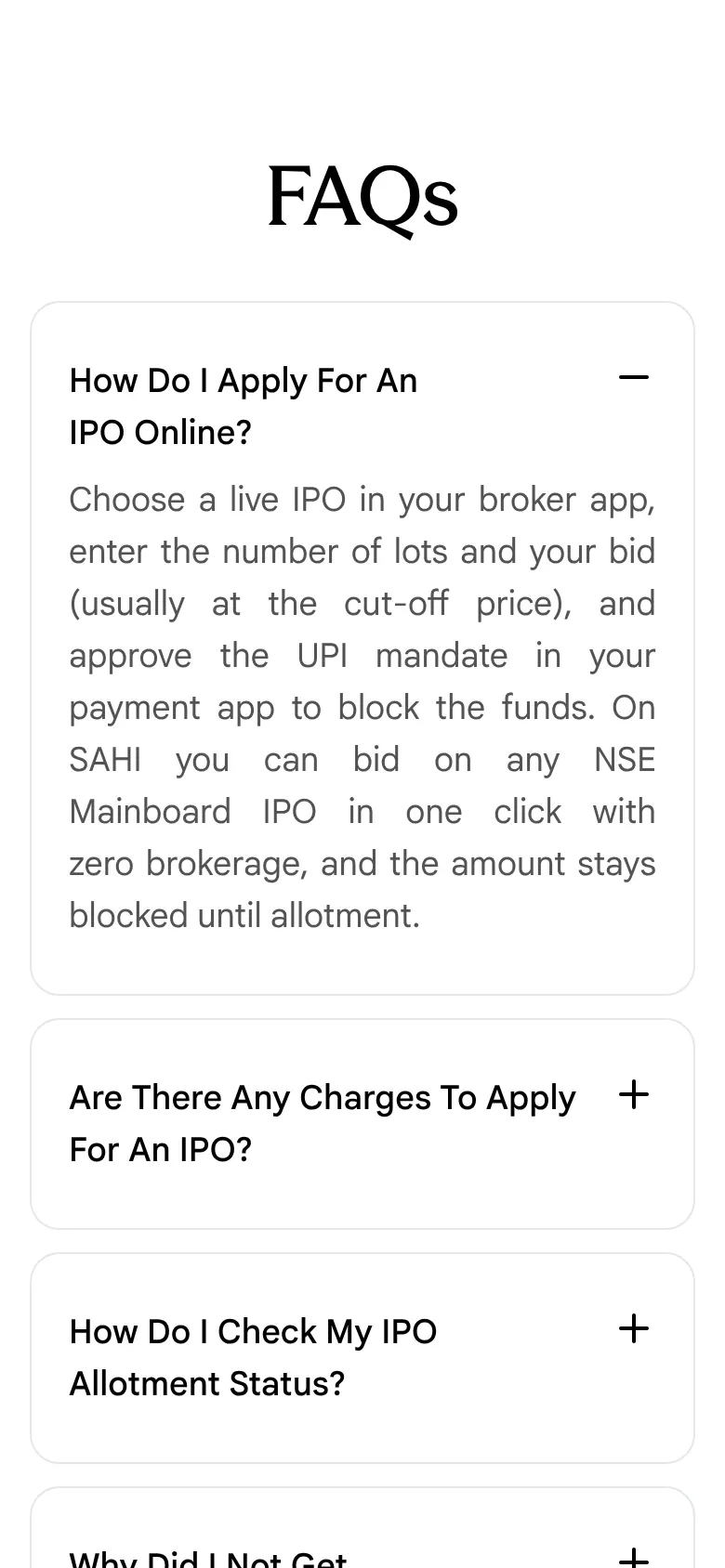
Our copy 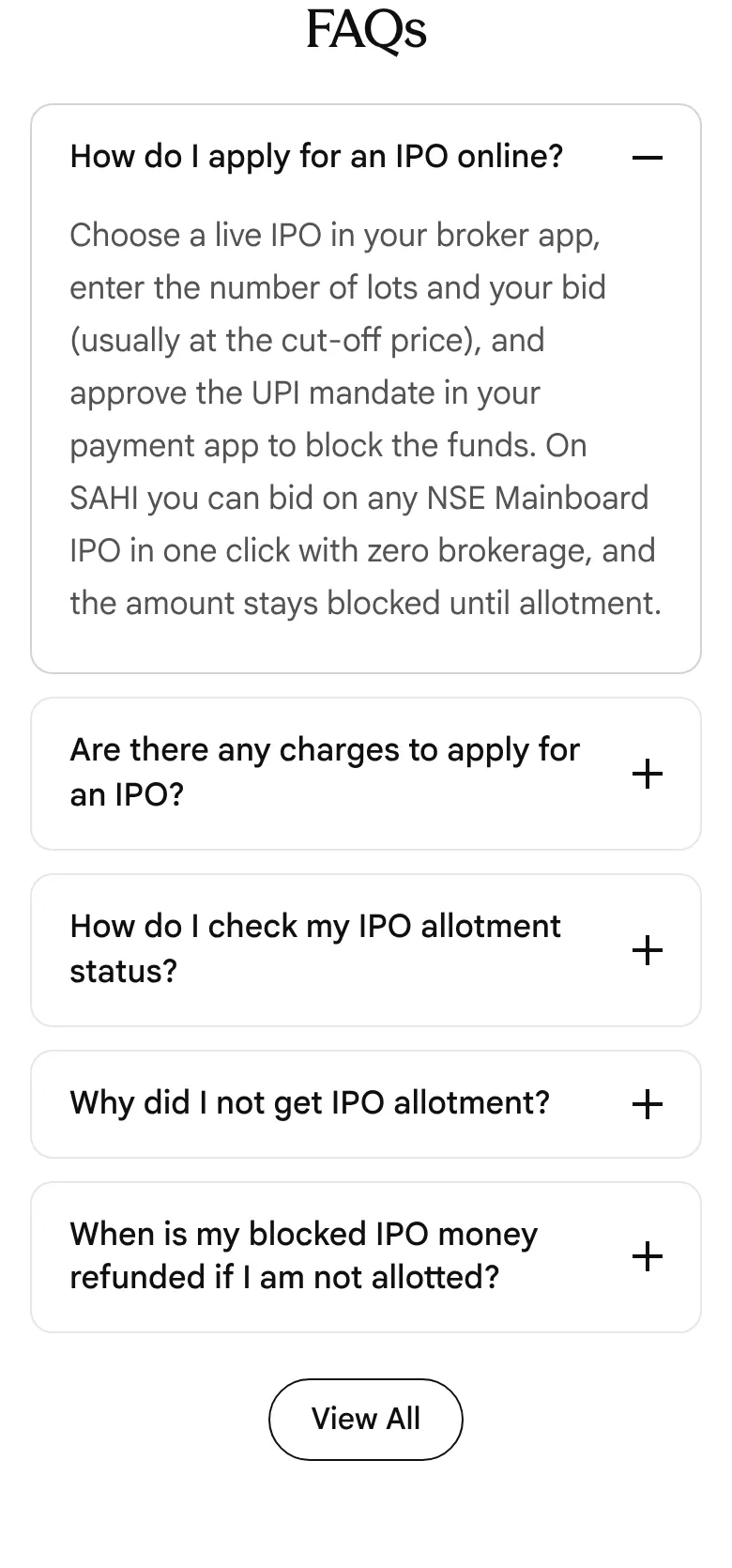
-
The listing table is clipped at the right edge, with empty space below it
At 1440px the table is 1,250px wide inside a 1,198px box, so the last heading reads "Overall subscriptio" and the table scrolls sideways. The box keeps a fixed height, leaving about 180px of blank space under the three open issues.
Our copy: Eight columns fit the 1,200px width, and the box is as tall as its rows.
sahi.com 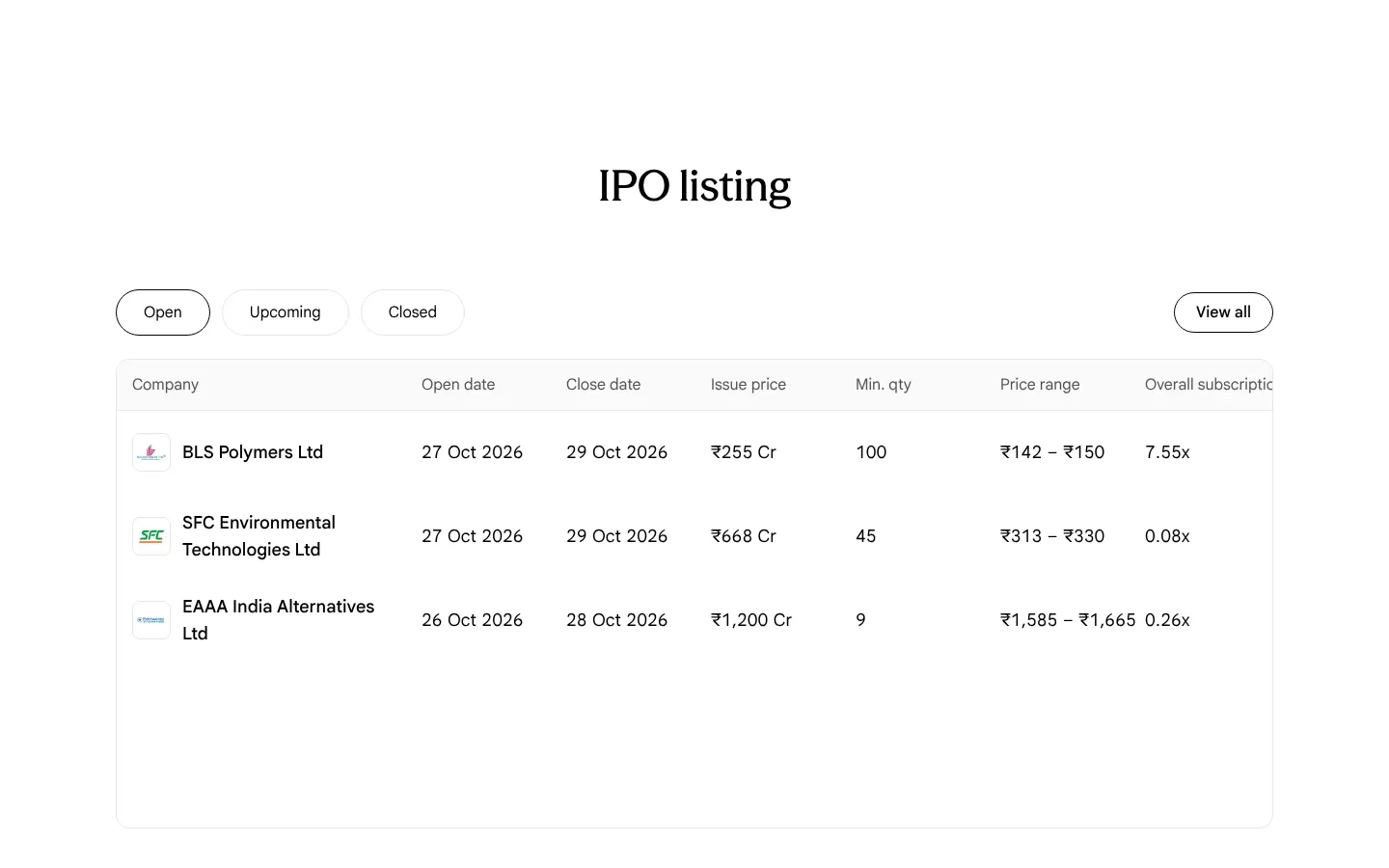
Our copy 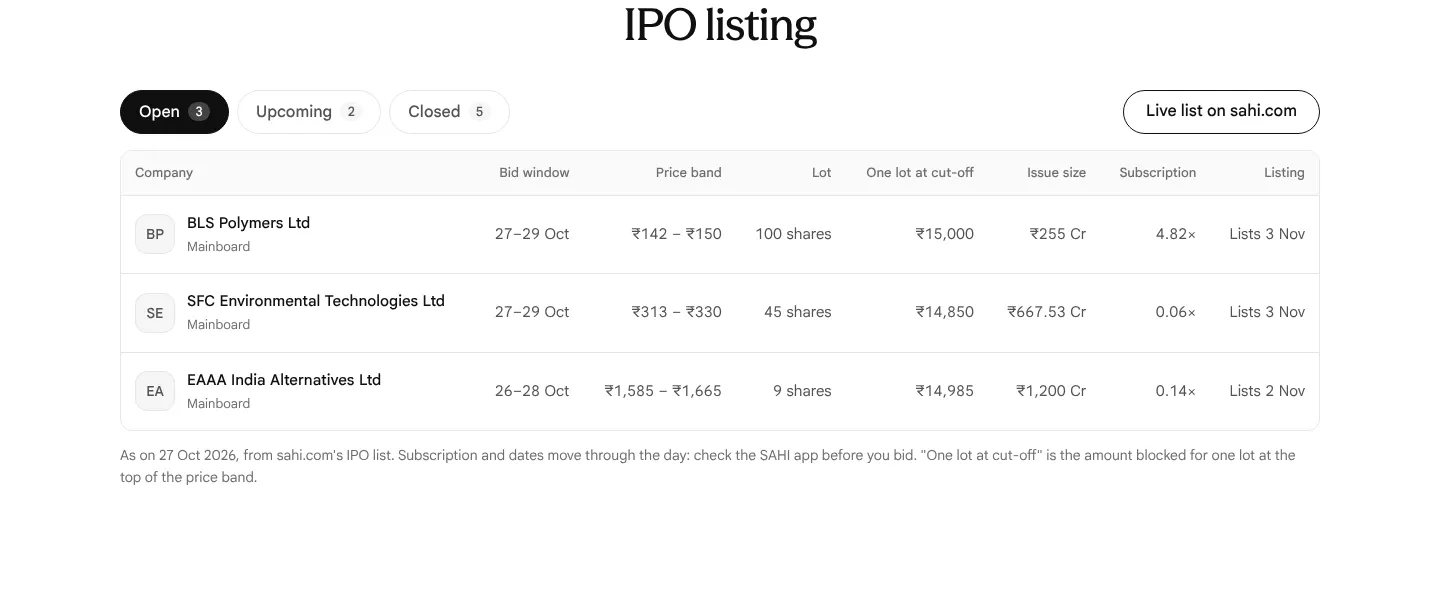
-
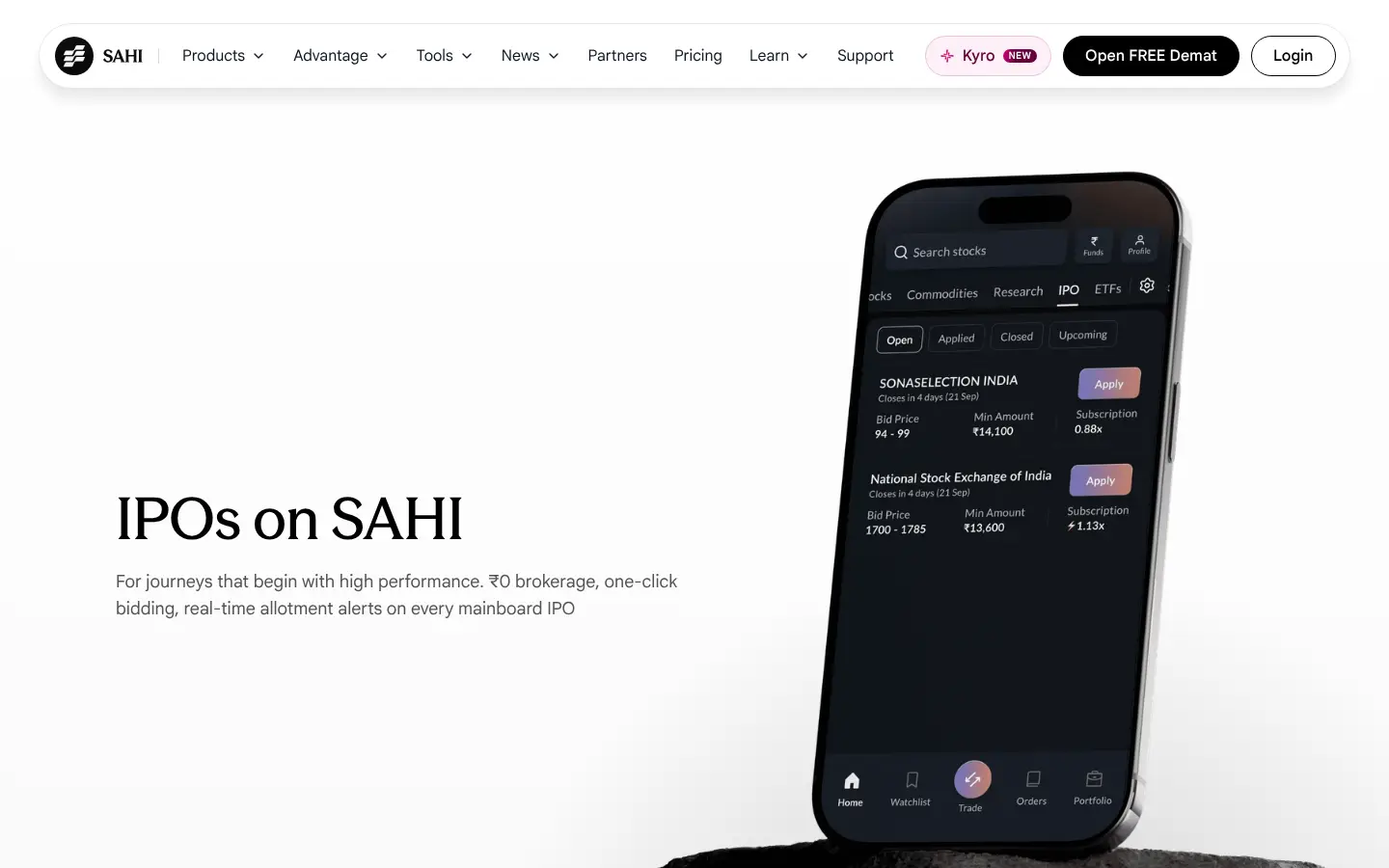
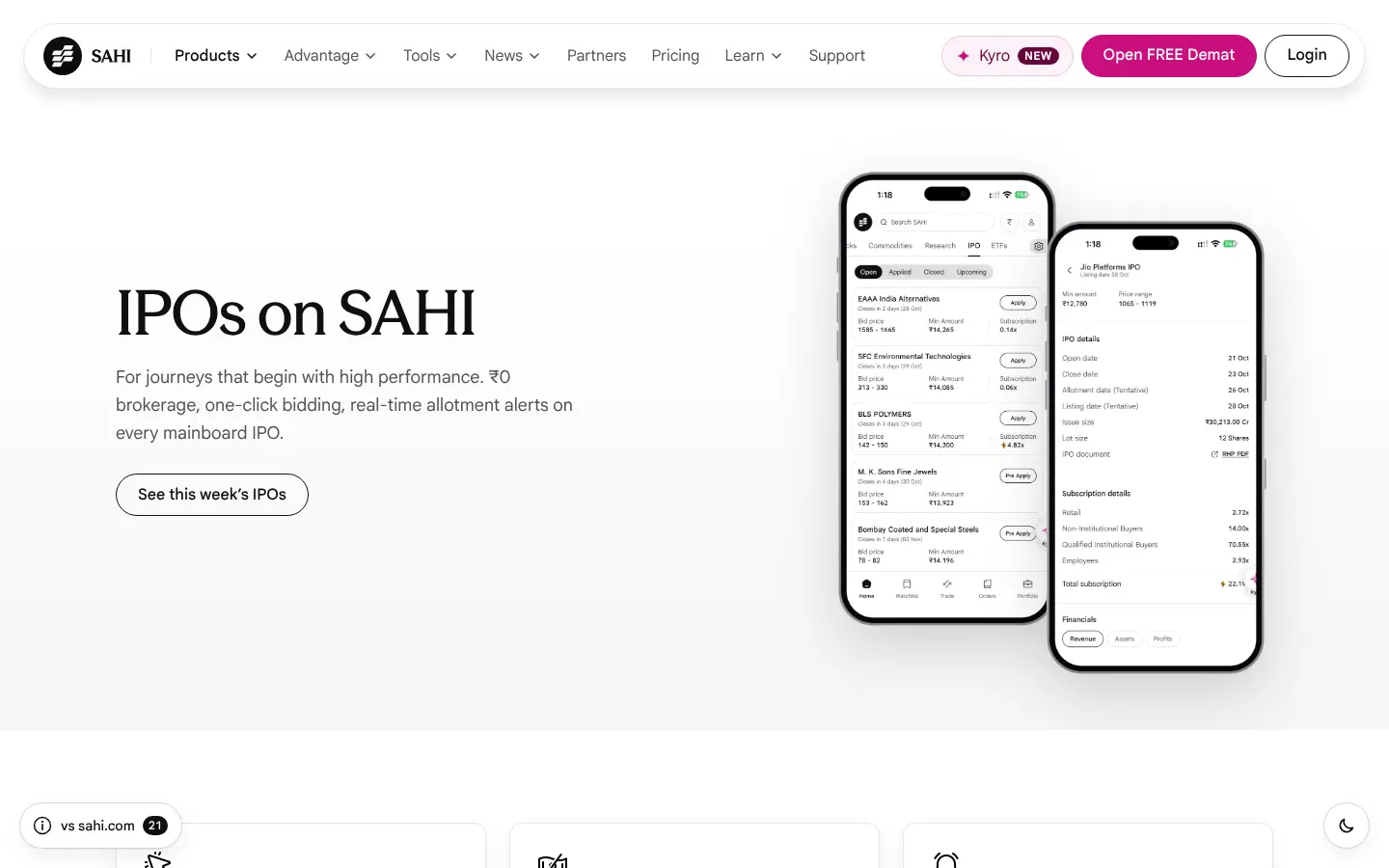
The phones show the app from September beside an October list
The hero phone lists SONASELECTION INDIA ("Closes in 4 days (21 Sep)") and the "Mainboard IPOs covered" phone bids for INDO-MIM, both in the older purple-button design, while the IPO listing below shows October issues and the app has moved to a new IPO tab.
Our copy: The hero shows the current IPO tab (Open list and an issue's details) on two upright phones, light or dark to match the page, and "Mainboard IPOs covered" shows today's bid screen on one whole, upright phone. All are the owner's screenshots of October 2026, in an iPhone 18 frame.
sahi.com 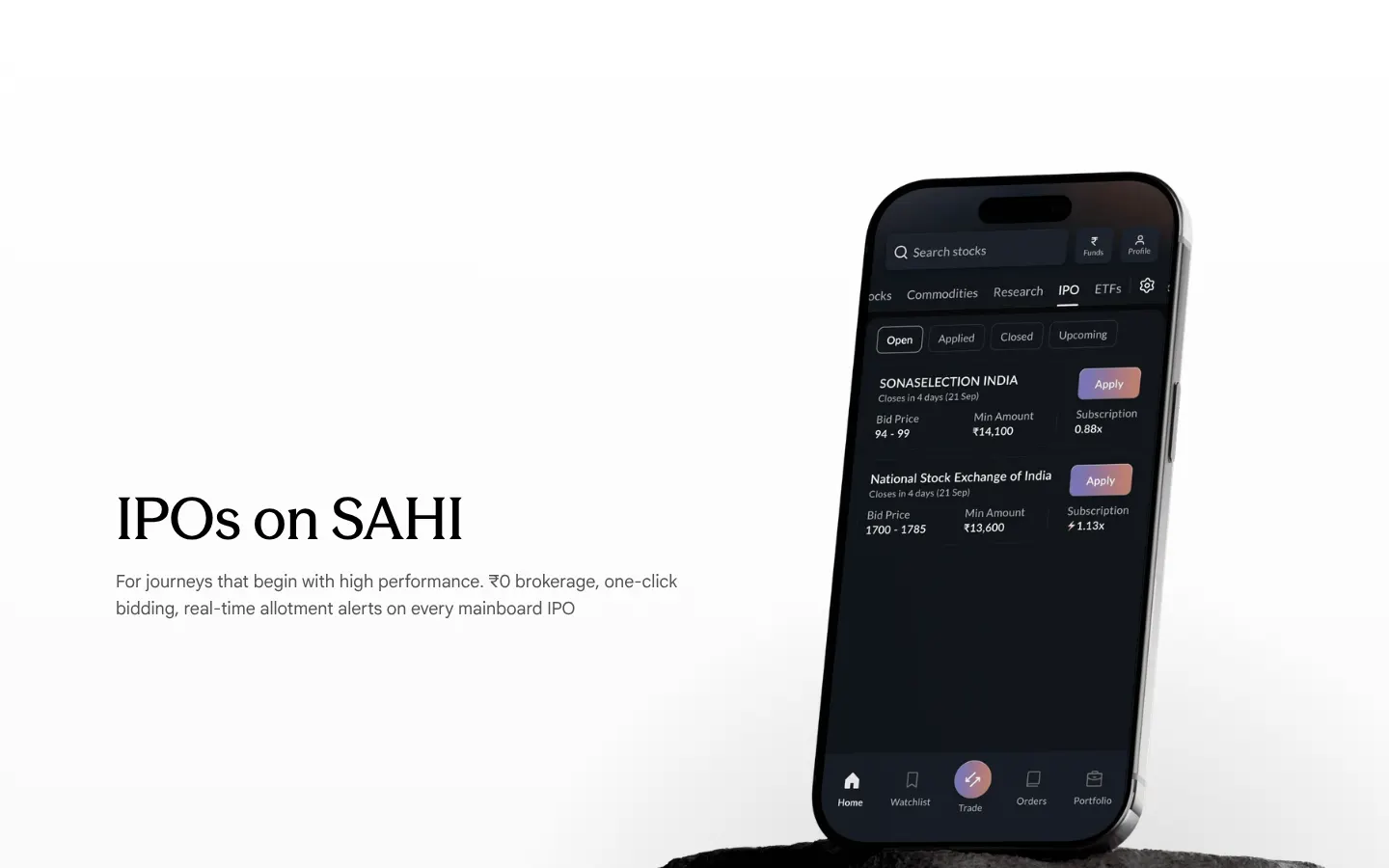
Our copy 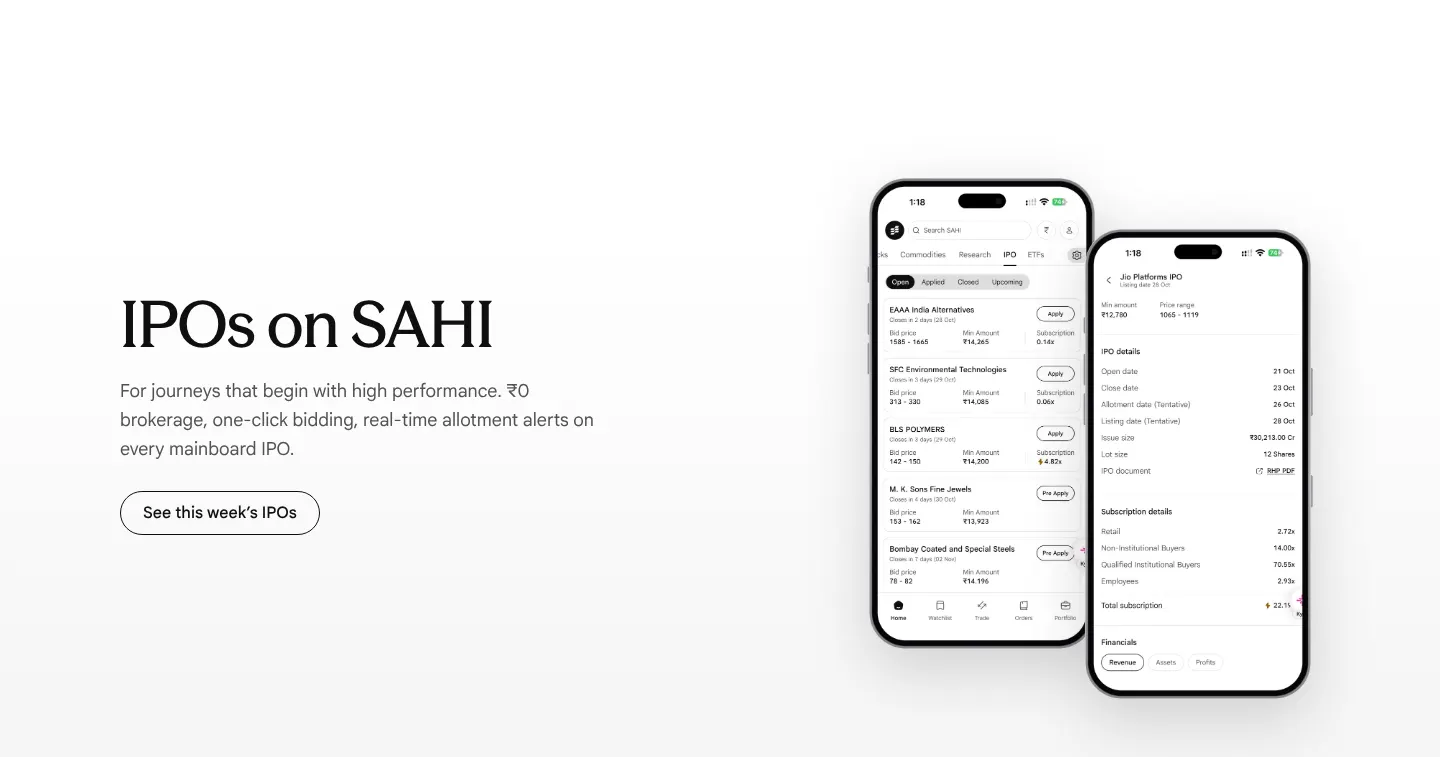
-
The heading outline jumps from h1 to h3
Measured on desktop and phone: straight after the h1 "IPOs on SAHI", the three feature cards ("One-click apply", "₹0 Brokerage on every bid", "Real time alerts") are h3s with no h2 above them.
Our copy: The three feature titles are h2s, drawn at the same size.
-
A hard line break splits a sentence, and "real-time" is spelt two ways
The Real time alerts card has a forced break inside its sentence ("Get real-time status alerts of your IPO" [line break] "application."), so on a phone "IPO" ends a short line and "application." starts the next wherever the card's width falls. The card's title says "Real time alerts" and its text "real-time".
Our copy: The break is gone so the sentence wraps naturally, and the title reads "Real-time alerts".
sahi.com 
Our copy 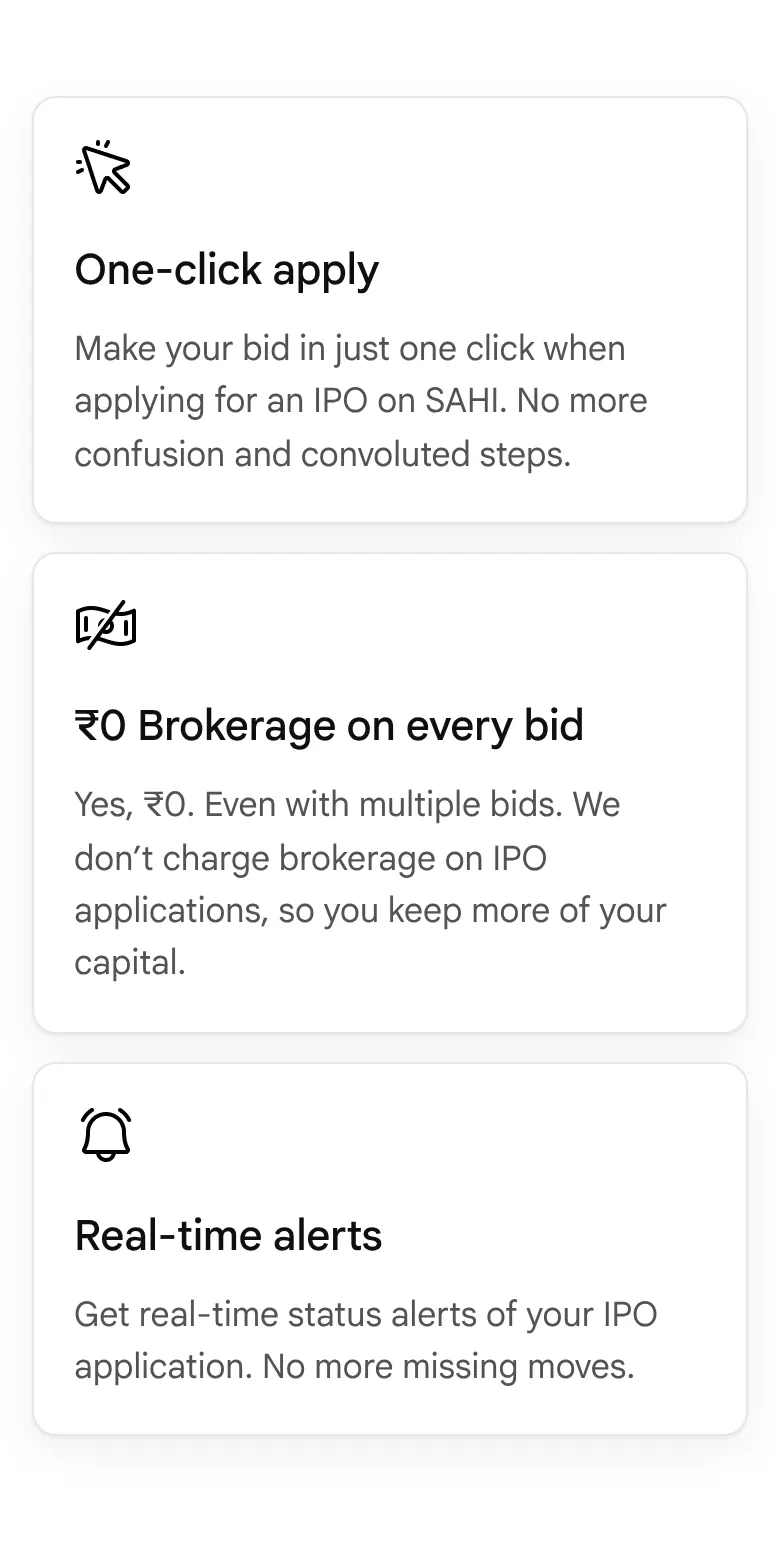
-
Feature card copy is set at a 1.15 line height
The 18px descriptions in the three feature cards use a 1.15 line height, so the lines nearly touch ("Make your bid in just one click when applying for an IPO on SAHI…").
Our copy: 17px at a 1.55 line height, the same as body copy on the other pages.
sahi.com 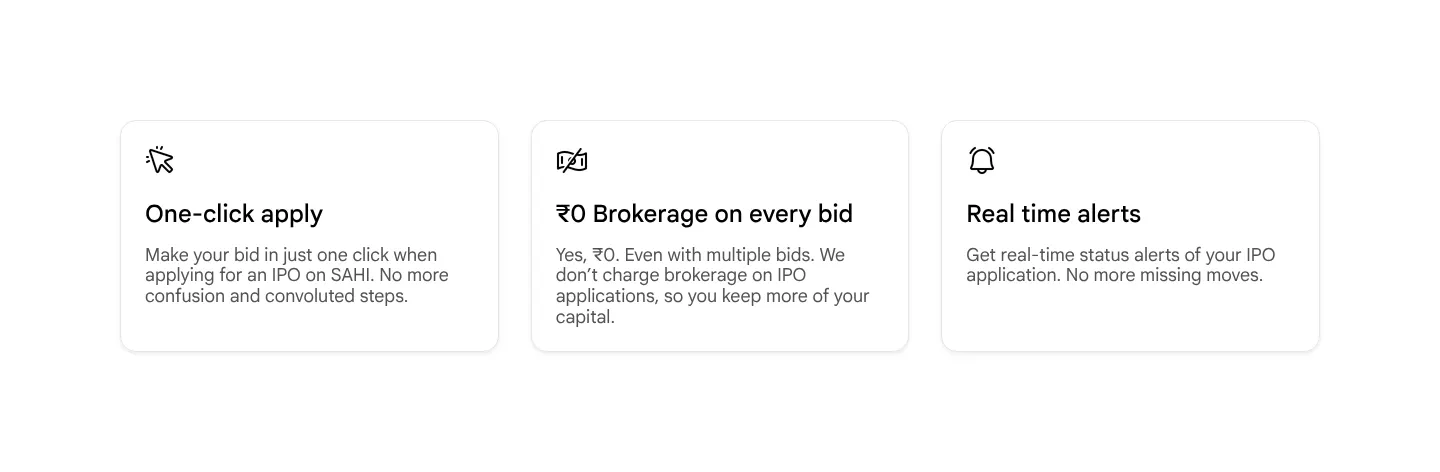
Our copy 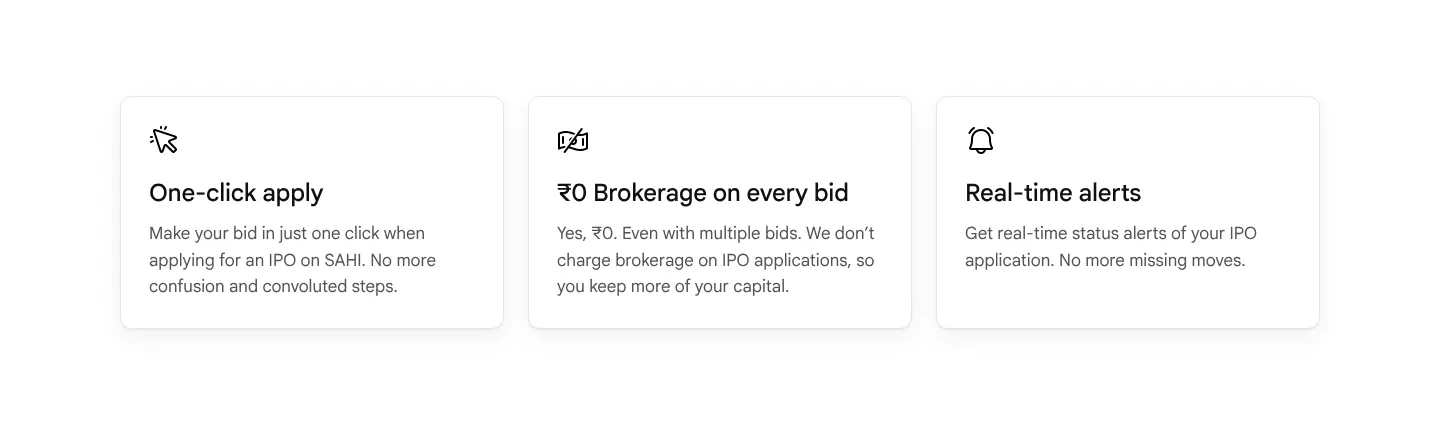
-
Three FAQ answers stop without a full stop
"…so you know your status without checking manually" (allotment status), "…to qualify under the retail category" (multiple demat accounts) and "…should not be the only basis for deciding to apply" (GMP) end with no punctuation.
Our copy: Full stops added.
-
Three price tiles stack into a full screen of scrolling
On a 390px phone the ₹0, ₹0 and ₹10 tiles stand one under another at 237px each plus their labels, about 850px of scrolling to read three numbers.
Our copy: The three tiles stay side by side at every width, scaled to fit.
sahi.com 
Our copy 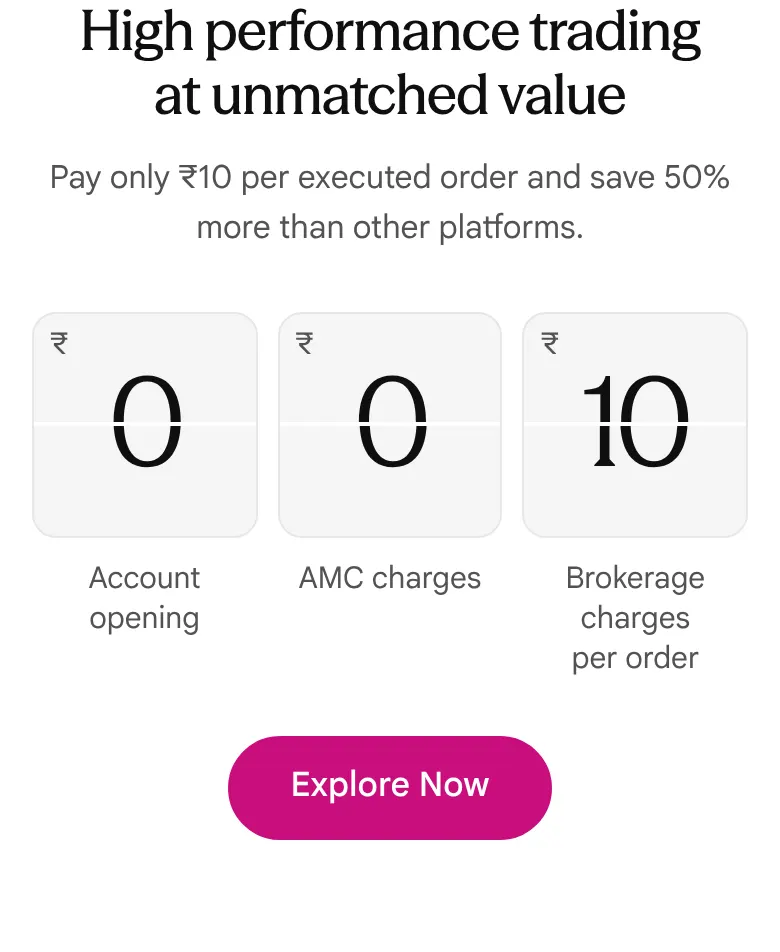
-
In the app, upcoming issues sit under Open and the Upcoming tab is empty
SAHI app, from the owner's screenshots (October 2026): the Open tab lists M. K. Sons Fine Jewels and Bombay Coated and Special Steels with "Pre Apply", while the Upcoming tab says "No upcoming IPOs". sahi.com's own data puts both under Upcoming.
Our copy: Our list follows sahi.com's data and puts them under Upcoming. The app itself needs the fix: recorded for the app team.
-
In the app, the floating Kyro button covers figures at the right edge
SAHI app, from the owner's screenshots (October 2026): the Kyro button floats over the right edge of the IPO screens and hides the end of values under it, such as "Total subscription 22.1…" on an issue's details and "36 Shares At cutoff pric…" on an application.
Our copy: Not something this site can change: recorded for the app team.
Changed here 3
-
A new section: "From bid to listing, in one tab"
Three more screens of the IPO tab: Applied (each bid's result), Status (each step from the UPI mandate to listing) and Closed (final subscription and listing date). sahi.com's page says nothing about what happens after a bid beyond the "Real-time alerts" card. The UPI ID and application number on the Status screen are blurred.
Our copy 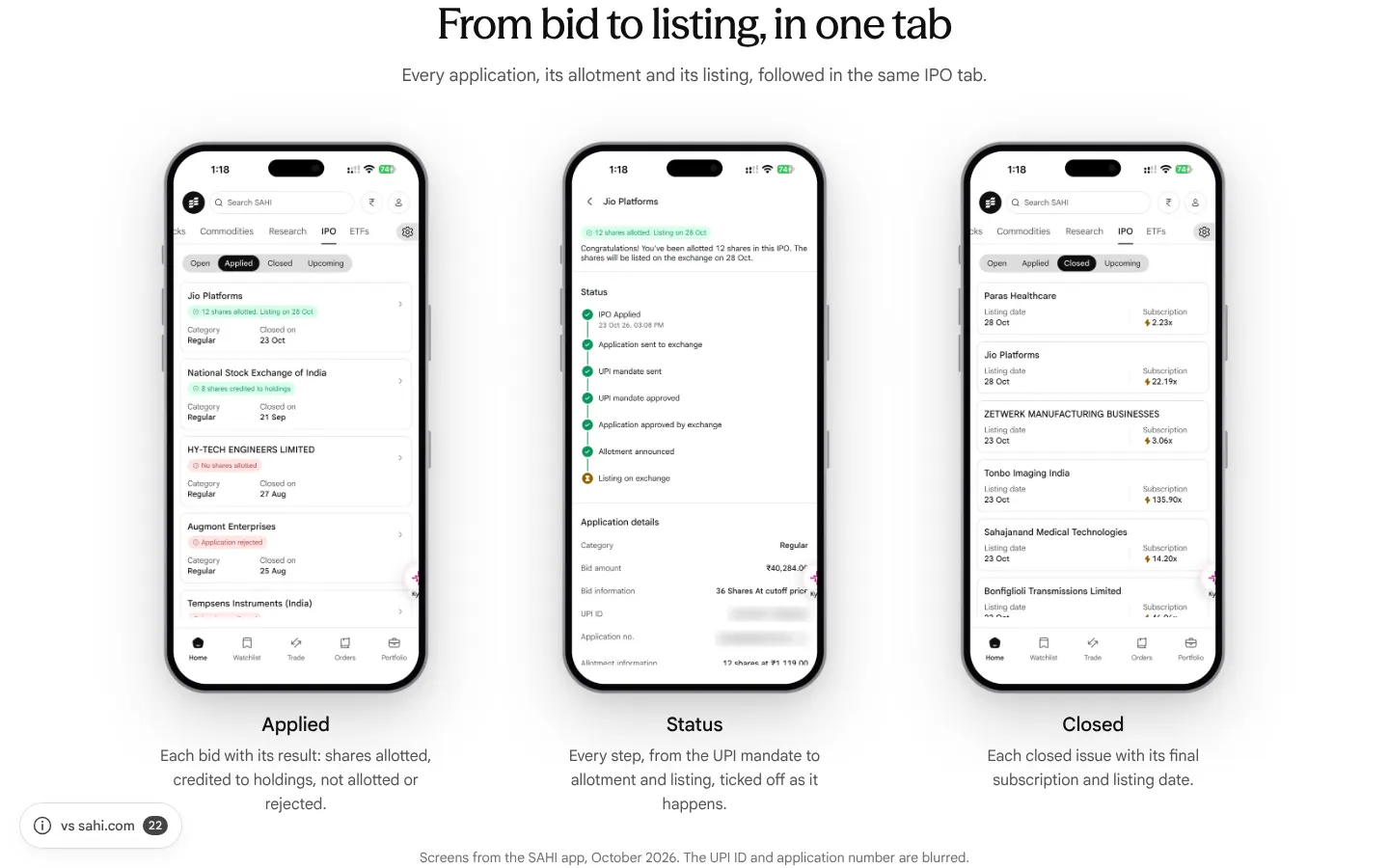
-
"One lot at cut-off": what a bid actually blocks
sahi.com's list shows a minimum quantity, and the app a "Min Amount" at the bottom of the price band (₹14,200 for BLS Polymers). A bid at the cut-off price blocks one lot at the top of the band (₹15,000), so our list shows that figure, with a note saying how it is worked out.
-
A "See this week's IPOs" button in the hero, and links to sahi.com's live list
The hero button jumps to the list. Each company name opens its page on sahi.com, and "Live list on sahi.com" opens the full open list, since our list is a snapshot dated 27 Oct 2026.
First screen, side by side


Missing on sahi.com 4
-
The page never explains the "30 Days Free" in its own title
The page title, shown in search results and on the browser tab, reads "ETF Investing at ₹10/Order — 30 Days Free", but nothing on the page mentions a free period: the hero says "₹10 flat brokerage" and the price section "Pay only ₹10 per executed order". sahi.com's Pricing page says brokerage is zero for the first 30 days after an account is ready to trade, ETFs included.
Our copy: A line under the price tiles says, in the Pricing page's words: zero brokerage for the first 30 days after the account is ready to trade, then ₹10 per executed order, with statutory charges such as STT and exchange fees still payable.
-
The tax answer gives no rates
"How are ETFs taxed in India?" says gains are taxed "at the applicable STCG rate" and "at the LTCG rate", that gold, silver and debt ETFs "follow non-equity rules", and that readers should "verify the current rules". It gives no rate and no holding period.
Our copy: The answer gives the rates from 23 July 2024: equity ETFs 20% within a year and 12.5% above ₹1.25 lakh after; gold and silver ETFs 12.5% after a year and slab rate before; debt ETFs at slab rate whatever the holding period.
sahi.com 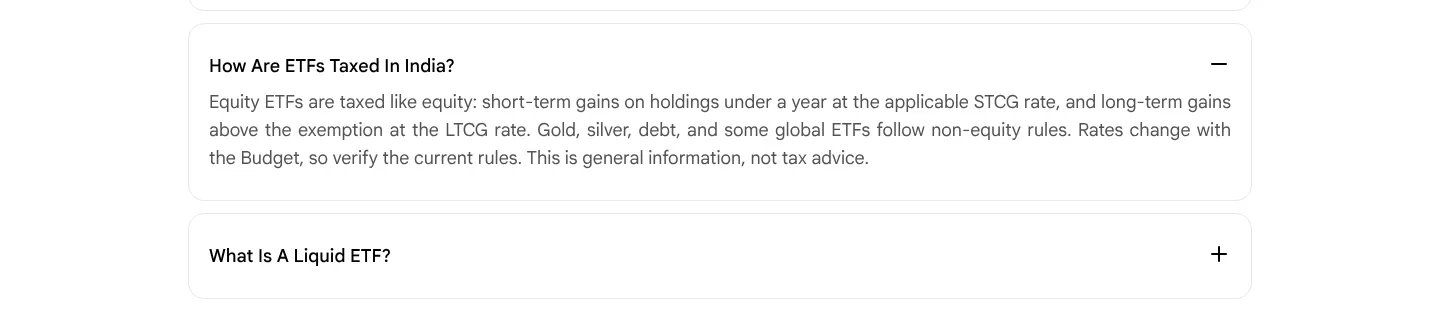
Our copy 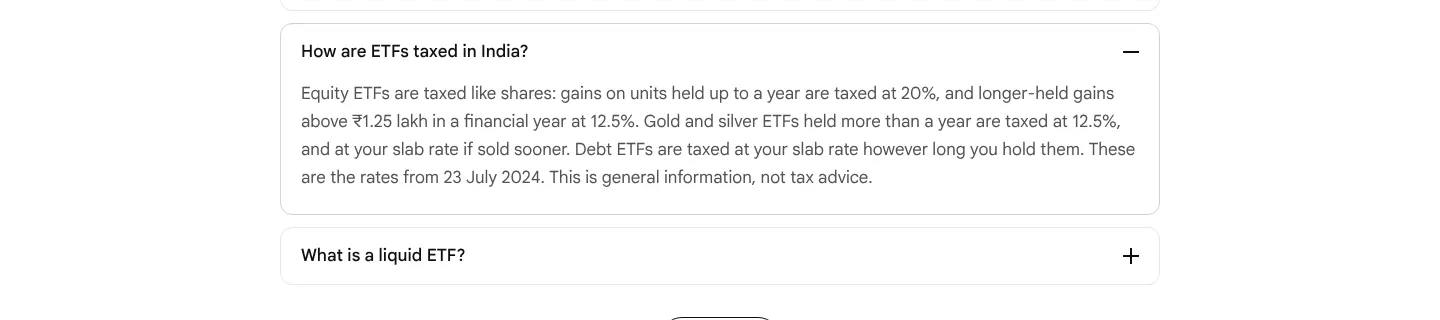
-
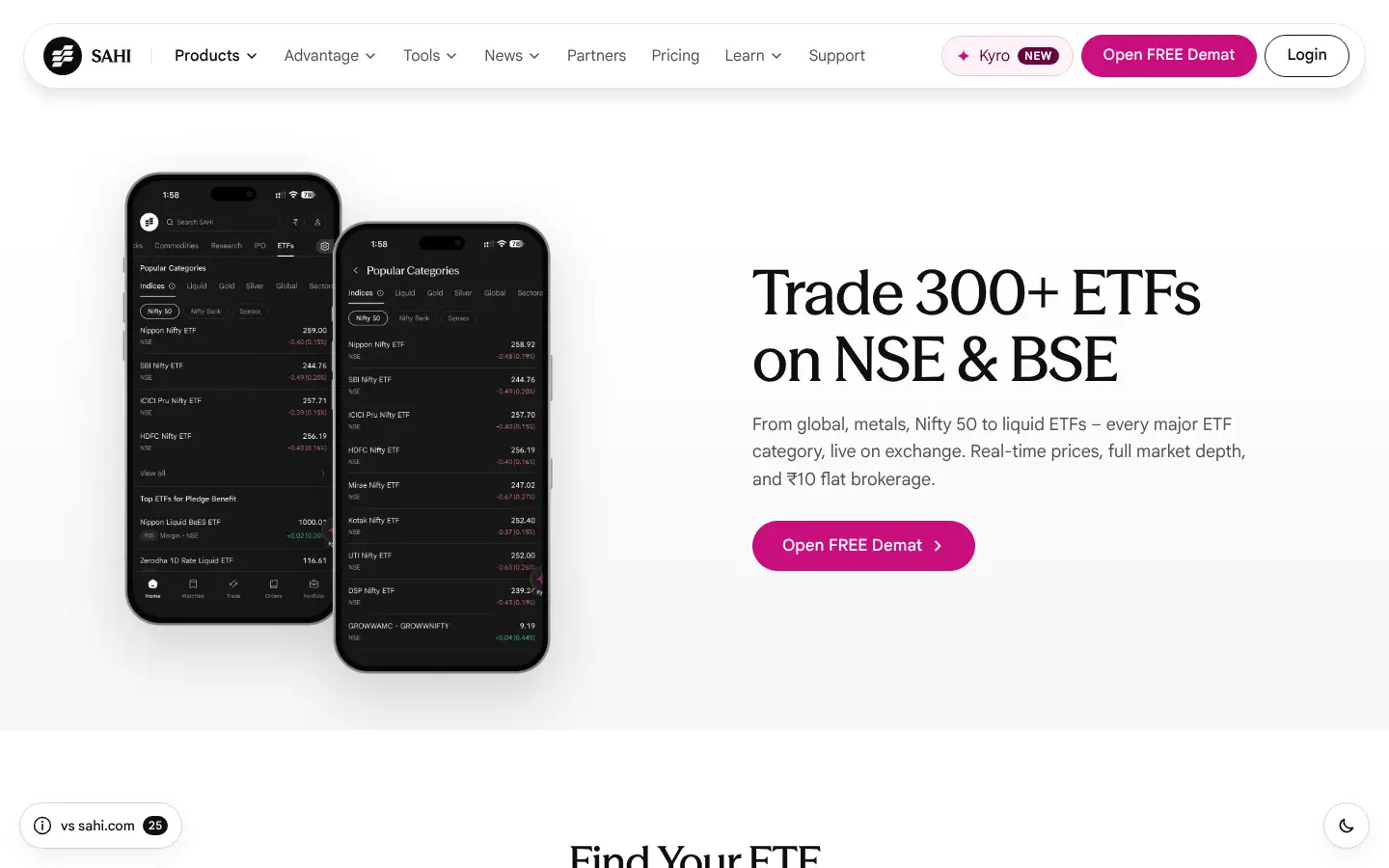
The app pictures quote ETF prices with no note that they are samples
The same fund appears at four prices on one page: Nippon Nifty ETF is 266.53 in the desktop hero, 273.60 in Find Your ETF, 275.83 on the chart and 275.84 on the order ticket. None is dated or marked as a sample, so a reader may take them for current prices.
Our copy: A line under the Find Your ETF phone says the screens are samples from the SAHI app and the prices in them are not live.
sahi.com 
Our copy 
-
The pledge answer never says how much margin a pledged ETF gives
"Can I pledge ETFs to get margin for trading?" says 60+ ETFs can be pledged, but not what margin they give. The app's ETFs tab shows it for each one (95% for Nippon India Liquid BeES in the owner's screenshot of October 2026).
Our copy: The answer points to the "Top ETFs for Pledge Benefit" list in the ETFs tab and gives that example.
sahi.com 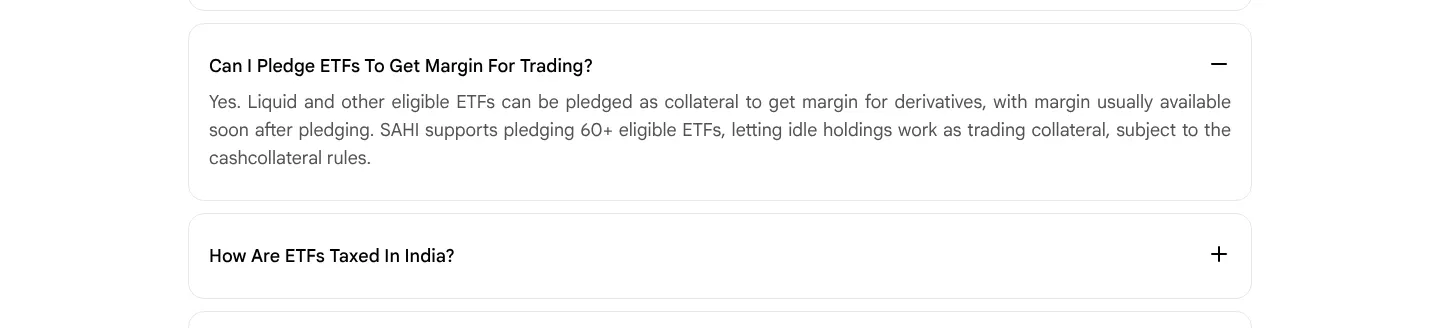
Our copy 
Broken or poor on sahi.com 16
-
The price tiles print the wrong prices until the script runs
The same split-flap tiles as on the IPO page. Checked on 27 October 2026: the server HTML of the price section still reads "₹ 20 20 Account opening ₹ 16 16 AMC charges ₹ 21 21 Brokerage charges per order" (the figures the animation starts from), while the tiles' aria-labels say "rupees 0" and "rupees 10". Without the script, and for search engines and link previews, the page quotes ₹20, ₹16 and ₹21.
Our copy: The page text holds only the real prices, ₹0, ₹0 and ₹10; the figures the flip starts from are drawn by the style sheet. The flip runs once, only with the script running and motion allowed, and screen readers hear each price with its label.
-
Every ETF category is in the tab order twice
Find Your ETF has seven category tabs (Indices, Liquid, Gold, Silver, Global, Sectoral, Debt), and the phone picture under them repeats all seven as working buttons. Measured: the seven buttons inside the picture all have tabindex 0, so after the tabs the Tab key walks through Indices, Liquid, Gold… a second time, and a screen reader hears every category twice.
Our copy: One set of category tabs, moved between with the arrow keys. The row drawn inside the phone is part of the picture: it follows the chosen tab but is skipped by the keyboard and by screen readers.
-
FAQ answers are justified and the questions are forced into Title Case
Answers are set at 18px with text-align: justify, so in the 316px-wide answer on a 390px phone the lines are stretched with wide gaps between words. Questions are styled with text-transform: capitalize: "What Is An ETF And How Does It Work?", "Can I Buy And Sell ETFs Anytime Like Stocks?".
Our copy: Answers are left-aligned at 17px with a 1.65 line height; questions read in sentence case as written.
sahi.com 
Our copy 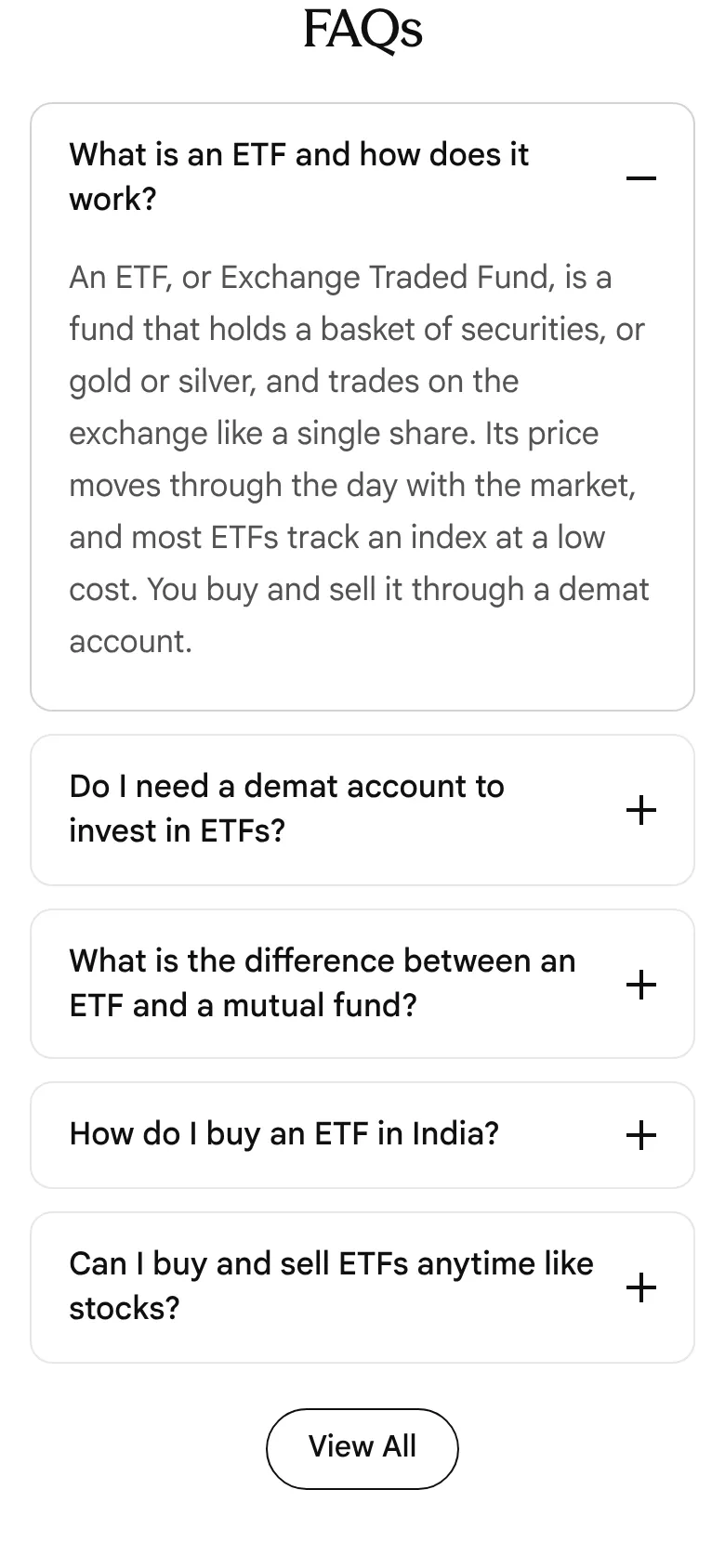
-
The 2X picture is announced by its file name
In "Make your capital work twice" the silver 2X on a pedestal has the alt text "Frame 2147234108.png", so a screen reader reads out a design-tool file name.
Our copy: The picture is decorative (the heading says it all), so it has an empty alt and is skipped.
-
On a phone the price section is taller than the screen
At 390px the heading "High performance trading at unmatched value" is set at 44px and breaks into four lines (202px), leaving "trading" and "value" alone on their lines, and the three 237 × 266px price tiles stack in one column. From the heading to the Explore Now button it measures 1,215px, about one and a half screens of an 844px phone, to show three prices.
Our copy: The heading is sized for the phone and reads in two lines, and the three tiles sit side by side at every width: heading, prices, note and button take 530px.
sahi.com 
Our copy 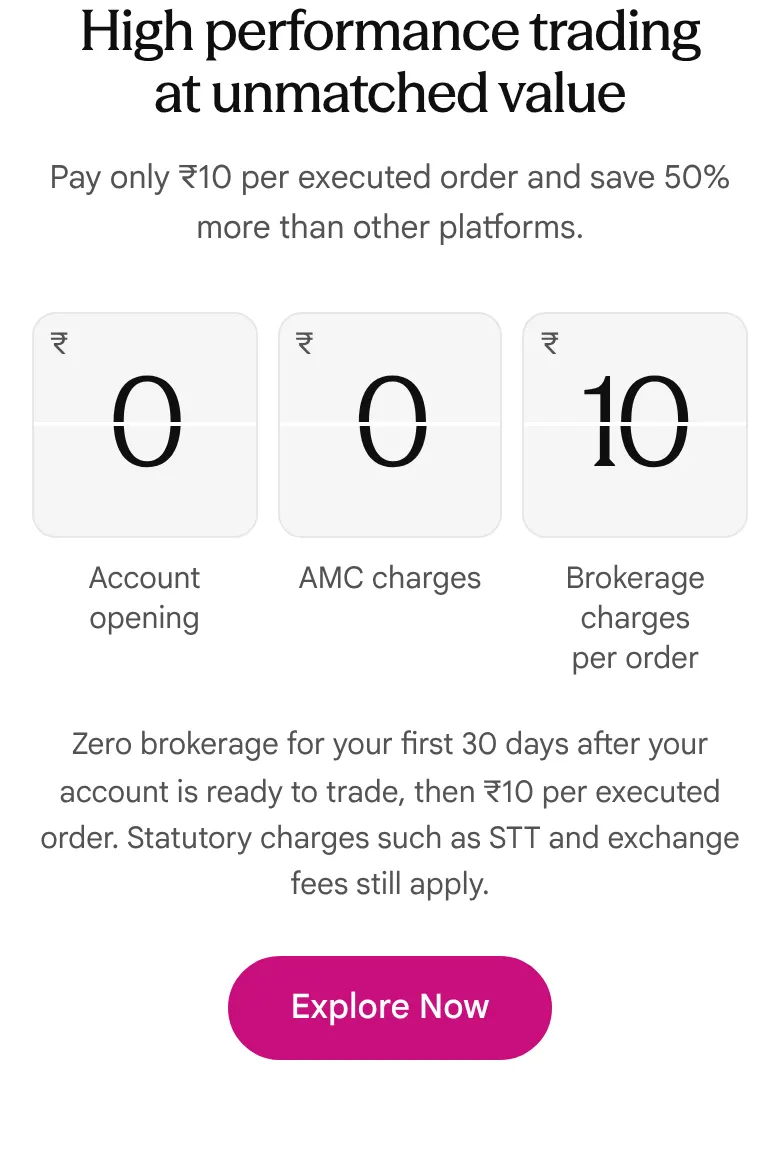
-
In the app, some ETFs sit in the wrong category
SAHI app, owner's screenshots of Popular Categories (27 Oct 2026, 1:59 PM): Sectoral → Technology lists "MOTILALAMC - MOCAPITAL", which by its code is a capital-markets fund, and "Aditya Birla SL NIFTY ETF", which by its name tracks the Nifty 50, among the IT ETFs. Global → USA lists "DSP Nifty Top 10 Equal Weight ETF", an Indian index, and "DSP New ETF", whose name says nothing about what it holds. An investor choosing by category can end up in the wrong fund. Needs verification: what each of these four funds tracks.
Our copy: Not something this site can change: recorded for the app team. Our page shows the category screens as they are.
-
The hero sentence is missing a comma
"From global, metals Nifty 50 to liquid BeES - every major ETF category…": a double space stands where the comma after "metals" should be, so it reads as "metals Nifty 50".
Our copy: "From global, metals, Nifty 50 to liquid BeES – every major ETF category…"
-
Typo in the pledging answer
"Can I pledge ETFs to get margin for trading?" ends "subject to the cashcollateral rules".
Our copy: "subject to the cash-collateral rules".
-
The search description promises things the page never mentions
The meta description reads "Zero brokerage on delivery, live NAV, and one-click SIP setup." The page itself says "₹10 flat brokerage" and never mentions NAV or SIPs, so the search result and the page disagree on price.
Our copy: The description is written from the page's own words: 300+ ETFs on NSE and BSE, real-time prices, full market depth, ₹10 flat brokerage and pledging liquid ETFs for F&O margin.
-
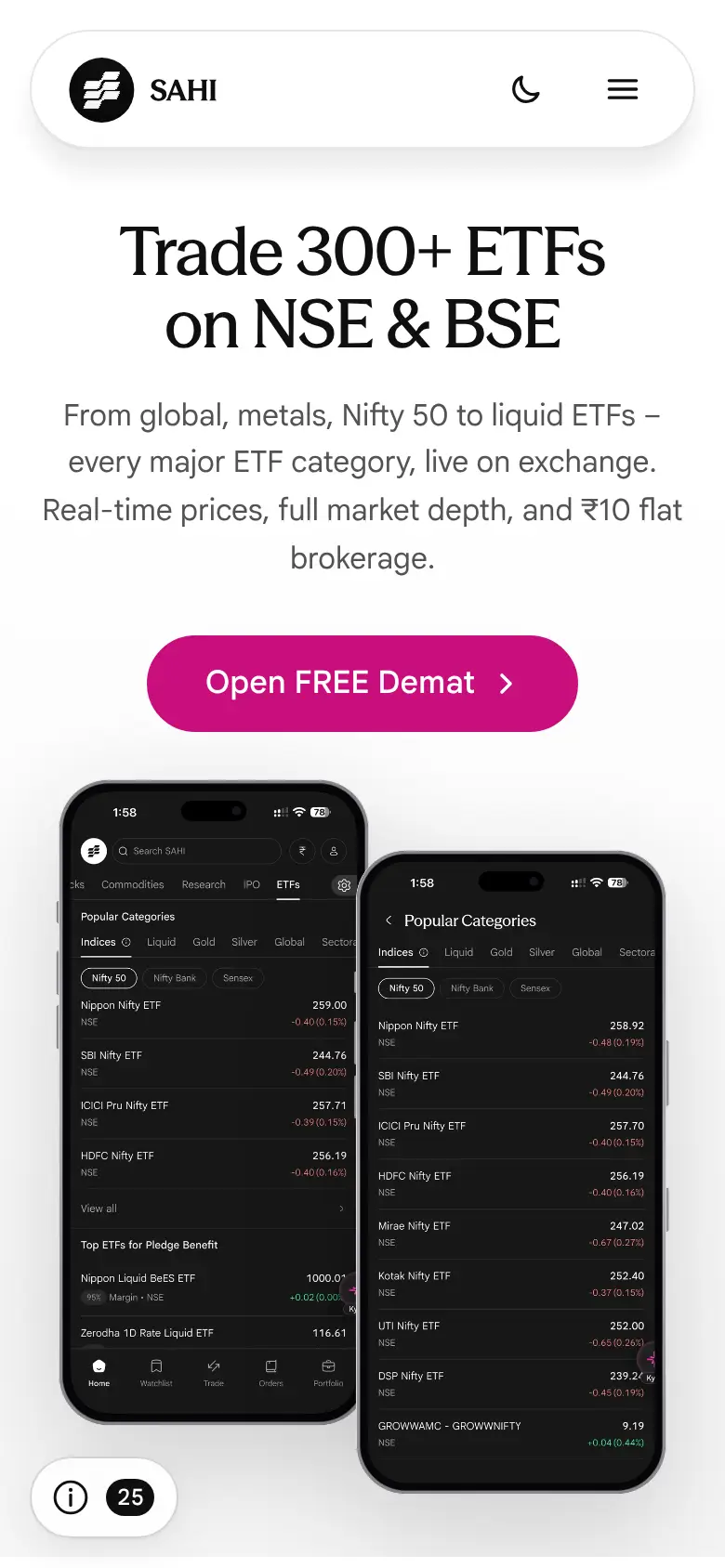
The phone in Find Your ETF is cut off with a hard edge
The app screen ends in a hard straight edge: at 1440px it cuts through a row of the list ("GROWWAMC - GROWWNIFTY" sliced in half), and on a phone it stops abruptly just under the ICICI Pru Nifty ETF row, so it looks as if the section ended early rather than on purpose.
Our copy: The phone fades out under the list over a faint floor grid, as on sahi.com.
sahi.com 
Our copy 
-
Category chips run off the edge with no sign that more follow
On a 390px phone the row shows Indices, Liquid, Gold and part of "Silver"; the Debt chip starts at 712px, so Global, Sectoral and Debt can only be reached by swiping, and nothing says so.
Our copy: The row fades at its edge and has an arrow button that scrolls it on; on wider screens all seven chips sit centred in one row.
sahi.com 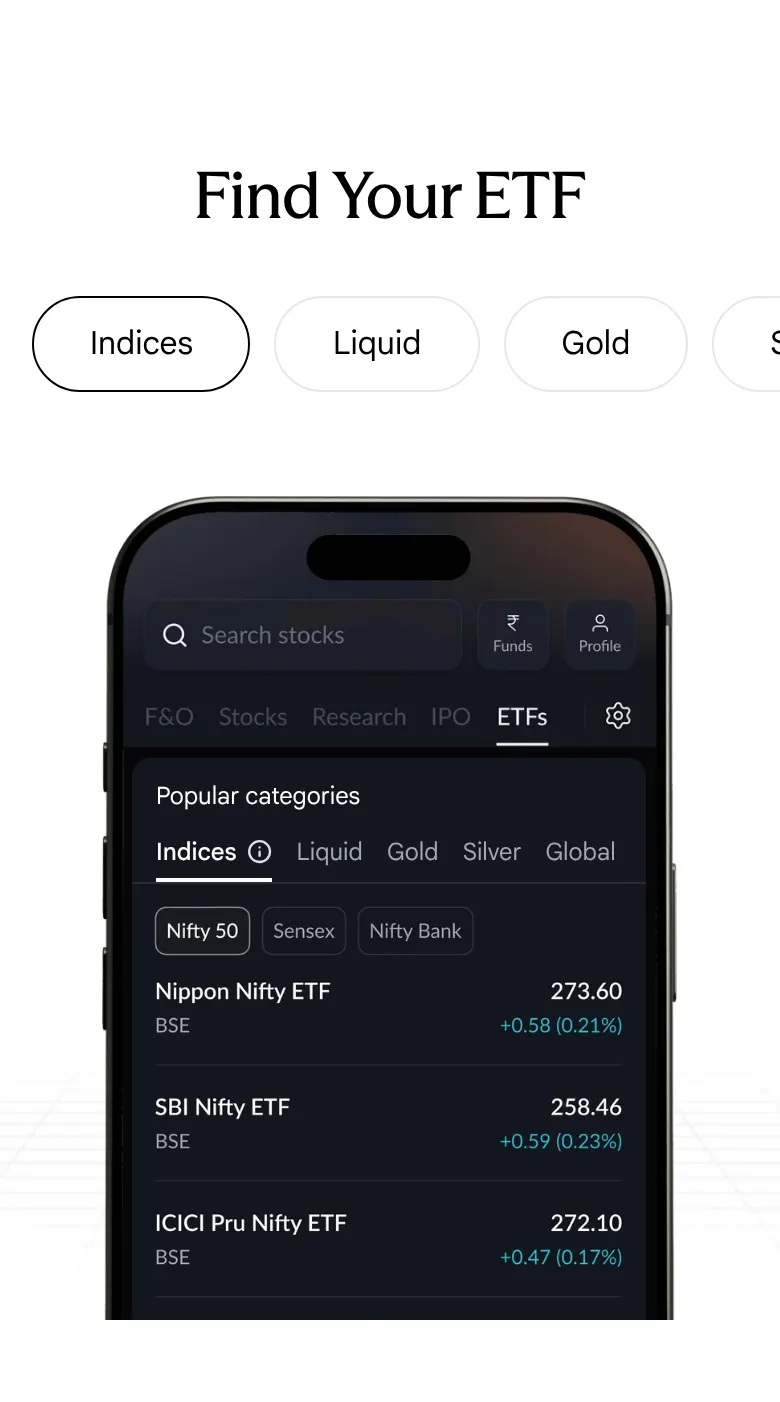
Our copy 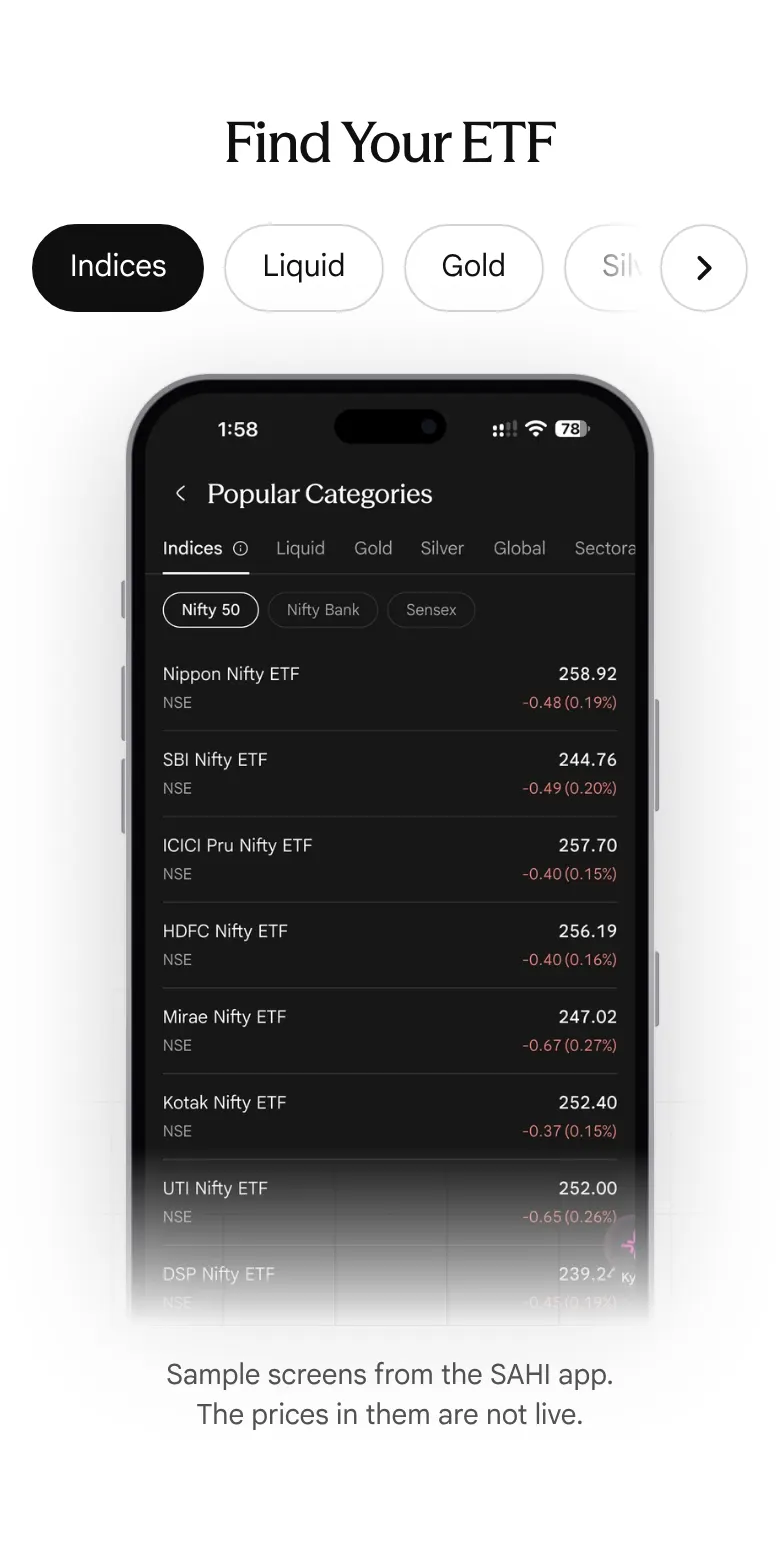
-
The market depth and live snapshot pictures show faded slices of other screens
The Full Market Depth picture has a faded strip of the chart toolbar (Range, Interval, Indicators) above the table and a faded "Live snapshot" bar below it; the Live Snapshot picture opens with the faded totals of the depth table (11,17,936 and 13,60,787), and its bottom fifth is empty. On a phone the stray "Live snapshot" bar sits directly above the "Full Market Depth" heading.
Our copy: The Full Market Depth card shows a real app screen instead (etf-18). The live snapshot picture is masked to its own card in both themes, and on a phone it is cropped to the card.
sahi.com 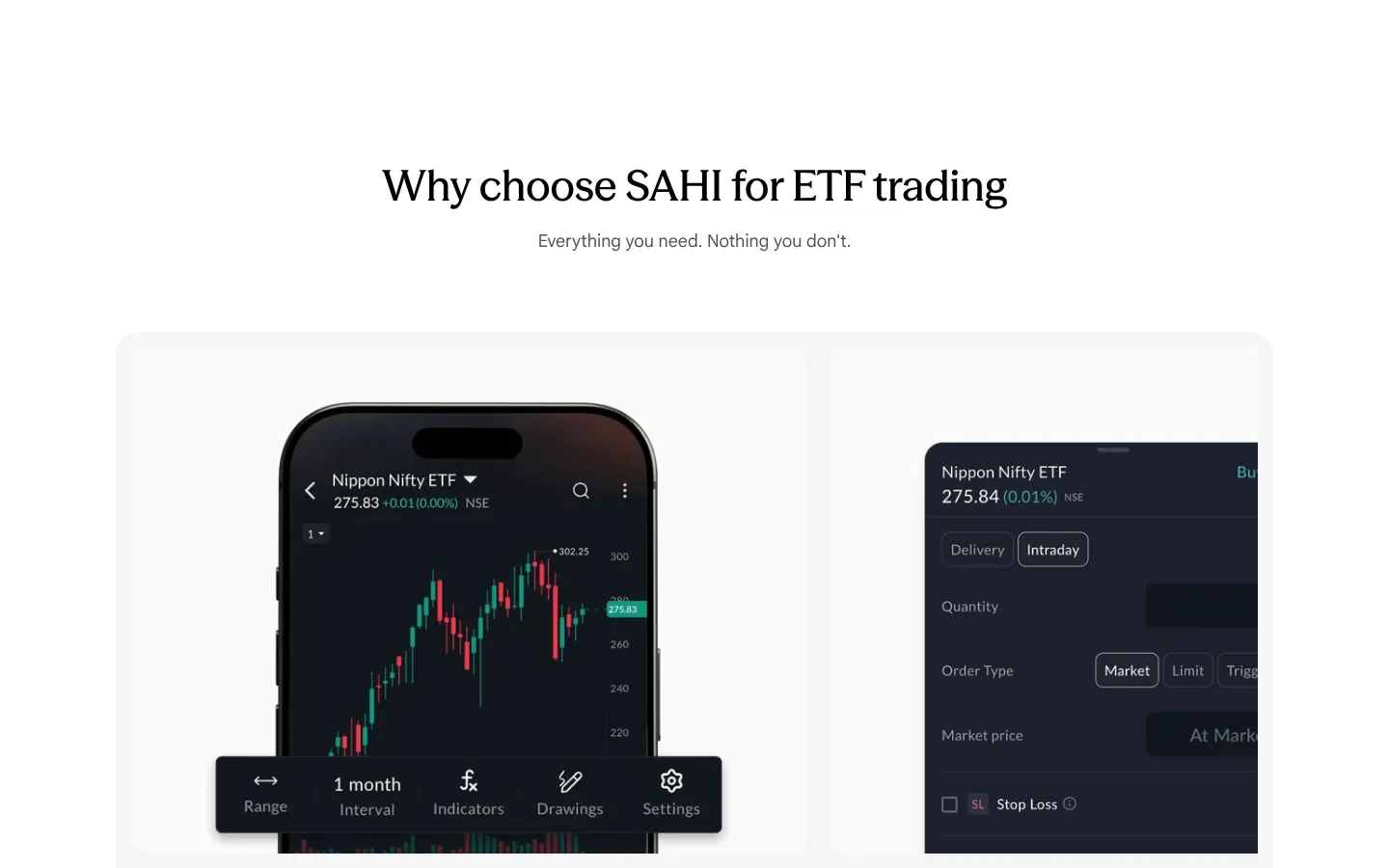
Our copy 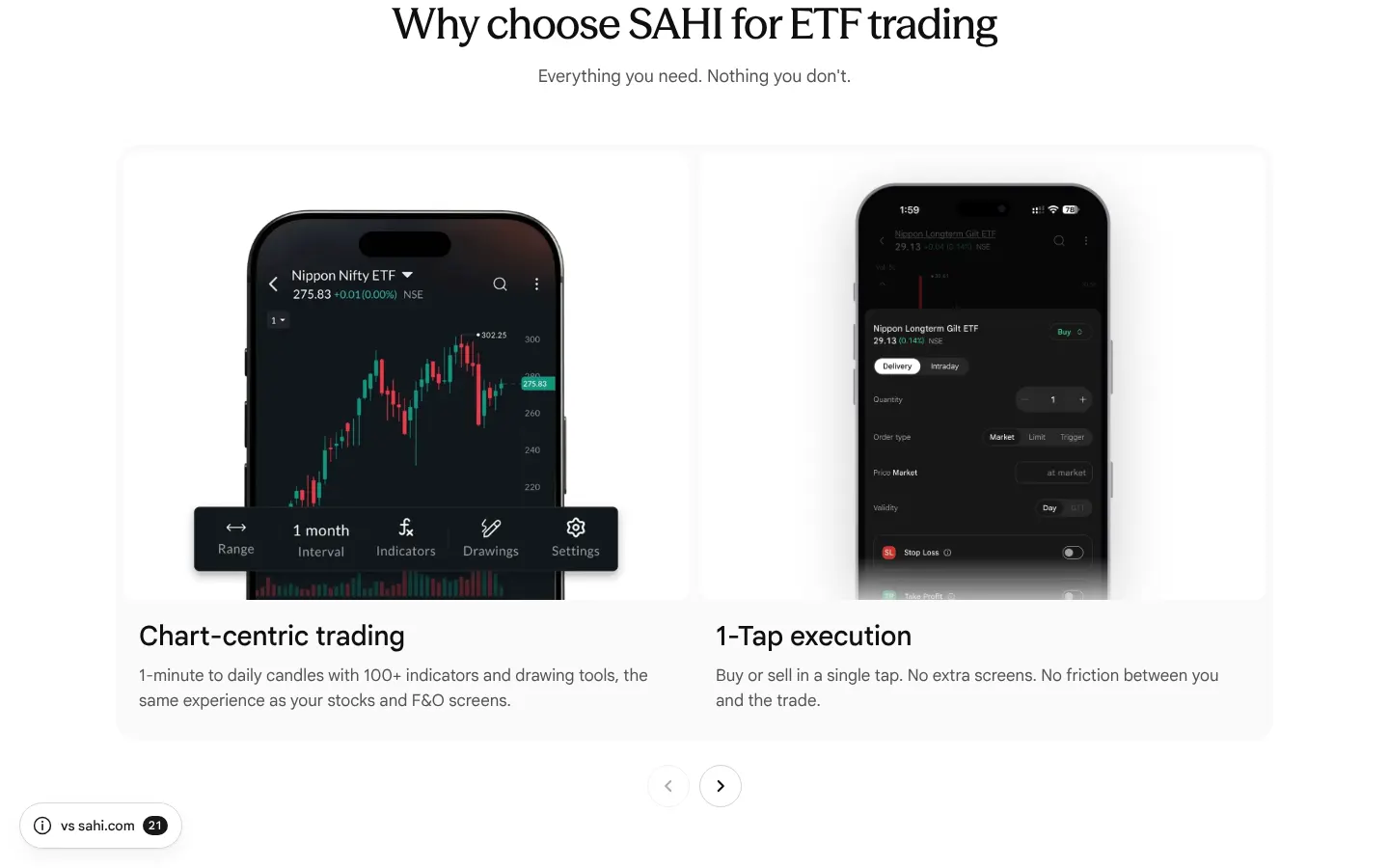
-
"Liquid BeES" is named as a category, and an ETF is called "a basket of … an index"
The hero says "From global, metals, Nifty 50 to liquid BeES", but Liquid BeES is one fund's name, not a category. The first FAQ calls an ETF "a basket of securities such as an index, gold, or a sector", which reads as if an index were a security. The chart card uses a hyphen as a dash ("drawing tools - the same experience").
Our copy: "…to liquid ETFs"; an ETF is "a fund that holds a basket of securities, or gold or silver"; the dash is a comma.
sahi.com 
Our copy 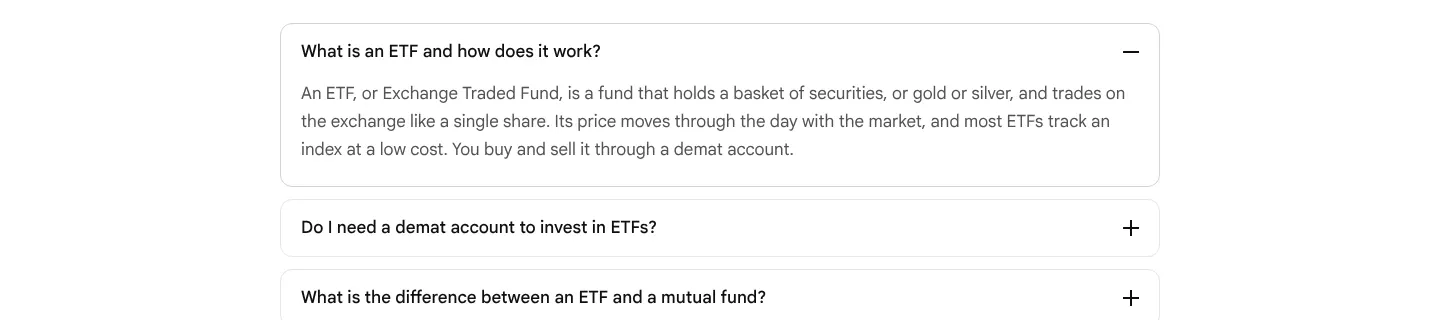
-
In the app, ETF names are misspelt or replaced by codes
SAHI app, owner's screenshots of Popular Categories (27 Oct 2026): Silver lists "Birla SL Sliver ETF". Two different funds are called just "Zerodha Mutual Fund" (one under Silver at 19.11, one under Debt at 29.67), and others show the exchange code in place of a name: "MOTILALAMC - MOCAPITAL", "MIRAEAMC - LIQUIDPLUS", "AONEAMC - AONELIQUID", "GROWWAMC - GROWWNIFTY". The rest are written in four styles ("Motilal Nasdaq Q 50 ETF" beside "Motilal OS Nasdaq 100 ETF", "Axis GOLD ETF" beside "Kotak Gold ETF"). Needs verification: the scheme names of the two Zerodha funds.
Our copy: Not something this site can change: recorded for the app team. Show each ETF's scheme name, spelt one way.
-
In the app, a delivery ETF buy shows "Req margin"
SAHI app, owner's screenshot (27 Oct 2026): a Delivery market buy of one Nippon Longterm Gilt ETF unit at 29.13 shows "Req margin: ₹29". A delivery buy of a stock on the same screen shows "Amount: ₹2,528". A delivery purchase needs the full amount, not a margin, so the ETF label is wrong.
Our copy: Not something this site can change: recorded for the app team.
-
In the app, the Kyro button covers ETF prices and the depth table
SAHI app, owner's screenshots (October 2026): the floating Kyro button sits over the right edge of every Popular Categories list and covers the last digits of prices, for example 34.36 (HDFC Nifty IT ETF), 28.69 (LIC MF Nifty 8-13 yr G-Sec ETF) and 187.78 (Axis Silver ETF). In Market depth it covers the offer quantities, and 200844 and 126618 also run into the screen's edge. See options-19 for the same on the F&O screens.
Our copy: Not something this site can change: recorded for the app team.
Changed here 6
-
Choosing a category fades its screen in
A short fade (0.4 seconds) shows that the phone screen changed with the tab. It does not run when the reader has asked for reduced motion.
-
Find Your ETF shows the SAHI app's own screen for each category
The seven tabs switch between the owner's screenshots of the app's Popular Categories list for Indices, Liquid, Gold, Silver, Global, Sectoral and Debt, in place of sahi.com's phone frame with a drawn category row over a list picture. The other tabs' screens are fetched the first time the reader points at, focuses or touches the category row, so the next tab shows its screen at once. The note under the phone still says the screens are samples and their prices are not live.
sahi.com 
Our copy 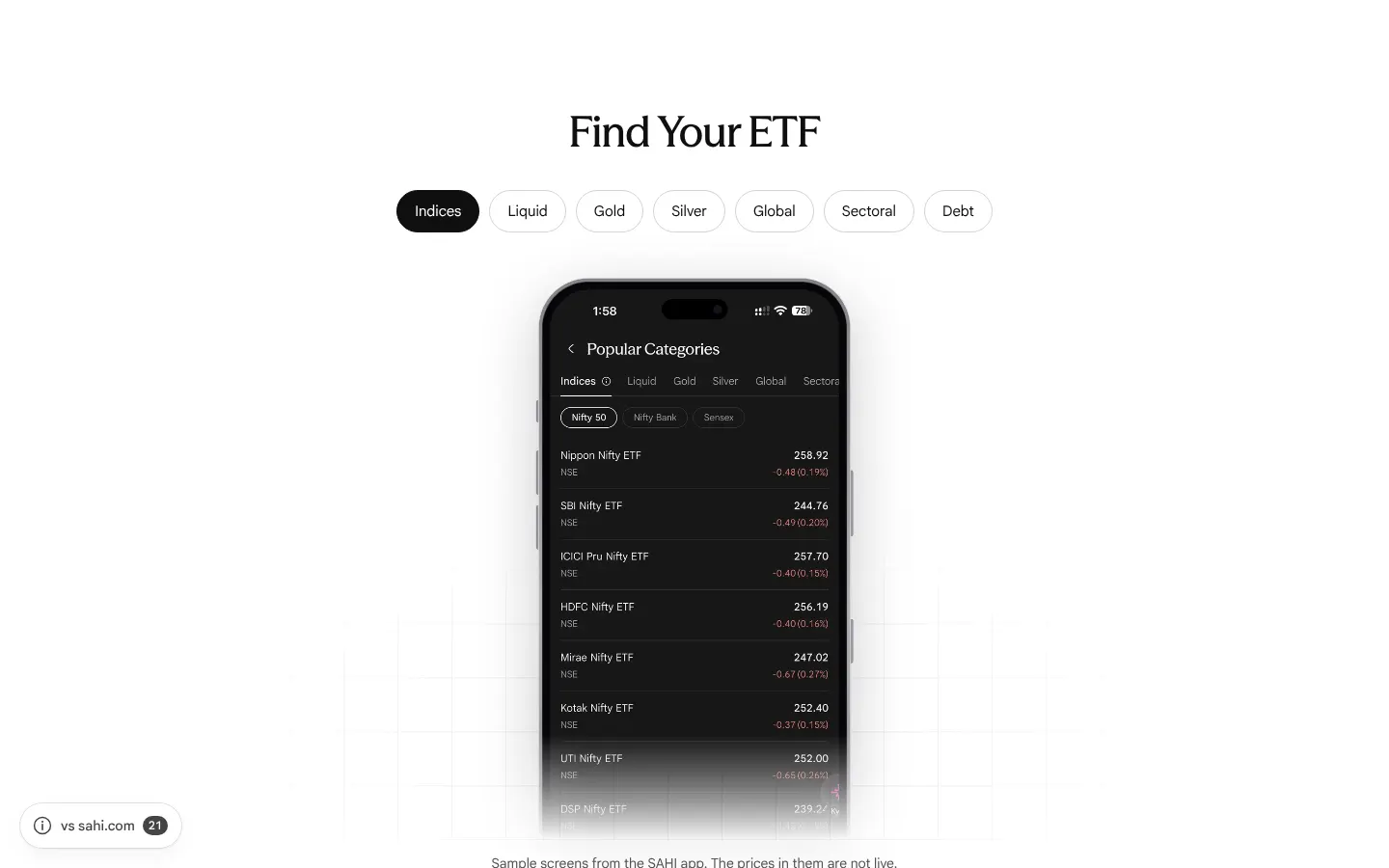
-
1-Tap execution shows a real order screen
The owner's screenshot of buying an ETF (Delivery or Intraday, market, limit or trigger order, Stop Loss and Take Profit) replaces sahi.com's order-ticket picture. It fades out below Take Profit, so the test account's red 'Insufficient funds' bar is never shown.
sahi.com 
Our copy 
-
Full Market Depth shows a real ETF screen with its depth table
The owner's screenshot of an ETF's chart with five bid and offer levels and the Buy and Sell buttons replaces sahi.com's depth picture, so the card shows the depth 'right on the ETF screen', as its text says.
-
The pledge panel adds the app's Top ETFs for Pledge Benefit list
In front of sahi.com's 2X picture, the owner's screenshot of the ETFs tab is cut to its Top ETFs for Pledge Benefit list, where each liquid ETF shows its margin (95% for Nippon Liquid BeES ETF), as the '60+ eligible ETFs' point describes.
sahi.com 
Our copy 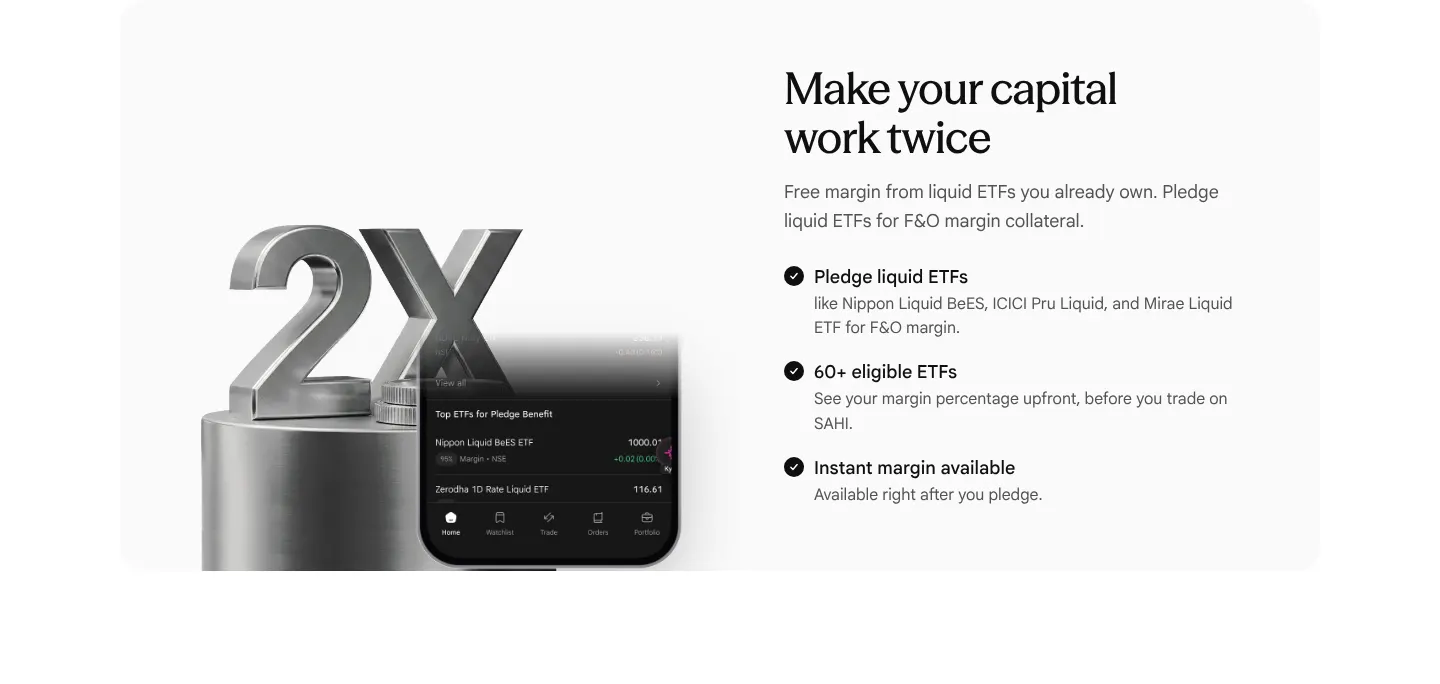
-
The hero shows today's ETFs tab
sahi.com's hero is a photo of a hand holding the older app. Ours shows the current ETFs tab and the Indices list on two upright phones (owner's screenshots, October 2026).
Broken or poor on sahi.com 19
-
The demo clips weigh 200 MB and are encoded far larger than they are shown
The page carries 22 clips on sahi.com's CDN, 200.2 MB together (measured 11 Oct 2026). 'Use New Script' is 17.7 MB to fill a 588×471 box; the phone Drawings clip is 17.4 MB and the two AI Indicators clips 15.5 and 17.2 MB. Desktop clips are encoded at 3364×2696 and drawn at 841×674, sixteen times the pixels of the box; phone clips are 1760×2400 for a box 358px wide. Pressing play once on a phone costs 4 to 17 MB of mobile data, and the files carry no Cache-Control header.
Our copy: Nothing streams until you press play: scrolling the whole page fetches no clip at all (measured). Then only that clip loads, one plays at a time, and it pauses when it scrolls away. The files stay on sahi.com's CDN, so re-encoding them at the size they are shown is for the SAHI team.
-
Every clip sits frozen behind the browser's control bar, and arrives empty
No clip plays by itself and none has a play button: each shows the browser's own control bar reading 0:00 across the bottom of its poster, while SAHI Scalper uses a branded play button for the same job. The server sends every clip as an empty video tag (no poster, no source; both are added by script), so on a slow phone or with script blocked the Custom Indicator and charting demos are blank grey rectangles.
Our copy: Posters are in the HTML. One SAHI play button starts a clip and turns into a pause button in the corner; a click on the clip also plays or pauses it. In the dark theme each clip's baked off-white margin is cropped, so it sits on a dark plate instead of in a white box. Without script the browser's controls still work.
-
'1-Tap Buy/Sell' is captioned with the home page's text about personalising the homepage
In 'Lightning fast SAHI charts' the first control, 1-Tap Buy/Sell, is the one selected when the section opens, and its caption reads 'Personalize your homepage layout to match your trading style. Set up your workspace the way you want it, with just the tools you need.', the home page's Personalised Trading copy. It has nothing to do with buying or selling from the chart.
Our copy: It carries SAHI's own 1-Tap description, from step 4 of SAHI Scalper: 'Execute market orders instantly or place limit and trigger orders directly from the chart, all with a single tap.'
-
'Join Waitlist' sends readers to SAHI's staging server
The Join Waitlist button under Write with Kyro links to kyro.uat.sahi.com, a UAT (test) build: its own security policy loads from uat.sahi.com and cms-konoha.uat.sahi.com. The header's Kyro link goes to the live kyro.sahi.com.
Our copy: It links to kyro.sahi.com, the live Kyro page the header uses.
-
'Open FREE Demat' in the hero opens the Login page
The hero button points at sahi.onelink.me/lsr5/website, which is the header's Login link and redirects to the web.sahi.com sign-in. The header's own Open FREE Demat, and the one on SAHI Scalper, use the account-opening link (lsr5/lxdl7h89).
Our copy: The same account-opening link as the header's Open FREE Demat.
-
The '6.61ms' figure is cut off on a phone
On a 390px phone the speed card's 6.61ms graphic is wider than the card, so its last letter is sliced by the card edge.
Our copy: The figure scales with the card and is whole at every width.
-
FAQ questions are forced into Title Case, and one card's link changes case
A text-transform on buttons capitalises every word, so the questions read 'What Is Open Interest And How Do I Read It On A Chart?' and 'How Many Indicators Should I Use?' (same on SAHI Scalper and SAHI Research). The same rule turns the Hotkeys card's link into 'Learn More' while the three cards around it say 'Learn more'.
Our copy: Questions read as written, in sentence case. Every card link reads Learn More, the wording the rebuilt home page uses.
-
FAQ answers are justified, leaving rivers of space on a phone
Every answer is set to justified text. In the 316px column of a 390px phone, lines such as 'Open positions appear as overlays' stretch with gaps several spaces wide, which makes the answers harder to read (WCAG 1.4.8). Same on SAHI Scalper and SAHI Research.
Our copy: Answers are left-aligned.
-
Pictures are announced by their file names
Screen readers hear 'Mask group.png' (twice), 'Mask group (1).png', '6.61ms.png' and 'trade-without-switching-tabs-call-put.png'. The chart controls add 'Candlestick chart control', 'edit pencil' and 'arrow line' to their names, from icons that are only decoration.
Our copy: Each picture is described (for example 'A Buy at Lmt ticket for the 28 Aug 24600 Put, placed from the chart'), decorative ones are silent, and each chart control is named only by its label.
-
Feature cards put their heading after the content it introduces
In 'Everything within reach' four of the seven cards put the heading below their content, in the markup as well as on screen. Screen readers read 'Max Pain, OI Profile, OI Resistance, OI Support' and then 'Exclusively Available on SAHI with', a heading that ends in 'with' and points at a list that sits above it.
Our copy: Every card's heading comes first. The exclusive-indicators card reads 'Exclusively Available on SAHI with' and then its list, top to bottom.
-
'More than 100+ indicators' is written over its own picture
The heading is drawn on top of the indicator-list screenshot, and the 'OI Support' row with its 'Only on Sahi' tag shows through the letters. 'More than 100+' also says the same thing twice.
Our copy: The list fades out before the heading, which reads 'More than 100 indicators' (the list itself shows All (109)).
-
Typos and missing punctuation
'from its servers to the exchange , measured' (a space before the comma); 'An in-house charting engine not a wrapped third-party library, so the chart and the trade are one system' (no comma after 'engine', no full stop); two FAQ answers end without a full stop ('build a focused setup', 'the broader trend'); the Hotkeys dialog says 'from the keyboard, No clicking' where the card says 'keyboard. No clicking'.
Our copy: Corrected; the words are otherwise sahi.com's.
-
Chart controls show their names only once selected
The dock under the charting demo is a row of icon buttons. Only the selected one shows its label; hovering another shows only the browser's delayed tooltip, and keyboard focus shows nothing (measured: the label stays at opacity 0 on hover and on focus).
Our copy: A control's label also appears on hover and on keyboard focus, and the controls follow the arrow keys, Home and End.
-
A lone dashed line floats in 464px of empty space
Between the last line of 'Lightning fast SAHI charts' and the 'Few seconds is all it takes' heading there are 464px of white with a single dashed line in them. The line leads to 'Trade Without Switching Tabs', a phone section that desktop hides, so on desktop it joins nothing.
Our copy: On desktop one short connector joins the two sections at normal spacing; on phones and tablets the line still leads into 'Trade Without Switching Tabs'.
-
Section widths and heading sizes jump
'Discover What’s New in Charts' runs 1360px wide, 40px from the window edges, while every other section lines up between 1064 and 1200px. 'FAQs' and the pricing heading are 60px, the size of the page title, while the other section headings are 44px.
Our copy: Every section sits in the same column, and every section heading is one size.
-
The phone view switch shows where you are, not where it goes
'Trade Without Switching Tabs' has one button showing the current view ('Index + Call/Put' with an up-down arrow). The other view, Option Chain, is invisible until you tap, and the button's spoken name, 'Switch to Option Chain', does not contain its visible text (WCAG 2.5.3).
Our copy: The two views are tabs side by side, each labelled with its name.
-
Three price tiles take a whole phone screen
'High performance trading at unmatched value' stacks its ₹0, ₹0 and ₹10 tiles one under another on a phone, 237px each: 830px of an 844px screen for three numbers. Same on SAHI Scalper and SAHI Research.
Our copy: The three tiles sit side by side at every width.
-
The tab pills use a different selected style from every other pill
The Single and Multi chart tabs and the layout tabs mark the chosen tab with an outline only, at a different height and size from the pills on every other page.
Our copy: The same pill as the rest of the site: filled dark when chosen, 44px tall.
-
"Join Waitlist" and "Learn More" sit at different heights
The two Custom Indicator cards have different amounts of text, so their buttons do not line up side by side.
Our copy: Each card button sits at the foot of its card, so the pair lines up.
Broken or poor on sahi.com 7
-
The second step card is cut off mid-sentence
'How to use SAHI Scalper' shows step cards 724px wide in a 1200px window, so one and two-thirds cards are visible: step 2's description stops at the edge on 'trade quantitie' and the rest of the card is cut away. On a phone the next card's first letters ('C', 'd', 'S', 'tr') show at the right edge.
Our copy: Two whole cards on desktop and one whole card on a phone, moved with the arrows or a swipe; nothing is cut.
-
Step titles run together on a phone
The line break in the first and third step titles is hidden on phones with no space left in its place, so they read 'Single screen :Index + call/put & option chain' and 'Chart settings :Indicators, drawings & configurations'.
Our copy: 'Single screen: Index + call/put & option chain' and 'Chart settings: Indicators, drawings & configurations', with the space at every width.
-
Pictures are announced by their file names
The hero phone is read as 'Scalper_peel.webp', the across-devices picture and the phone hero both as 'img-asset.png', and the SAHI Pulse picture as 'Research_025df93c62.png' on desktop and 'asset-right (3).png' on a phone.
Our copy: Each picture says what it shows, for example 'SAHI Pulse on a phone: a floating window with the live NIFTY 26 May 24050 Put chart and its P&L over another app'.
-
The feature cards repeat SAHI Charts' faults and change their casing
The 'Why Choose SAHI Scalper' cards have the same faults as on SAHI Charts: four headings sit below the content they introduce ('Exclusively Available on SAHI with' comes after its list), and 'More than 100+ Indicators' is drawn over its picture. Here the titles are Title Case ('Super Alerts', 'Real Time Market Insights') where SAHI Charts writes the same cards in sentence case.
Our copy: Headings first, the picture fades out before the heading, 'More than 100 indicators', and the same sentence case on both pages.
-
A space before every colon, a stray letter and other typos
The page title 'SAHI Scalper : Built for F&O Scalping' and the steps 'Single screen :' and 'Chart settings :' put a space before the colon. 'pre decided trade quantities' lacks its hyphen, the hero sentence has no full stop, and FAQ question 7 ends in a stray letter: 'What is the best time frame for intraday charts? h'. Two answers also end without a full stop.
Our copy: 'SAHI Scalper: Built for F&O Scalping', 'pre-decided', the stray 'h' removed and the full stops restored.
-
'In-house Chartsfor Traders': a missing space
The first 'Why Choose SAHI Scalper' card puts 'In-house Charts' and 'for Traders,' on separate lines but with no space between them in the text, so screen readers, search engines and copy and paste get 'In-house Chartsfor Traders'.
Our copy: 'In-house Charts for Traders, by Traders', spaced.
-
Five step clips weigh 29 MB
The step clips are 1200×1200 files of 1.2 to 8.3 MB (28.9 MB together), shown in a box 543px tall on desktop and 328px wide on a phone. Pressing play on step 1 downloads 7.7 MB; one play and a scroll through the page moved 19 MB in our measurement.
Our copy: A clip streams only when you press play, never two at once, and pauses when it leaves the screen. The files stay on sahi.com's CDN, so their size is for the SAHI team.
SAHI Research
3 missing · 10 bad · 2 changedChecked 27 October 2026Missing on sahi.com 3
-
The risk and the registration are stated only inside the FAQ
The page's own FAQ says 'Sahi Research states clearly that recommendations carry risk and no profit is guaranteed', yet no section of the page says so: the hero promises 'Expert recommendations. AI backed. Completely free.' and the panels list 'Verified win rates' and '100% transparent performance'. The risk, the Research Analyst registration INH000022172 and the point that this is not personalised advice appear only inside FAQ answers (all but the first closed) and in the footer's small print.
Our copy: A note after How it works states, in the FAQ's own words, the SEBI Research Analyst registration INH000022172 (and that it can be checked on SEBI's website), that recommendations carry risk and no profit is guaranteed, and that they are research for everyone, not personalised financial advice.
-
The two app pictures have no description
The Transparent performance picture (the Research Performance calendar of daily profit and loss on options calls) and the AI-backed research picture (the Research tab with a short-term Buy call on SBFC Finance) both have alt="", so screen readers skip them as decoration.
Our copy: Each picture says what it shows in its alt text.
-
The page promises performance reports but does not say where they are
Transparent performance lists 'Daily & monthly performance reports', 'Verified win rates' and 'Past recommendations history' with no figure, no link and no word on where to find them. Who verifies the win rates is not stated anywhere on the page (Needs verification). The page's own app pictures show the reports under Research, then Performance.
Our copy: A line under the list says where they are in the app: open Research, then Performance. Our page quotes no figures of its own.
Broken or poor on sahi.com 10
-
The price tiles print the wrong prices until the script runs
As on the ETF and IPO pages, the server HTML of the price section reads '₹ 20 20 Account Opening ₹ 16 16 AMC Charges ₹ 21 21 Brokerage charges per order' (the figures the split-flap animation starts from), while the tiles' aria-labels say 'rupees 0' and 'rupees 10'. Without the script, and for search engines and link previews, the page quotes ₹20, ₹16 and ₹21.
Our copy: The tiles carry only the real prices, ₹0, ₹0 and ₹10, in the HTML; with motion allowed the numbers flip in once as they scroll into view.
-
The page title splits a word on a phone
On a 390px phone the 44px heading cannot fit 'recommendations.' on one line, and because words are allowed to break anywhere (overflow-wrap: break-word), its full stop drops to the start of the next line, which then reads '. AI backed.' (measured on 27 October 2026: four lines, 202px tall).
Our copy: The heading is sized for the phone (36px) and words never split, so the full stop stays with 'recommendations.' and 'AI backed.' begins its own line.
-
'Open FREE Demat' opens the Login page
The hero button points at sahi.onelink.me/lsr5/website, the header's Login link, which redirects to the web.sahi.com sign-in; its spoken label even says 'Open FREE Demat - continue to Sahi web login'. The header's own Open FREE Demat uses the account-opening link.
Our copy: The same account-opening link as the header's Open FREE Demat.
-
Index names written in lower case
The hero promises recommendations 'across nifty, bank nifty, sensex, and stocks', while the FAQ on the same page writes 'Nifty, Bank Nifty, Sensex'.
Our copy: 'Nifty, Bank Nifty, Sensex' in the hero too.
-
FAQ questions forced into Title Case, answers justified
The questions read 'What Is A SEBI-Registered Research Analyst?' and 'Can A SEBI-Registered Analyst Guarantee Profit?': the capitalisation also rewrites the regulatory term 'SEBI-registered'. The answers are justified at 18px, which opens wide gaps in the 316px-wide answer on a phone ('A SEBI-registered Research Analyst').
Our copy: Questions as written, in sentence case; answers left-aligned.
-
On a phone the price section is taller than the screen
At 390px the 44px heading 'High Performance Trading at Unmatched Value' breaks into four lines (152px) and the three 237 × 266px price tiles stack in one column. From the heading to the Explore Now button it measures 1,165px, more than the 844px screen, to show three prices.
Our copy: The heading is sized for the phone and reads in two lines, and the three tiles sit side by side at every width: heading, prices and button take 421px.
-
Typos: 'risksizing' and 'stoploss'
The FAQ answer on intraday, short-term and positional calls says 'Each needs different risksizing', and the AI-backed list says 'stoploss' where the hero says 'stop-loss'.
Our copy: 'risk sizing' and 'stop-loss'.
-
The pricing block is worded differently from the other pages
Here it reads 'High Performance Trading at Unmatched Value', 'Account Opening' and 'AMC Charges'; the identical block on SAHI Charts and SAHI Scalper reads 'High performance trading at unmatched value', 'Account opening' and 'AMC charges' (both checked on 27 October 2026).
Our copy: The same wording as on the other two pages.
-
The hero picture's description repeats the heading
The hero image's alt text is 'Expert recommendations. AI backed. Completely free.', so a screen reader hears the page title twice and nothing about the picture.
Our copy: The picture is described: Buy Federal Bank, Sell Bharat Heavy Electronics and Sell HYUNDAI 25 AUG 2000 CALL rising out of a phone in a hand.
-
One word left alone on a line in 'How it works'
At 1440px step 2's line 'Execute directly on the app right where you see it. No switching. No delays.' wraps after 'No', leaving 'delays.' alone on its second line (measured: a 550px line, then a 57px one).
Our copy: The line wraps so that no word is left alone: the second line reads 'No delays.'
Changed here 2
-
All eight FAQs are on the page
sahi.com shows five questions and hides three behind View All. This page has no script of its own, so all eight are listed, closed except the first, and the browser's find can reach every answer.
-
The three steps arrive one by one
As How it works scrolls into view, each step's number grows in and the dashed line draws down to it, so the order of the steps reads at a glance. With reduced motion everything is simply there.
Option Buyer
1 missing · 14 bad · 2 changedChecked 27 October 2026First screen, side by side


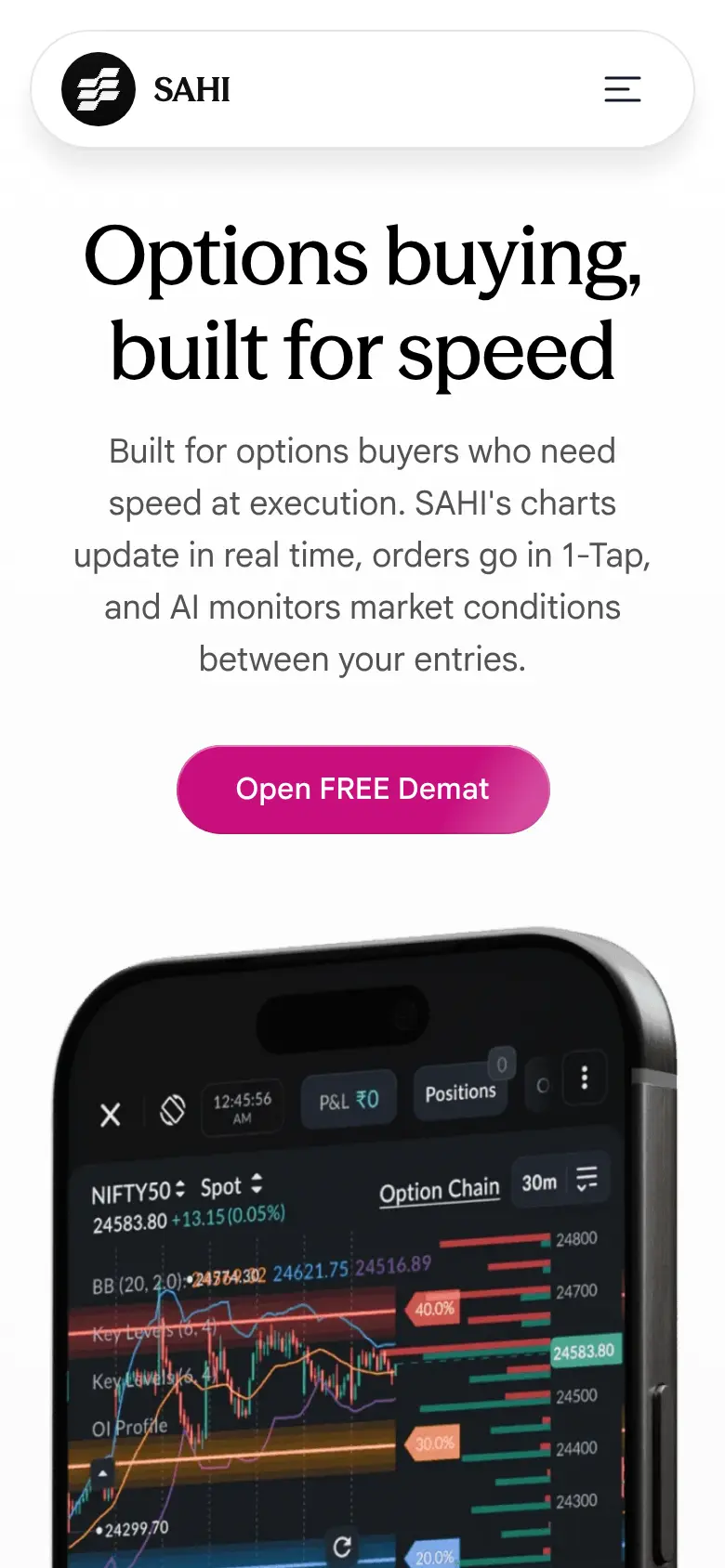
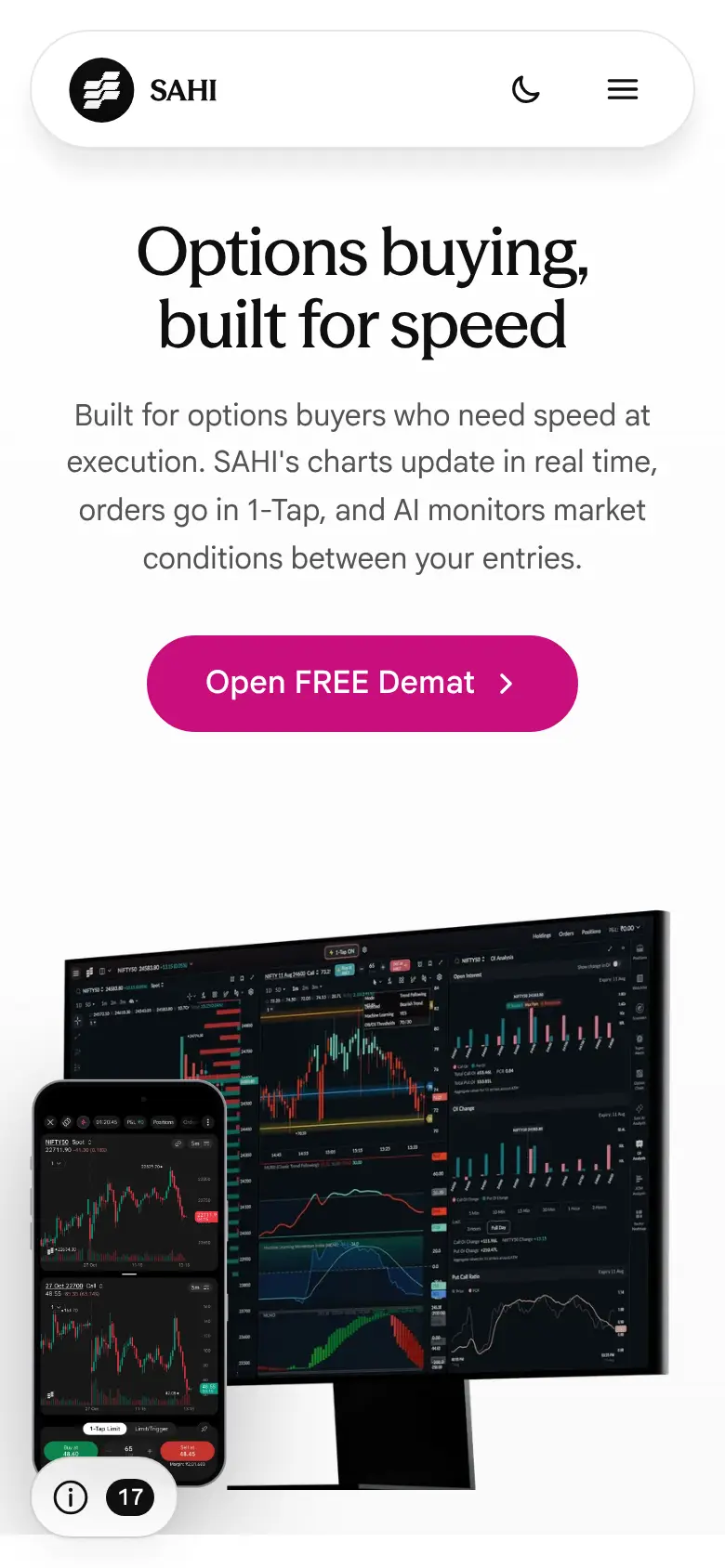
Missing on sahi.com 1
-
The tax answer leaves out what happens when a bought option expires in the money
"What are the taxes and charges on option buying in India?" lists STT on the sell side, but not that an option left to expire in the money is settled with STT on its settlement value, which can cost a buyer more than squaring it off before expiry. The exact rate: Needs verification against the current Finance Act.
Our copy: The answer adds that one sentence, so a buyer knows to square off before expiry.
sahi.com 
Our copy 
Broken or poor on sahi.com 14
-
The hero's "Open FREE Demat" button goes nowhere
The only button in the hero links to "#" (/products/options/buying#), so tapping it just jumps back to the top of the same page. Option Seller, AI Insights and AI Indicators send the same button to the SAHI app sign-up link.
Our copy: It opens the same SAHI sign-up link as the other product pages, in a new tab.
-
The price cards are sent with the wrong prices, and their flip plays where nobody sees it
Under "High performance trading at unmatched value" the HTML puts 20, 16 and 21 in the three tiles (the figures the flip starts from), so without the script, and for search engines and link previews, the page says ₹20 to open an account, ₹16 AMC and ₹21 a trade. With the script the flip to ₹0, ₹0 and ₹10 has already finished at page load, ten screens above the tiles: measured, the tiles read 0, 0 and 10 before the page is scrolled at all.
Our copy: The real prices are in the HTML and read to screen readers as "Account opening: ₹0". The tiles flap from the old figure to the price once, when they come on screen, and only with the script running and motion allowed.
-
140 MB of video behind one chart box, at four times the size it is shown
"Super fast charts" is one 841 x 674 box that swaps between 16 clips: 8 desktop clips of 3364 x 2696 (74 MB) and 8 phone clips (67 MB), up to 17.4 MB each (Drawings: 16.2 MB desktop, 17.4 MB phone). Choosing every tool streams them all.
Our copy: The clips still come from sahi.com (they cannot be re-encoded here), but only the chosen tool's clip streams, only while the box is on screen, one at a time; phones and tablets get only the phone clips. A still of each tool stands in until its clip arrives.
-
The chart demo never plays and shows the browser's raw video controls
Measured: with the box fully on screen for 9 seconds the clip is still paused at 0:00 with nothing loaded, under the browser's own play bar and progress line. Picking another tool swaps the clip but it does not play either, so the section reads as a broken video.
Our copy: The chosen clip plays muted while the box is on screen and pauses when it leaves, like the home page video; a still of the tool shows until it plays. Readers who ask for reduced motion get the still with the browser's controls, to play it if they want.
sahi.com 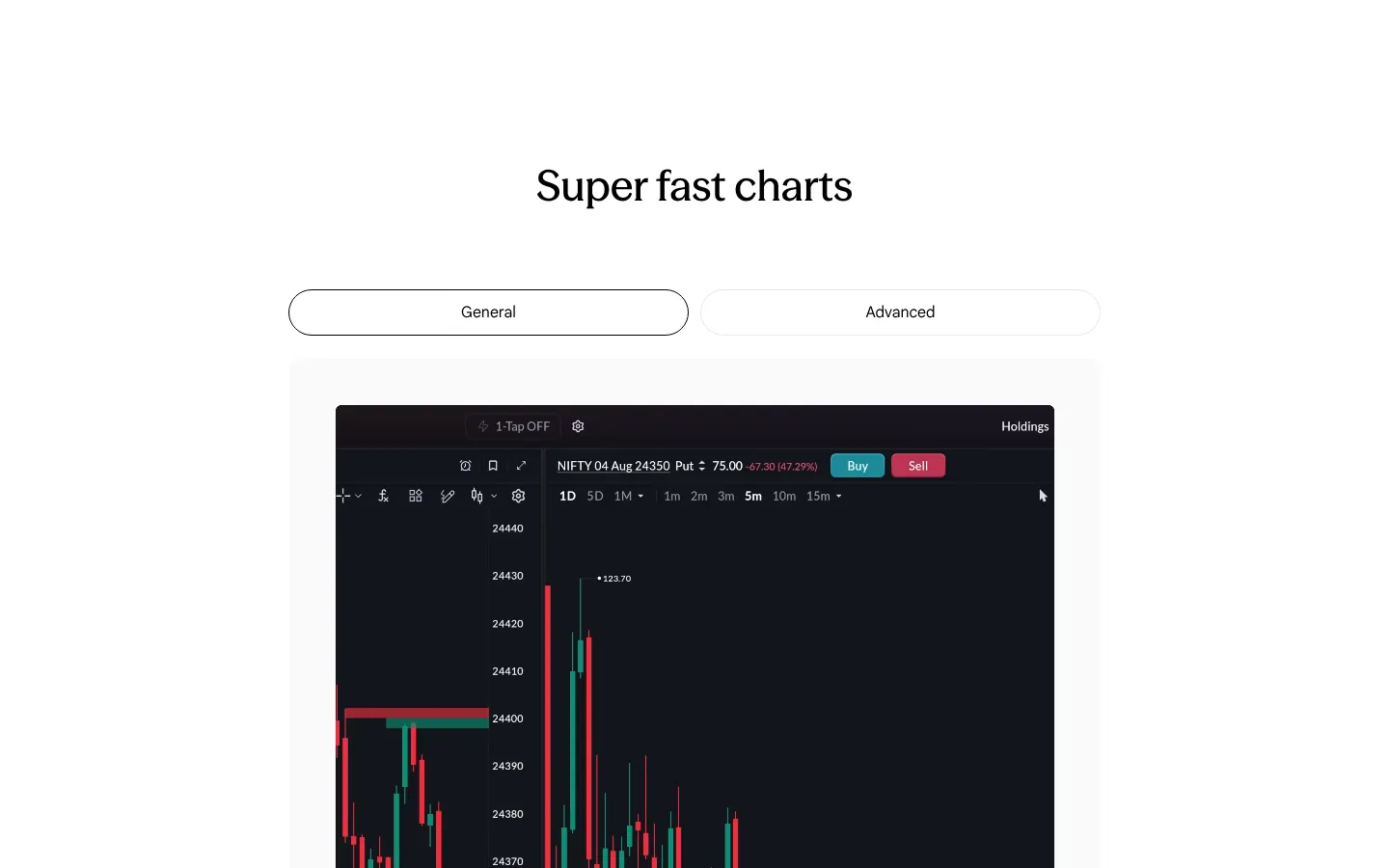
Our copy 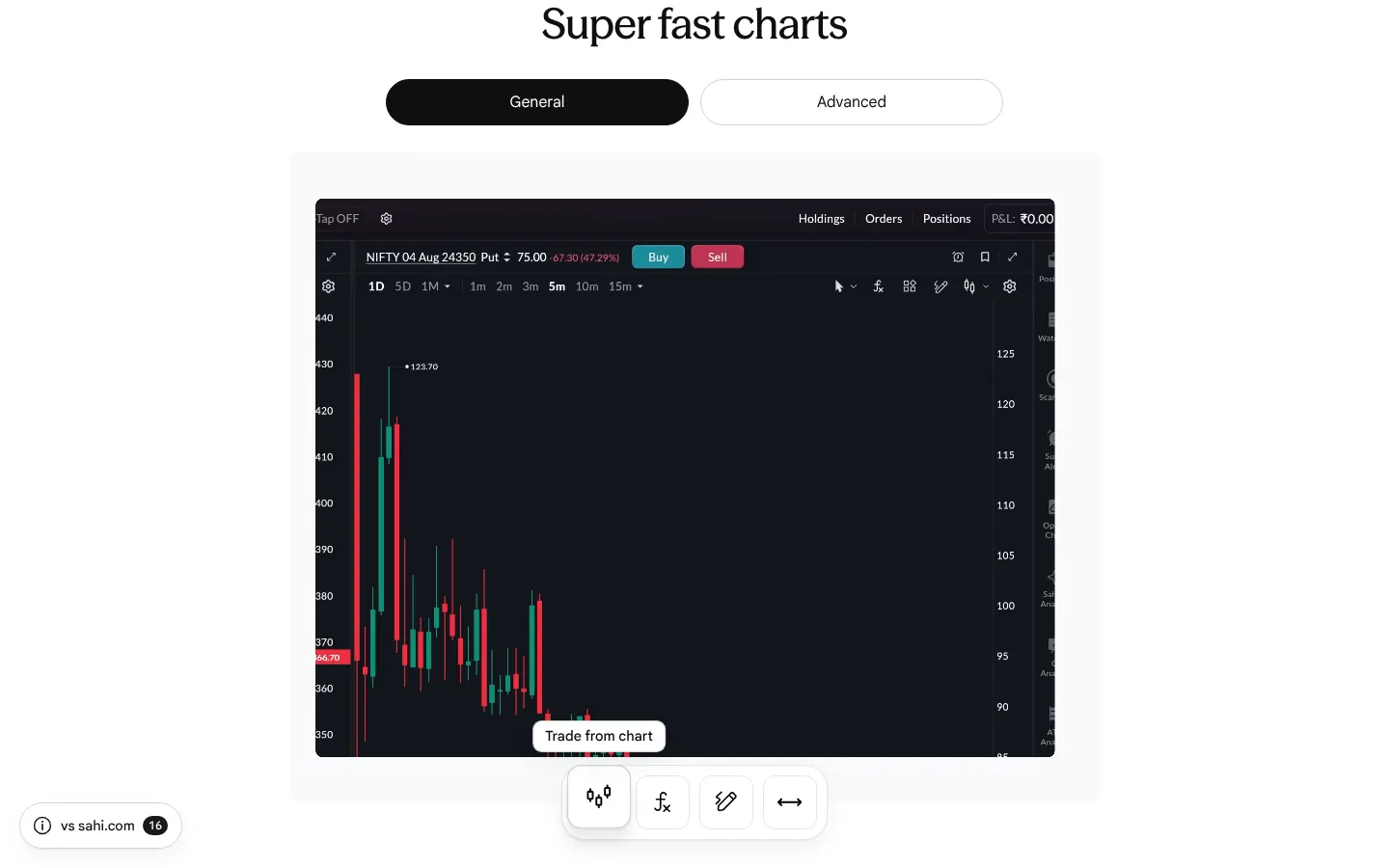
-
"Trade from chart" is captioned with the home page's personalisation text
The first chart tool's caption reads "Personalize your homepage layout to match your trading style. Set up your workspace the way you want it, with just the tools you need.", the home page's "Personalised Trading" copy, which has nothing to do with placing trades from a chart. Every other tool's caption describes its tool.
Our copy: The caption is SAHI's own sentence about trading from charts, from the home page: "Manage risk, optimise entries and exits, and never miss a movement – all without leaving your chart."
-
On a phone the chart clips lose a quarter of their width
The phone clips are 1760 x 2400, but the box they play in is 328:600 (358 x 655 at 390px) and crops them to fill it, cutting about 61px off each side: the app's left and right edges, prices and buttons are missing.
Our copy: The box has the clip's own shape, so the whole phone screen is shown.
-
The app pictures show the older app
"Precise execution" shows the older "1-Tap Market" screen with teal buttons, and "Real time market insights with SAHI AI" reads NIFTY50 in the older design. The app has since moved to its new design.
Our copy: Current screens from the owner's screenshots (October 2026), in an iPhone 18 frame: the Options Scalper with 1-Tap Limit and with Limit/Trigger, and SAHI AI's market summary beside the F&O home with Open Interest by strike.
sahi.com 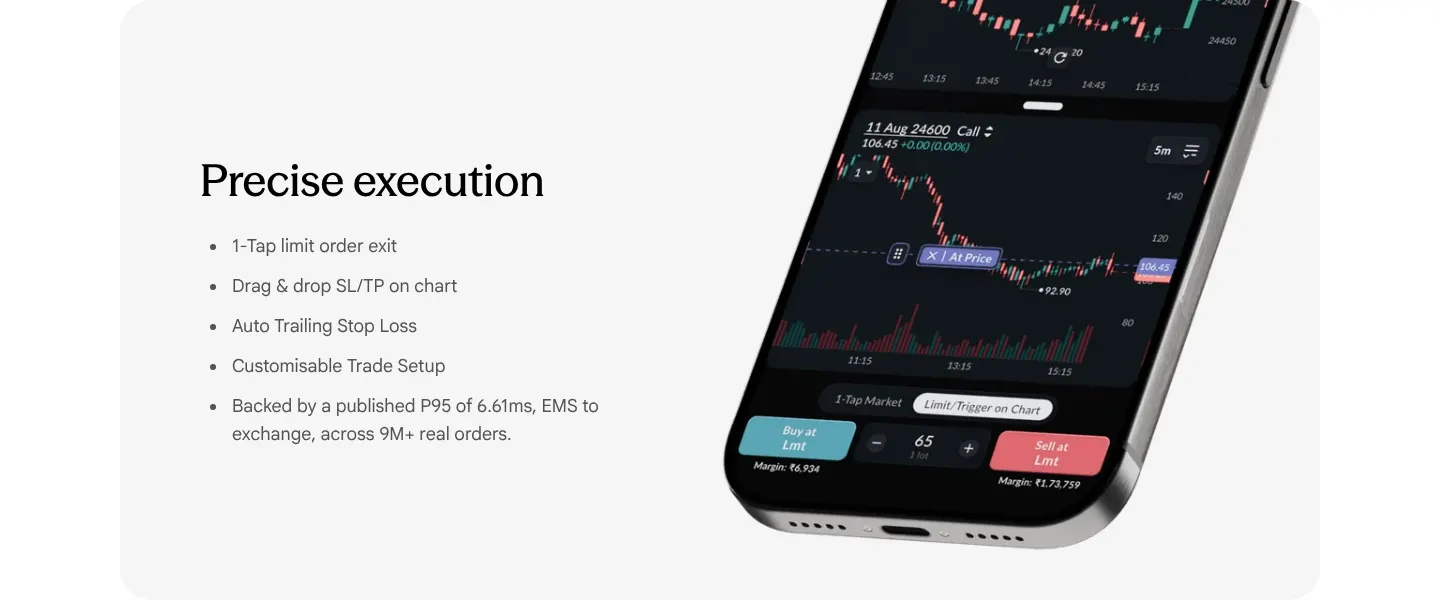
Our copy 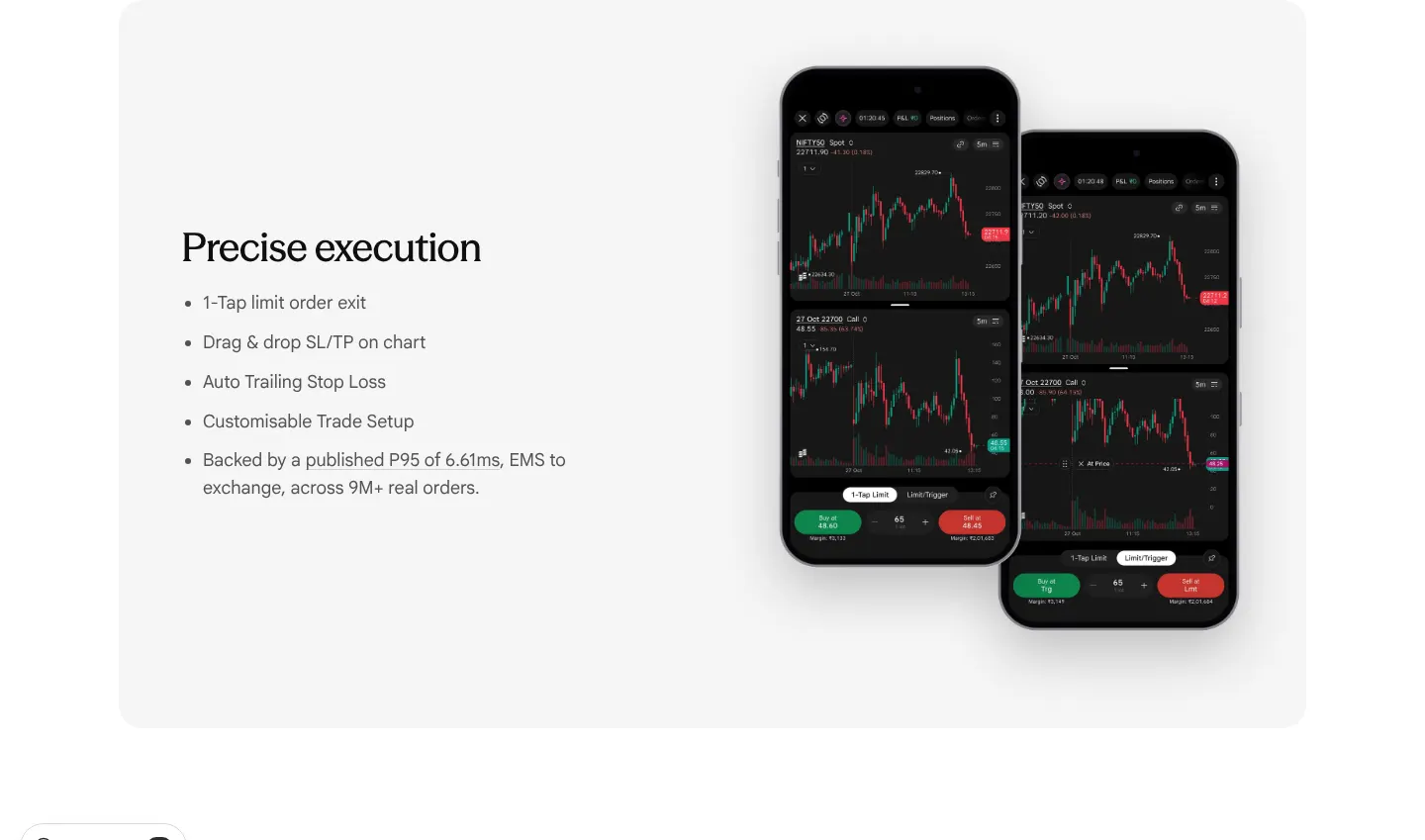
-
The page jumps from its title to third-level headings
Measured: "60% faster charts. Double the view." and the other two feature cards are h3 headings directly under the h1, with no h2 between, so the heading outline skips a level.
Our copy: The three card titles are second-level headings under the page title.
-
FAQ questions are forced into Title Case
The questions are written in sentence case but the page capitalises every word on screen: "What Is The Difference Between A Call And A Put Option?", "Which Strike Should I Buy: ITM, ATM, Or OTM?".
Our copy: Questions appear as written, in sentence case.
sahi.com 
Our copy 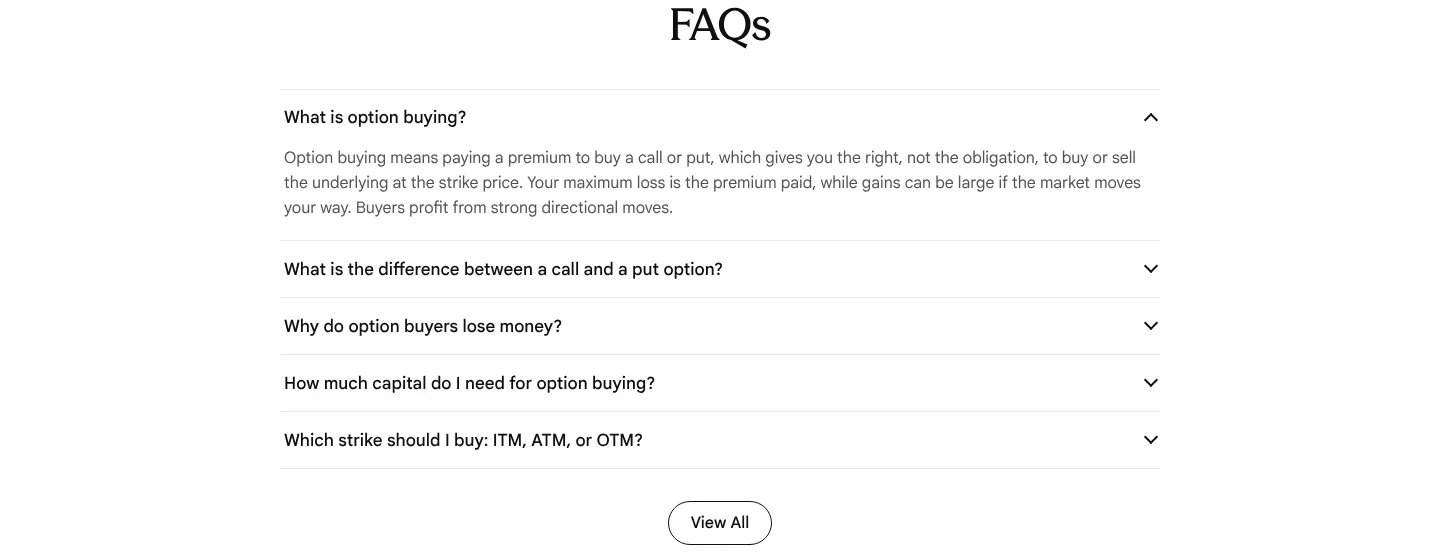
-
FAQ answers are justified, leaving rivers of space on a phone
The answers are set justified, so on a 390px screen lines like "Option buying means paying a" open wide gaps between words.
Our copy: Answers are left-aligned.
sahi.com 
Our copy 
-
Stray spaces in hyphenated terms and a lower-case index name
The strike FAQ answer reads "out-of- the-money" and "At-the- money", with a space inside each term. The first feature card says "nifty + option charts", writing the index name in lower case.
Our copy: "out-of-the-money", "At-the-money" and "Nifty + option charts".
-
The ₹0 / ₹0 / ₹10 comparison takes a screen and a half on a phone
On a 390px phone the three price tiles stack one under another at 237 x 266 each, and the band measures 1,375px tall for three numbers.
Our copy: The three tiles sit side by side at every width, so the band fits on one screen.
sahi.com 
Our copy 
-
Pictures are announced by file name or not at all
The hero picture's alt text is "option-buyer-hero-mobile.png", and the "Precise execution" and "Real time market insights" phones have empty alt text, so a screen reader hears a file name for one and nothing for the others.
Our copy: Each picture says what it shows (the charts with 1-Tap Buy and Sell, a limit order dragged onto a chart, the AI read for NIFTY50); purely decorative pictures stay silent.
-
"Mid-session … with faster time decay" is not right
"What is the best time of day to buy options intraday?" says mid-session "tends to be quieter with faster time decay". Time decay does not speed up in the middle of the day; it is a quiet market that lets the decay show without a move to offset it.
Our copy: The answer says a quiet mid-session lets time decay eat into the premium without a move to offset it.
sahi.com 
Our copy 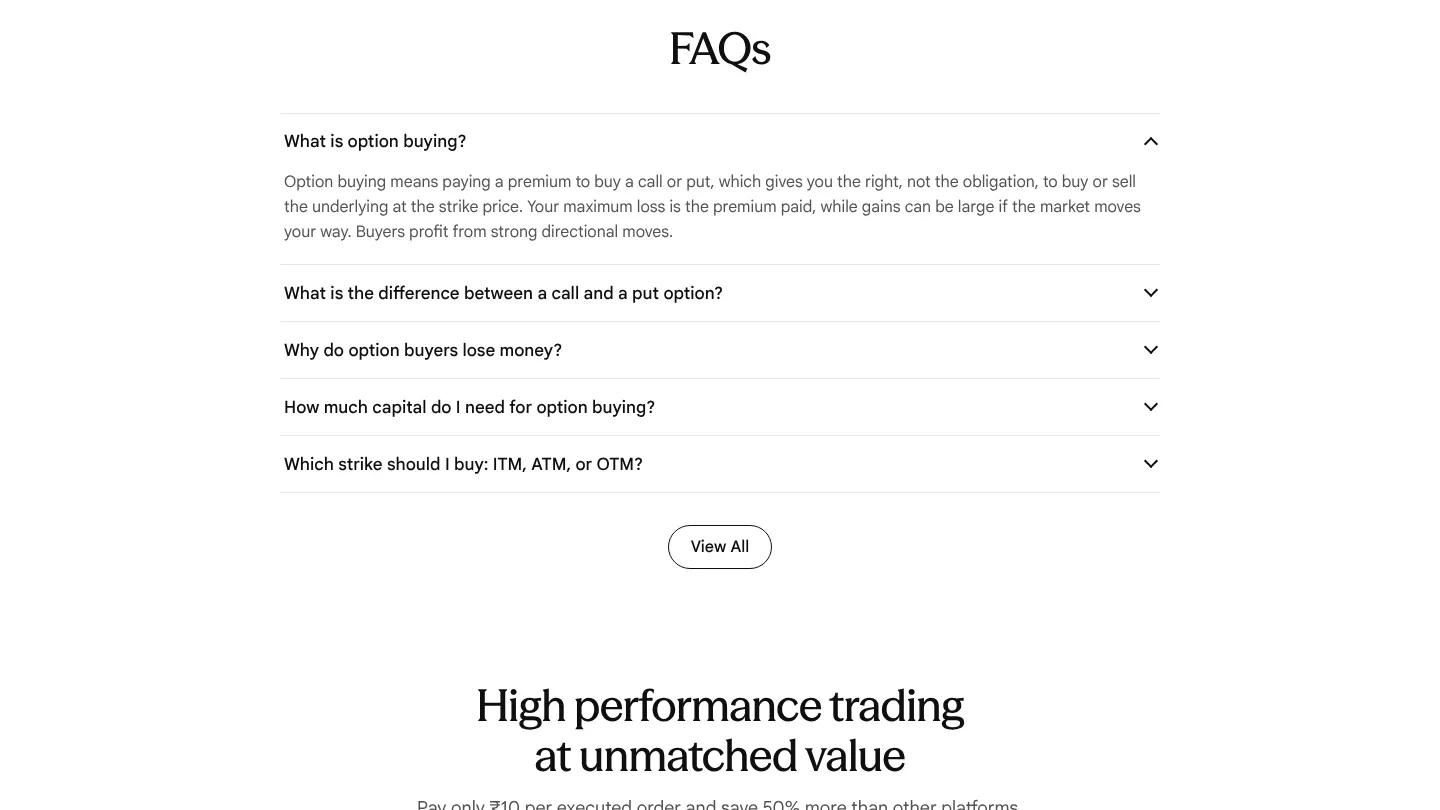
Changed here 2
-
The 6.61ms figure links to the article it comes from
"Backed by a published P95 of 6.61ms, EMS to exchange, across 9M+ real orders" now links to SAHI's own post on order execution speed, so a reader can see where the number comes from.
-
The hero shows the desktop terminal with today's Options Scalper on a phone
sahi.com's hero is the desktop terminal alone. Ours keeps that desktop render and puts the Options Scalper in front of it on a phone (owner's screenshot, October 2026), so both the desktop and the app are shown.
Option Seller
2 missing · 8 bad · 1 changedChecked 27 October 2026First screen, side by side
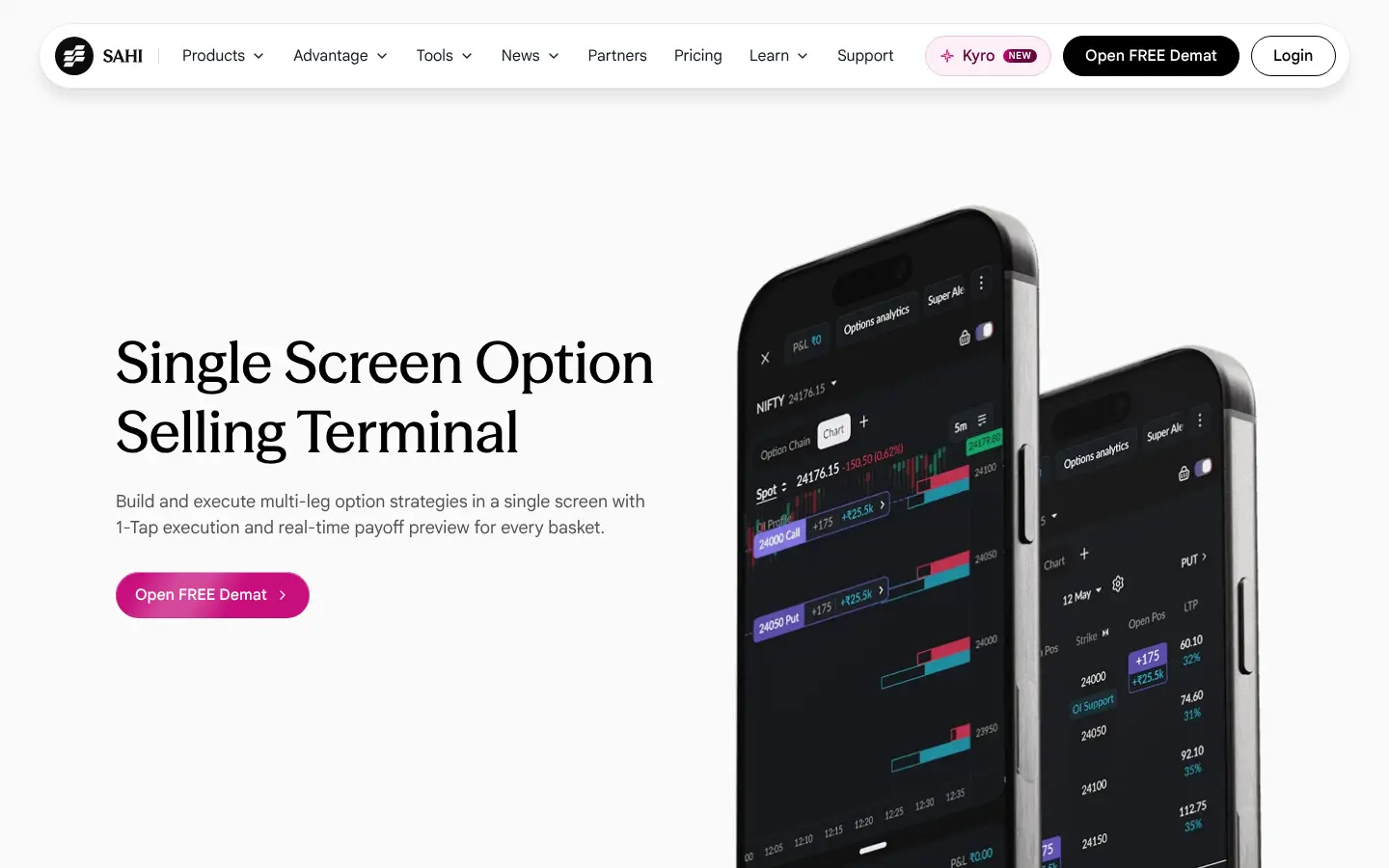


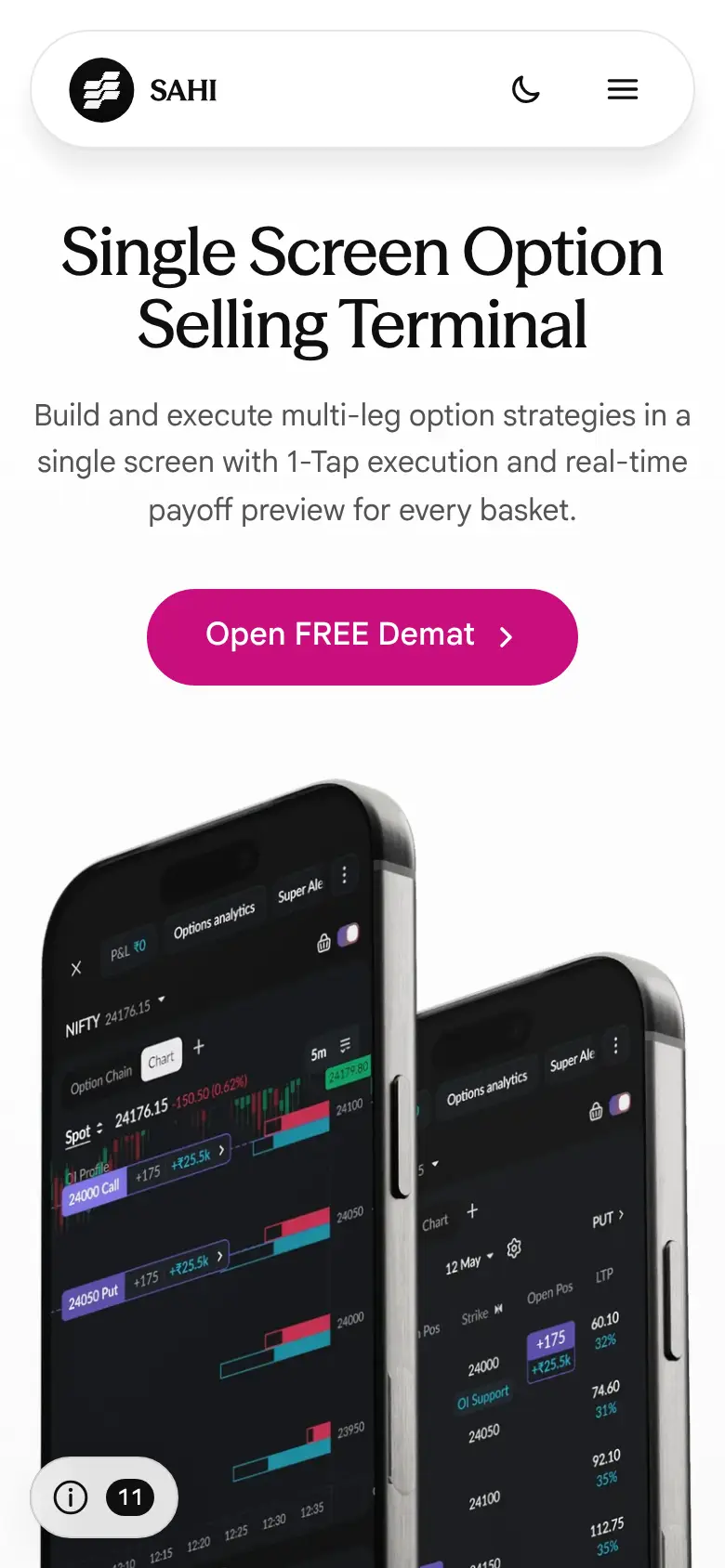
Missing on sahi.com 2
-
The margin answer gives no real example
"How much margin is required to sell one lot of Nifty or Bank Nifty options?" says "around a lakh or more per lot". The app showed ₹2,17,998 for one lot (65) of a short NIFTY 22450 Call on 27 October 2026 (owner's screenshot), twice the figure a reader would take away.
Our copy: The answer gives that example, with its date.
sahi.com 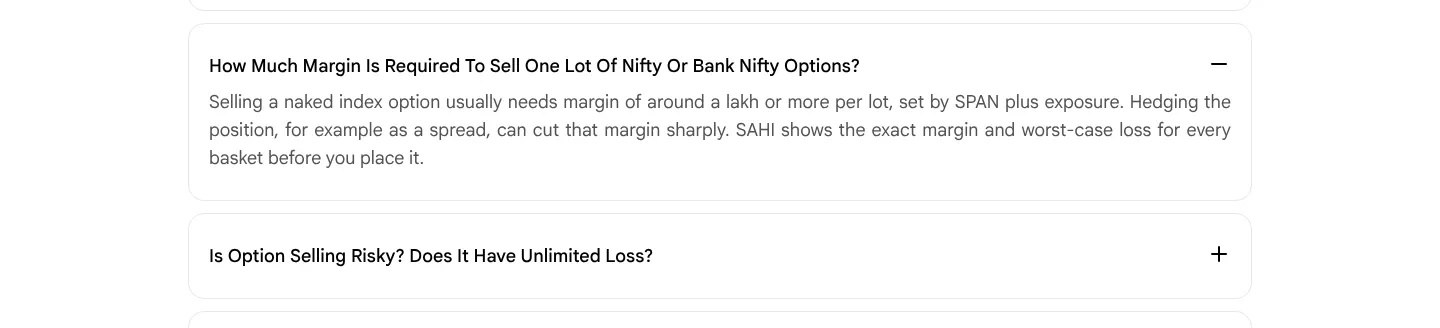
Our copy 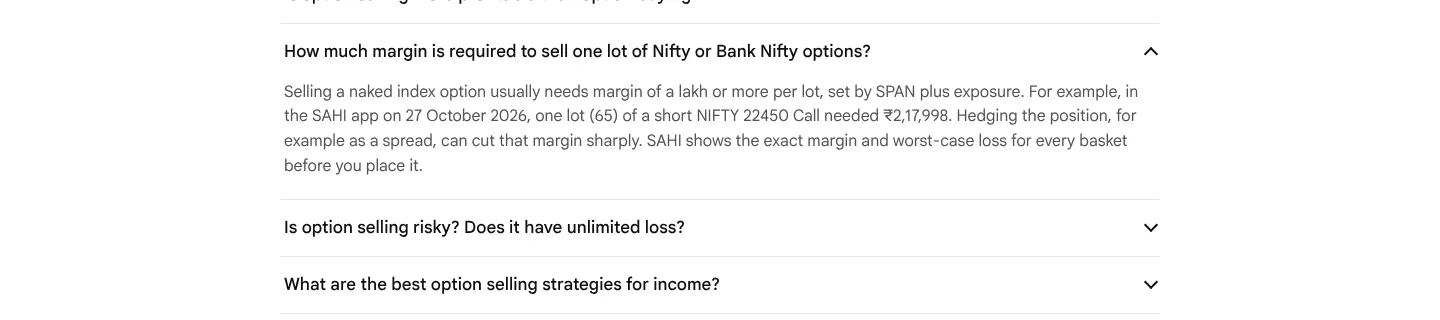
-
The tax answer does not say how long a loss can be carried forward
"How is option selling income taxed in India?" says losses "can be set off and carried forward under the applicable rules" without saying against what, or for how long.
Our copy: It says a loss can be set off against other income except salary, and the rest carried forward for up to eight years against business income.
sahi.com 
Our copy 
Broken or poor on sahi.com 8
-
The price cards are sent with the wrong prices, and their flip plays where nobody sees it
Under "High performance trading at unmatched value" the HTML puts 20, 16 and 21 in the three tiles (the figures the flip starts from), so without the script, and for search engines and link previews, the page says ₹20 to open an account, ₹16 AMC and ₹21 a trade. With the script the tiles already read 0, 0 and 10 the moment they are scrolled into view: the flip ran at page load, far above them.
Our copy: The real prices are in the HTML and read to screen readers as "Account opening: ₹0". The tiles flap from the old figure to the price once, when they come on screen, and only with the script running and motion allowed.
-
"Same backet" and "Same bucket.Same screen."
Step 1, "Build legs where you think", says "Same backet. Same screen." The Customised Option Chain section repeats the line as "Same bucket.Same screen.", with no space after the full stop and "bucket" where everything else on the page says basket.
Our copy: Both read "Same basket. Same screen."
sahi.com 
Our copy 
-
Pictures are announced by their file names
Screen readers hear "Frame 2147234117.png" for the hero phones, "Research-1.png" and "asset-right.png" for the option chain settings, "Group 1430103518.png" for the desktop in the phone-and-desktop comparison, and "Research.png" for the pledge picture.
Our copy: Each picture says what it shows (the two option-selling screens, the option chain column settings, the desktop and phone layouts); the decorative rupee sculpture is marked decorative.
-
Pledging is said to give "up to 94% margin"; the app shows 95%
"Can I pledge shares or ETFs to get margin for option selling?" says SAHI supports pledging "for up to 94% margin". The app's own ETFs tab (owner's screenshot, October 2026) shows 95% margin for Nippon India Liquid BeES. One of the two is out of date: Needs verification.
Our copy: The answer drops the fixed ceiling and says the margin depends on the holding, pointing to the ETFs tab, which shows 95% for Nippon India Liquid BeES.
sahi.com 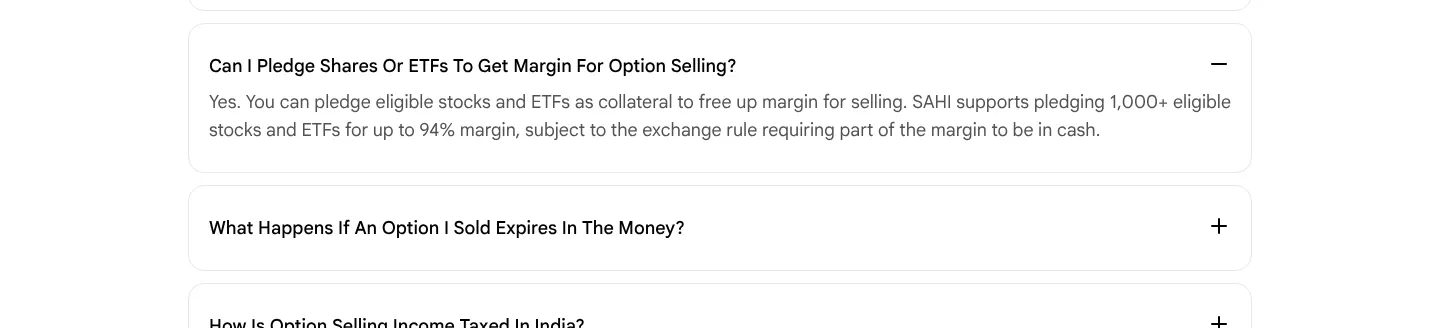
Our copy 
-
All six step videos have a button called "Play video"
Each step in "How to use Option Seller" has a play button, and all six are labelled "Play video", so a screen-reader or voice-control user cannot tell which step a button plays.
Our copy: Each button names its step ("Play step 3: Review the payoff before you pay") and becomes "Pause ..." while its clip plays; only one clip plays at a time and a clip stops when it is swiped or scrolled away. Without the script each clip keeps the browser's own controls.
-
FAQ questions are forced into Title Case
The questions are written in sentence case but the page capitalises every word on screen: "How Much Margin Is Required To Sell One Lot Of Nifty Or Bank Nifty Options?".
Our copy: Questions appear as written, in sentence case.
sahi.com 
Our copy 
-
FAQ answers are justified, leaving rivers of space on a phone
The answers are set justified, so on a 390px screen lines like "Option selling, also called option" open wide gaps between words.
Our copy: Answers are left-aligned.
sahi.com 
Our copy 
-
The ₹0 / ₹0 / ₹10 comparison takes a screen and a half on a phone
On a 390px phone the three price tiles stack one under another at 237 x 266 each, and the band measures 1,375px tall for three numbers.
Our copy: The three tiles sit side by side at every width, so the band fits on one screen.
sahi.com 
Our copy 
Changed here 1
-
A new section: "Option selling in the SAHI app"
Four screens from the current app, in order: Options Seller opened from a chart, options analytics (OI support and resistance, max pain, India VIX, ATM IV), building a short call basket with its max loss, max profit and POP, and its payoff graph. The basket and payoff screens were taken on an account with a zero balance and carry a red "Insufficient funds" bar; each card stops above it.
Our copy 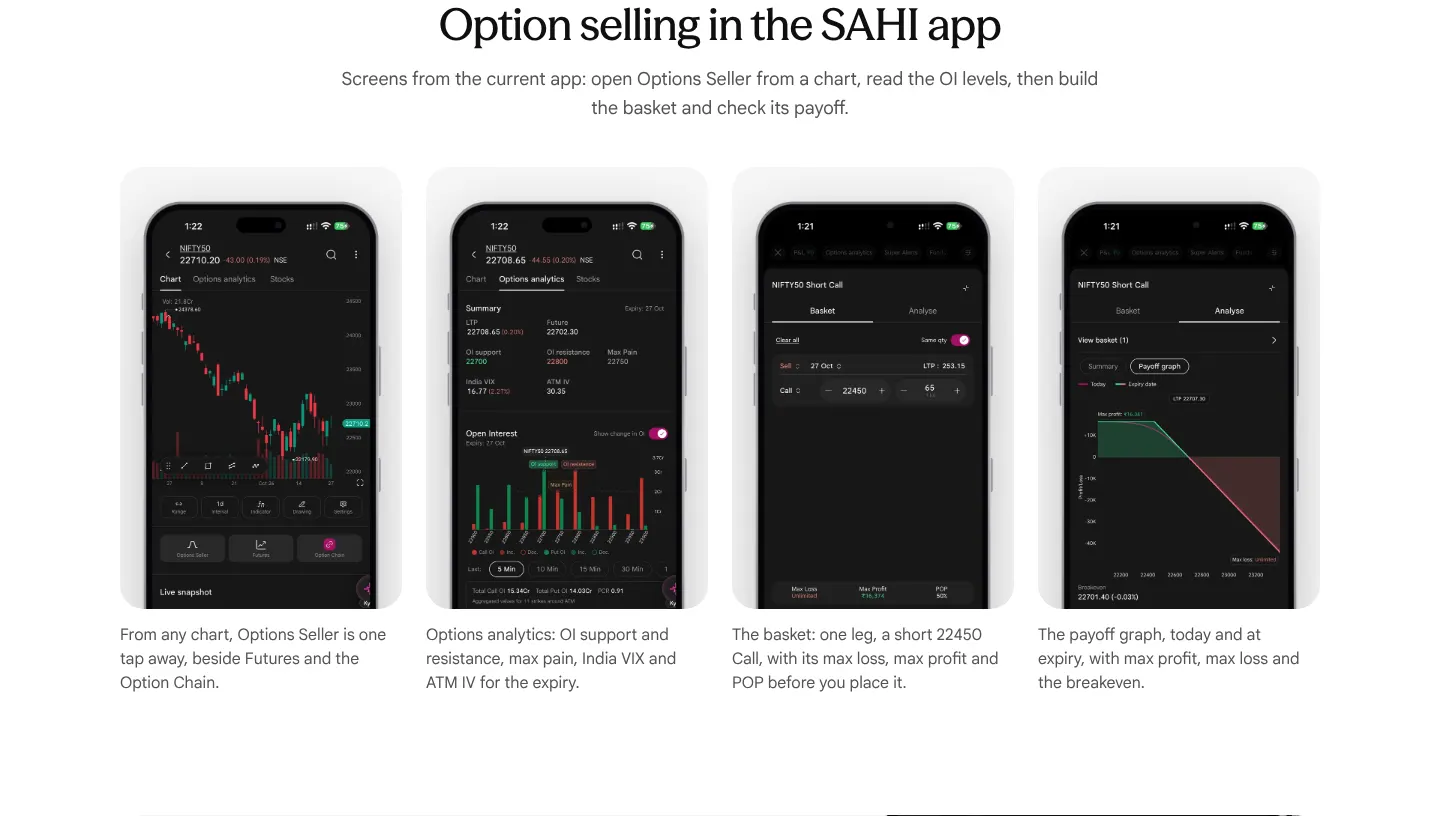
Broken or poor on sahi.com 10
-
The price cards are sent with the wrong prices, and their flip plays where nobody sees it
Under "High Performance Trading at Unmatched Value" the HTML puts 20, 16 and 21 in the three tiles (the figures the flip starts from), so without the script, and for search engines and link previews, the page says ₹20 to open an account, ₹16 AMC and ₹21 a trade. With the script the flip to ₹0, ₹0 and ₹10 has already finished at page load: measured, the tiles read 0, 0 and 10 before the page is scrolled at all.
Our copy: The real prices are in the HTML and read to screen readers as "Account opening: ₹0". The tiles flap from the old figure to the price once, when they come on screen, and only with the script running and motion allowed.
-
"What is SAHI Intelligence?" holds the screen for two screen-heights, in pale grey
The paragraph is pinned in a section 1,800px tall on a 900px window (200vh), so the reader scrolls two screens while nothing moves but the words darkening one by one. Until each word is reached it is black at 28% opacity, about 2:1 contrast on white, so most of the paragraph is unreadable on arrival.
Our copy: The paragraph scrolls with the page. Where the browser supports scroll-driven animation the words still darken in reading order as it passes, but unread words are a mid grey at 5:1 contrast, readable from the start; with reduced motion, or in other browsers, it is plain dark text.
-
An indicator name is misspelt and another is named differently from the AI Indicators page
The indicator chips under "18 AI indicators on SAHI charts. Free." read "Nadaraya-Watson Envalope" (Envelope), and "Neural Network Bull & Bear", which the AI Indicators page calls "Neural Network Bull and Bear Signals".
Our copy: "Nadaraya-Watson Envelope" and "Neural Network Bull and Bear Signals", as on the AI Indicators page.
-
"Covers all your indices and commodities" is printed across the phone
Under "Analyse the market with SAHI Intelligence" the caption sits on a white strip laid over the lower part of the phone picture, cutting through the app's own text ("Advance-decline ratio is balanced...") on desktop and on a phone.
Our copy: The phone is cut cleanly at its frame and the caption sits under it as a label.
-
The three "Why traders use SAHI Insights" icons do not line up
Each card centres its content vertically, and the first card's title wraps to two lines, so its icon sits 14px higher than the other two (measured at 1440px).
Our copy: Card content starts at the top, so the icons and titles line up across the row.
-
FAQ questions are forced into Title Case
The questions are written in sentence case but the page capitalises every word on screen: "What Are SAHI's Built-In AI Breakout Signals?", "Can A Trading App Send Real-Time Breakout Alerts For NSE Stocks?".
Our copy: Questions appear as written, in sentence case.
-
FAQ answers are justified, leaving rivers of space on a phone
The answers are set justified, so on a 390px screen lines like "an integrated alerts capability that" open wide gaps between words.
Our copy: Answers are left-aligned.
-
Pictures are announced by file name, and decorative quote marks are read out
Screen readers hear "ai-hero-mobile-2.png" for the hero phones and "market-desktop.png" for the market phone (also on a phone, where a different picture is shown), and the decorative quote marks are announced as "Quote", "Left Quote.png" and "Right Quote.png".
Our copy: The pictures say what they show (the three app screens, the AI read for NIFTY50, the Buzzing stocks card, the watchlist); the quote marks are silent.
-
The phone hero picture is requested and then thrown away on desktop
Measured at 1440px: the browser starts downloading the phone version of the hero (ai_hero_mobile_2, 640px) and cancels it (net::ERR_ABORTED) before fetching the desktop one.
Our copy: The hero is a picture with a desktop and a phone source, and the browser fetches only the one it shows.
-
The ₹0 / ₹0 / ₹10 comparison takes a screen and a half on a phone
On a 390px phone the three price tiles stack one under another at 237 x 266 each, and the band measures 1,375px tall for three numbers.
Our copy: The three tiles sit side by side at every width, so the band fits on one screen.
Broken or poor on sahi.com 8
-
The price cards are sent with the wrong prices, and their flip plays where nobody sees it
Under "High Performance Trading at Unmatched Value" the HTML puts 20, 16 and 21 in the three tiles (the figures the flip starts from), so without the script, and for search engines and link previews, the page says ₹20 to open an account, ₹16 AMC and ₹21 a trade. With the script the flip to ₹0, ₹0 and ₹10 has already finished at page load: measured, the tiles read 0, 0 and 10 before the page is scrolled at all.
Our copy: The real prices are in the HTML and read to screen readers as "Account opening: ₹0". The tiles flap from the old figure to the price once, when they come on screen, and only with the script running and motion allowed.
-
"Access across all Index"
The heading over "Open any chart, tap Indicators, and go to the AI based tab" reads "Access across all Index", singular where the sentence needs a plural.
Our copy: "Access across all indices".
-
The five "Presenting 18 Indicators" cards are five different widths
Each card is sized to its words, from 145px to 226px wide at 1440px, so the row looks ragged. On a 390px phone the same cards break into rows of 2, 1, 1 and 1, each single card a different width (140, 206 and 186px).
Our copy: The cards share one even grid: five across on a desktop, three and two on a tablet, two by two with the last one full width on a phone.
-
The how-to videos run wider than the rest of the page
At 1440px the three "How to use AI Indicators" videos span 40px to 1400px, to within 40px of the window edge, while every other section sits in the page's centre column (the FAQ is 1,064px wide).
Our copy: The videos sit in the same 1,200px column as everything else.
-
The category names are cased two ways
The cards under "Presenting 18 Indicators" say "Entry Signals", "Levels and Structure" and "Targets and Stops", while the section headings they introduce say "Entry signals", "Levels and structure" and "Targets and stops", as does the first card ("Trend direction").
Our copy: Sentence case everywhere, as in the section headings.
-
Desktop charts are described as phone screens
On desktop each category shows a wide chart, but its alt text is the phone picture's ("Trend Navigator in the SAHI app", "Key Levels in the SAHI app"), so a screen reader describes a picture that is not there.
Our copy: Each picture's text fits both versions: "Trend Navigator on a SAHI chart".
-
FAQ answers are justified, leaving rivers of space on a phone
The answers are set justified, so on a 390px screen lines like "AI indicators use machine-learning" open wide gaps between words.
Our copy: Answers are left-aligned.
-
The ₹0 / ₹0 / ₹10 comparison takes a screen and a half on a phone
On a 390px phone the three price tiles stack one under another at 237 x 266 each, and the band measures 1,375px tall for three numbers.
Our copy: The three tiles sit side by side at every width, so the band fits on one screen.
Broken or poor on sahi.com 13
-
The eight benefit descriptions only appear under a mouse pointer
"Benefits of Partnering with SAHI" shows eight tiles with a title only. Each description ("On every trade for life. Top partners earn 2L+ monthly.", "Track leads, trades, and payouts in real-time…") is set to opacity 0 and 0px tall until the pointer hovers its tile. On a phone or tablet, and from the keyboard, none of the eight can ever be read.
Our copy: Every description is always shown under its title; on a phone the tiles become a list with the icon beside the words.
-
The hero badges are 9.6px text, and are headings
Measured: "4.5 Rating / 10K+ Reviews", "7M+ Downloads / Growing Daily" and "IFTA 2025 / Startup of the Year" are set at 0.6rem (9.6px) on a phone, and their second lines are 9.6px on desktop too. On a phone "7M+ Downloads Growing Daily" wraps into four cramped lines. Each badge title is an h3, so the outline goes from the h1 straight to three h3s before the first h2.
Our copy: 15px and 13px on desktop, 14px and 12px on a phone, as plain text in a list.
-
"Start Your Partnership Journey" just reloads the page
The closing call to action under "Ready to Grow with SAHI?" links to /partners, the page you are already on, so it reloads and drops you at the top of the page instead of taking you to the partner form.
Our copy: It goes to the partner form and moves keyboard focus there.
-
The FAQ's email link writes to a different address than it shows
"How can you reach out to us?" answers "partners@sahi.com", but the link behind it opens a new email to partnerships@sahi.com. The form card at the top also says partners@sahi.com.
Our copy: The link writes to partners@sahi.com, the address on the page.
-
Brokerage is described two different ways on the same page
Unbeatable Pricing says "Zero brokerage for the first 30 days. After that just ₹10 per executed order for F&O. Equity at ₹10 or 0.05% whichever is lower." The FAQ says "Clients pay a flat brokerage of Rs. 10 per executed order across equity delivery, intraday, and F&O": no free first month, no 0.05%, and "Rs. 10" where the rest of the site writes ₹10.
Our copy: ₹10 is written the same way everywhere. Both statements are kept as published and flagged for the SAHI team, since only they can say which is current.
-
Two different figures for what top partners earn
The numbers band says "₹3L+ Top Partners Earn Monthly"; a few lines down, the Lifetime Brokerage tile says "Top partners earn 2L+ monthly", without the ₹.
Our copy: The ₹ is added to 2L+. Both figures are kept as published and flagged for the SAHI team to settle on one.
-
Counts that disagree with the other pages
The hero badge says "10K+ Reviews" beside the 4.5 rating; the home page says "23K+ Ratings" beside the same 4.5. "Advanced Tools" promises "40+ indicators"; the ETF page promises "100+ indicators" for the same charts.
Our copy: Kept as published and flagged for the SAHI team to use one count on every page.
-
FAQ questions are forced into Title Case, and the last one is back to front
The questions are styled with text-transform: capitalize: "How Is SPP Different From A Normal Referral Or Affiliate Program?". The last one asks "How can you reach out to us?" when it is the reader asking how to reach SAHI.
Our copy: Sentence case as written, and "How can I reach out to you?".
-
A grammar slip in the hero, a sentence said twice, and a stray lower case
The hero reads "Join one of India's fastest-growing trading platform (Based on Jan NSE data)". SAHI RA Services says the same thing twice: "…for expert market insights and stock picks. Access to Sahi Research with expert stock picks, market insights, and trading strategies." The first benefit is "Lifetime Brokerage sharing" while every other tile title is in Title Case.
Our copy: "one of India's fastest-growing trading platforms (based on Jan NSE data)"; the RA text says it once ("…for expert stock picks, market insights, and trading strategies"); "Lifetime Brokerage Sharing".
-
The award badge uses an abbreviation the footer spells out
The hero badge says "IFTA 2025 / Startup of the Year"; the footer badge on the same page says "Fintech Startup of the Year / India FinTech Awards 2025".
Our copy: The hero badge uses the footer's wording.
-
"Number of clients" has overlapping ranges and nothing below ten
The form's choices are 10-50, 50-100 and 100+: a partner with 50 or 100 clients fits two ranges, and an active trader referring a handful of friends (one of the four partner types the page invites) has nothing to choose.
Our copy: Under 10, 10–49, 50–99 and 100+. This copy sends nothing to SAHI: "I Am Interested" opens the reader's own email app, addressed to partners@sahi.com, with the details filled in.
-
Hidden testimonials, two of them identical
The page's data carries a "What Our Partners Say" section with four reviews that never appears on the page. Two of the four, Priya Sharma (Delhi) and Sourav Sen (Kolkata), are the same review word for word ("The onboarding was incredibly smooth. I was live and generating referrals within 24 hours…").
Our copy: Not shown here either; flagged so the duplicate is replaced before the section is switched on.
-
The page title is one word
The browser tab and search result say only "Partnerships", with no brand, and the description is four words: "Become a SAHI partner".
Our copy: "Partnerships | SAHI", with the hero's own sentence as the description.
Missing on sahi.com 2
-
The pricing disclaimer is never shown
The page's own content has "Disclaimer: Brokerage and statutory charges are subject to change. Check sahi.com/pricing for the latest rates. Investments in securities markets are subject to market risks…", but it is not rendered anywhere, before or after the page loads. A broker's price list goes out with no note that the rates can change.
Our copy: The disclaimer sits under the closing "Open FREE Demat" button, with sahi.com/pricing as a link.
-
"Compare: SAHI vs Other Brokers" compares nothing, and "Read more here" is not a link
The section is a heading and one paragraph about STT in Budget 2026. It contains no comparison and no link at all (0 links measured), so "Read more here about how you can Switch to SAHI and Save!" leads nowhere.
Our copy: "Read more here" links to sahi.com's own Compare › Pricing page, where the comparison is.
Broken or poor on sahi.com 10
-
On a phone the price tables are cut off, with no sign that they scroll
At 390px all three tables are wider than their box and the scrollbar is hidden. The brokerage table is 374px in a 356px box, so its last column reads "What You Pa" and "Whicheve is lower". The statutory table is 801px in 356px, so only Equity shows and F&O and Commodities are off screen with nothing to say they exist. The extra-charges table is 550px in 356px and its prices are cut mid-word ("₹10 or 0.05%, w").
Our copy: The brokerage and extra-charges tables turn into labelled rows on a phone (segment, then "Brokerage Per Order" and "What You Pay" side by side), because three short columns read better as rows than as a sideways scroll. The statutory table is a real grid of six segments, so it keeps its shape: it scrolls inside its own box with the charge names pinned on the left, a fade at the right edge, a "Swipe the table sideways" hint, and it can be scrolled from the keyboard.
-
"How SAHI Makes Money" repeats a card as the heading of the next
The fifth card's heading is the fourth card's text word for word ("Our real edge is low operational cost — and we pass those savings directly to users through flat, low brokerage."), a 20-word heading over the only list that actually answers the question (brokerage, interest on margin funding). On a phone that card sits alone in half a row.
Our copy: Four cards, then the two revenue sources in their own full-width panel headed "Where SAHI's revenue comes from"; the repeated sentence appears once.
-
The page contradicts its own prices
The search description says "Flat ₹10 per order on equity, F&O, intraday and IPO", while the table says IPO is ₹0 (Free). The closing banner says "Then pay just ₹10 per trade", while every other line says per order, and the page's own example shows that one trade (a buy and a sell) costs ₹20.
Our copy: The description says IPO applications are free, and the banner says ₹10 per order.
-
Exchange transaction charge on delivery is marked as sell only
In the statutory table the exchange transaction charge for equity intraday is NSE 0.0030699% on Buy and Sell, but the same rate for delivery is tagged Sell only. The charge is levied on turnover on both sides, as the same table shows for intraday, futures and options.
Our copy: Kept exactly as published (Sell only): it is a regulatory figure, so the rebuild does not guess. Flagged for the SAHI team to confirm.
-
The calculator FAQ is hidden, and its answer points to the wrong page
Five of the six FAQs show; a "View All" button reveals one more, "How do I calculate my exact cost?". Its answer says to use the brokerage calculator "on the pricing page", but there is no calculator on the pricing page; it lives at /brokerage-calculator.
Our copy: All six questions are listed, and the answer links straight to the calculator without the wrong "on the pricing page".
-
FAQ questions are forced into Title Case
The questions are written in sentence case but styled with text-transform: capitalize, so they read "Is SAHI Really Free For 30 Days?" and "Do I Pay Separately For Using SAHI AI Or Scanners?".
Our copy: Questions appear as written, in sentence case.
-
Extra charges are two tables with two layouts, and one row is a run-on paragraph
The first three rows run the name and its note together on one line ("Auto Square-off Charges For open intraday positions by system"), price in a second column, and repeat the price, hidden, in the first. The next four stack the price under the name in a separate box. "Other Charges" is twelve fees in one pipe-separated paragraph of about 80 words.
Our copy: One table: the name, its note on its own line, and the price beside it. "Other Charges" is a two-column list of fee and amount, and the buyback charges are two lines.
-
Headings wrap paragraphs, and a visual heading is plain text
The h1 is a paragraph inside a heading (h1 > p), as is "Ready to Start Trading?". "Statutory Charges Breakdown" looks like a heading but is plain text, so the table it introduces has no name for a screen reader.
Our copy: Plain headings throughout; "Statutory Charges Breakdown" is a heading and names the table.
-
Card titles reserve two lines, leaving gaps
Every card title has a fixed minimum height (64px on desktop, 48px on a phone), so a one-line title such as "Zero brokerage" or "Lean cost structure" is followed by an empty line before its text.
Our copy: Titles take their own height; cards in a row still line up.
-
Small typos in the price copy
"₹20 + ₹20 = ₹40.." ends with two full stops; "KRA Upload/ Download" has a stray space; "Delayed Payment Charges (DPC): Simple interest, compounded monthly" contradicts itself (simple interest is not compounded).
Our copy: Typos corrected. The DPC wording is kept as published because it is a rate only SAHI can confirm, and is flagged for the SAHI team.
Broken or poor on sahi.com 3
-
On a phone the course panel covers the page's subtitle
The hero has a fixed height and the white course panel is pulled up into it by a fixed amount. On a 390px phone the two-line heading pushes the subtitle down, so "An extensive and in-depth collection of stock market and financial lessons" is cut after "stock" and the rest sits under the panel.
Our copy: The hero grows with its text and always leaves room for the panel's overlap, so the whole subtitle shows at every width.
-
The heading and subtitle are paragraphs nested inside a heading and a paragraph
The CMS text arrives wrapped in its own <p>, and the page drops it inside the <h1> and inside a second <p>. A paragraph inside a paragraph is invalid HTML: the browser breaks it apart into empty paragraphs around the text before the script runs, a known cause of the React error 418 (hydration mismatch) that this page logs on desktop and phone.
Our copy: A plain h1 and p with the text in them; the markup is valid and the console is clean.
-
Each course link reads out the whole card, with the course name twice
The link wraps the picture (its alt text is the course name), the heading with the same name, the chapter count and the description, so a screen reader announces one long link that says "Scalping In Trading" twice.
Our copy: The link is the course name; the picture is decorative. The rest of the card is still clickable, and keyboard focus outlines the whole card.
Missing on sahi.com 1
-
Nothing says how many posts there are, and categories have no real archive
sahi.com lists 397 posts in seven categories (52 IPO, 78 Product Updates, 12 Options 101, 82 Stocks 101, 94 Trading 101, 23 Personal Finance, 56 Commodities, captured 28 Oct 2026), but the hub shows the newest few, the category bar gives no counts, and a category page is one endless list with no search or sort.
Our copy: Each category chip shows its count. Each category has its own archive here: its head and post count, a search, a sort (Newest, Oldest, Quick reads), the newest post as a large story, then twelve posts at a time.
Broken or poor on sahi.com 11
-
The footer and its SEBI disclosures are out of reach
Recent Updates loads ten more posts every time you near the bottom, with no button or page numbers. Measured at 1440px: the footer first comes into view after 384 posts and about 24,600px of scrolling.
Our copy: Ten posts, then a Load more button that adds ten at a time and moves focus to the first new post. The footer is always one scroll away.
-
45 posts are still listed but no longer exist
Checked 28 Oct 2026: sahi.com's category pages list 319 posts outside Product Updates, but 45 of them answer HTTP 410 (Gone) when opened, among them "Grey Market Premium in IPO", "FIIs and DIIs: meaning and key differences" and the Charts 101 series (simple moving average; support and resistance; moving averages and trend analysis; open interest and market sentiment). A reader who picks one from a category lands on an error. 15 Product Updates are in the same state (see the Product Updates report).
Our copy: Our hub, archives and search list only posts that still open: 337 in all (274 articles and 63 Product Updates).
-
A floating "Add Sahi as a Preferred Source" card covers the posts
A dark card fixed to the bottom right corner (240 by 142px at 1440px, 160 by 206px on a 390px phone) sits over the right-hand column on every screen, cutting titles such as "Option Greeks Explained". It cannot be closed, and the same link is already in the footer.
Our copy: No floating card; the link stays in the footer.
-
The page heading shrinks to 16px on a phone
"Learn with Sahi" has a size only for large screens, so on a 390px phone it falls back to 16px: body-text size, and smaller than the "Featured" heading under it.
Our copy: The heading scales from 36px on a phone to 64px on a desktop.
-
Pictures are announced by their file names
12 of the 14 thumbnails use the upload's file name as alt text ("MARKET MINUTE (45).png", "Consumer Price Index.jpg"). Each card is one link around picture, title and date, and the titles are plain paragraphs, so a screen reader reads a file name before every headline and cannot jump between posts by heading.
Our copy: Thumbnails are decorative, each card's link is its title, and post titles are headings (h3 under Featured and Recent Updates).
-
352 KB of hidden data to show 14 posts
The page ships all 397 posts, plus the header and footer content, as a 352 KB __NEXT_DATA__ block, then shows four featured and ten recent posts.
Our copy: The whole page is about 74 KB of HTML and carries only the 52 posts it can show.
-
Headlines are cut short
The large posts clip the title to one line ("Best Scalping Indicators and How to…", "Anchored VWAP is Now Live on SAHI…") and the small ones to two, with room to spare beside them. On a phone a three-line headline is cut to one.
Our copy: Titles wrap in full; only the summary under a large post is held to two lines.
-
Dates read "5 months ago"
Every post is dated relative to now ("1 week ago", "9 months ago"), which is wrong as soon as the page is cached and cannot be checked against anything.
Our copy: Dates are written out in Indian time, for example 29 Sep 2026.
-
The category row is cut off with no sign that it scrolls
On a 390px phone the row shows Home, IPO, Options 101 and half of "Stock": 278 of its 705px are visible and the scrollbar is hidden, so three categories look missing.
Our copy: The row fades at its edge and has an arrow that scrolls it; each category is a 44px target.
-
"Learn" in the breadcrumb links back to this page
Home › Learn › Blogs: "Learn" points to /blogs, the page you are already on.
Our copy: "Learn" is plain text here (there is no Learn page); on Product Updates it links to the blog hub.
-
Grammar slip in a headline
"Silver Rate trends around Dhanteras & Diwali 2026: What the Price trend signal?", while its twin reads "Gold Rate trends around Dhanteras & Diwali 2026: What the Price trend signals".
Our copy: The silver headline ends "What the Price trend signals", like the gold one.
Changed here 2
-
The hub is a magazine: featured, latest, and a shelf per category
The top band keeps sahi.com's wash and category bar, with a search beside it that reaches every post at once. Below: sahi.com's four featured stories (one large beside three), the six newest posts, then a shelf for each category with its four newest posts, a line on what it covers and "See all". Cards rise in as they reach the screen; on a phone the shelves swipe. Thumbnails are sahi.com's own, stored here at 640px; Product Updates use our posters and open here, every other post opens on sahi.com.
-
Every post now opens here, in a reading layout
Each of the 274 live articles has its own page on this site, built from sahi.com's own text (scripts/sahi-site/blog-posts.mjs). sahi.com's words are kept as they are; the page is cleaned and laid out for reading: - removed: inline styles, emoji, the duplicate title and promotional lines; - head: category, title, subtitle, author, date (and update date) and reading time; - body: the cover, then the article at a reading width beside a contents list that marks the section you are in and counts down the minutes left, with a reading bar at the top; - after the article: the post's FAQs, the author, share links, the newer and older post in the category, and three to keep reading. Every picture (274 covers and 219 pictures inside posts) is stored on this site.
Broken or poor on sahi.com 8
-
Choosing Hindi leaves "Featured Guide" empty
Switch the language to Hindi and the Featured Guide heading stays with nothing under it: the featured video is English, no Hindi one is set, and the block renders blank (measured: the section holds only its heading).
Our copy: The featured guide stays in place in both languages. Hindi swaps the rows, the category chips and the View All links to the Hindi videos, and hides the two categories that have none.
-
"Subscribe Now" promises an inbox and opens YouTube
"Trade Smarter, Not Harder." says breakouts and strategies will be "delivered straight to your inbox", but the Subscribe Now button goes to the SAHI YouTube channel. There is no email sign-up anywhere on the page.
Our copy: The button says Subscribe on YouTube, with the YouTube mark, and opens in a new tab. The inbox sentence is kept as sahi.com wrote it and flagged for the SAHI team.
-
The featured category tag is 10px text
On a 390px phone the "Custom Indicators" tag above the featured guide is set at 10px, in a link only 21px tall.
Our copy: 13px text in a 28px tag.
-
Video pictures are read out twice, or as a file name
Each card's thumbnail has the video title as alt text, directly before the same title, and the Scalper 2.0 card's picture is announced as "maxresdefault.jpg".
Our copy: The pictures are decorative; each card's link is its title.
-
197 KB of hidden data, descriptions shipped twice
The page's __NEXT_DATA__ is 197 KB: all 63 videos in both languages, 35 of them carrying the same description twice (the CMS copy and the YouTube copy), for a page that shows 13 cards.
Our copy: The HTML carries the cards it shows plus a 15 KB list of titles for the search, about 68 KB in all.
-
Two categories hide behind an arrow on a wide screen
At 1440px the category row is squeezed into 622px beside the language switch, so "Account Management" is cut and "Stock Trading" needs the arrow, though the page has room for both.
Our copy: All six categories show on tablet and desktop, wrapping if they must; only a phone scrolls the row, with a fade and an arrow.
-
The Hindi words in the heading are read as English
"वीडियो गाइड्स" in the page heading carries no language, so screen readers try to pronounce the Devanagari with the English voice.
Our copy: The Hindi words are marked as Hindi.
-
The featured description stops mid-sentence
It is cut at "Full walkthrough...", just before "with Harshit Anand, Product Manager at SAHI", and then says Read More.
Our copy: The whole three-line description, then Read More (named for screen readers).
Broken or poor on sahi.com 10
-
28 of the 78 updates can never be reached by scrolling
The list loads ten more as you scroll, then stops at 50 although the page's own data holds 78 updates. Measured: no more arrive after the fifth load, and there are no page links, so the oldest updates turn up only if you happen to search for them.
Our copy: All 78 updates are in the page: ten at first, then Load more adds ten at a time down to the first one, March 2025.
-
A floating "Add Sahi as a Preferred Source" card covers the updates
The same fixed card as on the blog hub (160 by 206px on a 390px phone) sits over the right-hand column at every scroll position, hiding the end of each title beside it. It cannot be closed.
Our copy: No floating card; the link stays in the footer.
-
The page heading drops to 16px on a phone
"Product Updates" is 64px on a desktop and body-text size on a 390px phone, smaller than the "Recent Updates" heading below it.
Our copy: The heading scales from 36px on a phone to 64px on a desktop.
-
Thumbnails are announced by their file names
Every thumbnail's alt text is the upload's file name ("Whats New Thumbnail Oct-selection.png", "SAHI - Black - Icon + Text.png", "Screenshot 2026-07-16 at 3.39.19 AM.png"), read out inside each card's link.
Our copy: Thumbnails are decorative; each card's link is its title, and titles are headings.
-
240 KB of hidden data to show ten cards
The page ships all 78 updates with their image metadata, plus the header and footer content, as a 240 KB __NEXT_DATA__ block, then renders ten.
Our copy: About 81 KB of HTML in all, and that carries every one of the 78 updates.
-
Three updates share one name and a vague date
Three posts are all called "What's New on SAHI", and two of them sit side by side in the first ten, both dated "1 month ago", so there is no telling them apart.
Our copy: Each card carries its full date (8 Sep 2026, 3 Sep 2026, 12 Jun 2026).
-
Spacing typos in update titles
"Sahi Update:Smarter Execution", "What’s New on Sahi:Introducing Sahi Pulse", "What’s New in Sahi : Live Market Clock", "What’s New on Sahi –Practice Mode +MA Crossover" and a double space in "New on Sahi | Custom Trailing SL".
Our copy: Spaces put right: "SAHI Update: Smarter Execution", "What’s New in SAHI: Live Market Clock", "– Practice Mode + MA Crossover".
-
The page is titled just "SAHI Blogs"
The category's own SEO fields are empty, so the browser tab and search results show the generic "SAHI Blogs" and "Read the latest articles and updates on SAHI." with no mention of product updates.
Our copy: Titled "Product Updates | SAHI Blogs".
-
The search icon looks like a button but is not one
A dark square with a magnifier and a pointer cursor starts the search field, but it is a plain box: the keyboard cannot reach it and its picture is announced as "search". Results also arrive with no count or heading.
Our copy: The magnifier is decoration inside a labelled search field. Typing filters the list at once, newest first, under "Results (n) for …", or says no results were found.
-
Headlines are cut short
Titles are clipped to one or two lines ("What's New on SAHI - Pushkar Premium Trend, GI…") even where there is room for the rest.
Our copy: Titles wrap in full.
Missing on sahi.com 1
-
The email address and phone number cannot be tapped
"customercare@sahi.com" and "18004107244" are plain text, not mailto: or tel: links, so on a phone you have to copy them by hand, and the number is printed as one run of eleven digits.
Our copy: The address opens a new email and the number dials, shown as 1800 410 7244.
Broken or poor on sahi.com 14
-
"Chat with us" offers a chat that does not exist
The third contact card gives chat hours (9 AM to 6 PM, Monday to Saturday) but has no link or button: clicking it does nothing and no chat widget loads (no iframe, no chat requests). sahi.com's own FAQ "Can I contact the Sahi customer care via chat?" answers "We currently don't have this feature."
Our copy: The card keeps sahi.com's words and links to that FAQ answer, so a reader finds out at once instead of hunting for a chat button. Flagged for the SAHI team to remove the card or connect a chat.
-
"Search FAQs" searches only the three questions shown per category
Typing filters only the sample questions under each heading and leaves all 44 category headings and 30 View All links on screen, mostly over nothing. "pledge" showed 4 questions, although 22 questions mention pledging and the Pledge category alone has 37. There is no count, no "no results" message, and Enter does nothing.
Our copy: The box searches all 452 questions (the ones past the first three are in the page, hidden until you search), matches category names too, hides empty categories and the View All links, marks the matched words, and says how many matched, announced to screen readers. Escape clears it and ?q= opens the page already searched. Without script the box is not shown and the page is the plain grid.
-
The support email address is rewritten to "customercare@SAHI.com"
After the page loads, the script that changes "Sahi" to "SAHI" also runs over the email address in the first contact card, so the address customers are told to write to changes its spelling in front of them.
Our copy: The address is written once, in lower case, as a link.
-
The breadcrumb is hidden behind the header
The breadcrumb sits 24px from the top of the page while the floating header covers the first 92px on desktop and 80px on a phone, so "Home › Customer Support" is never visible; the page title starts straight under the header.
Our copy: The page starts below the header, with the breadcrumb visible above the title.
-
The page ships every question as 185 KB of script data
The HTML is 384 KB, 185 KB of it page JSON holding all 453 questions, while the grid shows 122 links. On a phone the audit measured a 30.9 second load.
Our copy: All 452 questions are plain links in the HTML, 25 KB compressed, with no page data and no framework; the search is a 5 KB script.
-
Question counts are shown two different ways
28 of the 44 categories have fewer than ten questions, and those counts render as circled numbers ("About Sahi ③") while the rest show as "(19)". The text is "(3)" in every case: the counts are set in the display face, whose ligatures turn a bracketed single digit into a circled one.
Our copy: Counts are set in the text face with ligatures off, so every category reads "(3)", "(19)" the same way.
-
All three contact cards use the same envelope icon
Email, Call and Chat all show the same lavender envelope image (ico_4), so the phone and chat cards carry a mail icon.
Our copy: An envelope, a phone and a chat bubble, drawn in one style.
-
Thirty links all say "View All"
Each category ends in a link reading only "View All", so a screen reader's list of links reads "View All" thirty times with nothing to tell them apart.
Our copy: The visible text is unchanged, and each link also names its category for screen readers ("View All 19 questions on Account Opening").
-
Category headings are fainter than the questions under them
The category names are mid-grey while the question links beneath them are near-black, so the eye lands on the questions and the grouping is hard to scan in a 44-category grid.
Our copy: Category names in full ink with a rule under each; questions in the secondary ink.
-
"Registered Address" gives a different address from the regulatory notice
The page labels 3rd Floor, Brigade Metropolis, Summit B as the Registered Address, but the regulatory text on every page gives the Registered Office as 11th Floor, Brigade Metropolis, Summit A.
Our copy: Kept as published. Which address is the registered office is for the SAHI team to confirm; the page and the regulatory notice should then agree.
-
Typos and stray Title Case in 22 questions
"Can a company or corporate to open a Sahi account?", "How to I enter the Options Scalper", "todays' orders", "Can i see", "What is the charge for pledging for unpledging?", "Why I am receiving an SMS…", "What could be the reason ?", three questions with no question mark, and ten in Title Case among sentence-case ones ("How Do I Withdraw Funds from Sahi?").
Our copy: Corrected and in sentence case; each still links to its sahi.com answer.
-
A question is listed twice in the same category
"What Is an AMO and How Do I Place One on Sahi?" appears twice in Placing Orders on Exchanges (two answer pages), so that category's count says 23.
Our copy: Listed once; the count says 22.
-
Category names are inconsistent, and five do not say what they are about
Ten names carry stray spaces (" Options Scalper", "Commodity Basics "), casing changes from one to the next ("Account opening & commodity segment activation" beside "Account Opening"), and five SahiScript groups are named only "Getting started", "Saving and syncing", "What is not supported yet", "Data and limits" and "Troubleshooting", with nothing to say they are about SahiScript.
Our copy: Trimmed and in Title Case; the five are named "SahiScript - Getting Started" and so on, the way sahi.com already names its "IPO - General" groups.
-
Contact and "View all" links are black while links everywhere else are brand-coloured
The email, phone and category links look like plain text, unlike every other link on the site.
Our copy: The same brand-coloured underlined link as the rest of the site.