

Live now
Index readings from the same feed the Sahi terminal runs on. Open the live Strategy Builder to see this guide applied to today’s numbers.
- NIFTY — —
- BANKNIFTY — —
- SENSEX — —
The question each topic answers
- How do I get a first position on the screen, and read it, in about two minutes?
- What is a Strategy Builder, and what will it not do for me?
- What is on the screen, and which part do I read first?
- How do I get a position on the screen?
- How do I use it, and this guide, on a phone or a tablet?
- What can go wrong, in plain words, before I go further?
Build an Iron Condor in About Two Minutes
How do I get a first position on the screen, and read it, in about two minutes?
With no saved position, the Strategy Builder opens on an Iron condor that is already loaded, so there is nothing to build before you can read something. An Iron condor sells a Call and a Put and buys one further out on each side: it earns when the price stays inside a range, and the two bought legs cap the loss. (More precisely, the page loads the first of Iron condor, Bull call spread and Long call that the chain can build.) The six steps below take about two minutes. The page places no order at any step.
Your First Five Minutes
- Press nothing at first. Look at the four legs on the left and the figures on the right.
- Read the loss first. Find Maximum loss, then the Breakevens, then the chance of profit, and only then Maximum profit.
- Press a different tile under Ready-made, such as Bull call spread, and watch the shape change. Press Undo to go back.
- Nothing you do here is a trade. It is stored, if at all, in this browser only.
-
Open the page
Open the Strategy Builder. The four legs of an Iron condor for the nearest expiry appear on the left, with the figures and the payoff chart on the right. On a phone the legs come first and the figures are below them; a bar at the foot keeps Max profit, Max loss and Chance in view, with a Details button (see Reading it on a phone). This opening position is the page’s own pick. If it was built from a stored reading, the page prices it once more from the first newer live book, as long as you have not changed it.
-
Check the time of the data
The strip across the top ends with the time of the data, for example “As of 30 Sep, 11:30 am IST”. Every figure is as of that time. It reads the same way when the page shows a stored reading, so read the time itself (when a stored reading is shown: not yet verified). The chain is fetched again about every 5 seconds while the market is open.
-
Set the shape you want
Use the Spacing choice above the tiles (1, 2, 3 or 5 steps) to rebuild the condor with wider gaps between its legs. Or move it by hand: Shift slides all four strikes along the ladder, Width moves the outer legs away from, or towards, the sold ones, and Hedge moves only the bought legs. Each button previews its move before you press it, and Undo reverses it. The details are in Moving the whole position.
-
Read the risk, then the reward
On the figures card: Maximum loss first, then the two Breakevens, then the chance of profit, then Maximum profit. On the pictures’ invented chain the most this condor can lose is ₹2223; it breaks even at 24334.2 and 24665.8; the model puts its chance of profit at 31.9%; and the most it can make is ₹4277. The chance is not a forecast: what it means.
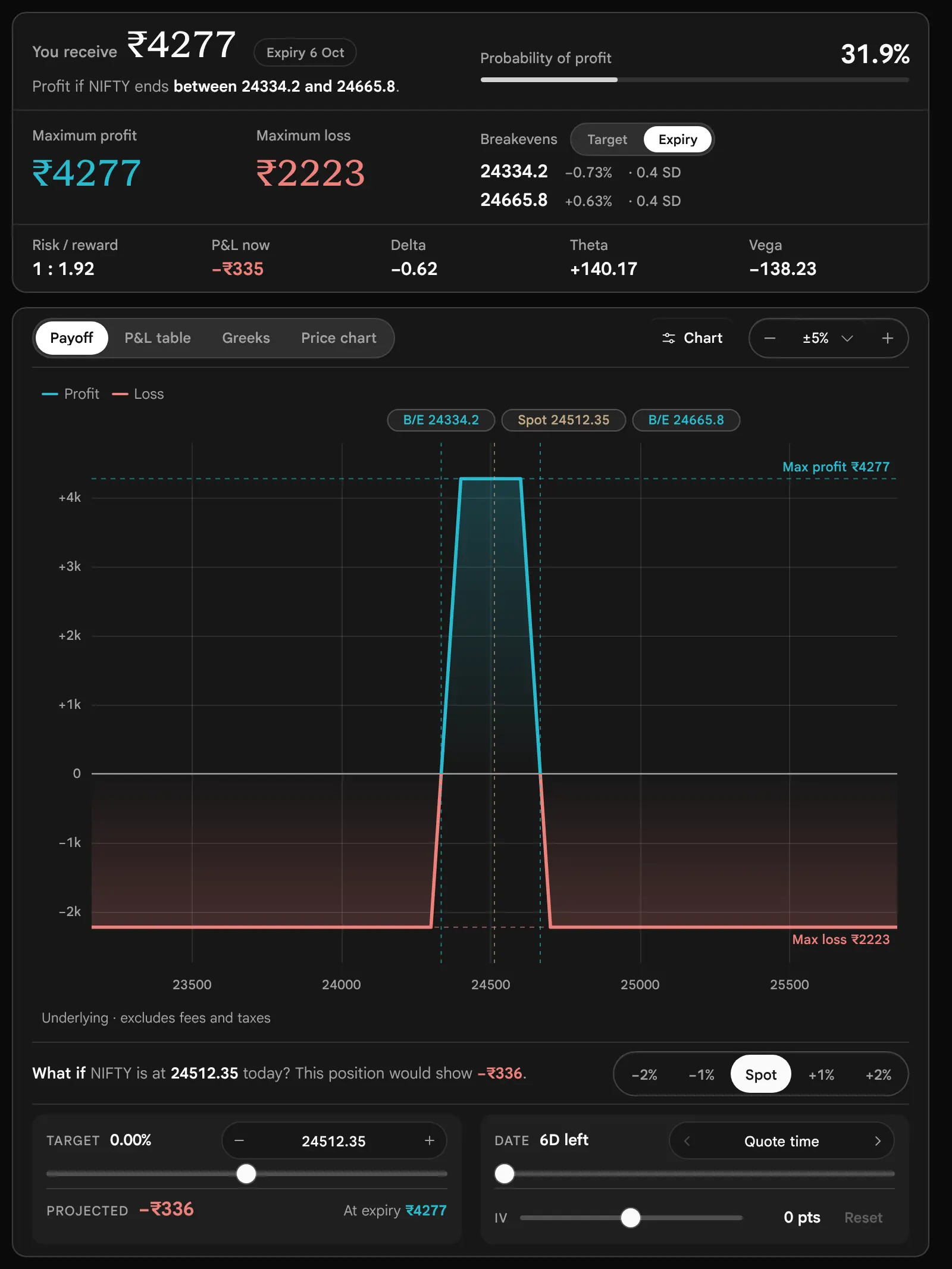
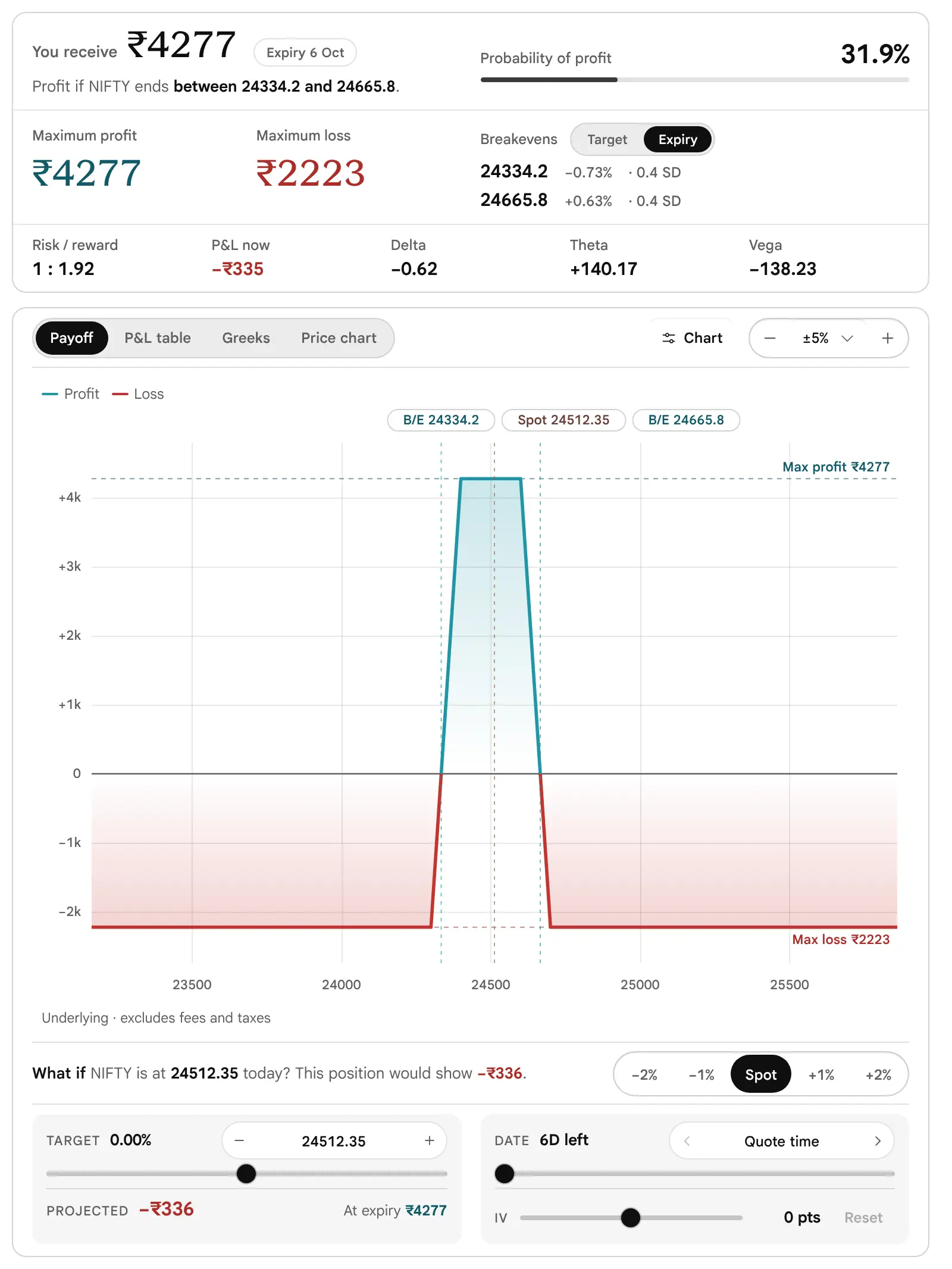
Look at: the Maximum loss and the two breakevens first. The flat top of the payoff is the range inside which the condor keeps its whole credit. (Picture taken before the page changed on 19 October 2026: picture not retaken.) -
Add your costs and your broker’s margin
Open Costs & position sizing under the tiles. Type the total of your charges for entering and leaving, and the margin your broker quotes for this position. The page never works out margin itself. What to type, and what the page leaves out, is in Costs, taxes and margin.
-
Keep the legs, or copy them
Save strategy keeps the position in this browser; More actions → Copy legs as text copies one line per leg. There is no share link and no file export: see Saving, loading and sharing. Adjusting a position you already hold is in Adjusting a live strategy.
Which Parts to Read
New to options: read this part, then What a Strategy Builder is, Three ways to start, Building a leg, The figures card, Risks in one place and the Glossary. Already trade spreads: go to What if, the model, the Greeks, expiry day, adjusting and the limits.
What a Strategy Builder Is
What is a Strategy Builder, and what will it not do for me?
The Drawing Before the Building
An architect draws a house before anyone lays a brick, because a drawing can be changed for the price of an eraser.
A position made of several options is the same. Before any contract is traded, the Strategy Builder shows what the position costs, the most it can make, the most it can lose, where it breaks even, and how that picture changes if the price moves or time passes. It is a page for looking at a position. It does not place an order.
Eight Terms Before You Start
These words appear in the pictures from the first screen, so here they are once, in a line each. Each links to the full glossary entry.
- Implied volatility (IV)
- The yearly percentage movement that an option’s price implies. Higher implied volatility makes options cost more. It is read from the price, not forecast.
- Delta
- The change in value for a 1-point rise in the underlying. On the page, rupees per point for the whole position. A negative figure gains when the price falls.
- Theta
- The change in value as one calendar day passes, everything else equal. Positive means time works for the position.
- Vega
- The change in value for a 1-point rise in implied volatility. Positive gains from a rise.
- Time value
- Premium less intrinsic value: the part of the price paid for time and volatility, which runs off by expiry.
- Intrinsic value
- What an option would be worth if it settled now: the amount by which it is in the money. Zero for an option that is out of the money.
- One standard deviation (1 SD)
- A yardstick for the size of a move, written 1 SD on the page. One standard deviation here is spot × implied volatility × the square root of the time left. About two in three outcomes fall within one in a model with a bell-shaped spread; the real market does not promise that.
- At the money, in the money, out of the money (ATM, ITM, OTM)
- An option is at the money when its strike is at (or nearest to) the underlying’s price, in the money when it already has intrinsic value (a Call with the strike below the price, a Put with the strike above it) and out of the money when it has none.
An option strategy is two or more positions, called legs, held together because their combined profit and loss has a shape that no single option has. A Bull call spread buys one Call and sells a higher Call: the sold leg pays for part of the bought leg, and in return the profit stops at the higher strike. An Iron condor sells a Call and a Put and buys one further out on each side: it earns when the price stays inside a range, and the bought legs cap the loss. The builder lets you pick such a combination, change any part of it, and read the result on one screen.
This guide is written for two readers. If you are new to options, read it from the top: each part opens with the question it answers and explains the idea before the control. If you already trade spreads, the parts on the model, the Greeks, expiry day, adjusting a live position and the limits are where the page differs from what you may assume (the route for each reader is at the foot of the first part). Every picture in the guide is a real capture of the page, not a drawing.
What you hold
Buy or sell, Call or Put, strike, expiry, lots and entry price
What it does
Profit or loss at each price at expiry, drawn as one line
What could change
A different price, an earlier date, a move in implied volatility
Where the Numbers Come From
The builder reads the option chain of the underlying and expiry you select. It takes each leg’s premium, bid and ask, implied volatility, Open Interest and volume from that chain. The chain is fetched again about every 5 seconds while the market is open and the tab is visible, and the other expiries that a position uses are fetched about every minute while the tab is visible. It is polled data, not a continuous stream. The time of the data is always printed at the end of the strip at the top of the page, for example “As of 30 Sep, 11:30 am IST”. Every figure on the page is as of that time.
The Screen at a Glance
What is on the screen, and which part do I read first?
On a desktop the page is one screen in two columns, and each column scrolls on its own. The left column is for editing: your legs, the tools that move them, and the ready-made strategies. The right column is for reading: the figures, then the payoff chart with the What if controls under it. An edit on the left shows its effect on the right at once. Below about 1100 pixels of width (or 640 of height), or on a phone, the same cards stack in one column and a small bar keeps the maximum profit, maximum loss and chance of profit in view while the figures card is off screen. On a tablet the strip keeps its figures on one line and puts the “As of” time on a short second line, and the five smaller figures of the figures card (Risk / reward, P&L at LTP, Delta, Theta and Vega) share one row.
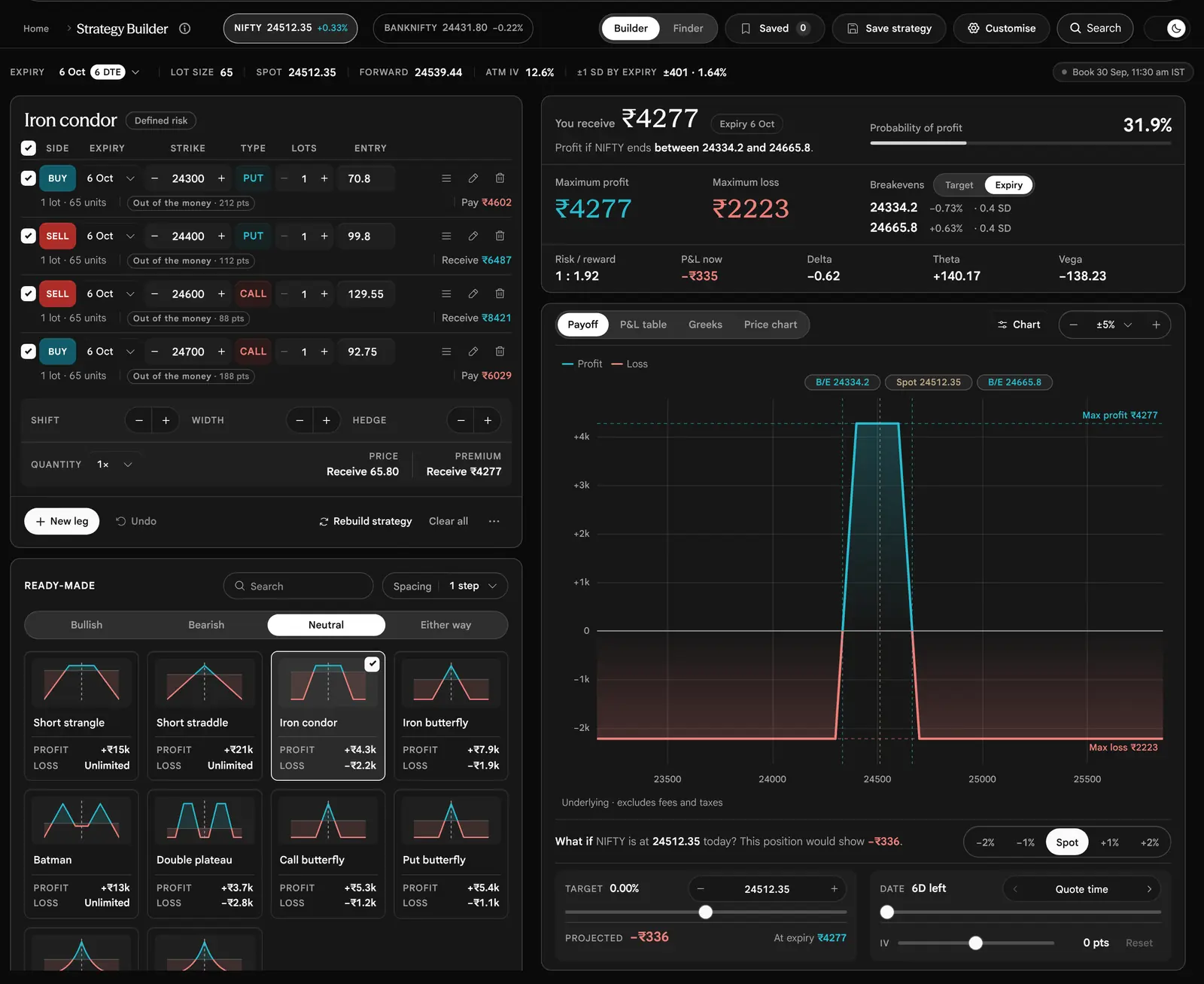
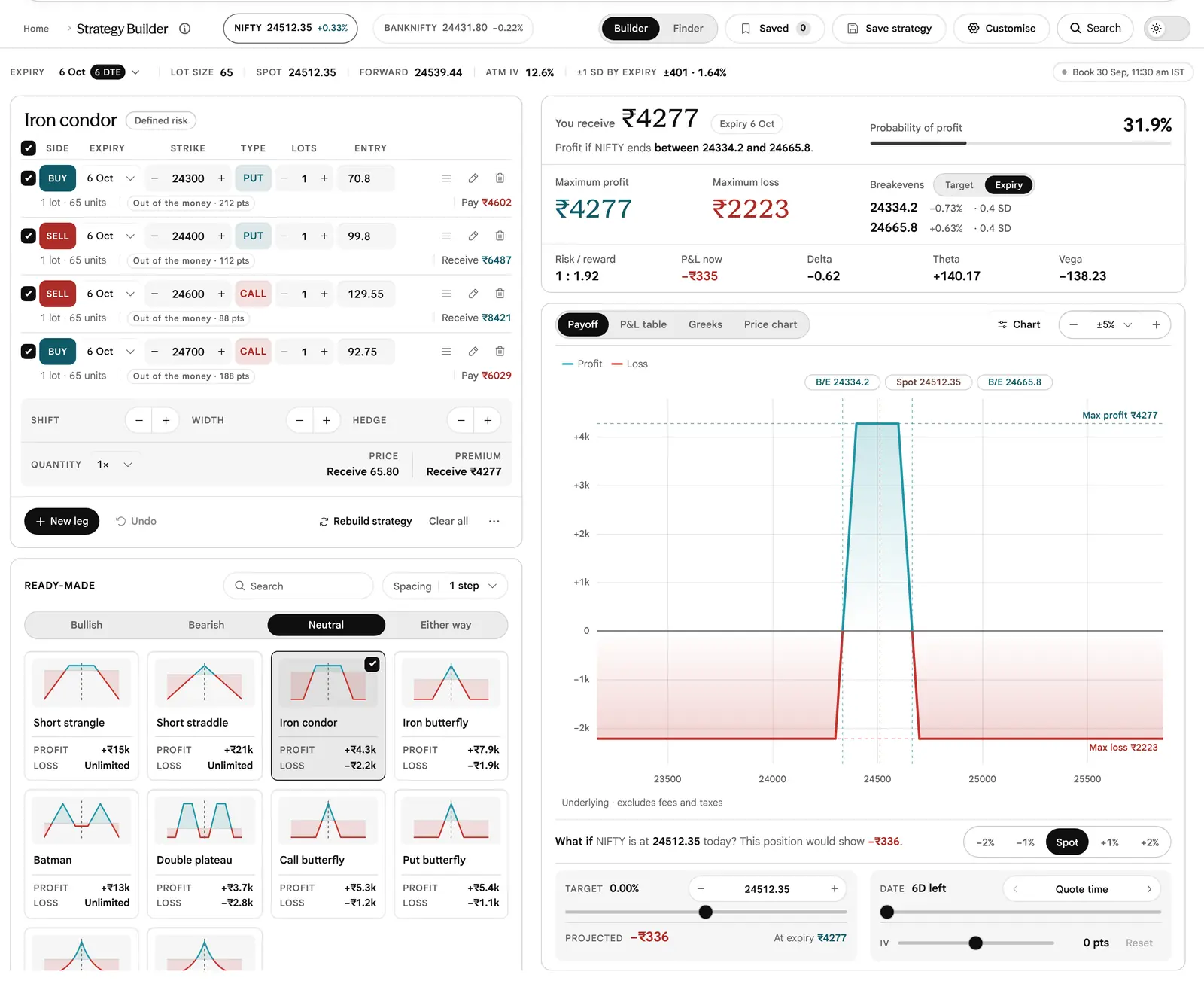
- Page barBuilder and Finder, Saved, Save strategy and Customise.
- Book stripExpiry, Lot size, Spot, Forward, ATM IV and ±1 SD by expiry, then the time of the data (“As of …”).
- Your positionThe structure’s name and risk tag, one row per leg, Shift, Width, Hedge, Quantity, the basket price and premium, New leg and Undo.
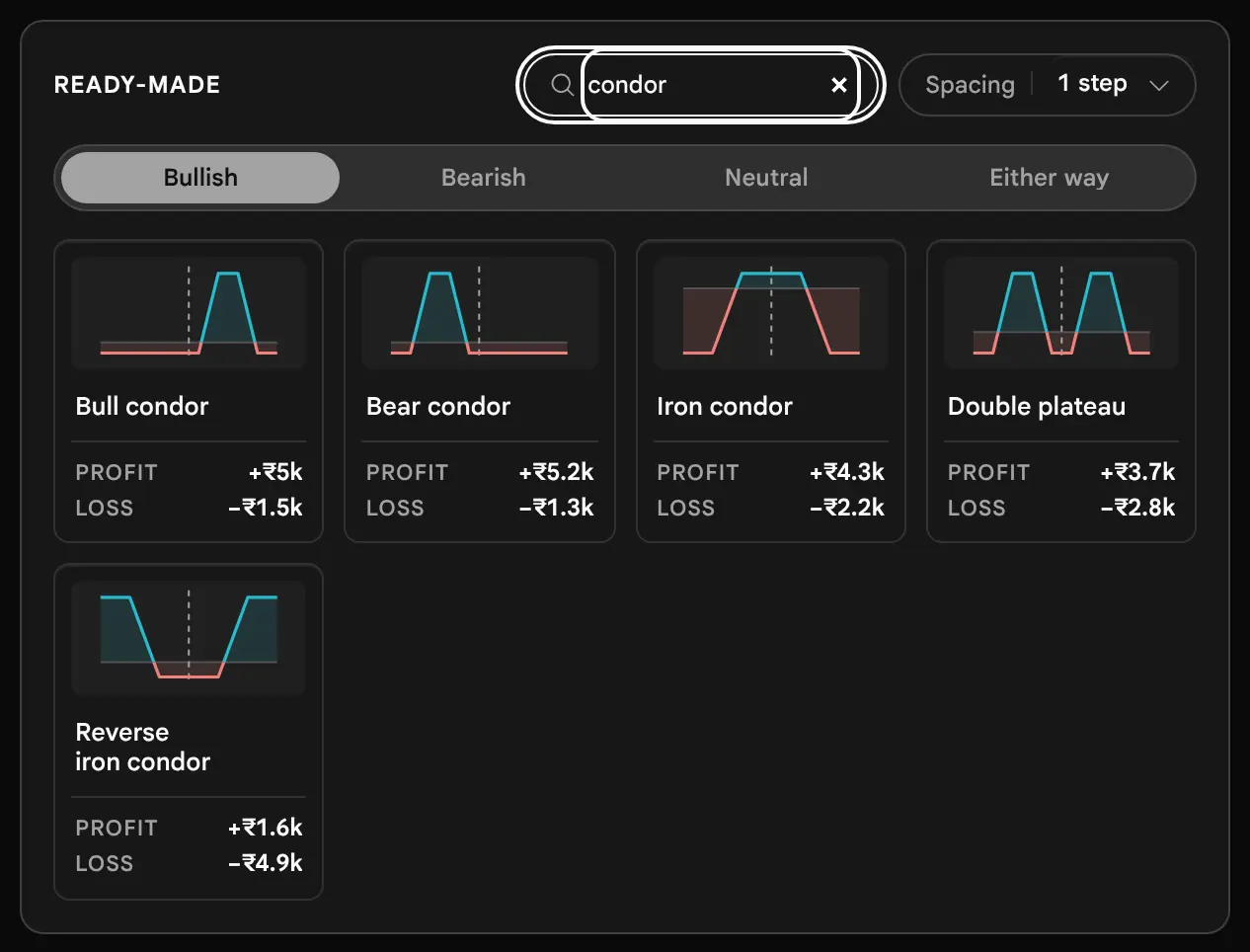
- Ready-made45 strategies in four views, with a search and a Spacing choice.
- Figures cardWhat you pay or receive, the verdict line, chance of profit, maximum profit and loss, breakevens, risk and reward, P&L at LTP, Delta, Theta and Vega. Intrinsic and time value sit in the card behind You pay.
- Payoff analysisFour tabs, Payoff, P&L table, Greeks and Price chart, with the What if controls under the first two.




The Book Strip, Cell by Cell
| Cell | What it prints |
|---|---|
| Expiry | The selected expiry with its days to expiry. Changing it rebuilds a loaded ready-made for the new expiry and says so on the status line; a position you edited by hand is left alone. |
| Lot size | Units in one lot. It is read from the chain, or from the app’s underlying list when the chain does not carry it. Exchange lot sizes change by circular, so read it off the page and do not assume it (65 in the pictures is the invented chain’s). |
| Spot | The underlying’s price in the chain. |
| Forward | The price implied by put–call parity for this expiry. A futures leg is priced here, because the feed carries no futures quote. |
| ATM IV | The at-the-money implied volatility (IV) of this expiry, as a yearly percentage. |
| ±1 SD by expiry | The one standard deviation (1 SD) move that the at-the-money implied volatility (IV) prices in by the selected expiry: spot × implied volatility × the square root of the time left. It is a pricing convention, not a forecast. |
| As of | “As of 30 Sep, 11:30 am IST”: the time of the data. It reads the same way when the page shows a stored reading instead of the current chain, so read the time itself, not only the word (when a stored reading is shown: not yet verified). |
Three Ways to Start
How do I get a position on the screen?
There are three ways in, and they can be mixed freely: pick a ready-made strategy, build from blank with single contracts, or arrive from the Finder with a basket it has already priced.
1. From a Ready-Made Strategy
The tiles under your position are grouped by the view you hold about the underlying: Bullish (16 strategies), Bearish (13), Neutral (10) and Either way (6). Each tile shows a small payoff shape, the name, and the strategy’s Profit and Loss on the selected expiry, in short form such as +₹3k or −₹3.5k. Where a side has no cap, the tile prints Unlimited. A calendar or diagonal has legs on two expiries, so its tile shows the net debit and “Two” expiries instead.
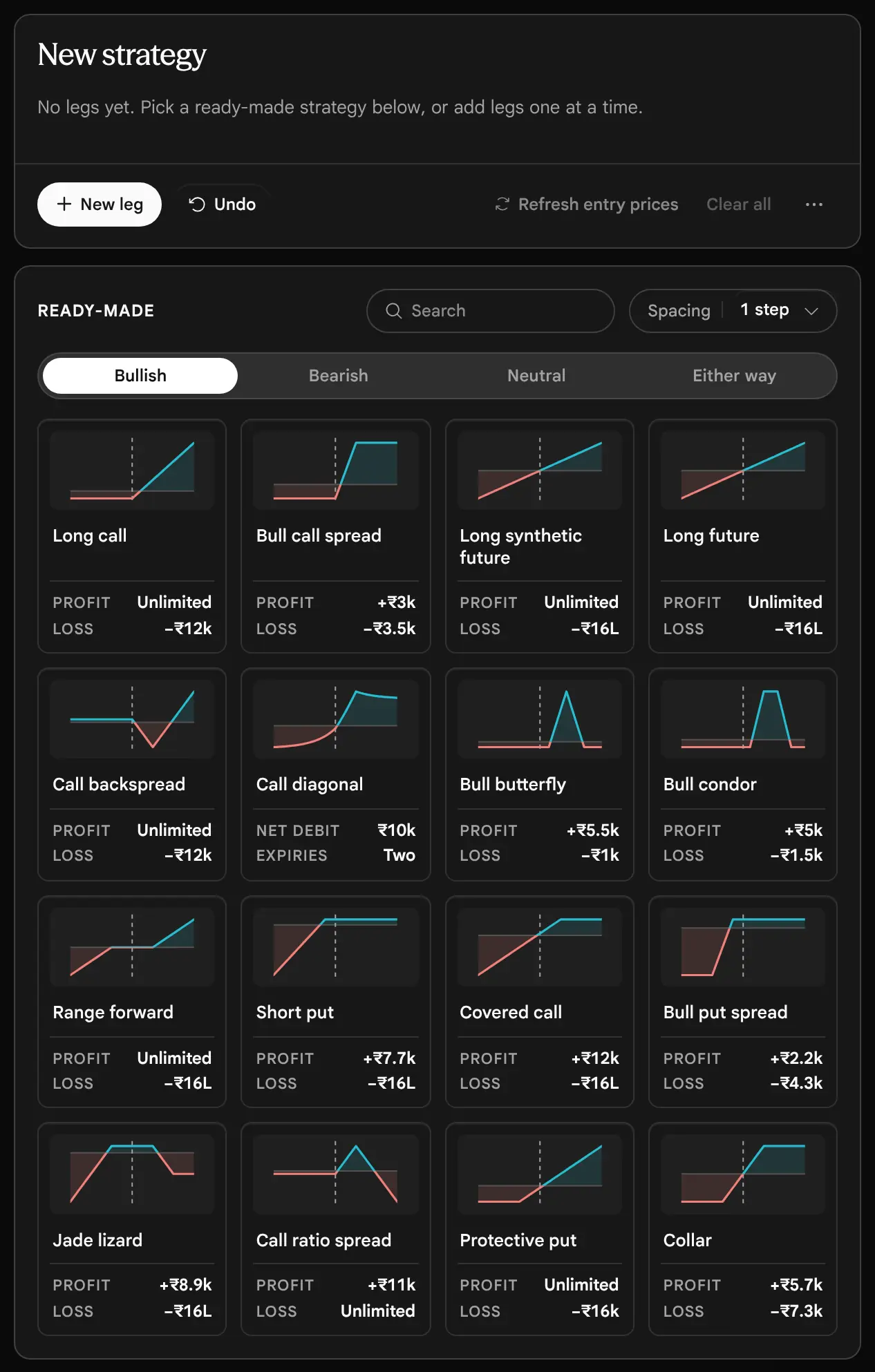


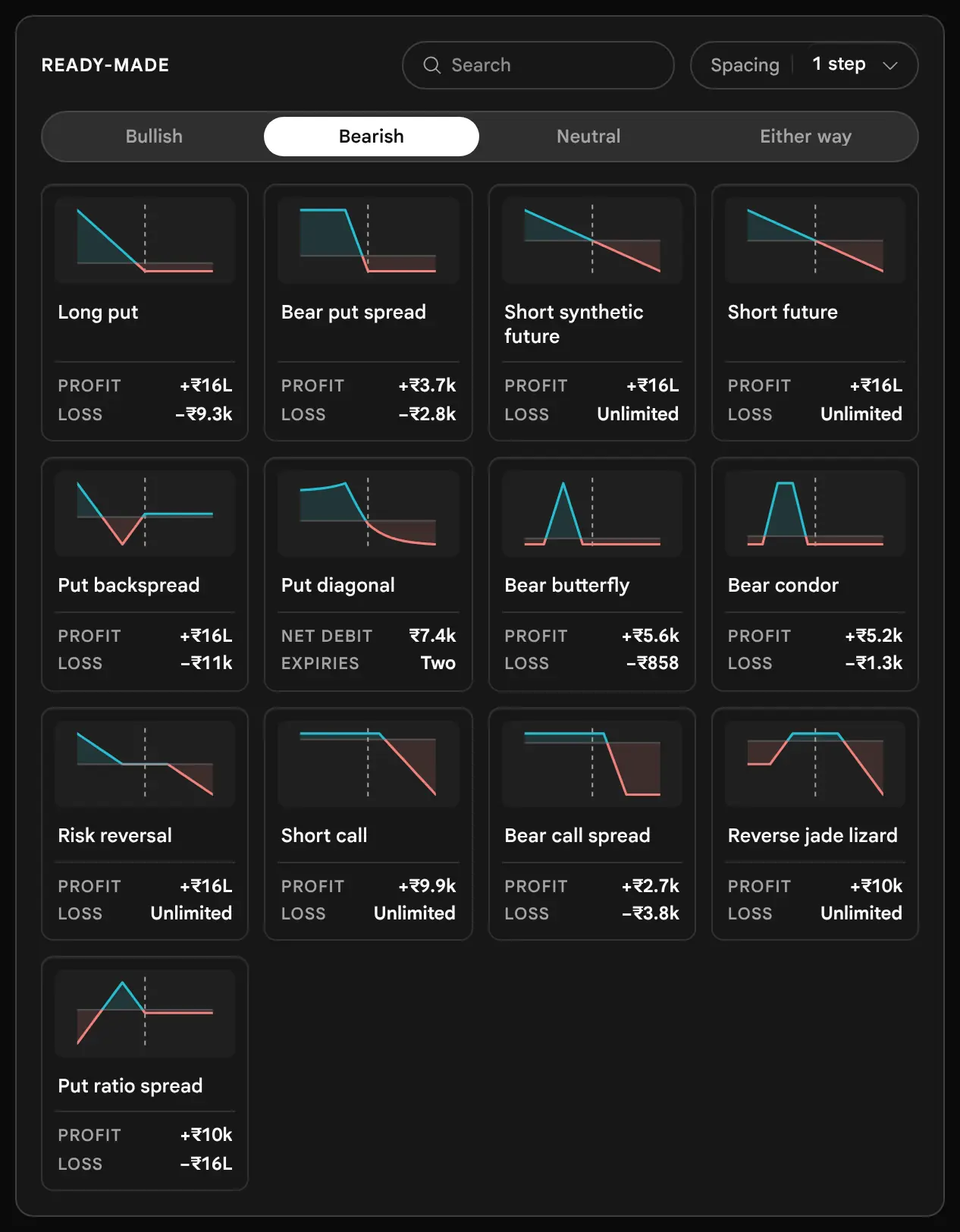

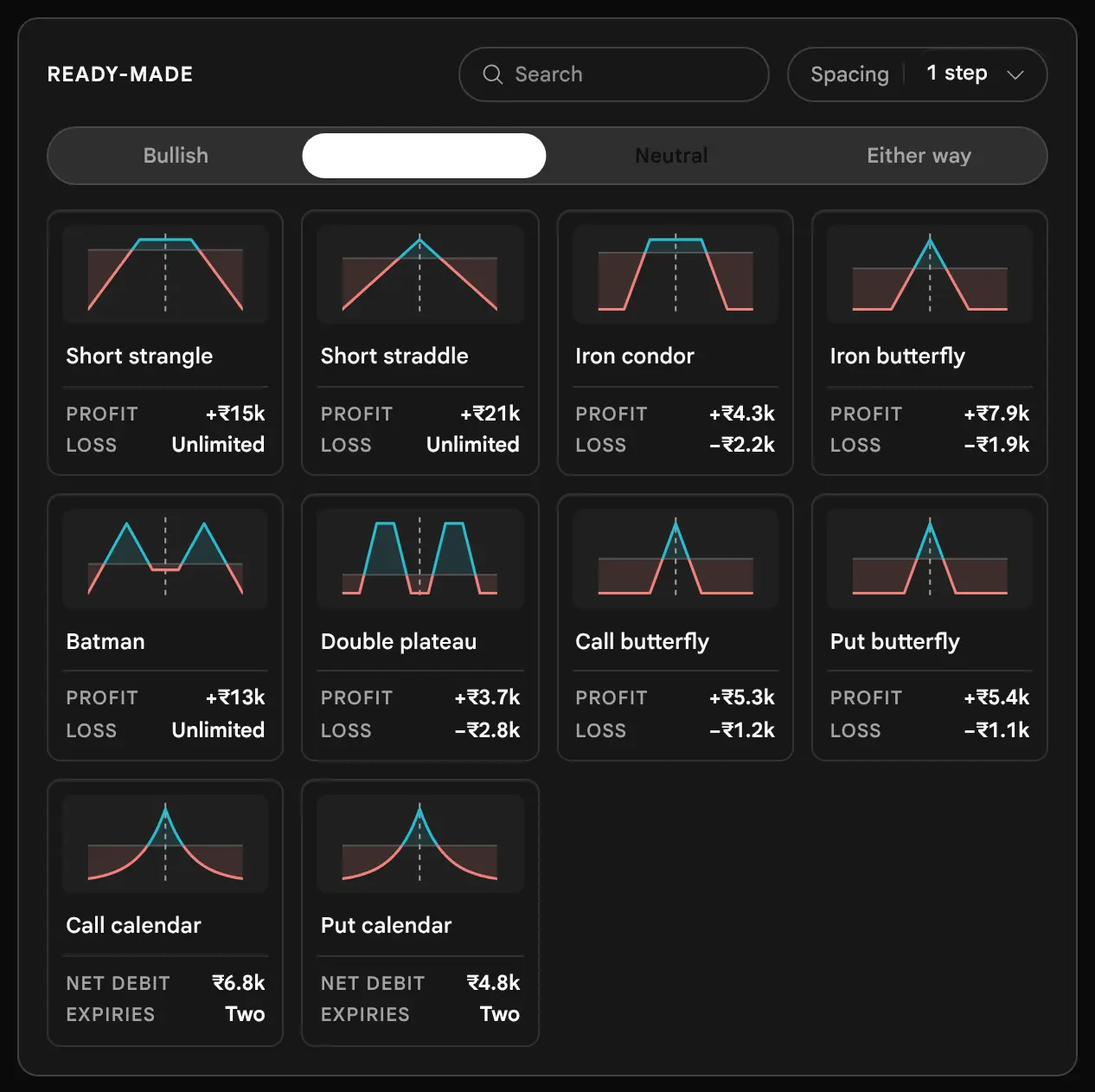
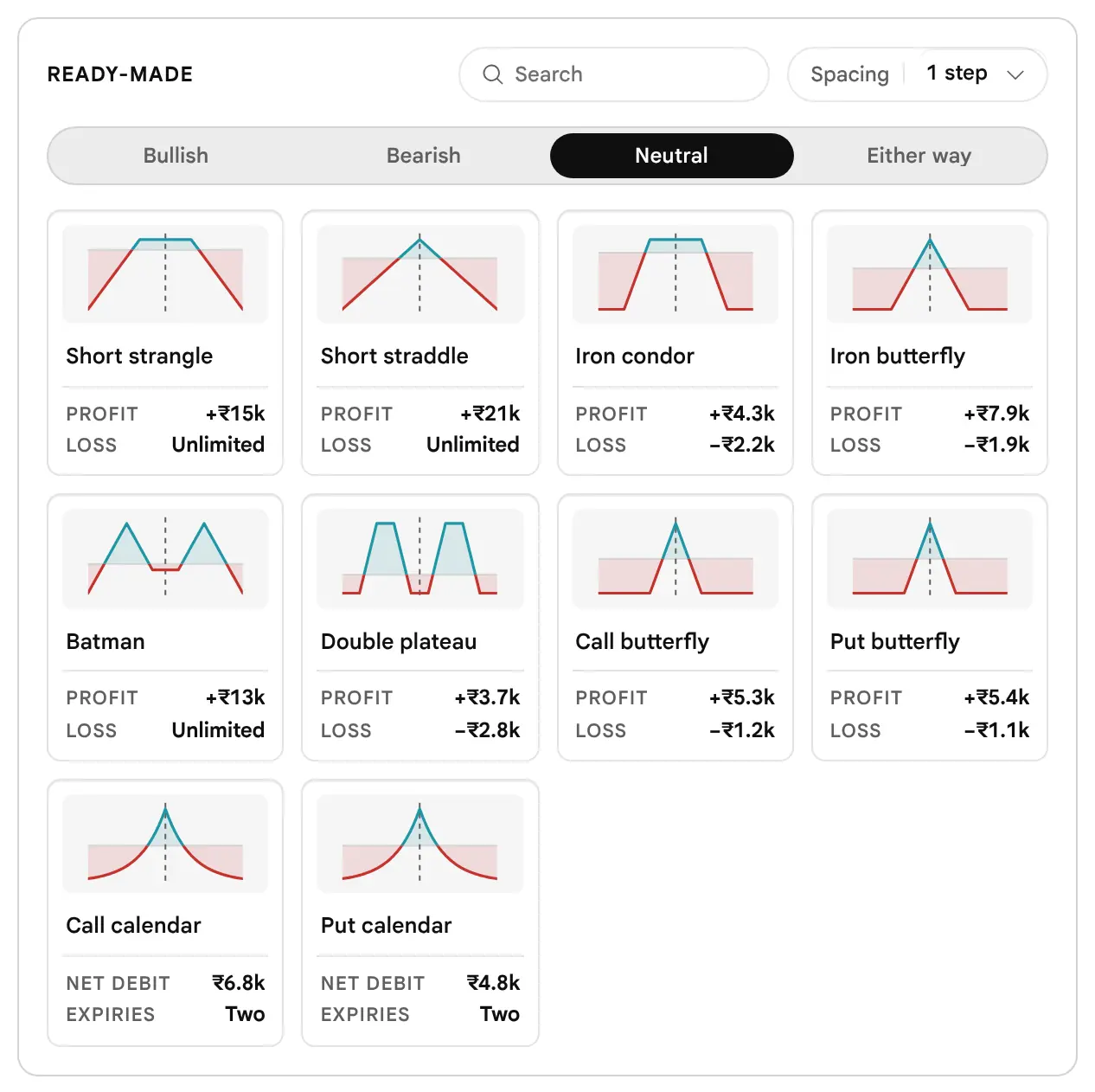
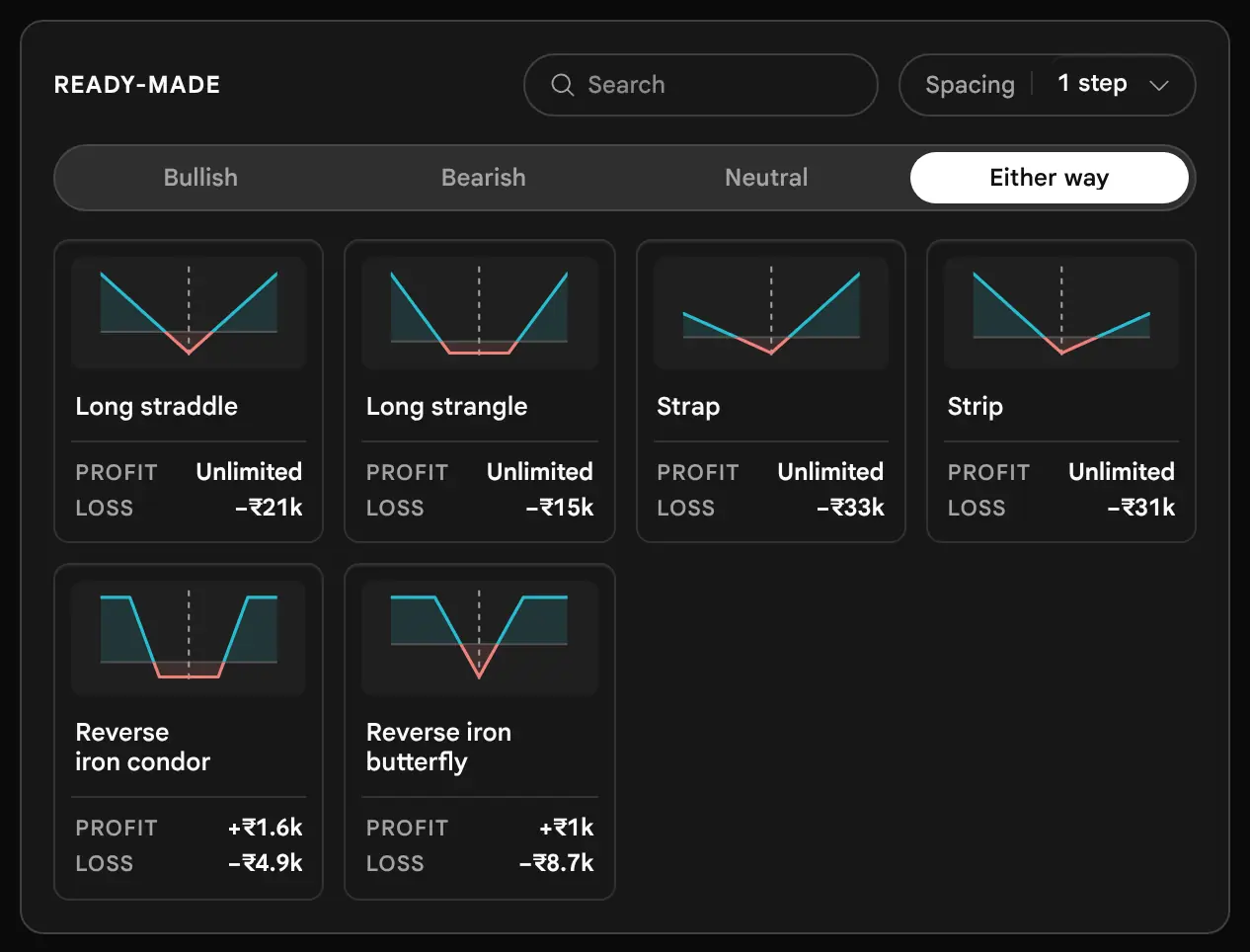


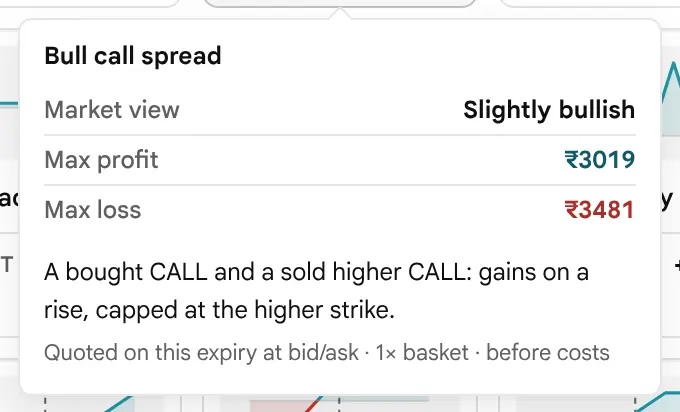
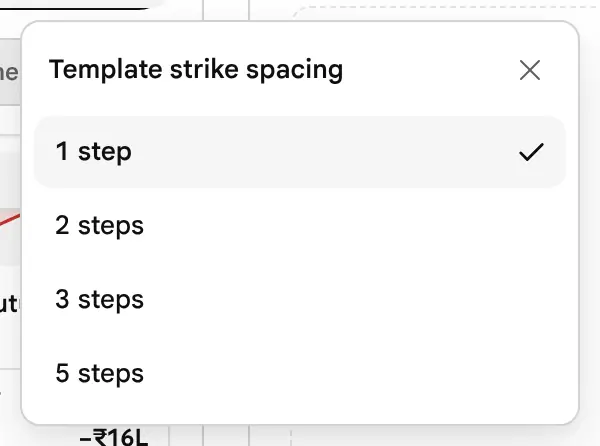
Pressing a tile loads the strategy at the current at-the-money strike: its legs sit at fixed numbers of listed strikes from the at-the-money strike, multiplied by the Spacing choice (1, 2, 3 or 5 steps; the default is 1). On a ladder listed every 50 points (the pictures’ chain; other underlyings differ), a Bull call spread at Spacing 1 buys the at-the-money Call and sells the Call two listed strikes above it, a gap of 100 points; at Spacing 2 the gap is 200 points. Pressing a tile resets the Quantity to 1× and clears any What if setting. Changing Spacing rebuilds a loaded ready-made at once.

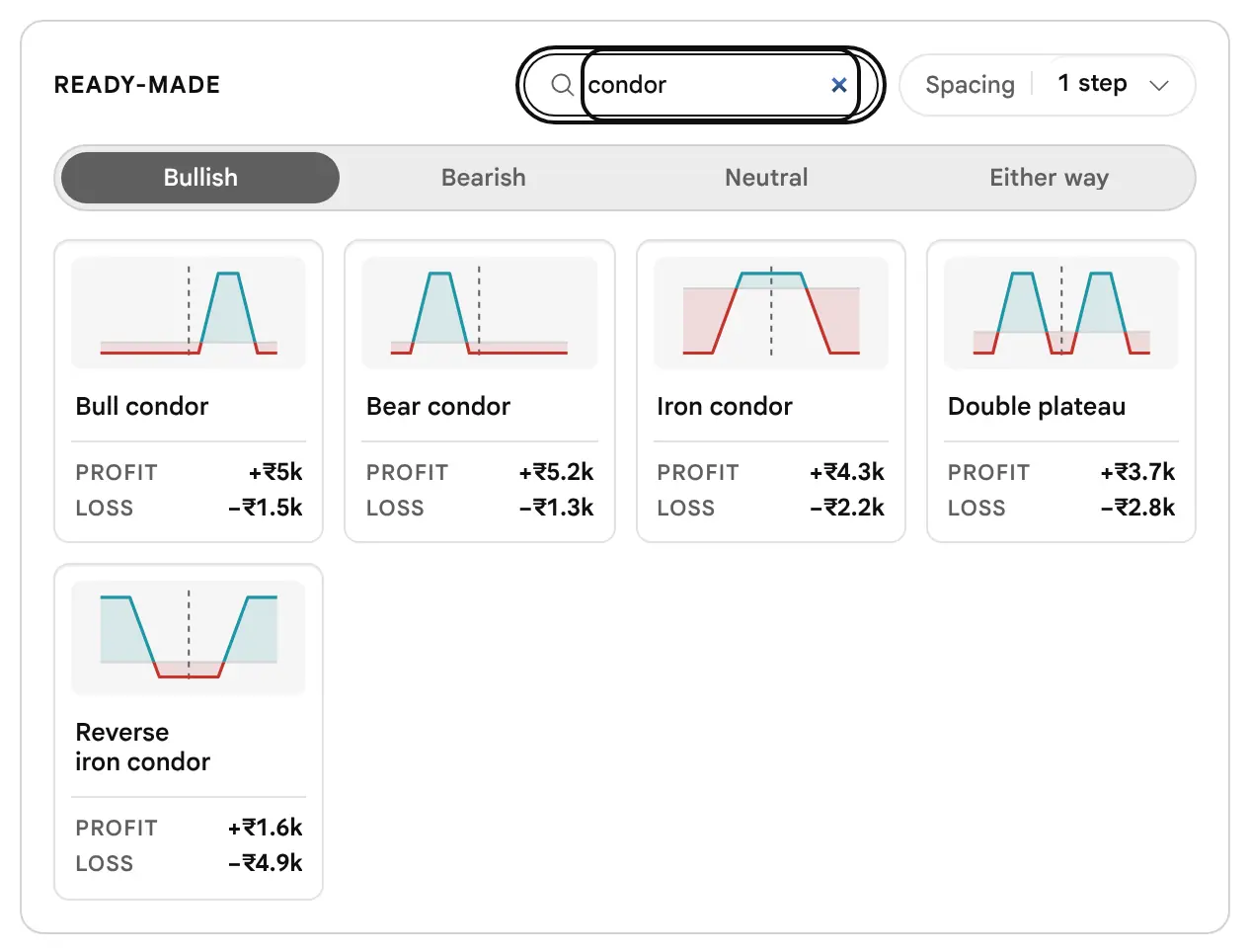
A Tile Is a Starting Point, Not an Answer
The payoff shape drawn on a tile is a sketch with nominal premiums, so it is only ever a shape. The figures under it are quoted from the loaded chain. Neither says the strategy suits the market today. Load it, then read the legs and the payoff as this guide describes.
Your First Position: a Bull Call Spread, Step by Step
If you have only ever bought single options, a simple structure to look at first is the Bull call spread: it has two legs, its most it can lose is the premium you would pay, and its most it can make is fixed. Because the page places no order, every position built here is a practice position. Build it, read it, and only then decide anything.
Load it
Under the Ready-made tiles choose Bullish, then press Bull call spread. Its two legs appear: a bought Call at the at-the-money strike and a sold Call above it.
Read the loss first
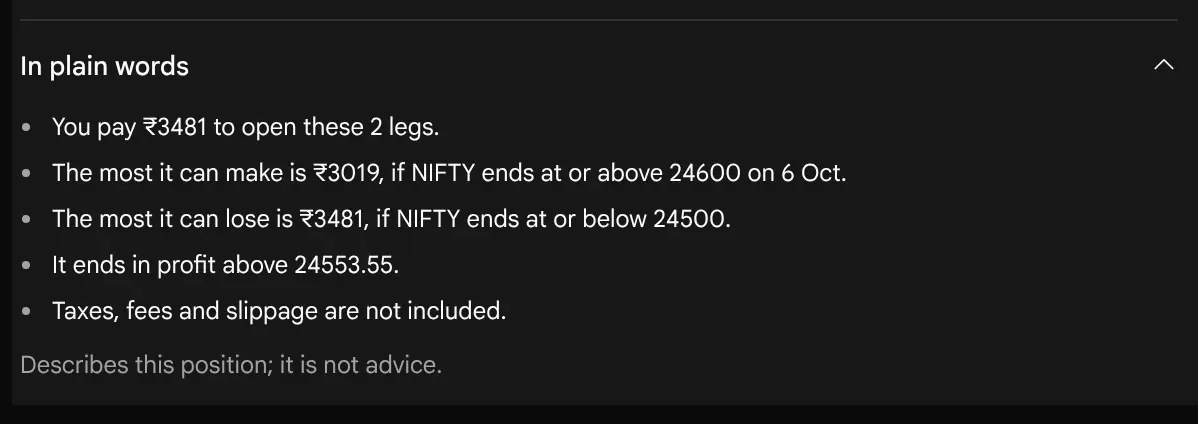
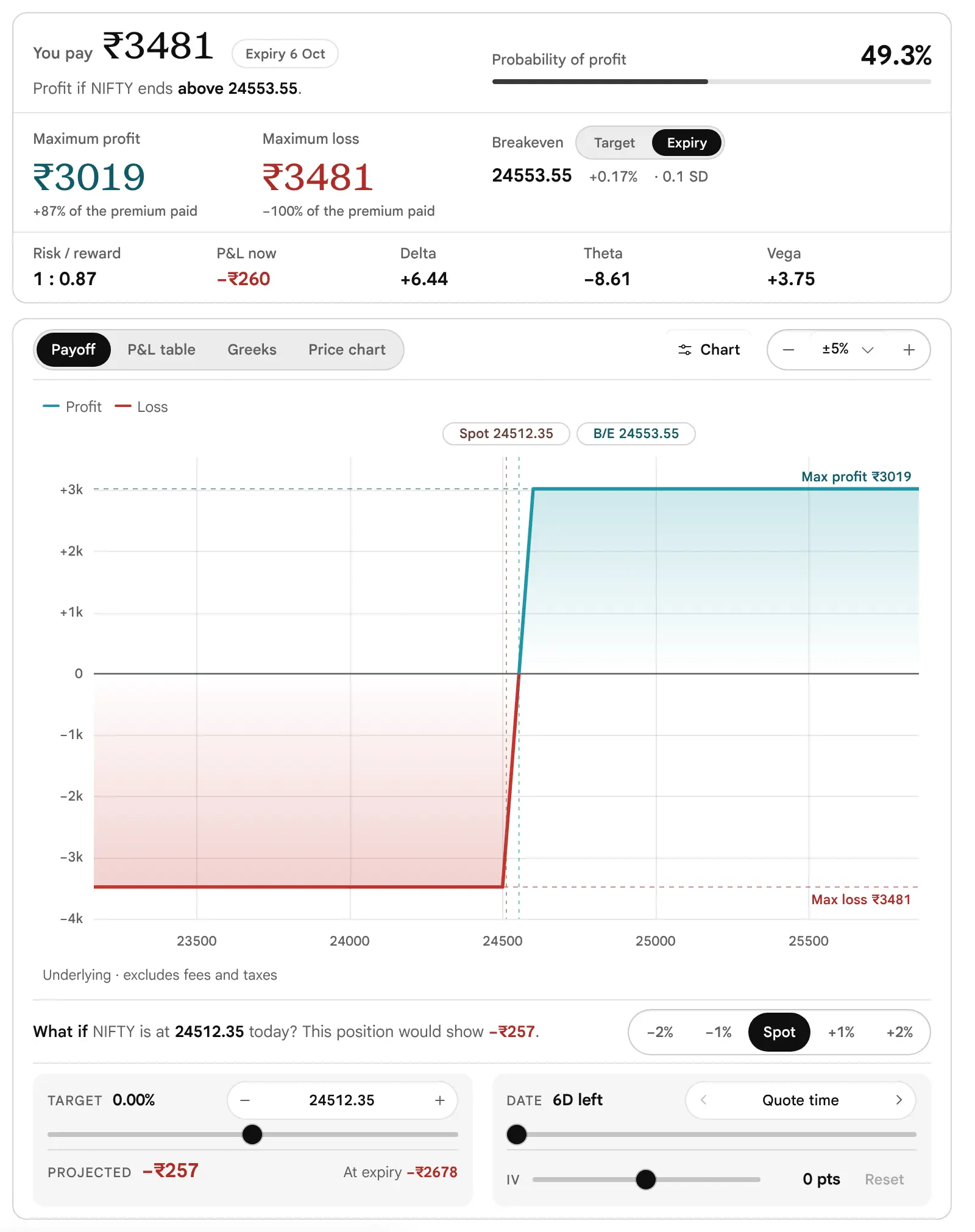
On the figures card read Maximum loss. On the pictures’ chain it is ₹3481, and it is the whole of what the spread costs: if the price ends at or below the bought strike, that is what is lost, and no more.
Read where it breaks even
The Breakeven is the price at which you get your money back. Here it is 24553.55, a little above the price now: the market has to rise that far before the position earns anything at expiry.
Read the reward and the chance
Maximum profit is ₹3019 and the model’s chance of profit is 49.3%. Neither says whether to trade it.
Move one thing
Press the plus on Shift, then Undo. See how the cost, the breakeven and the maximum loss change when the strikes move up, and how Undo puts them back.
Write it down, then stop
Note the maximum loss and whether you could accept it. Nothing has been traded. Come back to the checklist before a first spread when you are ready to think about a real one.
2. From Blank
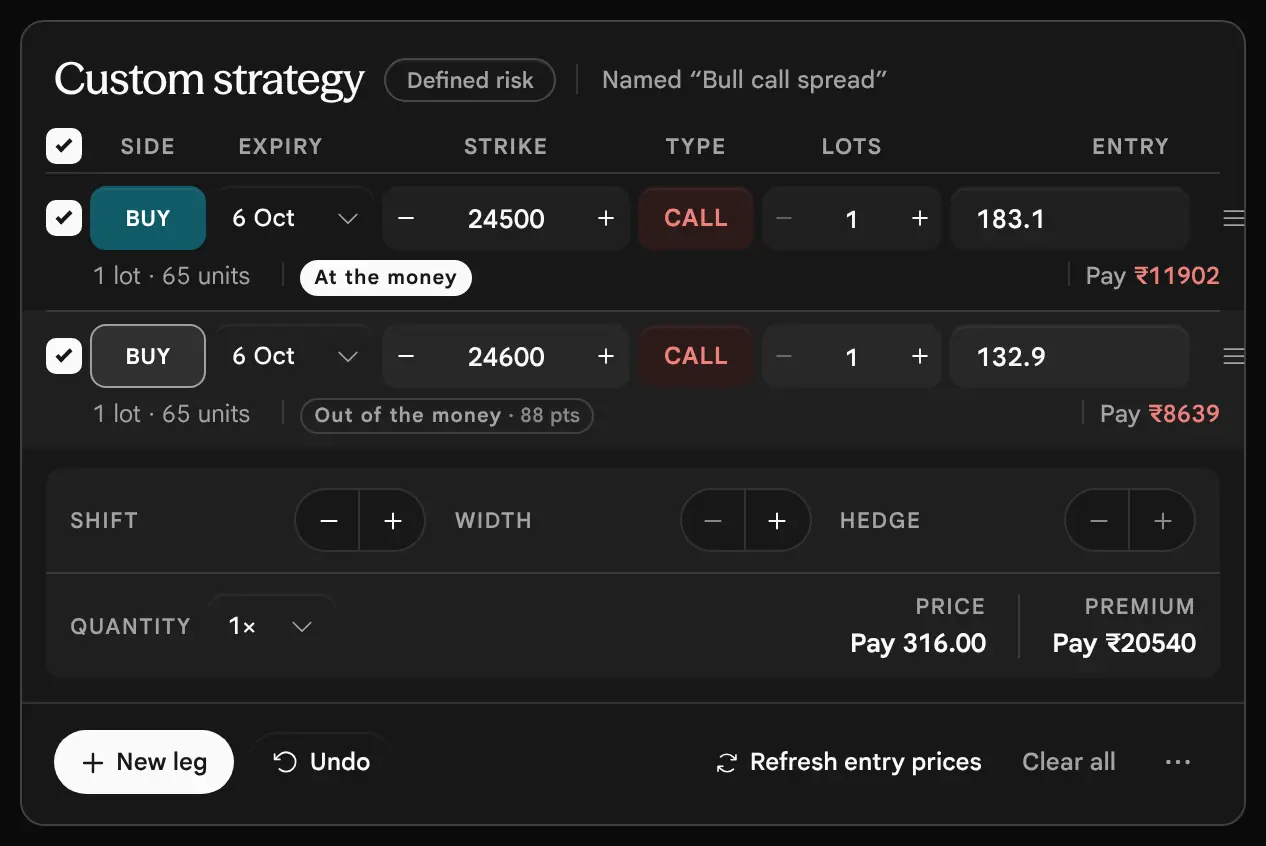
Press Clear all, then New leg and add contracts one at a time. This is the way to build a structure the tiles do not offer, such as a Bull call spread with an extra bought Put as a hedge. The next part takes the New leg line step by step. A hand-built position that matches a ready-made one is given its name automatically, so the page still says “Iron condor” when you assemble one from four legs.
3. From the Finder
The Builder | Finder switch in the page bar changes the page from building one position to scanning for many. The Finder is the strategy scan that used to sit in the Options Scanner. When you open a result from it, the builder opens on that basket with the Finder’s reviewed entry prices and its costs, and the book strip adds a cell that names the source. The last part of this guide covers the Finder and what it hands over.
Reading It on a Phone
How do I use it, and this guide, on a phone or a tablet?
Below about 1100 pixels of width (or 640 of height) the two columns become one. The legs and the Ready-made tiles come first, then the figures card, then the payoff analysis. Because the figures are further down the page, a bar appears at the bottom once the figures card has scrolled out of view, with the maximum profit, the maximum loss and the chance of profit, and a Details button that takes you back to the card.
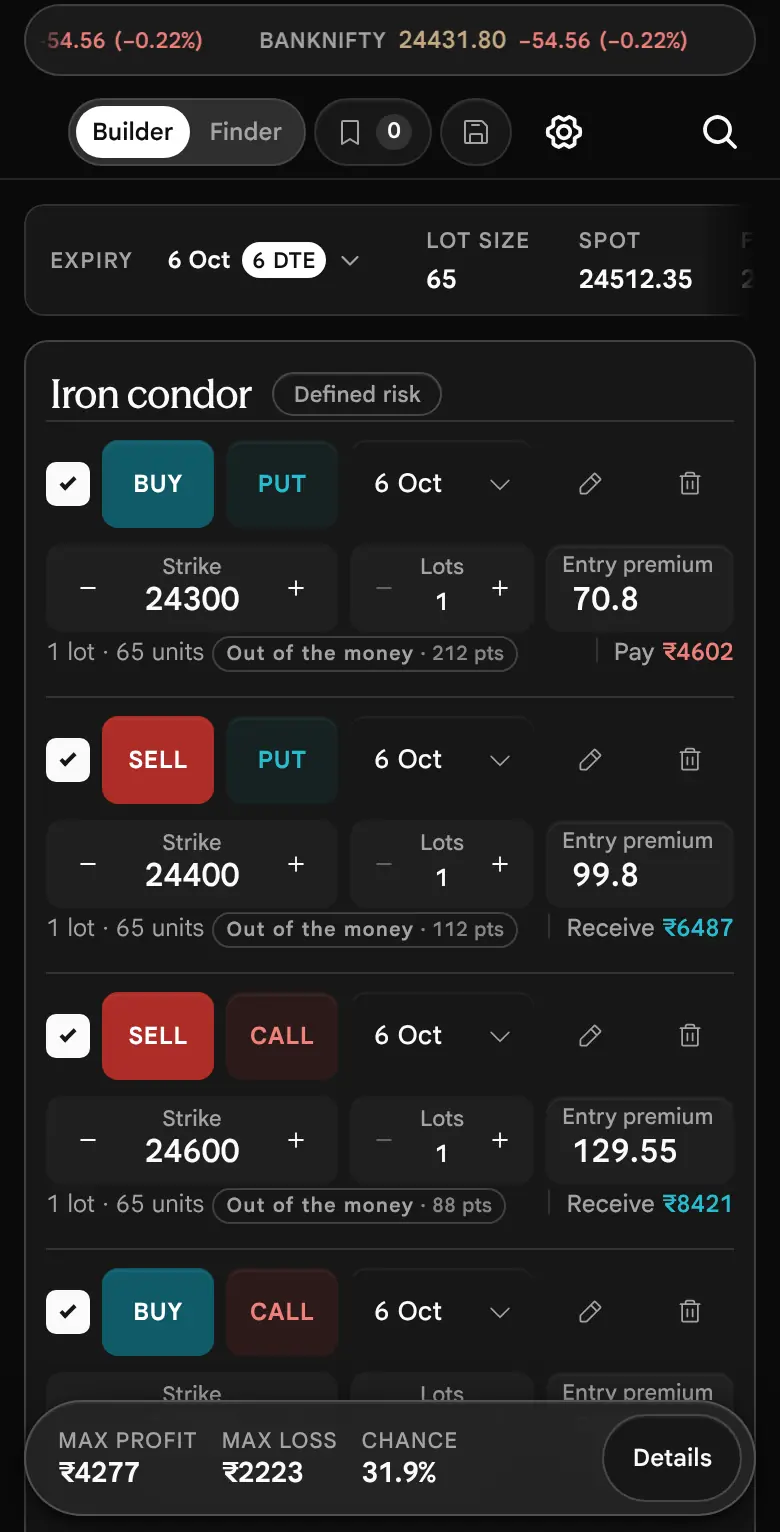
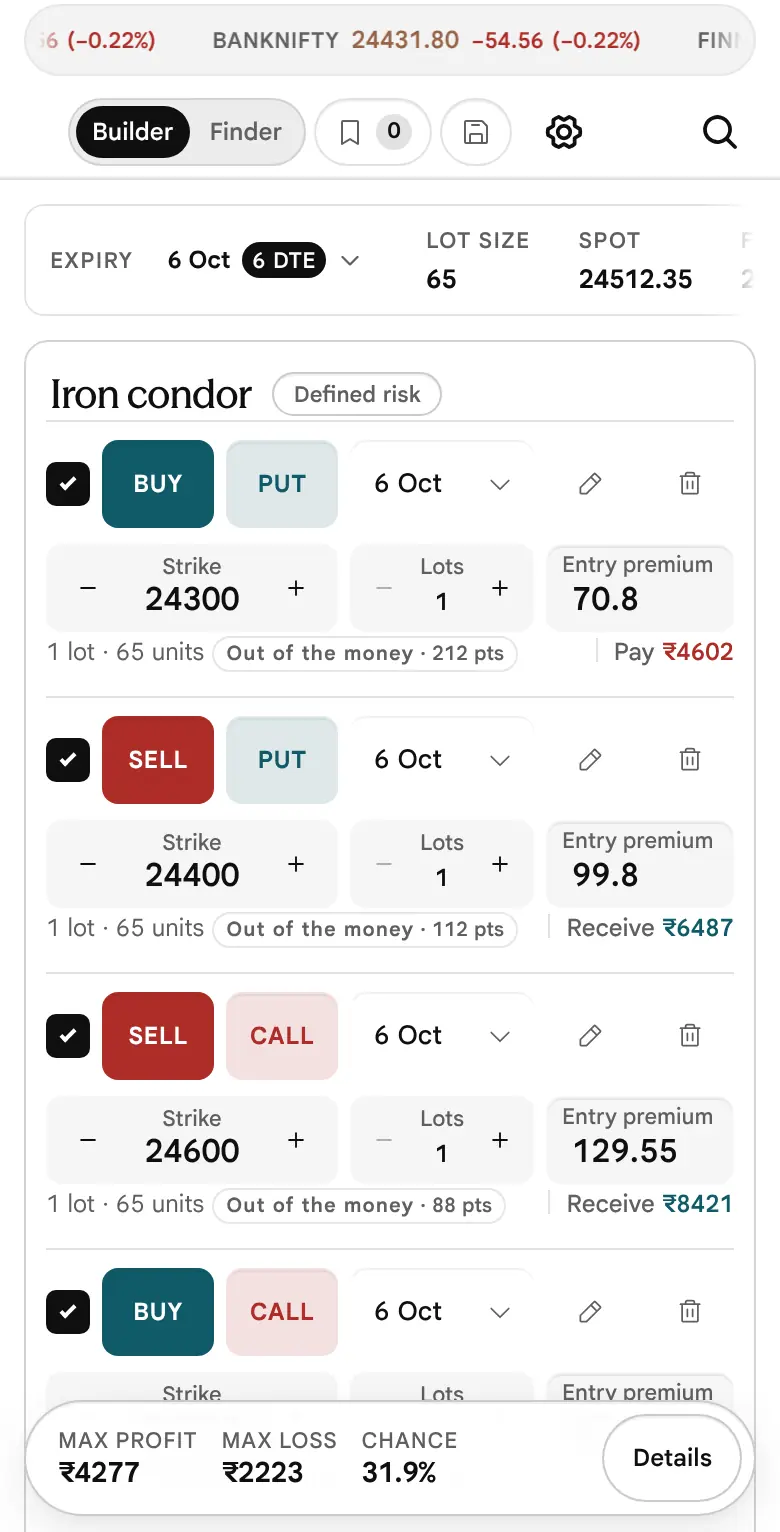


- On a tablet. The cards are in one column, as on a phone. The strip keeps Expiry, Lot size, Spot, Forward, ATM IV and ±1 SD by expiry on one line, and the “As of” time takes a short second line of its own. On the figures card, Risk / reward, P&L at LTP, Delta, Theta and Vega share one row.
- Pictures in this guide. A wide picture of the page is wider than a phone screen, so it sits in a frame that scrolls sideways. Swipe along it; the right edge fades while there is more to see. Enlarge above a picture opens it full size on top of the page (Escape, the Close button or a tap outside closes it). Tables in this guide scroll the same way.
- Order of the screen. Legs first, then the figures card, then the payoff analysis. The bar at the foot keeps Max profit, Max loss and Chance in view once the figures card has scrolled away; Details takes you back to it.
- Setting a target. Drag sideways on the chart; drag up or down to scroll the page.
- The cards. Tap a figure or the list icon on a leg to pin its card; tap elsewhere to close it.
- Customise. On a phone it is opened from the gear in the top bar of the app, not from the page bar (read from the code, not tried on every phone).
A hover card does not open by hovering on a touch screen. Tap the figure or the list icon: a tap pins the card, and a tap anywhere else closes it. The chart reads under a finger, and a horizontal drag sets the target while a vertical drag scrolls the page.
The phone and tablet layouts were read from the page’s style sheets and the pictures. They were not tried on every device (not tested on every device).
Risks in One Place
What can go wrong, in plain words, before I go further?
The Strategy Builder shows what a position pays. It does not make a position safe. Selling options can lose more than the money you put up, and the risk disclosure in the footer of every Sahi page quotes SEBI’s own finding for this segment: 9 out of 10 individual traders in equity Futures and Options incurred net losses. Read that, then the list below.
- Sellers can lose more than they put in. A sold Call, a sold Put or a short strangle with nothing bought to protect it has a loss that grows with every point; the page prints Unlimited where there is no cap on the upside. A position tagged Defined risk can still lose a very large amount (why).
- Margin is a separate number, and calls for more can come. Your broker blocks margin to let you hold a sold position, and it can change. The page does not compute it (Costs, taxes and margin).
- Expiry day moves fast. Near expiry the value of a position near the money can change sharply over a few points; the Greeks on the page are measured at today’s price and do not show that (Expiry day).
- A quote is not a fill. Thin contracts with a wide bid–ask spread cost more to enter and to leave than the page’s entry price suggests.
- Costs are zero until you enter them. Charges and taxes can turn a small profit into a loss.
- Models are not forecasts. The dashed line, the Greeks and the chance of profit are model values. Only the figures at expiry are exact arithmetic.
- Stale or frozen inputs. A position keeps the price and implied volatility it had when each leg was added; a saved strategy reopens with its old premium.
This guide describes a tool. It is education, not advice, and it never says what to trade. A practice habit that costs nothing: build the position here, write down the most it can lose, and decide whether you could accept that loss before you think about the reward.
The question each topic answers
Building a Leg, Step by Step
What are the six choices in a leg, and where does its price come from?
Four Words Before the Steps
A Call gains when the underlying rises above its strike; a Put gains when it falls below. To buy an option is to pay a premium for that right, and the most you can lose on that leg is the premium. To sell an option is to receive the premium and take on the obligation, and what you can lose depends on how far the price goes against you. A leg is one such choice: buy or sell, Call or Put, one strike, one expiry, a number of lots, at a price.
Every leg of every strategy is made of the same six choices. The New leg line puts them in one row, in the order you would decide them. Nothing you choose there changes your position until you press Add, so the line is safe to explore.
-
Press New leg
The button sits under the legs. It opens a line on the same columns as the legs above it, and shows the leg that is not yet in your position. Press the cross at the end of the line to close it without adding.


Look at: the price at the right, with the word Ask beneath it, and the line of small print: the estimated debit, the units, and the Quantity multiplier. The chips now read Buy and Call, in sentence case. (Picture taken before the page changed on 19 October 2026: picture not retaken.) -
Choose Buy or Sell
The green Buy chip and the red Sell chip are one button. Press it to flip. The price below follows the side: a buy is priced at the ask, what a seller is asking, and a sell at the bid, what a buyer is offering. These are the sides of the quote a market order would meet.
-
Choose the expiry
The list holds the expiries the chain offers. A leg on another expiry is priced from that expiry’s own chain, which the page loads when you choose it. If those quotes cannot be loaded the line says so and offers Manual entry instead.
-
Choose the strike
The strike list is searchable and holds every strike of the chosen expiry. The at-the-money strike is marked “At the money”. On a leg that is already in your position, the minus and plus beside the strike walk to the next listed strike, and typing any number is allowed.
-
Choose Call or Put
The red Call chip and the green Put chip are also one button. Press it to flip. The colours follow the option chain, where the Call side is red and the Put side is green. They say which side of the chain the contract is on, not whether it is good or bad.
-
Set the lots
Lots are whole numbers from 1 to 10000. One lot is the contract size shown in the book strip, so 3 lots of a contract with a lot size of 65 is 195 units. The line prints the units and the estimated debit or credit, so you can see the cash before you add.
-
Read the price
The price is the premium per unit, with its basis beneath: Ask, Bid, Mid or Last price. Last price appears only when the quote on the side you need is missing, so treat it as a weaker price than a bid or ask. If there is no usable price at all, Add stays disabled and the line tells you why.
-
Press Add
The leg joins your position. The page now names the structure if the legs match a known one, or calls it “Custom strategy”. A position can hold up to 12 legs.
The Leg Row
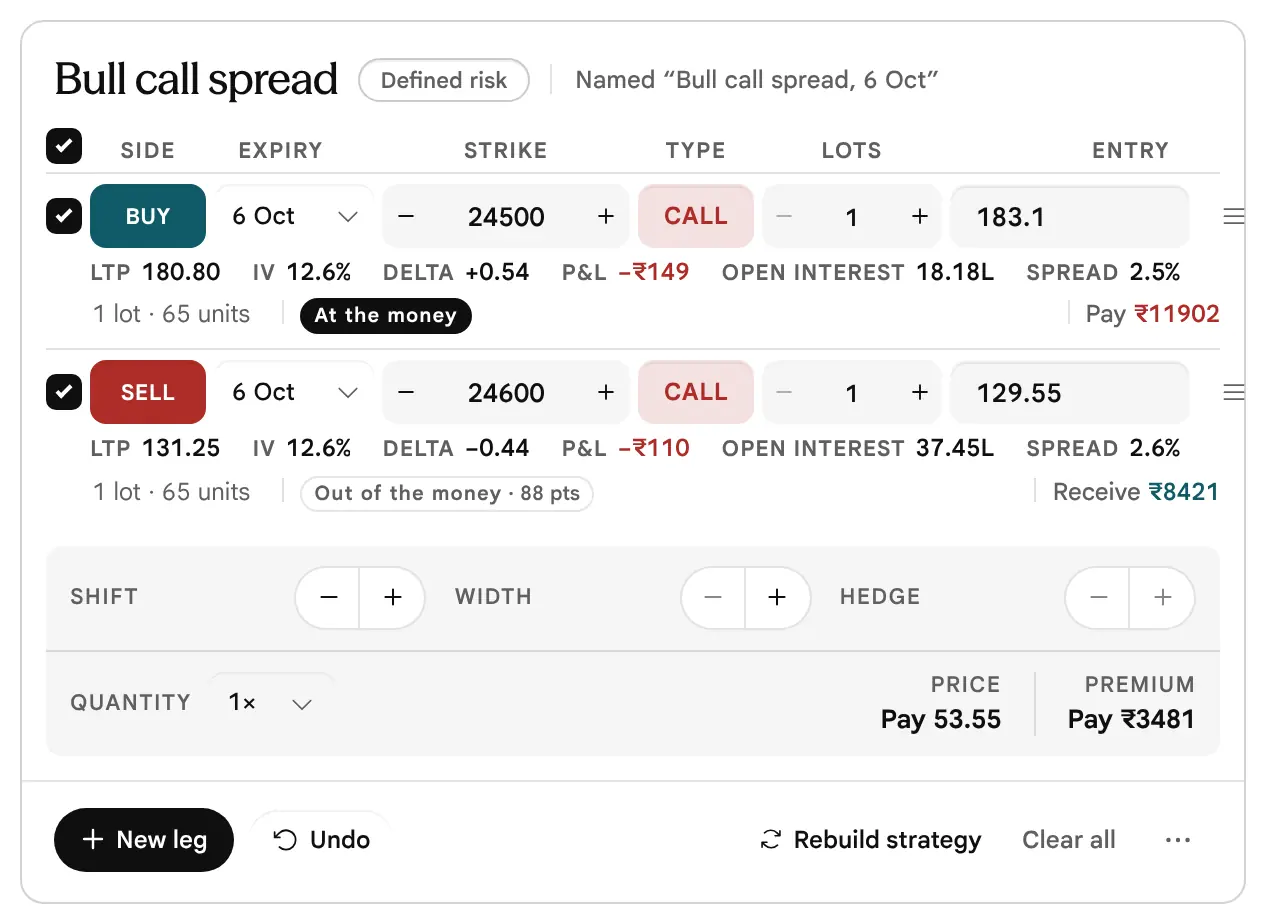
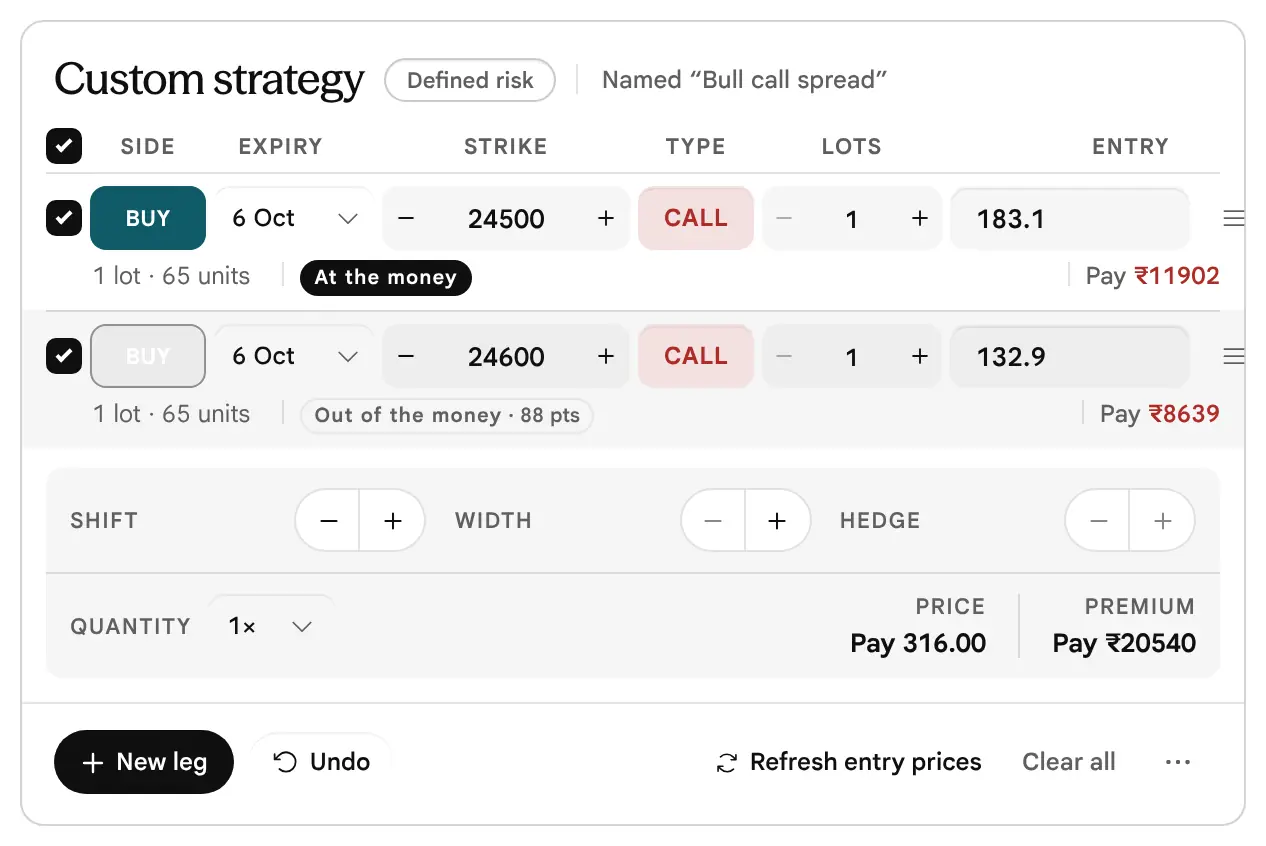
Once added, the leg is one compact row, and every part of it can be changed in place. The strategy below is a Bull call spread loaded from its tile: the first leg buys the 24500 Call, the second sells the 24600 Call.
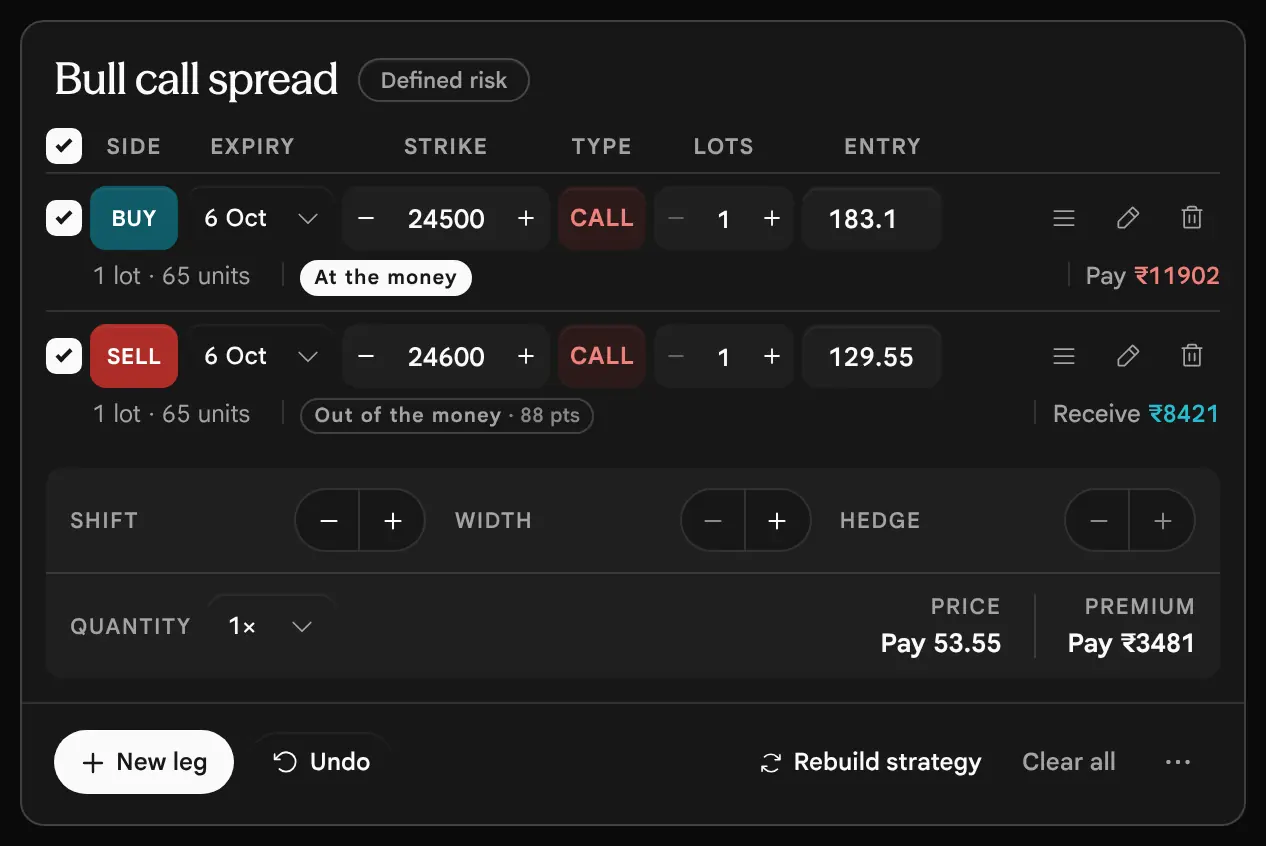



| Control | What it does |
|---|---|
| On switch | A switched-off leg stays on the page, marked “Not included in totals”, and is counted in no figure. It shows what the position would be without that leg. The switch in the column head turns every leg on or off together. |
| Buy / Sell | A tap flips the side and prices the leg again at the new side’s bid or ask. |
| Expiry | Moves the leg to another expiry and prices it from that expiry’s chain. |
| Strike, minus and plus | Step to the next lower or higher listed strike of the leg’s own expiry, and price it again. A number typed by hand is priced if that strike is listed. If it is not, the leg turns to Manual, keeps its old premium, and the status line asks you to review the premium and implied volatility yourself. |
| Call / Put | A tap flips the type and prices the leg again. |
| Lots | Whole numbers from 1 to 10000, by the steppers or by typing. |
| Entry | The entry premium per unit (an entry price, for a future). Typing here marks the leg Manual. The cash paid or received is on the line beneath. |
| List icon | Opens the leg’s market card (below). |
| Pencil | Opens the leg’s details (below). |
| Bin | Removes the leg. Undo brings it back. |


The Strike Guide: See the Move Before You Make It
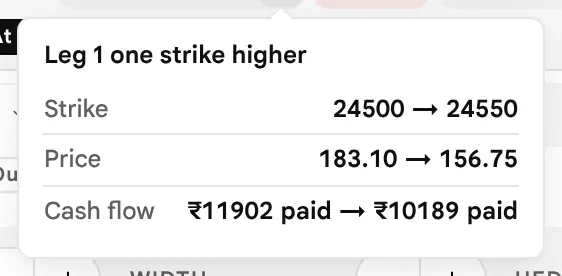
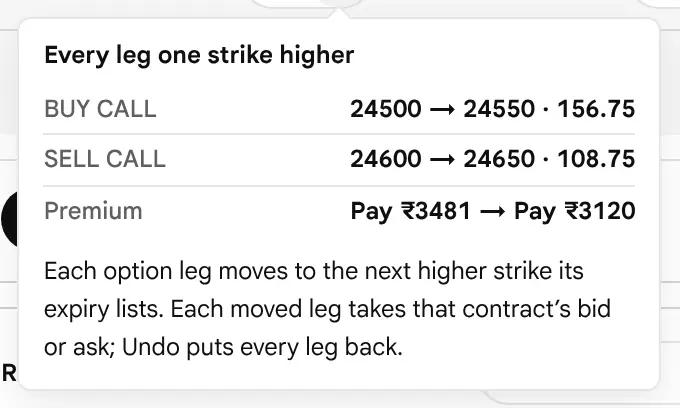
Rest the pointer on the minus or plus beside a strike, or tab to it, and a small guide opens: the strike before and after, the price before and after, and the cash flow before and after. A press moves the leg at once, and Undo reverses it.

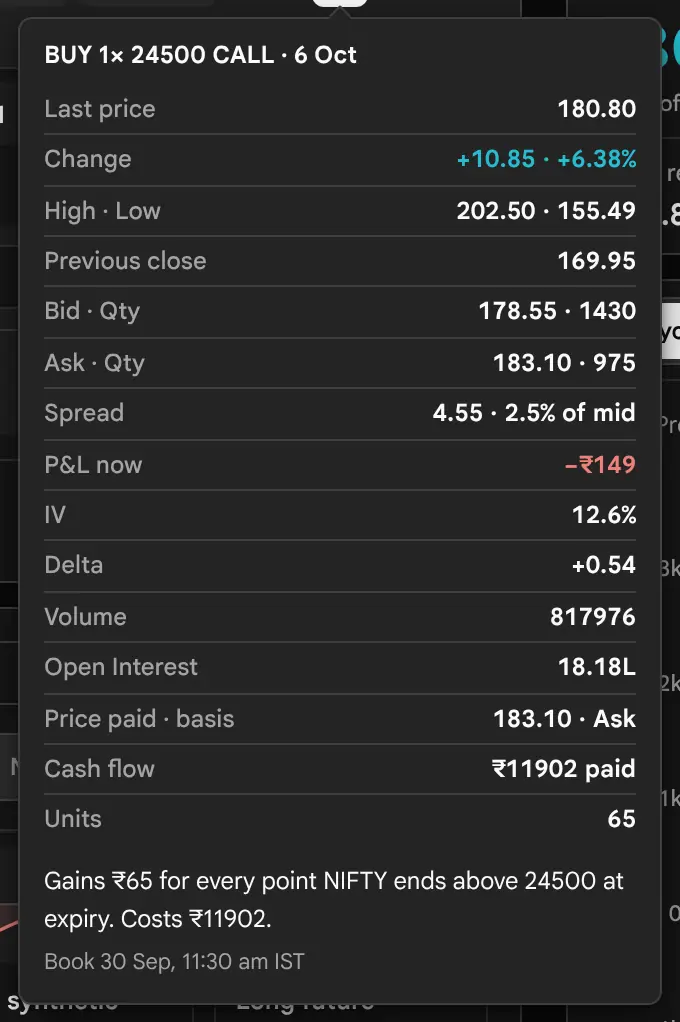
The Market Card of a Leg
The list icon opens everything the chain says about this contract. It opens when the pointer rests on the icon for about half a second, or when you press it. A press pins it open, which is how a phone or a keyboard reaches it. Escape or a second press closes it.

The Details of a Leg
The pencil opens the leg for editing. The first block, Frozen entry, states the price you entered at and its basis, and when it was priced, for example “Priced as of 30 Sep, 11:30 am IST”. The second shows the book as it is now: bid and ask with their sizes, and the spread. On a stored reading the sizes read “Depth unavailable”. Below them sit the fields that the row does not carry: the instrument (Call, Put or Future), the leg’s implied volatility (shown to two decimals), an expiry date, the units in a lot, and a Duplicate button.


Where the Entry Price Comes From
| Basis | When it is used |
|---|---|
| Ask | A bought leg, in the default Bid / Ask setting. |
| Bid | A sold leg, in the default setting. |
| Mid | Both sides, when Customise says to price new legs at the midpoint and the bid and ask are both present. |
| Last price | The quote on the needed side was missing, so the last traded price stands in. |
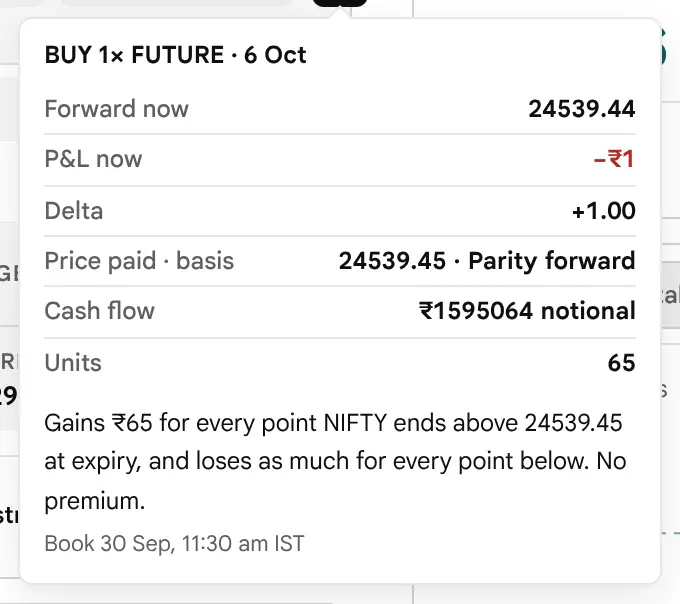
| Parity forward | A futures leg. The feed has no futures quote, so the future is priced at this expiry’s put–call parity forward. A real futures price can sit a little off it. |
| Manual | You typed the price, or a strike that is not listed. |
| Saved price | A saved strategy from before the basis was recorded. |
An entry price is fixed once set. It is set again when you change the leg’s side, type, strike or expiry, when Shift, Width or Hedge moves it, when you press Rebuild strategy or Refresh entry prices, when you change the expiry in the book strip while a ready-made is loaded, or when you press Move to on a settled leg. It is not set again when you change the Customise price setting: that applies to legs priced after the change.
The opening position is priced once more. The position the page loads by itself on opening (the Iron condor) is the page’s pick, not your trade. If the page built it from a stored reading, or from last prices because the book had no bid and ask, it prices it once more from the first newer live book. Its entries are then the live bid and ask, not the older stored prices, so P&L at LTP shows only what crossing the spread costs, not a move in a position nobody opened. This happens only once, and only while the position is untouched. A position you have changed in any way keeps its entries.
Other Controls on a Leg
- Manual entry is in the three-dot menu under the legs. It adds a leg with no price: you enter the strike, premium, lot size and implied volatility yourself, and model figures need a positive implied volatility. An option leg with a premium of zero is treated as unpriced, not as free: the results stay empty and the page asks you to check each enabled leg until a positive premium is typed. Until then P&L at LTP, the basket Price and the breakevens read “—”, so a last price is never read as profit on a leg with no entry.
- Duplicate, in the leg’s details, adds a copy. It is the quick way to make the second leg of a ratio.
- Future is an instrument you can switch a leg to from its details. It has no strike, and its price is an entry price rather than a premium; it gains or loses one for one with the price.
- Market columns, in Customise, put LTP, implied volatility, Delta, P&L, Open Interest and Spread on every leg row. The same figures are always in the market card.

Moving the Whole Position
How do I move the whole position, and take a move back?
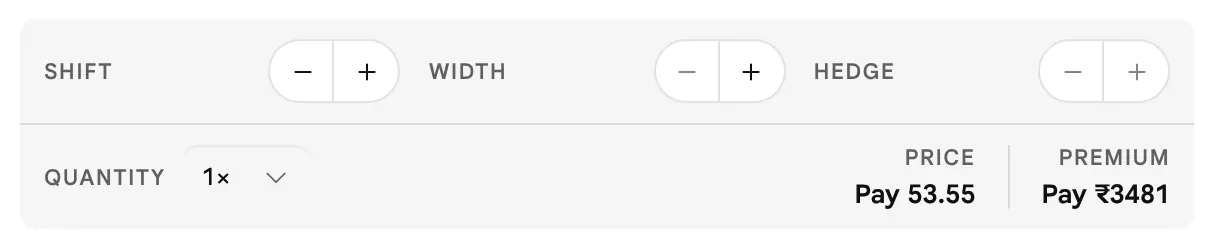
Under the legs there are three pairs of buttons that move strikes for the whole position, a Quantity choice, and a line that prints the position’s price and premium.

| Tool | What it moves |
|---|---|
| Shift | Every option leg, together, one listed strike lower (minus) or higher (plus). Use it to slide a structure along the ladder without changing its shape. |
| Width | The legs above the centre of the structure move up and the legs below it move down (Widen), or the reverse (Narrow). The centre is halfway between the lowest and highest option strike. A structure whose legs share one strike has no width to change. |
| Hedge | Only the bought legs that protect a sold leg move: a bought Call above the highest sold Call, or a bought Put below the lowest sold Put. Hedge closer costs more and shrinks the possible loss; Hedge further costs less and enlarges it. |
| Quantity | A multiplier from 1× to 20× applied to every leg’s lots in every figure. |

All or Nothing
Shift, Width and Hedge are all-or-nothing. If any destination contract has no valid quote, or a leg is already at the end of its strike range, no leg moves and the status line says why. The strike buttons on a single leg are different: they step to the next listed strike even when its quote is missing, and then mark that leg Manual.
Undo, Rebuild, Refresh and Clear
- Undo reverses the last edit. It remembers 30 steps for the time the page is open, and it does not survive a reload.
- Rebuild strategy, at the top of the card, appears when a ready-made is loaded. It rebuilds the strategy at the current at-the-money strike, Spacing and price setting, and keeps your name and Quantity.
- Refresh entry prices takes its place for a position you built by hand. It prices every leg again from the chain of its own expiry. A leg with no quote keeps its price.
- Clear all empties the position. Undo brings the old one back.
- Copy legs as text, in the three-dot menu, copies one line per leg and the net price, for a message to a broker or a note. The copied text writes each option with the exchange’s two-letter code for its type rather than the words Call and Put.
The question each topic answers
- What can I lose, what can I make, and is the position worth its price?
- If the price ends here on expiry day, what is the position worth?
- Where does it break even, and what is the most it can lose and make?
- What if the price, the date or the implied volatility were different?
- Where can I see the position as numbers, and as today’s price path?
- How does the position’s value react to price, time and volatility?
- How likely is a profit, and what does that number mean?
Reading the Figures Card
What can I lose, what can I make, and is the position worth its price?
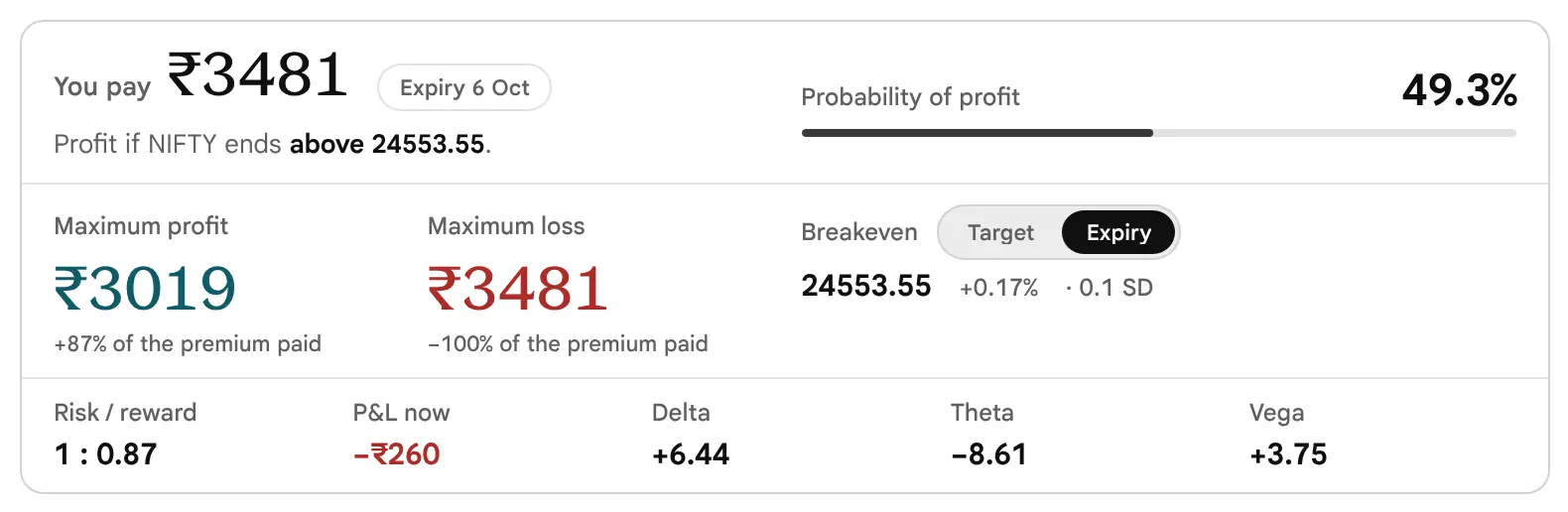
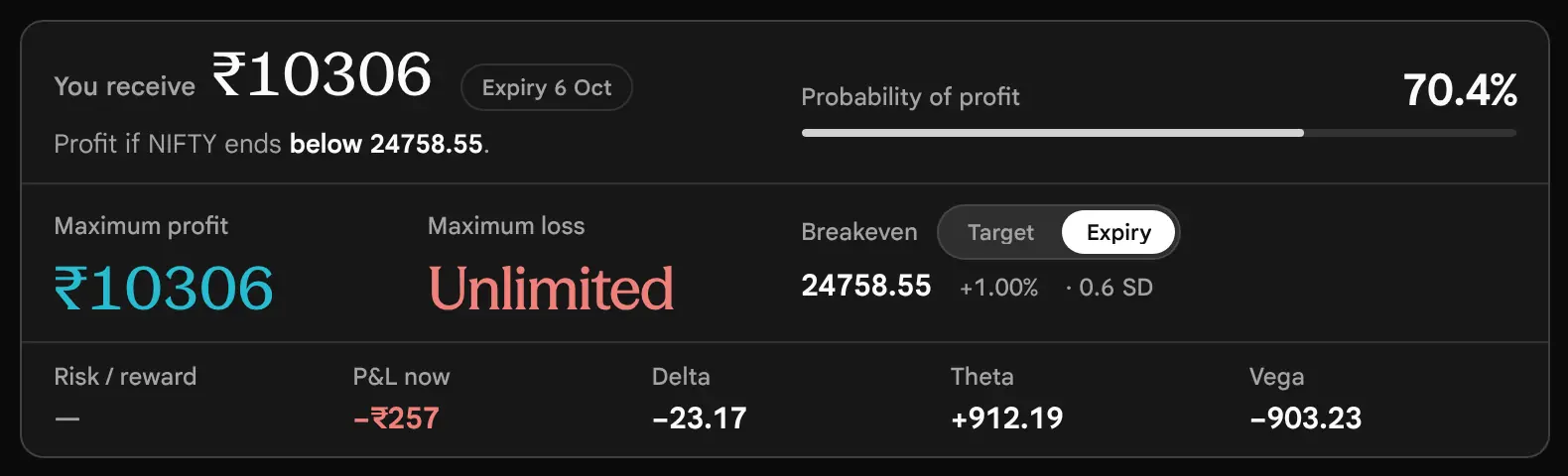
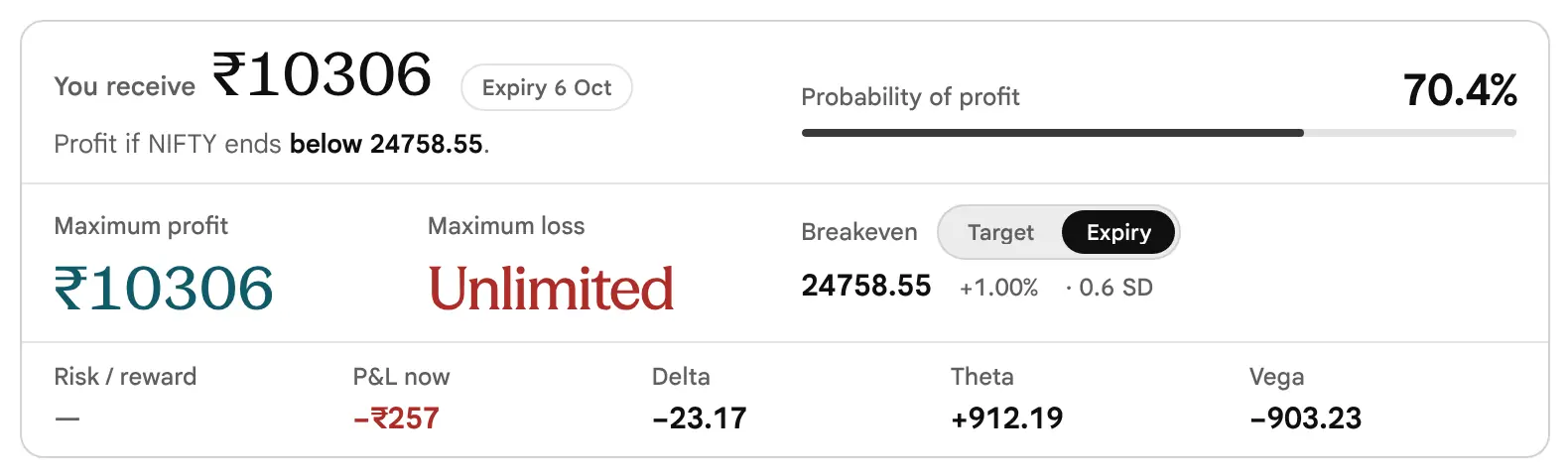
The card at the top of the right column answers the questions in the order a careful trader asks them: what can I lose, where does it break even, what does it cost, what can I make, and how likely is it. The figures below are for the Bull call spread of the last part: a bought 24500 Call at 183.1 and a sold 24600 Call at 129.55, one lot of 65 units, expiring on 6 October.

| Figure | What it says | Kind |
|---|---|---|
| You pay / You receive | The net premium of every leg that is on: bought legs cost and sold legs bring in premium. Here 183.1 − 129.55 = 53.55 per unit, and 53.55 × 65 = ₹3481. A futures leg adds nothing, as it has no premium. | Arithmetic |
| Verdict line | The profit zone in words, for example “Profit if NIFTY ends above 24553.55”. Whether the loss is capped is the job of the risk tag beside the name. The words are generated from the same figures as the numbers beside them. | Arithmetic |
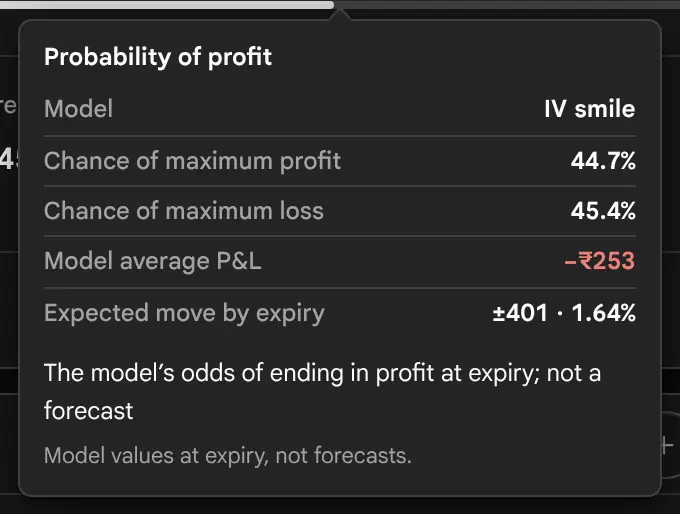
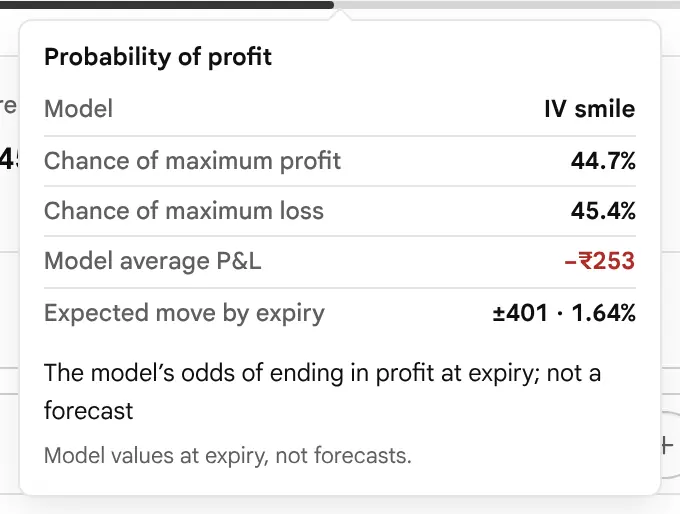
| Probability of profit | The model’s chance that the position ends above zero at expiry. It is a model figure and not a forecast; see the last part of this section. | Model |
| Maximum loss, Maximum profit | The worst and best the position can do if held to expiry, after any costs you entered. The small line under each is the figure as a share of your broker margin, if you entered one. Without a margin it reads as a share of the premium paid, but only when that premium is the whole risk, as in a bought option or a debit spread such as this one. For a position whose loss can exceed its premium (a credit, a position with a future, a ratio), the line is left out, because the share would mean nothing. | Arithmetic |
| Breakeven | The price at expiry at which the position neither gains nor loses. Beside it: the distance from spot as a percent, and in SD (for example 0.2 SD), the multiple of the ±1 SD move that the at-the-money implied volatility prices in by expiry. | Arithmetic |
| Risk / reward | Maximum profit divided by maximum loss, printed as 1 : n. Here 3019 ÷ 3481 gives 1 : 0.87. It shows a dash when either side has no cap. | Arithmetic |
| Time value (in the card behind You pay) | The net premium less the intrinsic value: what you paid for time and volatility. Here ₹3481 − ₹803 = ₹2678. It is negative when the position collects it, as an Iron condor does. | Arithmetic |
| Intrinsic value (in the card behind You pay) | What the legs would be worth if they settled at today’s spot. Here the 24500 Call is 12.35 in the money: 12.35 × 65 = ₹803. | Arithmetic |
| P&L at LTP | Every leg marked at its last traded price (LTP), against the price you entered at, before your entered costs. It needs a last price for every leg, and reads “—” while a manual leg has no premium. It is not a model figure; see why it can differ from the model. | Last traded price |
| Delta, Theta, Vega | The Greeks of the whole position, in rupees. See the Greeks section. | Model |
Most figures on the card open a card of their own with the evidence behind it. They open the way the leg cards do: rest the pointer for about half a second, or press.



The Verdict Line and the Risk Tag
Next to the structure’s name sits a tag: Defined risk, Unlimited risk, Mixed expiries or Review inputs. The tag reads the payoff above the highest strike. If more Calls (or futures) are sold than bought, the loss has no cap on the upside and the tag says so. Otherwise the loss is finite and the tag says Defined risk.
Defined Does Not Mean Small
The tag looks at what happens if the price rises without limit. It does not look at what happens if the price falls to zero. A Covered call, a Short put and a Put ratio spread all carry the tag Defined risk, yet each can lose an amount near the strike value times the units. On the illustrative chain the Covered call of the worked examples is tagged Defined risk and prints a maximum loss of ₹1586644, because a future falling to zero would lose its whole value. Read the Maximum loss figure itself, not only the tag.
Reading the Payoff Diagram
If the price ends here on expiry day, what is the position worth?
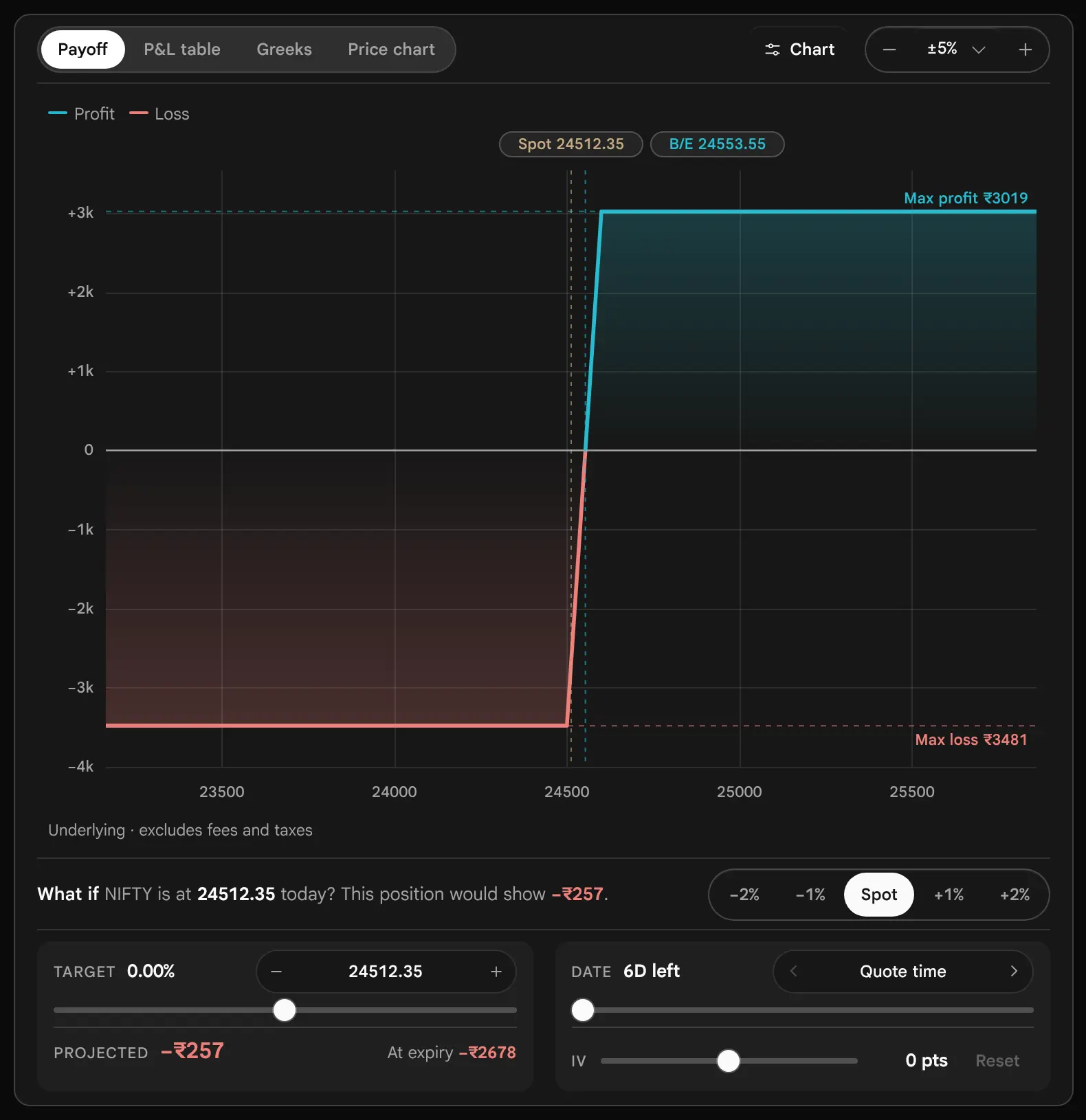
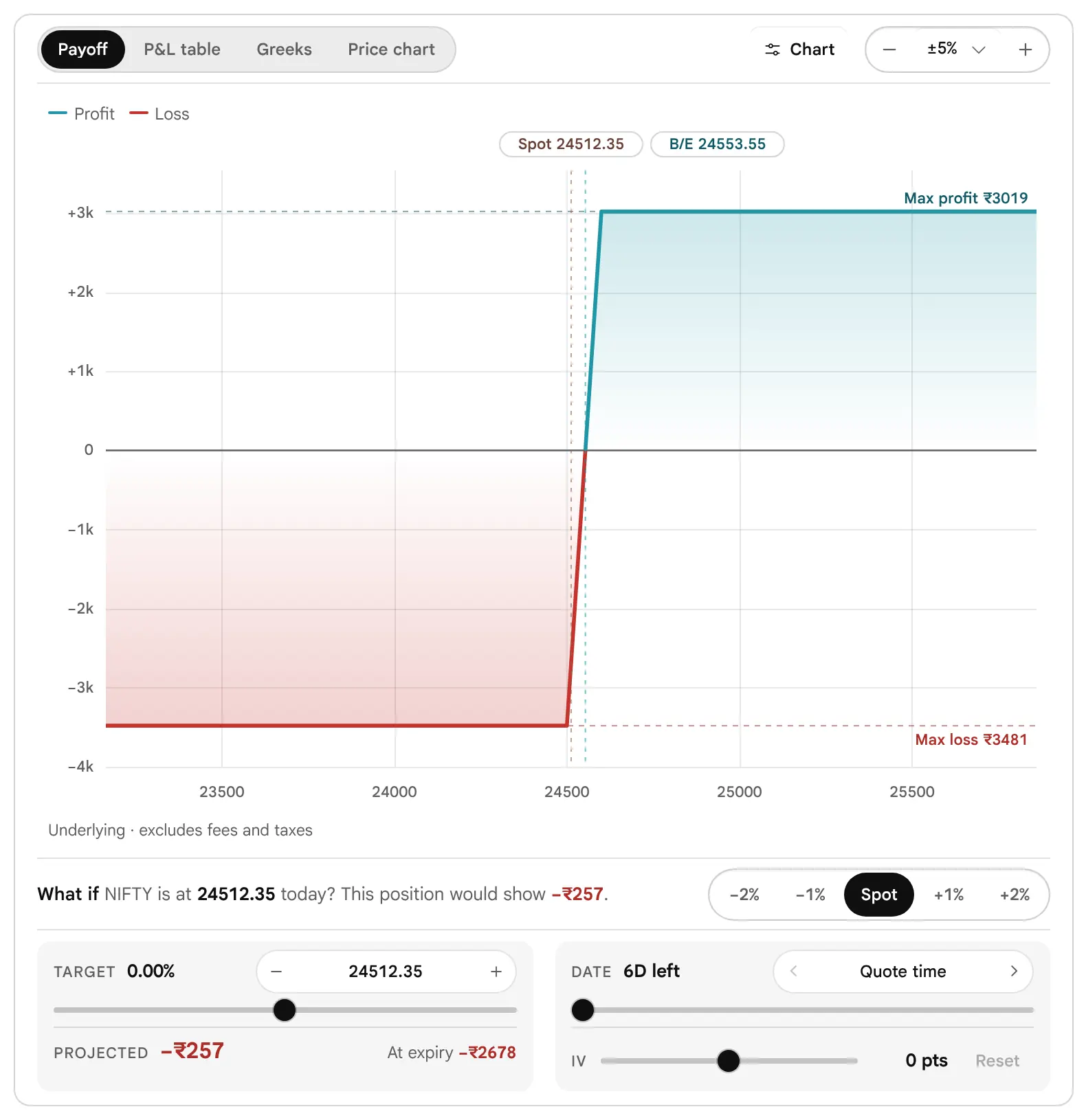
The payoff chart answers one question: if the underlying finishes at this price on expiry day, what is the position worth? The price runs along the bottom, the profit or loss up the side, and the zero line is where the position neither gains nor loses. Green is above zero and red is below it.
Where Each Piece Comes From
At expiry an option is worth only its intrinsic value, so the payoff is a set of straight lines that bend only at the strikes. The table builds the Bull call spread’s line from first principles. Each row is one price at expiry, with the arithmetic per unit and the result for 65 units. The price paid is 53.55 per unit.
| NIFTY at expiry | Bought 24500 Call | Sold 24600 Call | Per unit | For 65 units |
|---|---|---|---|---|
| 24400 | worth 0 | worth 0 | 0 − 53.55 | −₹3481 |
| 24500 | worth 0 | worth 0 | 0 − 53.55 | −₹3481 |
| 24553.55 | worth 53.55 | worth 0 | 53.55 − 53.55 | ₹0, the breakeven |
| 24600 | worth 100 | worth 0 | 100 − 53.55 | +₹3019 |
| 24800 | worth 300 | owes 200 | 300 − 200 − 53.55 | +₹3019, capped |
This is why the maximum profit, maximum loss and breakevens printed by the page are exact: they are this arithmetic and nothing else. Costs are taken off once, from the whole position. If you enter ₹300 of total costs, the maximum loss becomes 3481 + 300 = 3781, the maximum profit becomes 3019 − 300 = 2719, and the breakeven moves from 24553.55 to 24558.17. Those are the figures the page shows after the entry in Costs & position sizing (see that section).
The Chips and Labels
- Spot is today’s price. B/E is a breakeven. Target appears once you set a target that differs from spot.
- Max profit and Max loss are the dashed levels, drawn only when they are finite. A position with no cap draws no level on that side.
- The footnote under the price axis reads Underlying · excludes fees and taxes, or Underlying · after your followed by the amount costs, when you have entered costs.
- The chart draws one solid line when every leg is on one expiry. Legs on two expiries have no single expiry payoff, so the chart draws only the dashed model line.
Reading Under the Pointer
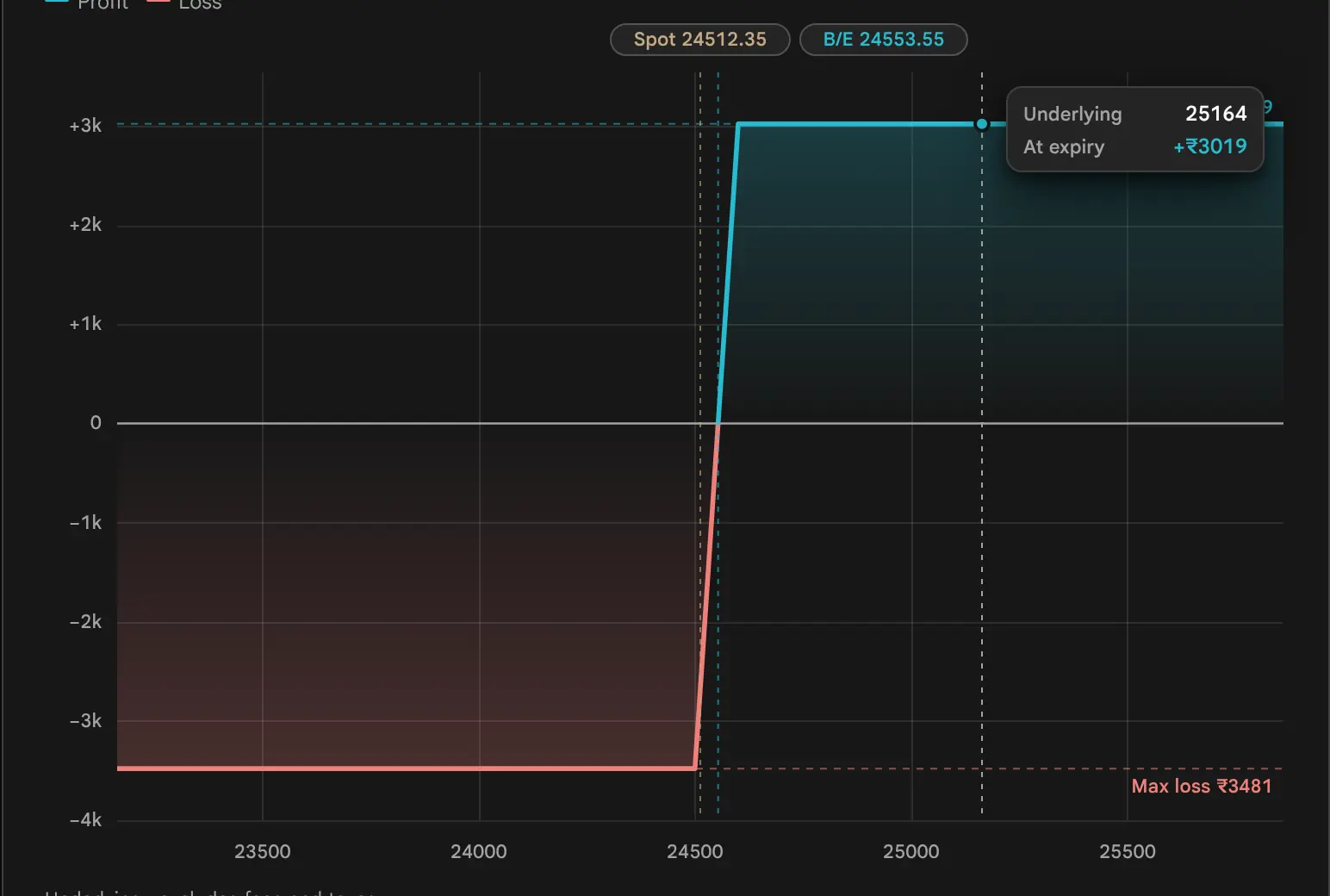
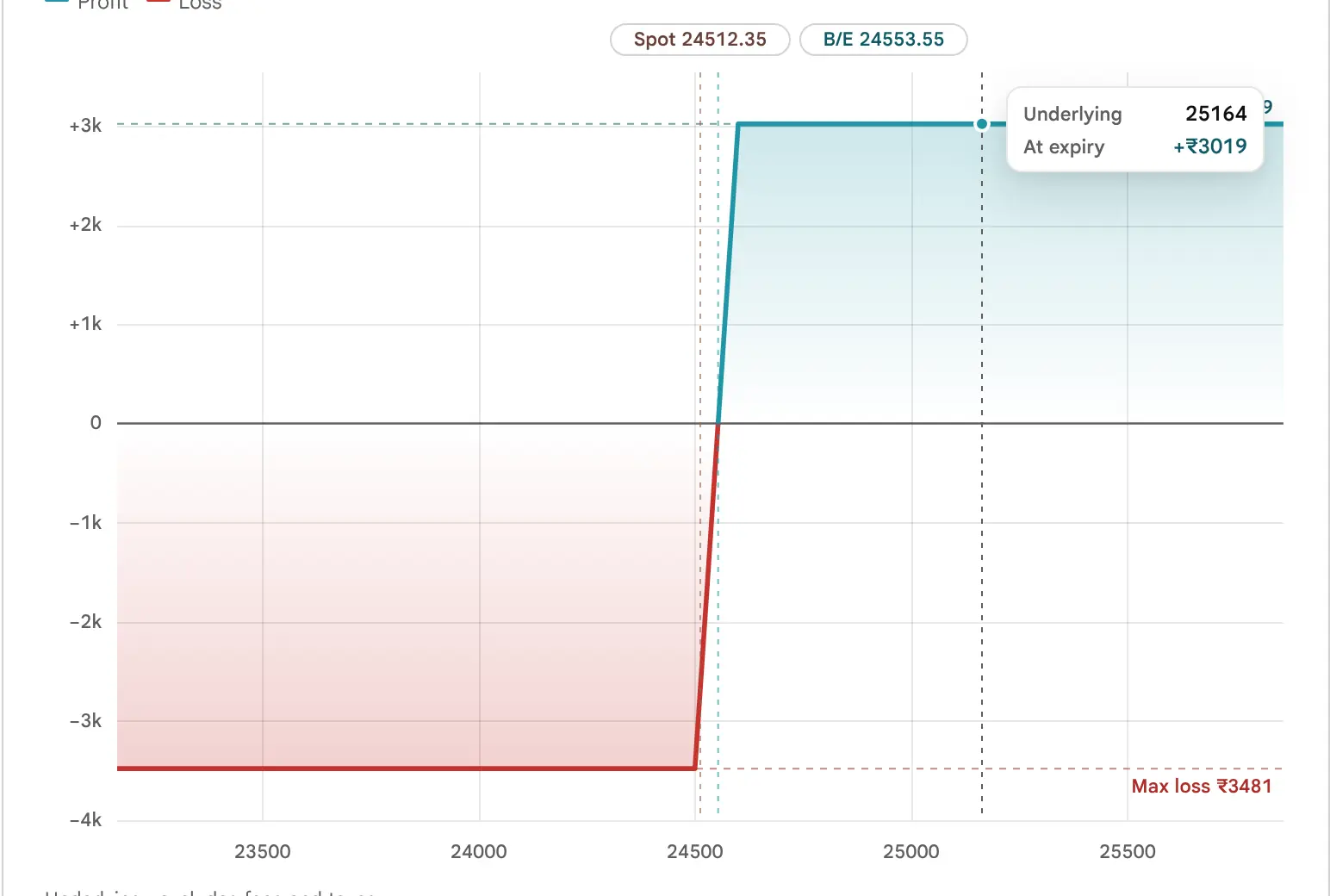
Move the pointer over the chart and a card reads the price under it: the underlying price, the profit or loss at expiry at that price, and the model value for the date you have set. On a touch screen a tap does the same and the reading stays until the next tap. Click or drag sets the What if target. With the chart focused, the left and right arrow keys move the target, and Home and End jump to the ends of the range.
Zoom
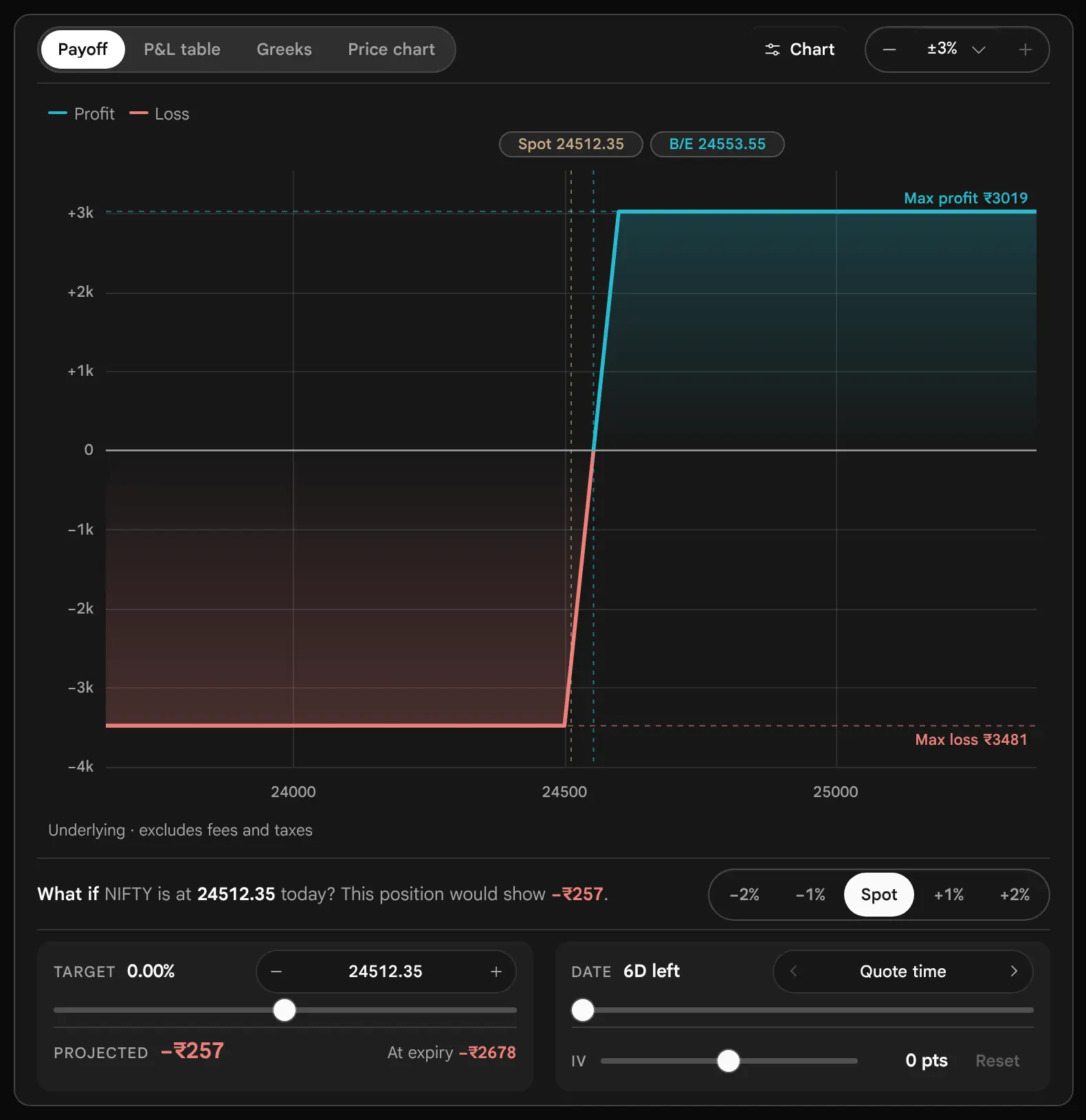
The minus and plus beside the range box, or the box itself, set how far either side of spot the chart reaches: ±3%, ±5%, ±10% or ±20%. The default is ±5%. The same range sets the P&L table. The chart always widens to include every strike and breakeven, so a position with distant strikes may draw wider than the setting.


The Chart Options
The Chart button opens a panel with the layers. The chart opens with the payoff, the spot and breakeven markers and the maximum profit and loss levels, because every layer is a click away and none is needed to read the position.

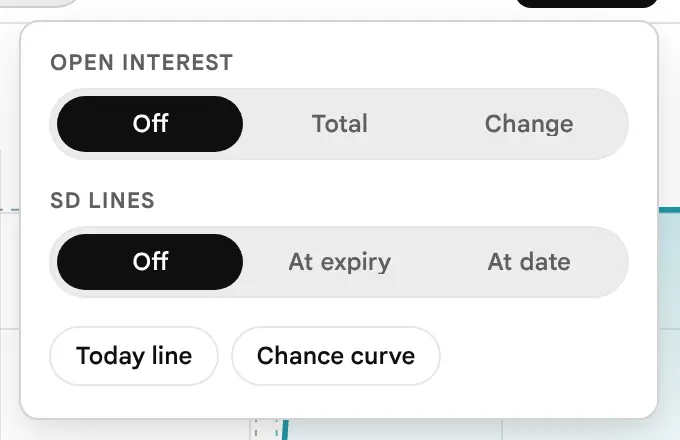
| Layer | What it draws |
|---|---|
| Today line | A dashed line for the position’s value before expiry, from the model, at the date you have set (today by default). |
| SD lines | The one and two standard deviation moves that the at-the-money implied volatility prices in, shaded at one deviation and labelled −2 SD, −1 SD, +1 SD and +2 SD. The legend names the shaded band ±1 SD (one standard deviation) range. At expiry fixes them at the move priced in by expiry; At date narrows them towards today as the date is moved. |
| Open Interest | Each strike’s Call and Put Open Interest as bars under the payoff. Total shows the figure; Change shows today’s change, up for a rise and down for a fall. A line above the chart reads the strike under the pointer. |
| Chance curve | The model’s spread of prices at expiry along the floor of the chart, and, in the hover card, its chance of finishing below or above the price under the pointer. |

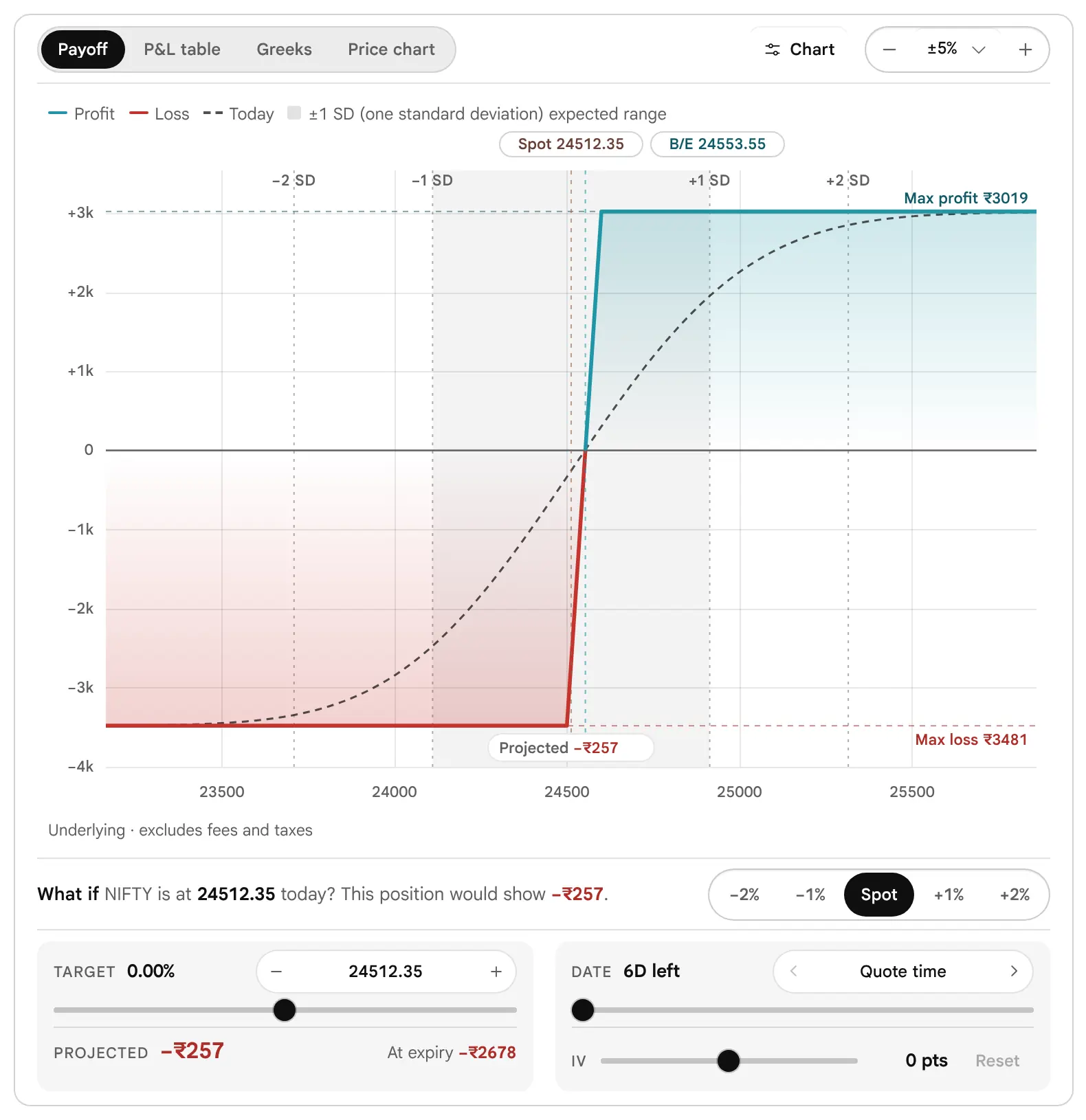


A Solid Line and a Dashed Line Are Different Kinds of Number
The solid line is exact arithmetic: the value at expiry. The dashed line is a model estimate: the value before expiry, which depends on time left and implied volatility. Where the lines are far apart there is a lot of time value in the position. As the date moves towards expiry the dashed line settles onto the solid one.
Breakevens, Maximum Profit and Maximum Loss, and Risk and Reward
Where does it break even, and what is the most it can lose and make?
Breakevens
A breakeven is a price at expiry where the position makes nothing. A position that profits above a level has one breakeven; a range position such as an Iron condor has two, with the profit zone between them. The page solves them exactly from the payoff, after any costs you have entered.
For the Iron condor the page printed 24334.2 and 24665.8. The check is simple. The condor receives 65.80 per unit. Its sold Put is 24400 and its sold Call is 24600, so it breaks even 65.80 below the first and 65.80 above the second: 24400 − 65.80 = 24334.2 and 24600 + 65.80 = 24665.8.


Maximum Profit and Maximum Loss
The two figures are the highest and lowest points of the expiry line. For a position with a cap they are a single rupee figure. For a position without a cap the page prints Unlimited. The Short strangle and the Short straddle in the worked examples print Unlimited for the maximum loss, and the Long straddle prints Unlimited for the maximum profit.
Two caveats belong with every maximum loss. First, a price cannot fall below zero, so the loss of a short Put or a bought future is finite, but it can be very large: roughly the strike times the units. Second, the figure holds only if you hold to expiry. Before expiry a position can lose more than its expiry maximum loss on paper, for example when a sold option is quoted far above the premium you received. The model line shows it; the maximum loss figure does not.
Risk and Reward
The page prints maximum profit divided by maximum loss as 1 : n. The Bull call spread gives 1 : 0.87: it risks ₹3481 to make at most ₹3019. The Iron condor gives 1 : 1.92: it risks ₹2223 to make ₹4277. A ratio above 1 looks better, but the ratio carries no probability. The Iron condor’s better ratio comes with a model chance of profit of 31.9%, against 49.3% for the spread. A good ratio on an unlikely outcome and a poor ratio on a likely one can have the same expected result. Always read the two together.
The hover card on Risk / reward adds an annualised maximum return: the ratio scaled to a year by the days left. It exists for comparing trades of different lengths, and a short expiry scales up very sharply, so do not read it as a return you can expect.
What If: Target, Date and Implied Volatility
What if the price, the date or the implied volatility were different?
The expiry line answers a question about expiry day. Most positions are looked at before that, so the controls under the chart ask three further questions: what if the price is here, what if it is then, and what if implied volatility is different. The answers are model estimates, and the dashed line, the projected figure and the table follow them.
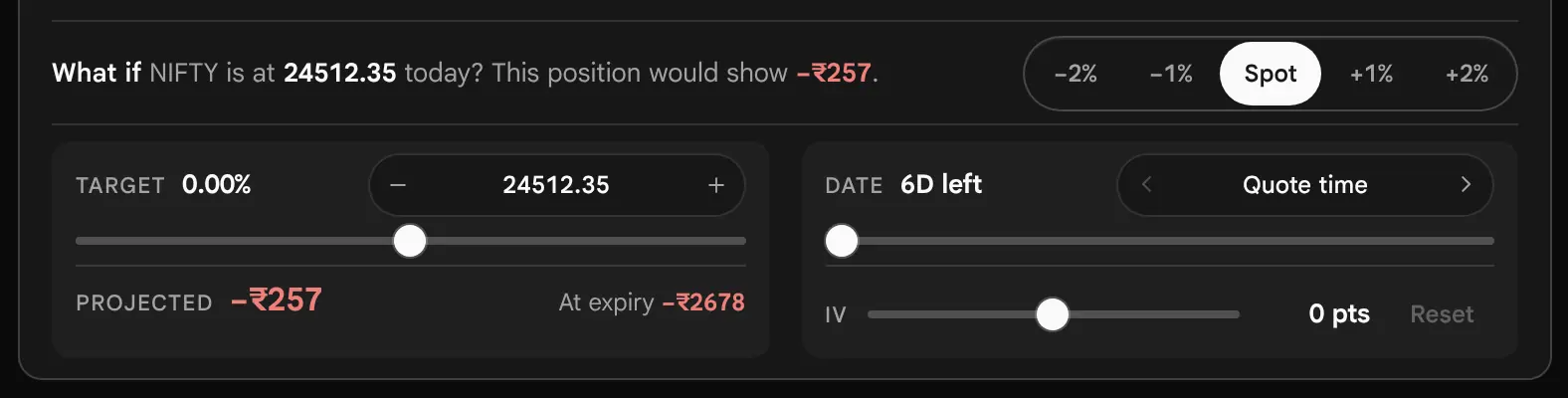

Target: What If the Price Is Here
Click or drag on the chart, press a quick target (−2%, −1%, Spot, +1%, +2% of spot), type a price, step it by one strike gap with the minus and plus, or use the slider. The Target block prints the distance from spot as a percent. Projected is the model value at that price on the date set, and At expiry beside it is the exact figure at expiry for the same price.

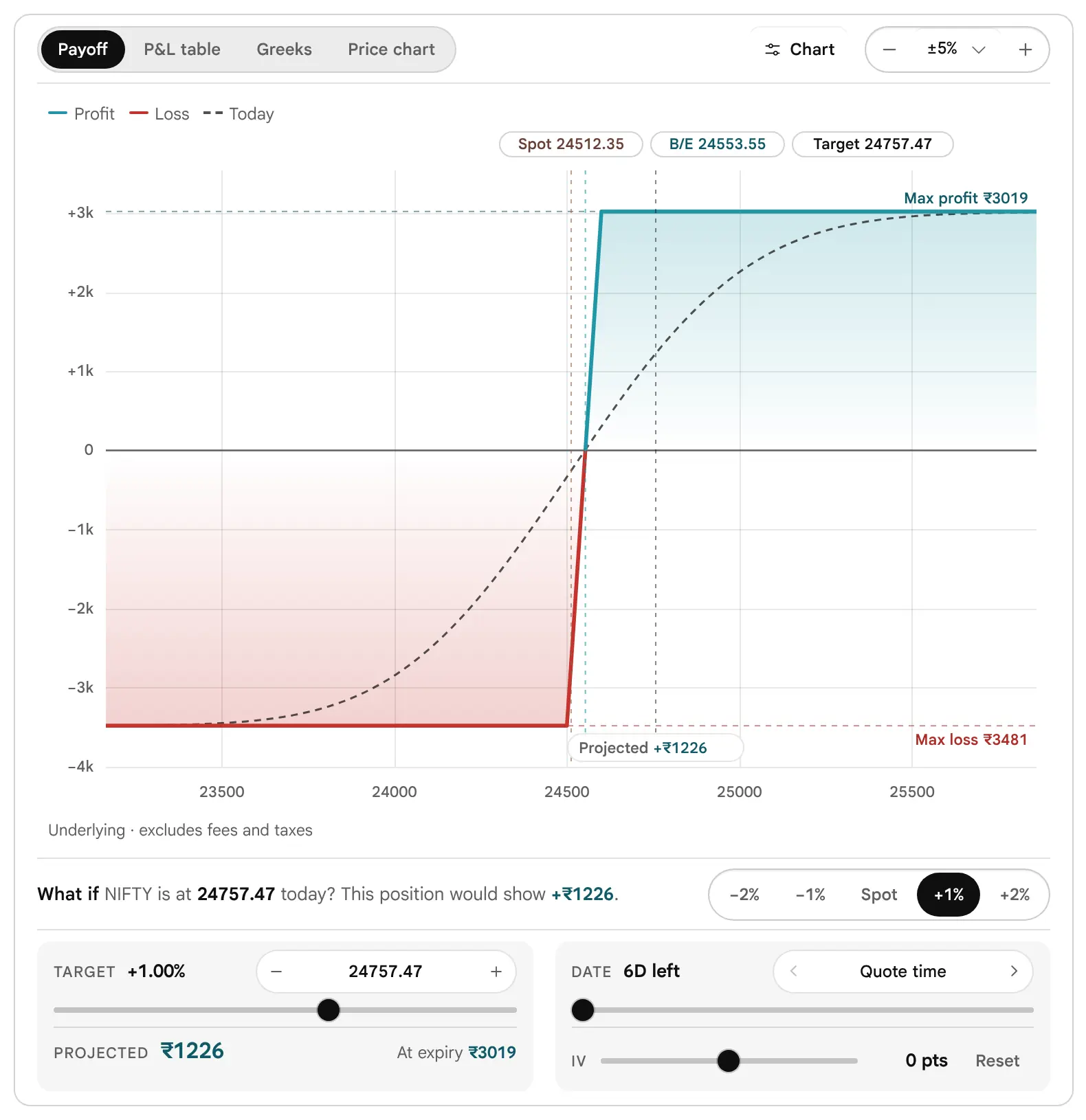
Date: What If It Is Then
The date stepper moves one calendar day at a time, and the slider moves from now to expiry. The Date block prints the days left. The days are calendar days, so the stepper passes through a Saturday and a Sunday, and a move to the expiry makes the dashed line coincide with the solid line. At the start the Date block reads Now. Here “now” is the time of the data in the strip (“As of …”), not the time on your clock.
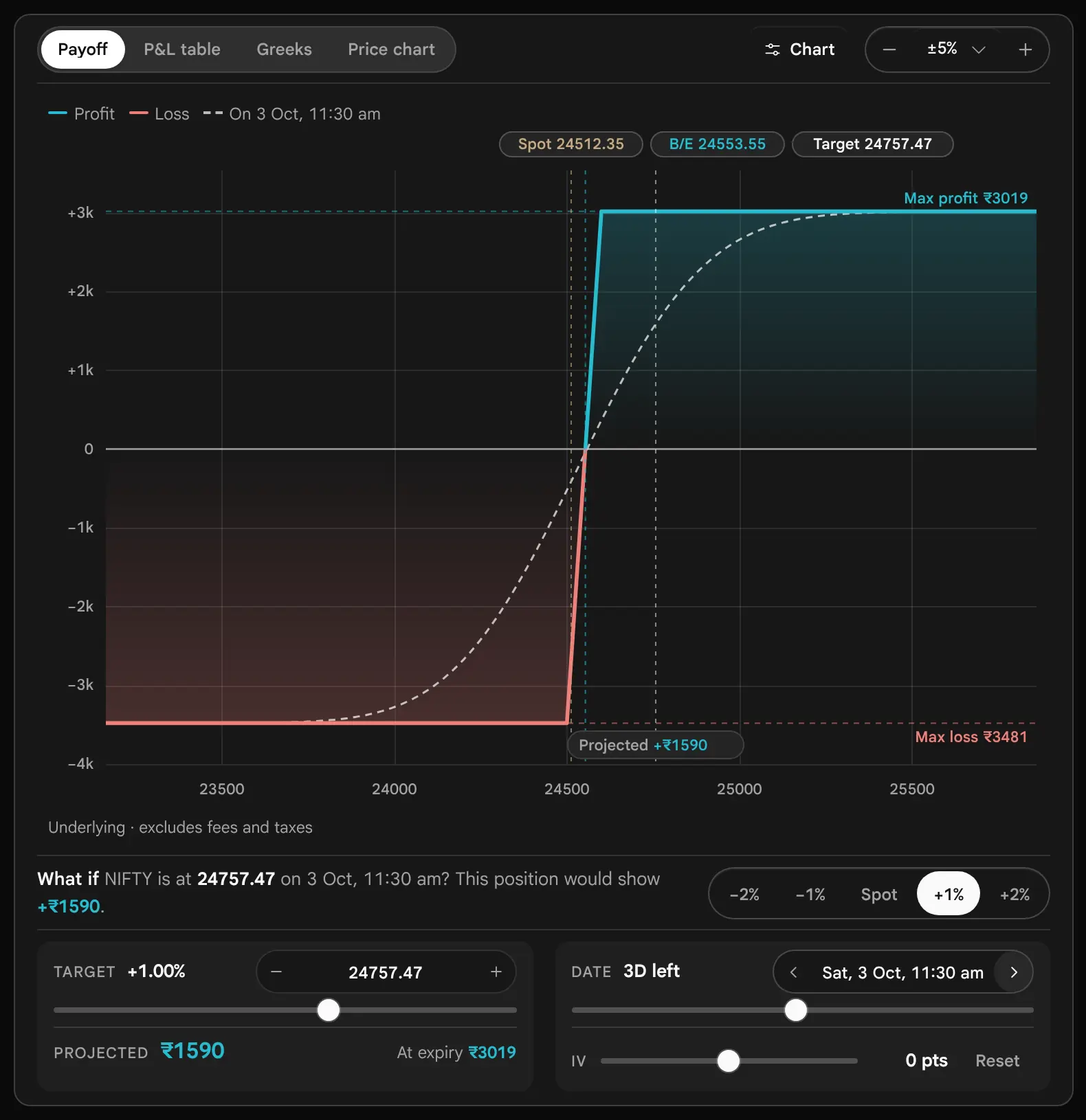
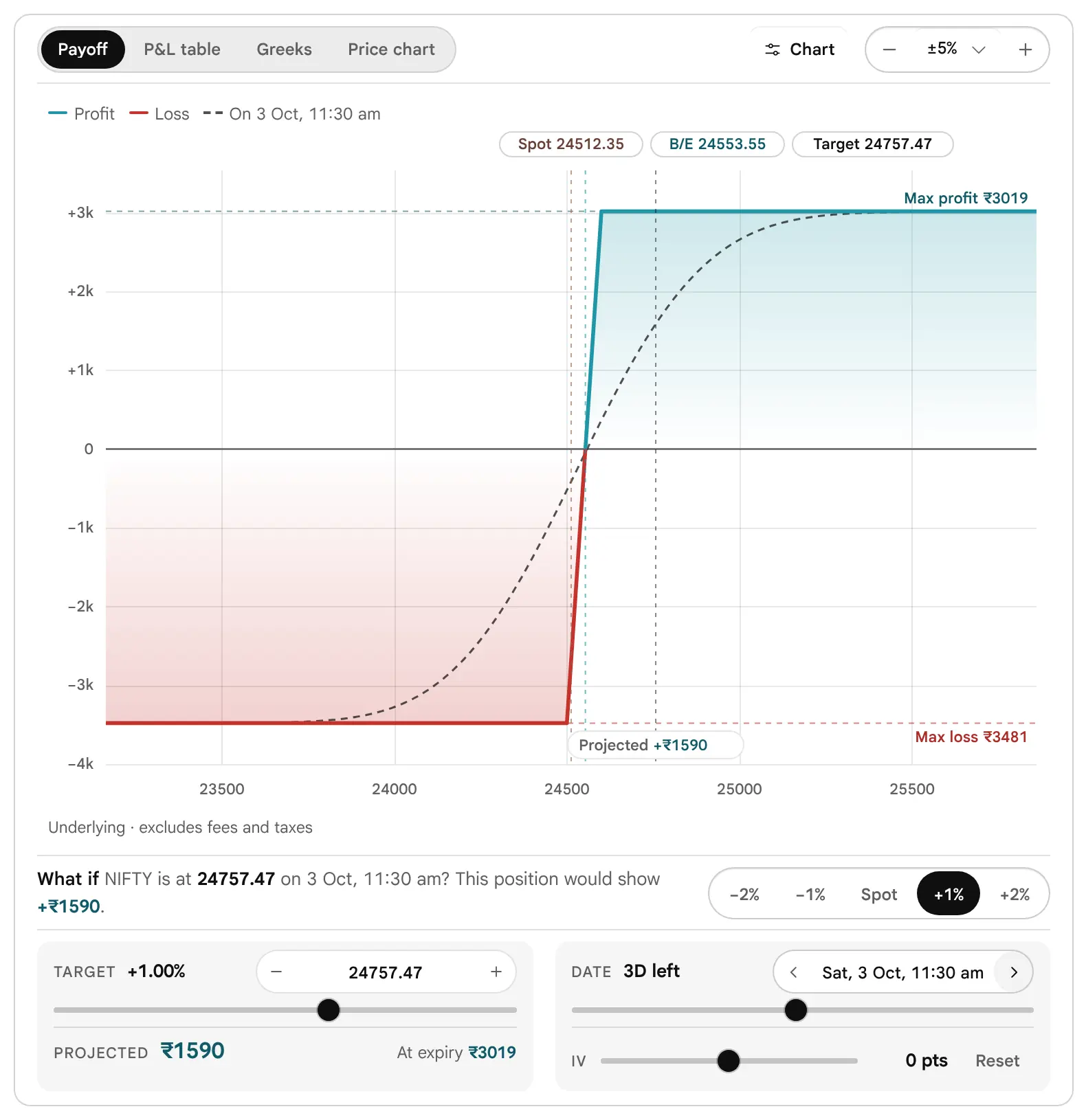
IV: What If Volatility Changes
The IV slider adds or subtracts up to 20 points of implied volatility from every leg, on top of the target and date. It is the only control that changes the volatility input rather than the price or time. Use it to ask how a position behaves if volatility rises into an event or falls after it.
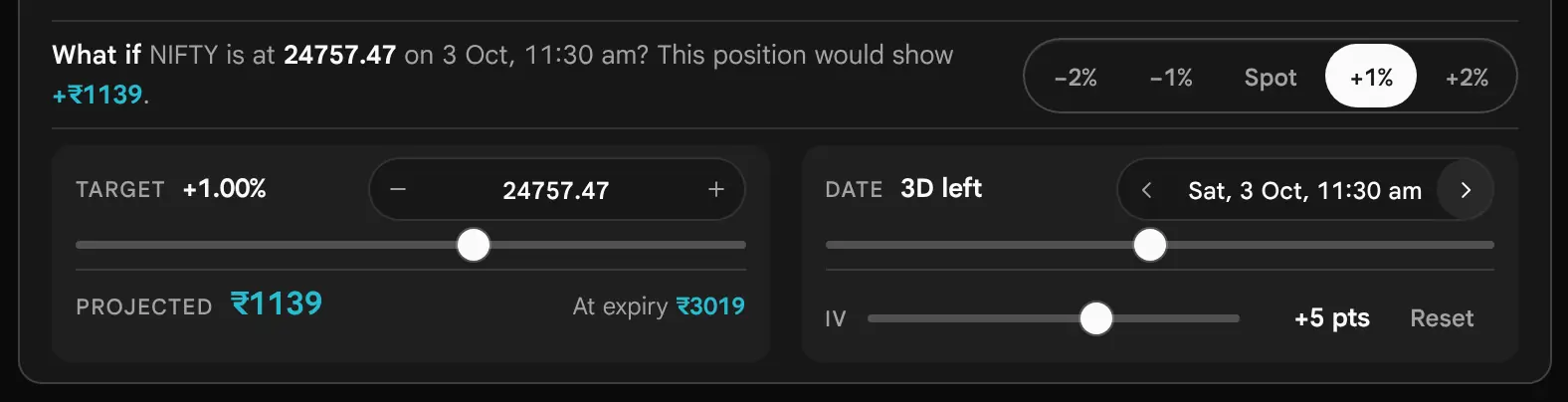

Reset returns the target, the date and the implied volatility to their starting values. None of the three is saved: loading a strategy, rebuilding it, or reopening the page starts from today, so yesterday’s scenario never passes for today’s.
What Sits Behind the Dashed Line
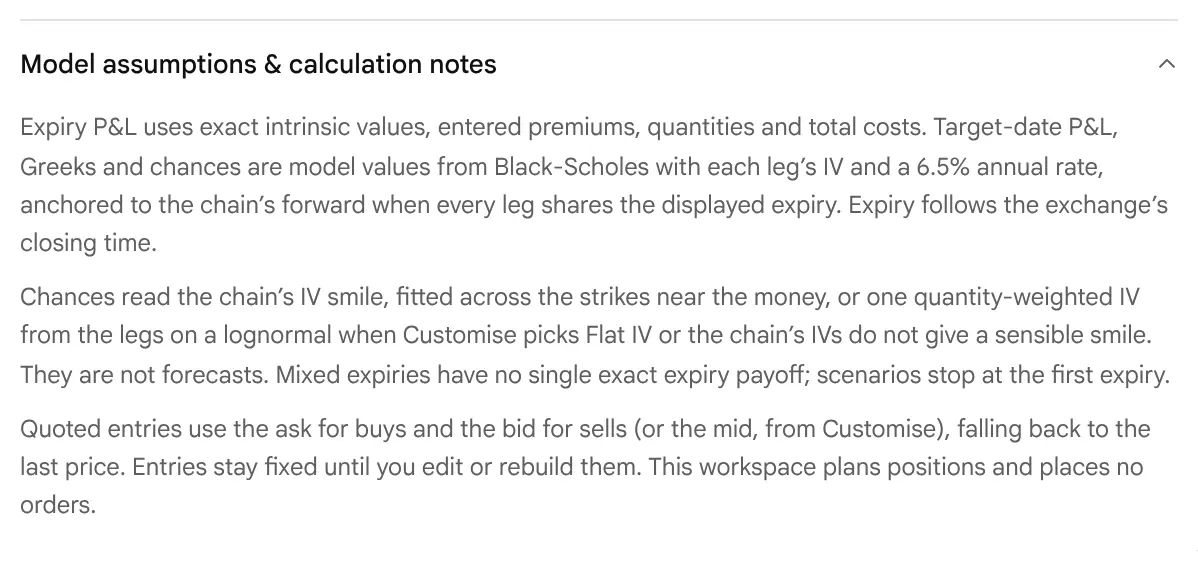
Before expiry every leg is priced again with the Black-Scholes model, in its forward form, using that leg’s own implied volatility from the moment you entered it, plus any shift from the IV slider, and a fixed interest rate of 6.5% a year. The same implied volatility is used at every price on the chart, so the line does not model the skew that a real chain shows. It also does not model a change of volatility with price or time unless you move the slider. That is why a dashed value can differ from a quote you would see: by the change in implied volatility, the skew, and the bid–ask spread.
P&L at LTP and the Model: Two Different Numbers
The page gives two answers to “where does the position stand now?”, and they are built differently.
- P&L at LTP, on the figures card, marks each leg at its last traded price and subtracts what you entered at. It leaves out the costs you entered.
- The model is the What if line (“By the model, this position would show …”), the Projected figure, the dashed line and the P&L table. It prices each leg with Black-Scholes at that leg’s implied volatility as of entry, and it takes off the costs you entered.
So the two can differ, for plain reasons. First, you paid the ask on a bought leg and received the bid on a sold one; a mark at the last price shows part of that bid–ask spread as a loss at once. Second, if implied volatility has moved since entry, the last prices show it, but the model does not, because it keeps each leg’s entry implied volatility. Third, a last price can be old on a thin contract. Fourth, costs count only in the model. Neither number is an exit value: closing means selling at the bid and buying back at the ask.
The P&L Table and the Price Chart
Where can I see the position as numbers, and as today’s price path?
The P&L Table
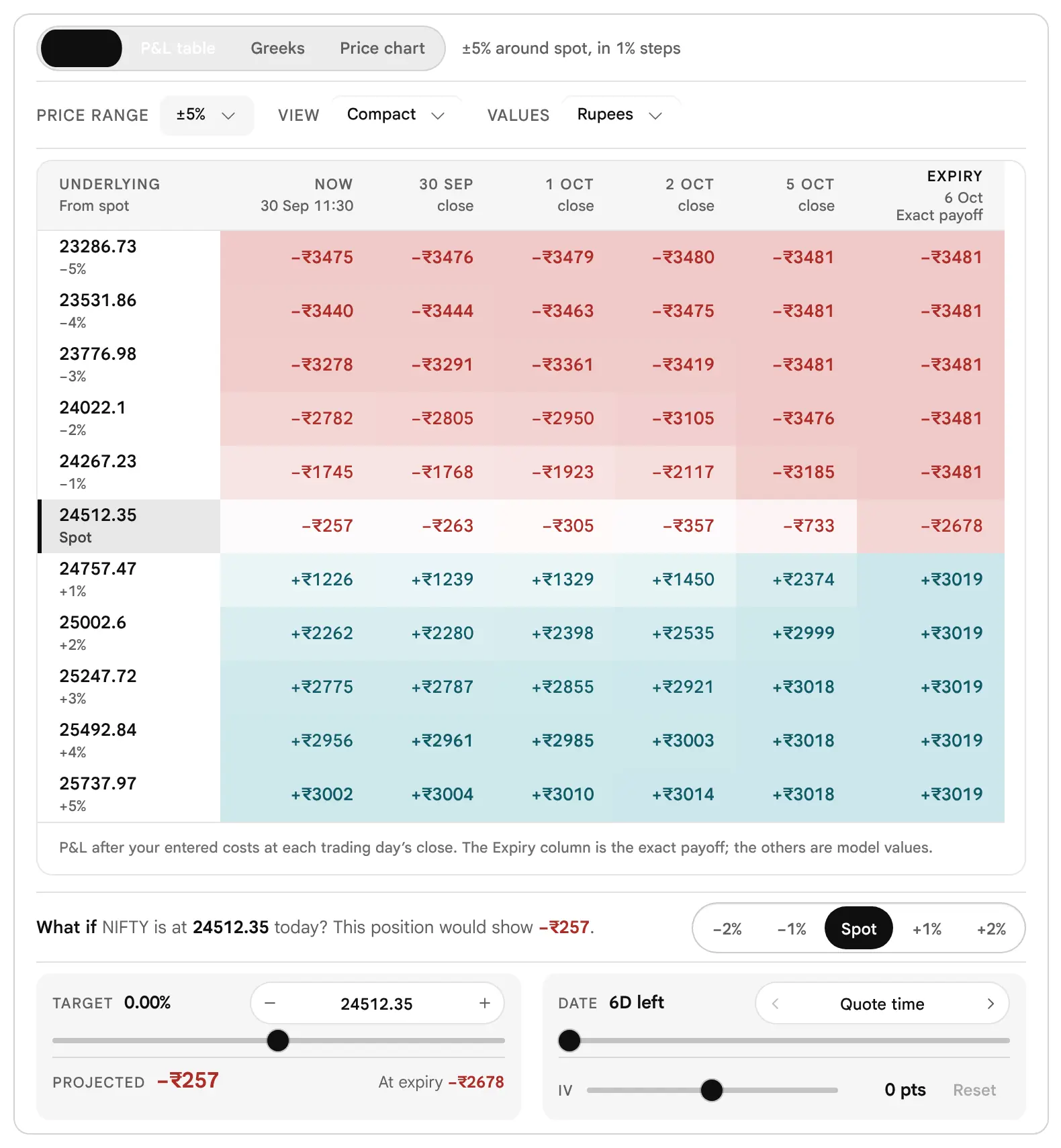
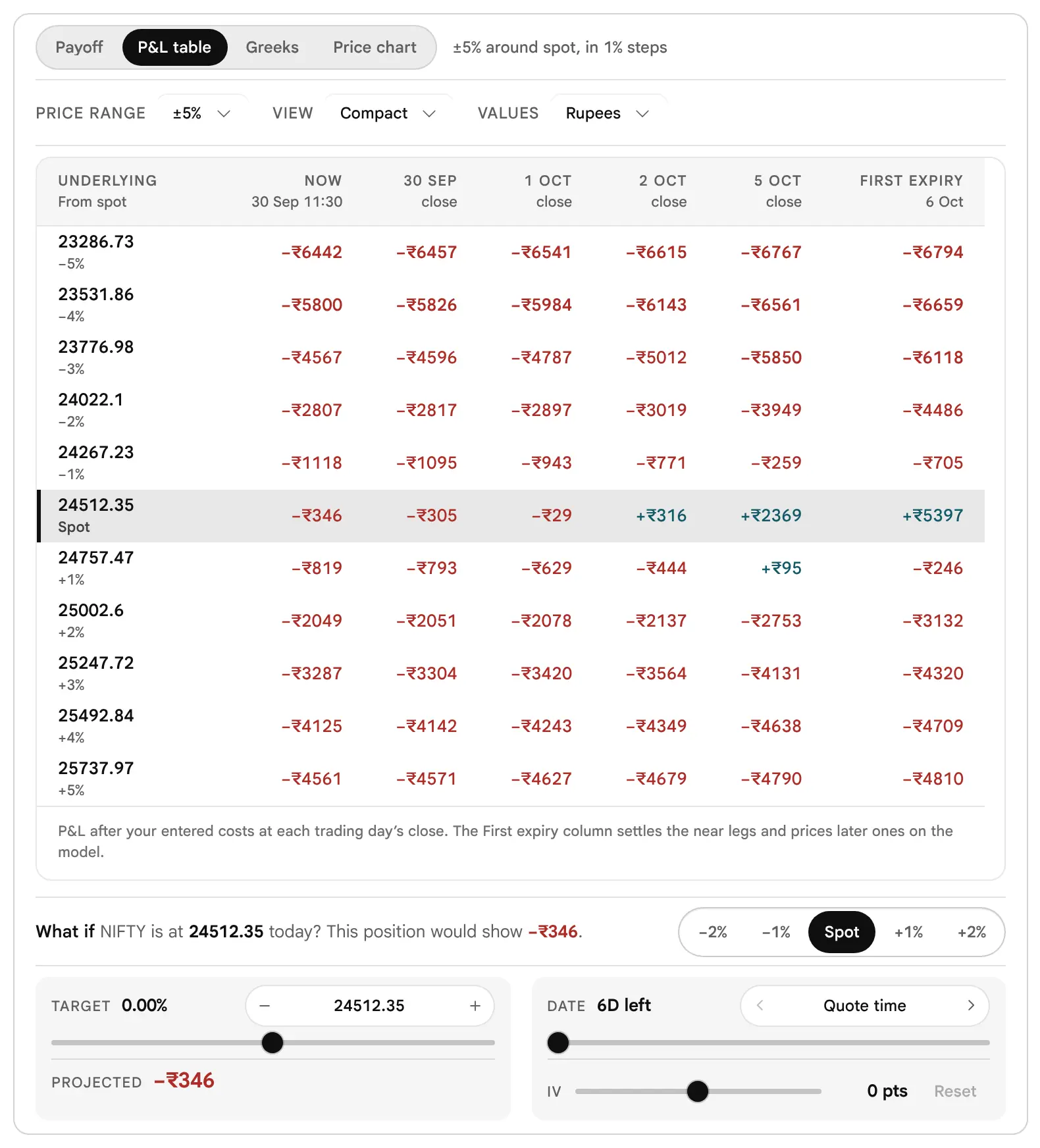
The table is the payoff chart as numbers: the position’s profit or loss at each underlying price (rows) on each date from now to expiry (columns). The first column is Now, the time of the data; then one column for each trading day’s close, with weekends and NSE holidays skipped; the last is Expiry, which the header labels Exact payoff, or First expiry for a position on two expiries. The spot row is marked, and the other rows show their distance from spot. Every cell is after the costs you entered.
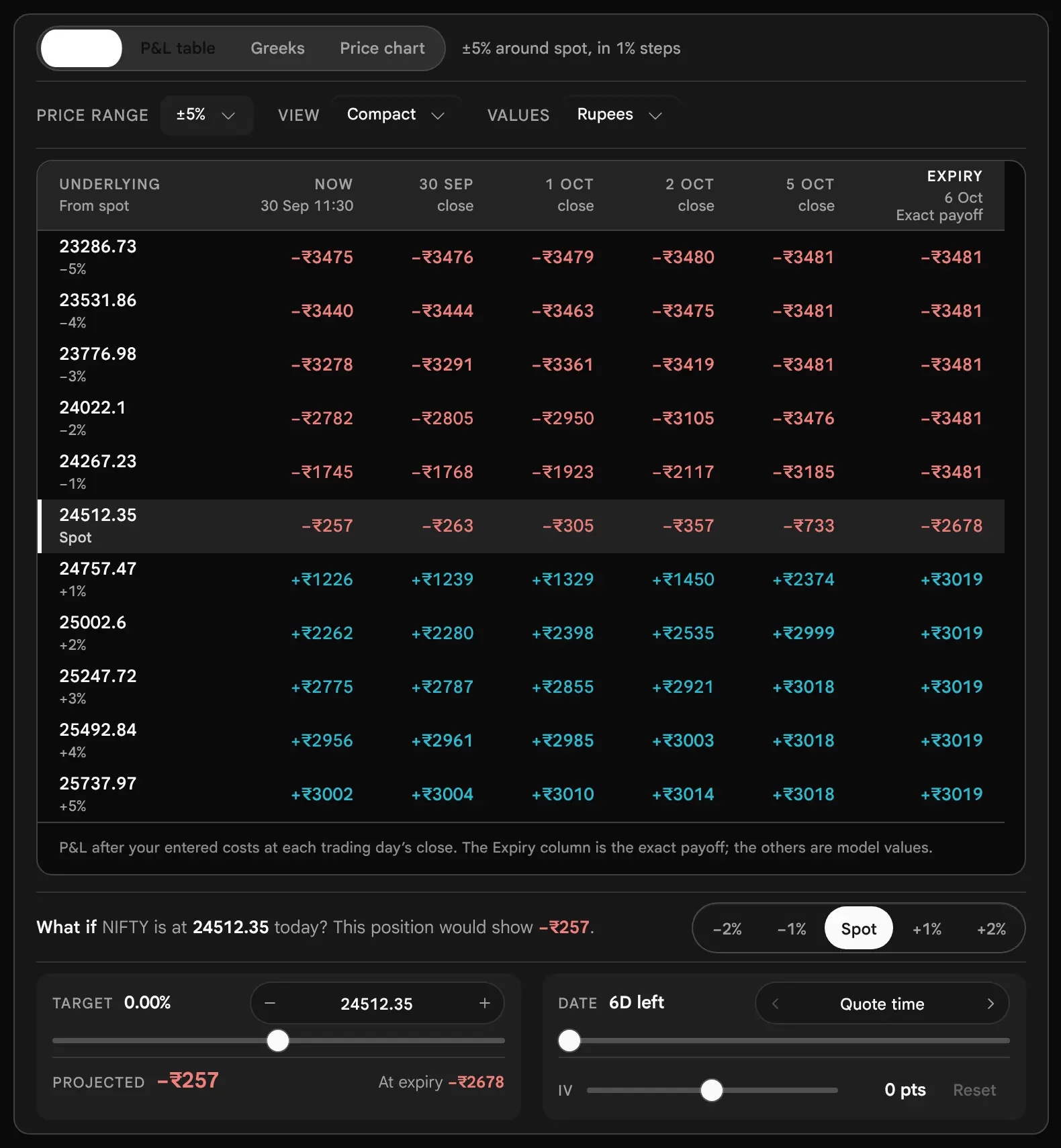
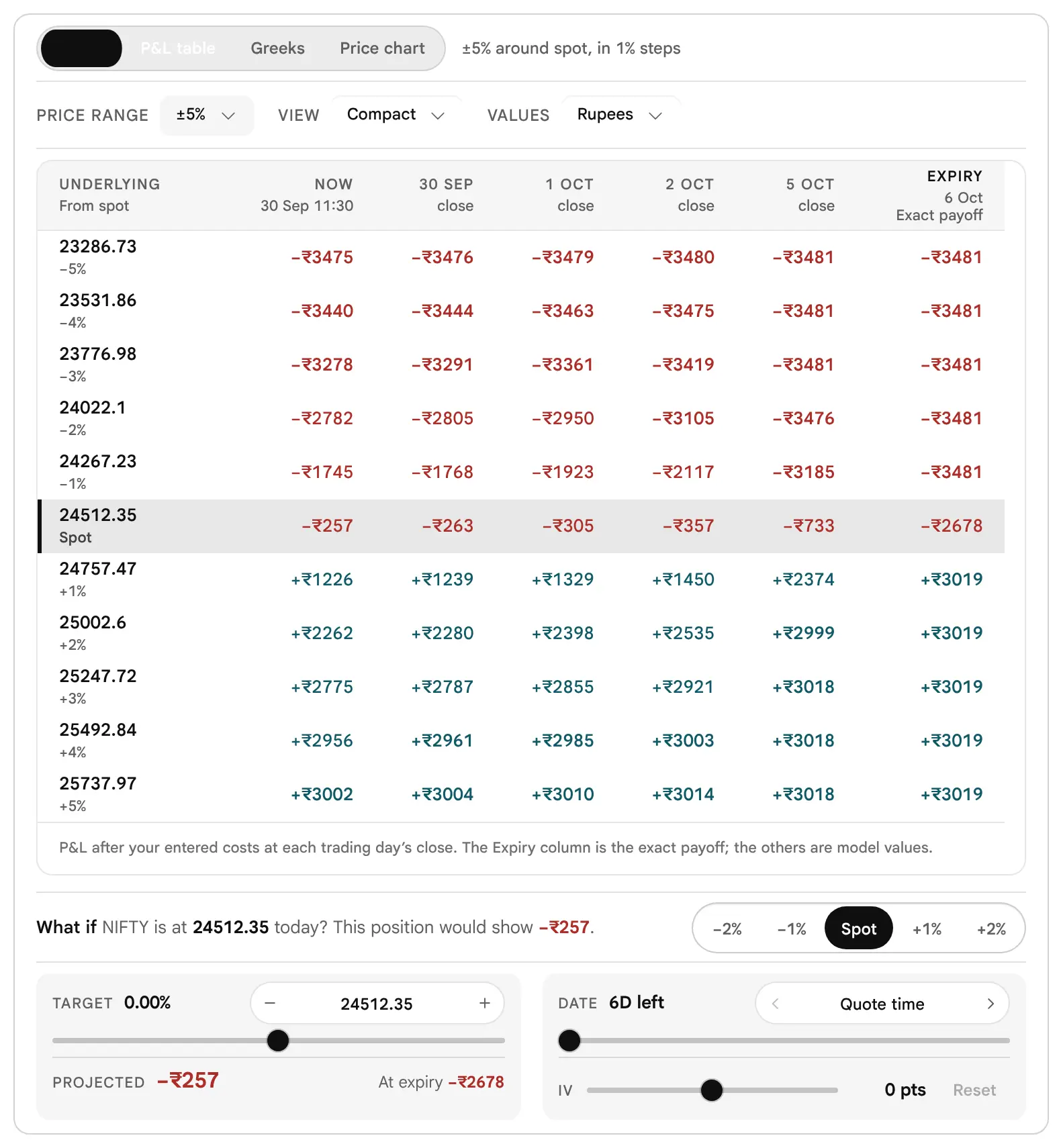
- Price range is the same ±3%, ±5%, ±10% or ±20% as the chart.
- View chooses Compact (11 prices, up to 6 dates) or Detailed (17 prices, up to 8 dates). In Customise the same setting is called Size, with the choices Compact and Full.
- Values chooses rupees or % of max loss, where −100% is the whole of the maximum loss. The second choice is unavailable when the maximum loss has no cap.
- The note beside the tabs reads “±5% around spot, in 1% steps” at the default range; it always divides the range by five, so ±10% reads 2%. That is the Compact step. In the Detailed view the real step is smaller (the range divided by 8, so 0.625% at ±5%); read the row labels, which are always right.
- Each close column is placed at the close that applied that day: 15:40 from 3 August 2026, 15:30 before. Weekends and the NSE holidays in the app’s own list are skipped (the holiday list is not checked against an exchange circular).

The Price Chart
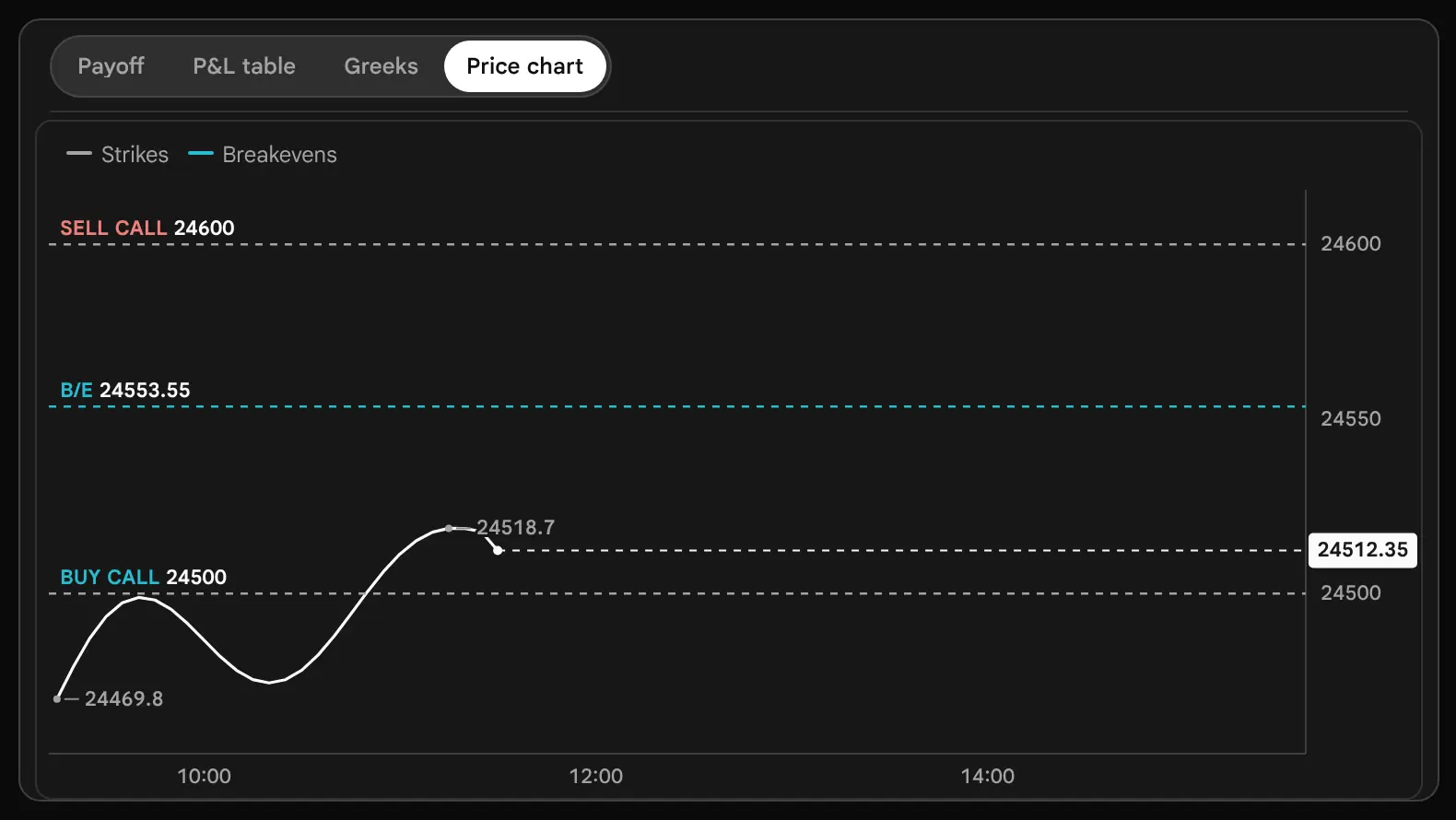
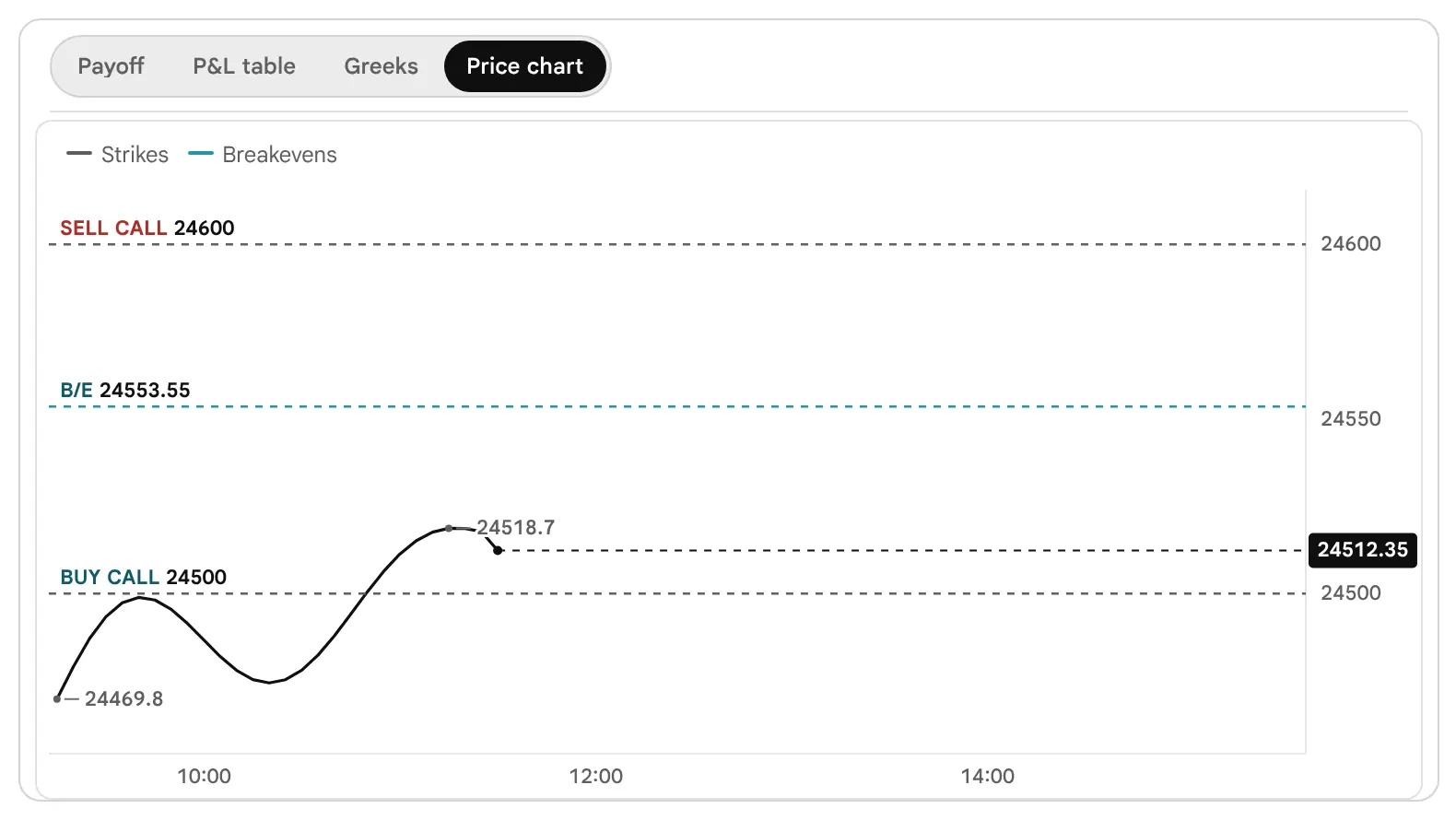
The fourth tab draws today’s underlying price on the session clock, from 09:15 to 15:40, with the position drawn across it: each strike as a dashed level tagged Buy call, Sell put and so on, each breakeven tagged B/E, and the −1 SD and +1 SD lines when the SD lines are on. It answers a question that a payoff cannot: how far is the price now from the levels that matter, and how far has it travelled today. The line is drawn from the underlying readings that the app passes to the page (where they come from and how often: not verified).
The Greeks of the Whole Position
How does the position’s value react to price, time and volatility?
The Greeks are the model’s measure of how the position’s value reacts to one thing changing at a time. The builder prints them for the position as a whole, in rupees, not for a single option, so the legs’ Greeks are already added together with their signs, quantities and lot sizes.
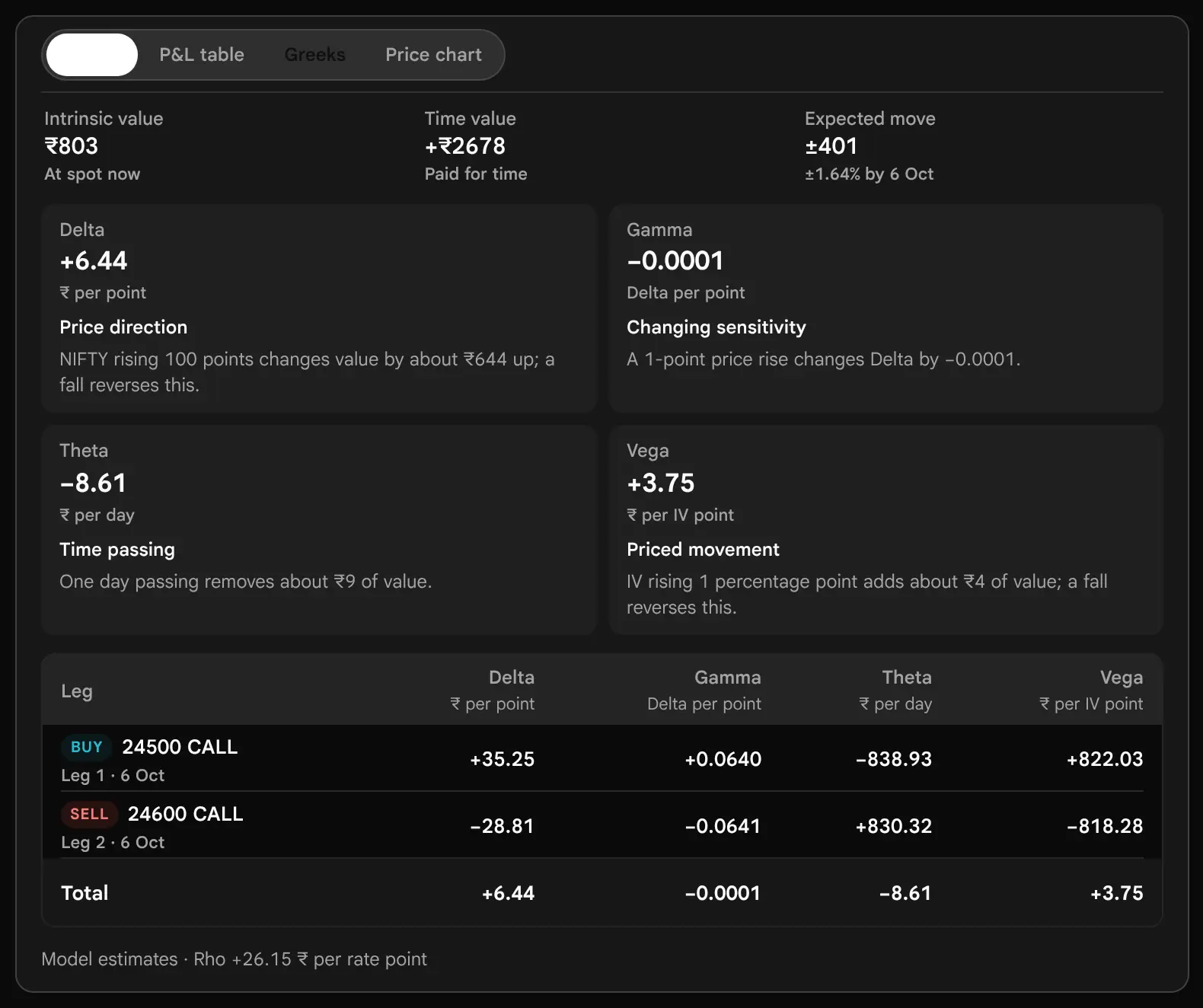

| Greek | Unit on the page | What it says |
|---|---|---|
| Delta | ₹ per point | The change in value when the underlying rises 1 point. +6.44 means a rise of 100 points adds about ₹644. A negative figure gains when the price falls. |
| Gamma | Delta per point | How much Delta itself changes for a 1-point rise. It says how quickly the position’s direction changes. |
| Theta | ₹ per day | The change in value as one calendar day passes, everything else equal. Positive means time works for the position. |
| Vega | ₹ per IV point | The change in value for a 1-point rise in implied volatility. Positive gains from a rise. |
The Greeks tab also prints Rho, the change for a 1-point rise in interest rates, at the foot. It rarely matters for a weekly expiry.
Reading Signs: Four Positions, Four Pictures
| Position (illustrative) | Delta | Theta | Vega | What the signs say |
|---|---|---|---|---|
| Bull call spread | +6.44 | −8.61 | +3.75 | A small Delta because the two legs nearly cancel; a small cost for time. |
| Iron condor | −0.62 | +140.17 | −138.23 | Direction nearly neutral; time works for it; a rise in implied volatility hurts it. |
| Long straddle | +5.49 | −1678.32 | +1644.06 | Direction near zero; time works hard against it; a rise in implied volatility helps it. |
| Short strangle | −5.27 | +1629.41 | −1595.09 | The opposite signs to the long straddle: time pays it, volatility threatens it. |
Greeks Are Now, Not Then
The Greeks are always measured at the current spot and the time of the data, using each leg’s stored implied volatility. They do not follow the What if sliders. If you move the target to a different price, the Greeks stay at today’s values; the projected figure is what changes. A position’s Delta can be very different at a different price, which is exactly what Gamma is telling you.
Chance of Profit and the Model Behind It
How likely is a profit, and what does that number mean?
The Probability of profit on the figures card is the share of the model’s possible prices at expiry that end in profit, after the costs you entered. The same model gives the chance of the maximum profit, the chance of the maximum loss, the model average profit and loss, and the chance curve on the chart. These are the only probabilities on the page.
| The model | What it assumes |
|---|---|
| Distribution | A lognormal spread of prices at expiry, centred on the forward price implied by the chain. It is a pricing assumption, so it is neutral about direction. |
| Volatility, IV smile | The default. Each strike’s own implied volatility, read from the chain near the money. If the chain does not give a sensible smile, the page falls back to a single volatility. |
| Volatility, Flat IV | One volatility, the quantity-weighted average of the legs’. Chosen in Customise under Chances from. |
| A future on its own | A future carries no implied volatility of its own. A position of futures alone is read with the chain’s ATM implied volatility, so it too has a chance of profit. |
| Single expiry only | A position on two expiries has no single payoff, so the figures card shows a dash for the chance. |
A Chance in the Model Is Not a Forecast
The chance of profit says how much of the model’s spread of prices lies in the profit zone. It does not know the trend, the news, the day of the week, or the size of the next move, and it is not a historical win rate. A position showing 31.9% can be well paid for its risk, and a position showing 62.7% can be poorly paid for it. Use the figure to compare how a position is paid, not to predict how it will end.

What the Number Leaves Out
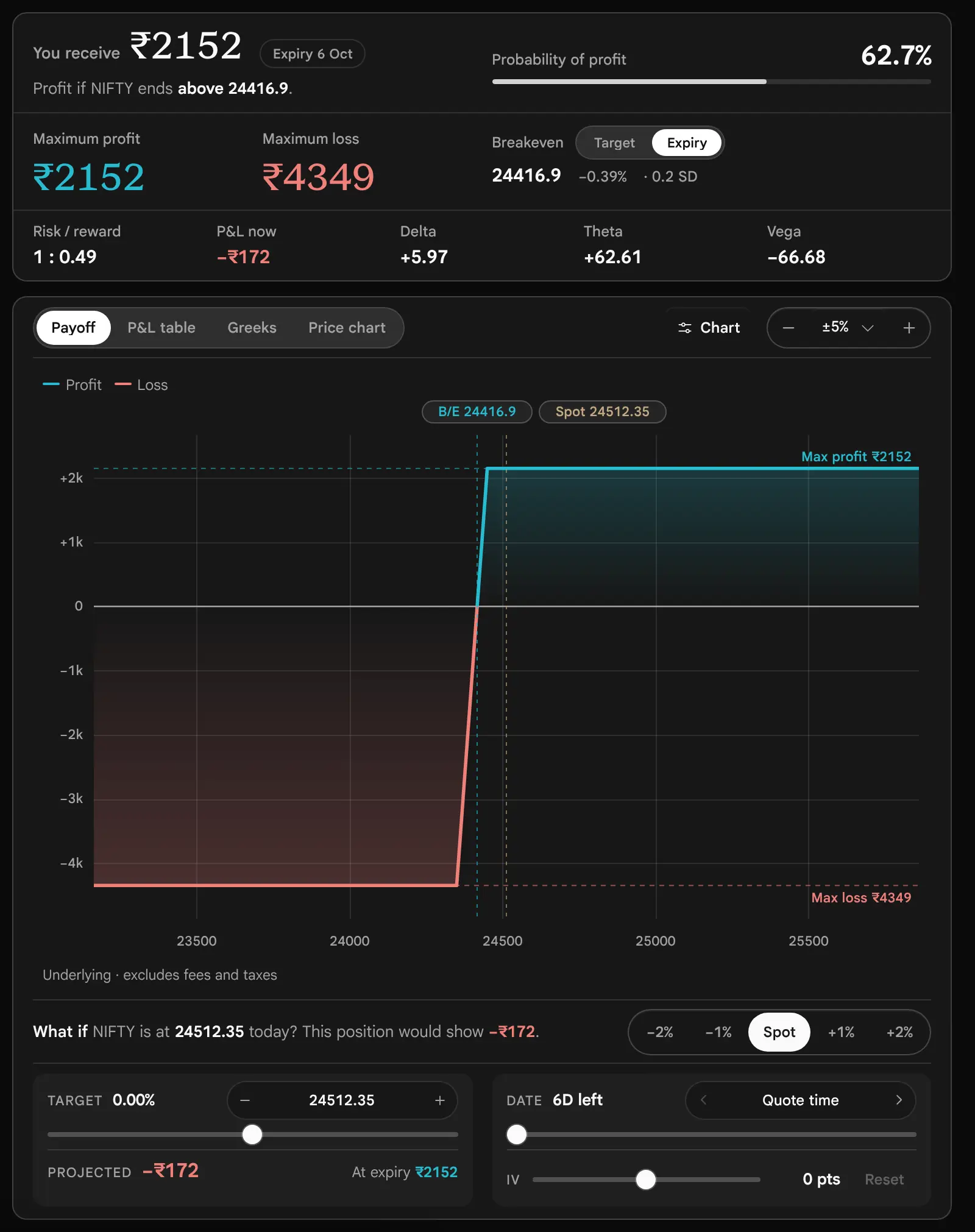
- The size of a loss. A position that profits more often can still lose more when it loses. The Bull put spread of the worked examples has a 62.7% chance of profit and a risk of ₹4349 against ₹2152.
- Any cost of leaving early. The figures assume you hold to expiry. Closing early means crossing the bid–ask spread.
- Your costs, unless you enter them. By default fees, taxes and slippage are excluded, and a small profit can turn into a loss once they are in.
- Events and gaps. The distribution is smooth. Real markets gap.
The ±1 SD range, shown in the book strip as ±1 SD by expiry and on the Greeks tab as ±1 SD, is the same kind of figure: spot × at-the-money implied volatility × the square root of the time left. The builder no longer calls it the expected move; the Finder still does. On the illustrative chain it is ±401 points, or 1.64%, by 6 October. It is what the options price in, not what the market will do.
Nine Worked Examples
What does each common position look like with real figures, loss first?
Each example below was loaded from its ready-made tile on the illustrative chain: NIFTY 24512.35, Wednesday 30 September 2026 at 11:30, expiry 6 October, one lot of 65 units, entries at the ask for bought legs and the bid for sold legs, no costs. All figures are illustrative. They are printed by the real page, so you can follow the arithmetic, but they are not quotes and a live chain will differ. For each example the questions are the same, and they come in this order: what is the most it can lose, where is the breakeven, what is paid, what is the most it can make, what is time doing, and what would change my mind. The loss comes first on purpose.
1. Bull Call Spread: a Rise, With the Cost Capped
Bull call spread
Bullish · defined risk- Buy 24500 Call
- Sell 24600 Call
- You pay₹3481
- Maximum loss₹3481
- Maximum profit₹3019
- Breakeven24553.55
- Chance of profit49.3%
The tile buys the at-the-money 24500 Call at 183.1 and sells the 24600 Call at 129.55. The sold Call pays for part of the bought one. The most it can lose is what it cost: 53.55 per unit, so ₹3481 for 65 units, if NIFTY ends at or below 24500. The breakeven is 24500 + 53.55 = 24553.55, only 41 points above spot. The most it can make is NIFTY at or above 24600 at expiry, where the spread is worth its full width of 100 less the premium: 100 − 53.55 = 46.45, or ₹3019. The trade-off is plain on the chart: a close breakeven and a cap on the gain.
What would change it. Press the plus on Shift and the whole spread moves one strike up: it costs less and needs a larger rise. Press Widen and the cap moves further away and the cost rises. Time works against it: Theta is −8.61 a day.

2. Iron Condor: a Range, With Both Sides Capped
Iron condor
Neutral · defined risk- Buy 24300 Put
- Sell 24400 Put
- Sell 24600 Call
- Buy 24700 Call
- You receive₹4277
- Maximum loss₹2223
- Maximum profit₹4277
- Breakevens24334.2 and 24665.8
- Chance of profit31.9%
Four legs: buy the 24300 Put at 70.8, sell the 24400 Put at 99.8, sell the 24600 Call at 129.55, buy the 24700 Call at 92.75. Each wing is 100 points wide, so the most it can lose is (100 − 65.80) × 65 = ₹2223, if NIFTY ends beyond either bought strike. The breakevens are 65.80 outside the sold strikes. The two sold legs bring in more than the two bought legs cost: 65.80 per unit, or ₹4277. That is the most the position can make, and it keeps all of it if NIFTY ends between the two sold strikes, 24400 and 24600.
Reading the Greeks. Delta is −0.62, close to nothing: the position has no view on direction inside the range. Theta is +140.17 a day in its favour. Vega is −138.23: a rise in implied volatility costs it, and a fall helps it. The trap: the chance of profit is 31.9% even though the position receives money. The credit looks large against the risk because the profit zone is narrow.


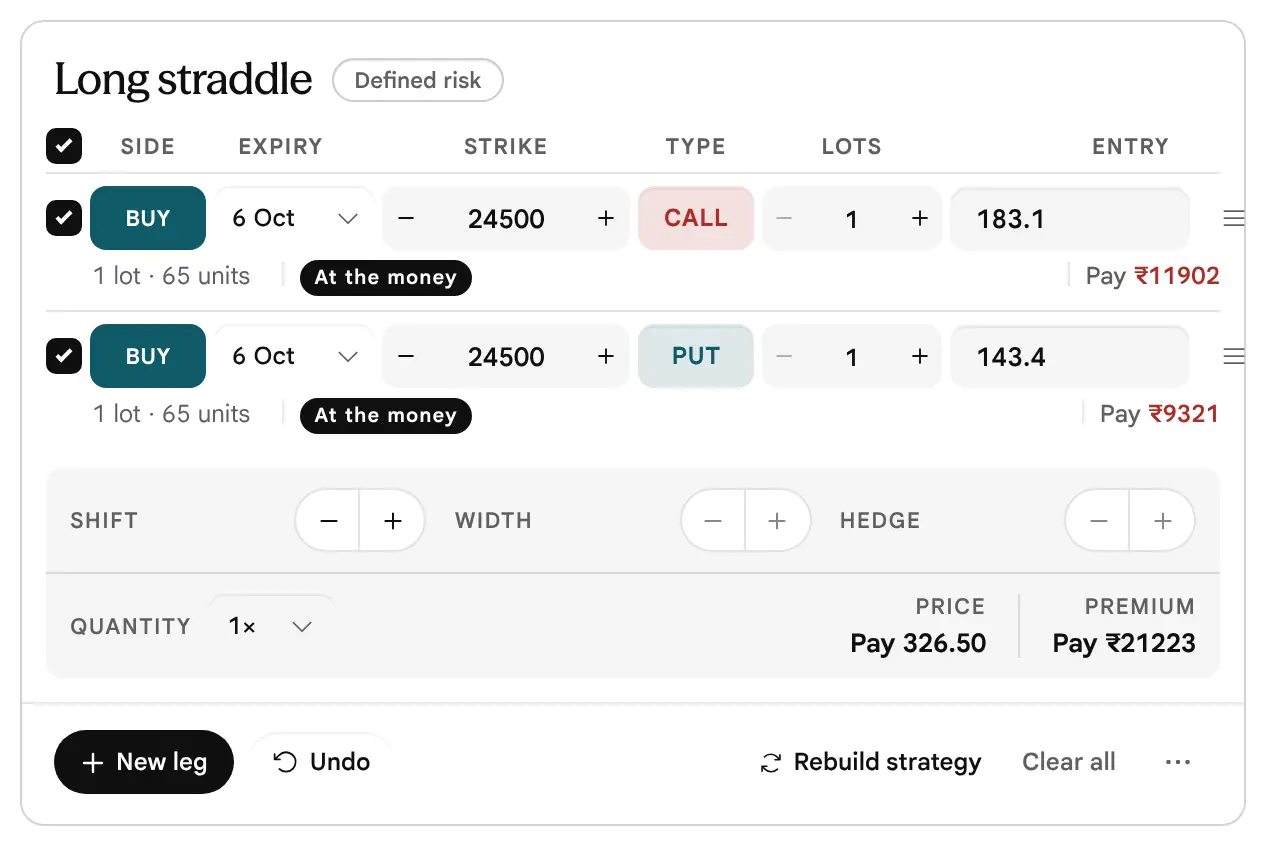
3. Long Straddle: a Large Move, Either Way
Long straddle
Either way · defined risk- Buy 24500 Call
- Buy 24500 Put
- You pay₹21223
- Maximum loss₹21223
- Maximum profitUnlimited
- Breakevens24173.5 and 24826.5
- Chance of profit41.8%
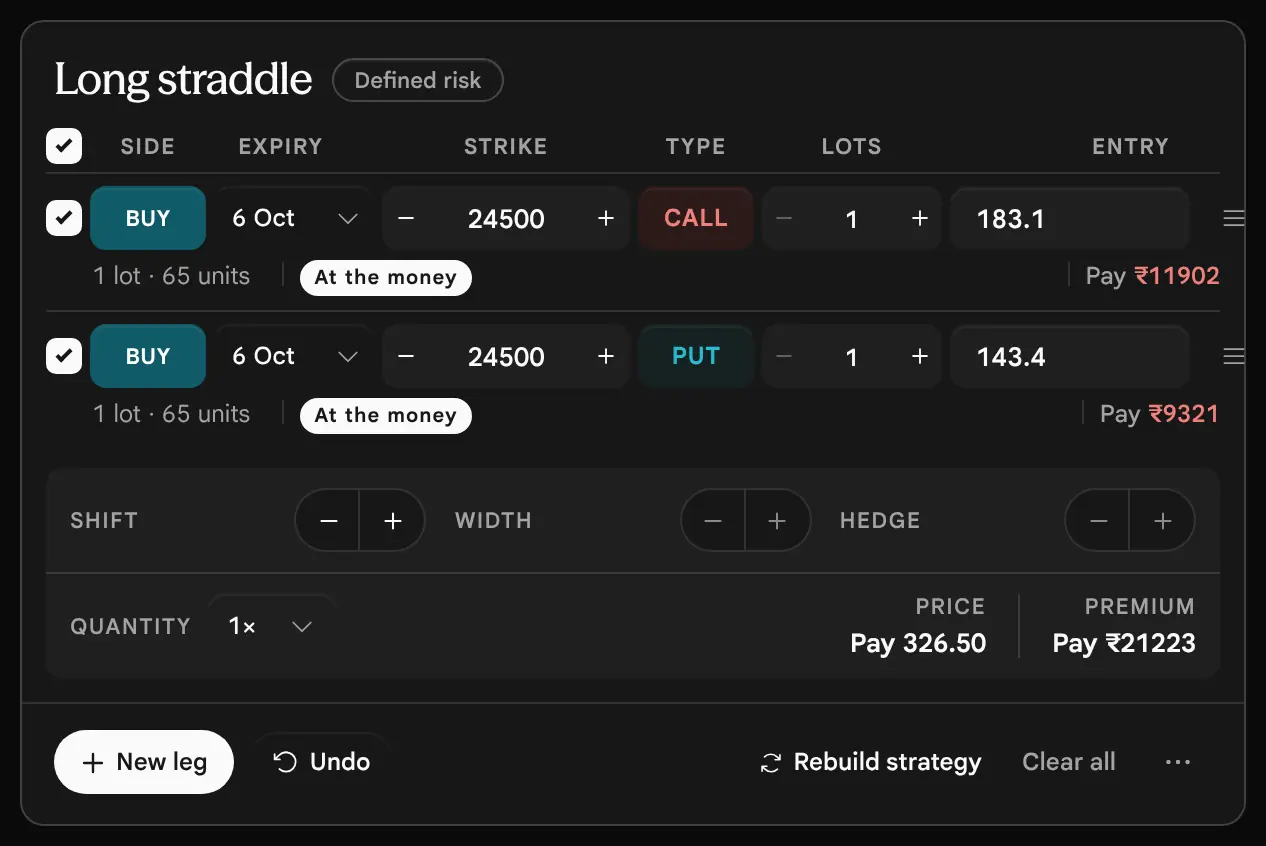
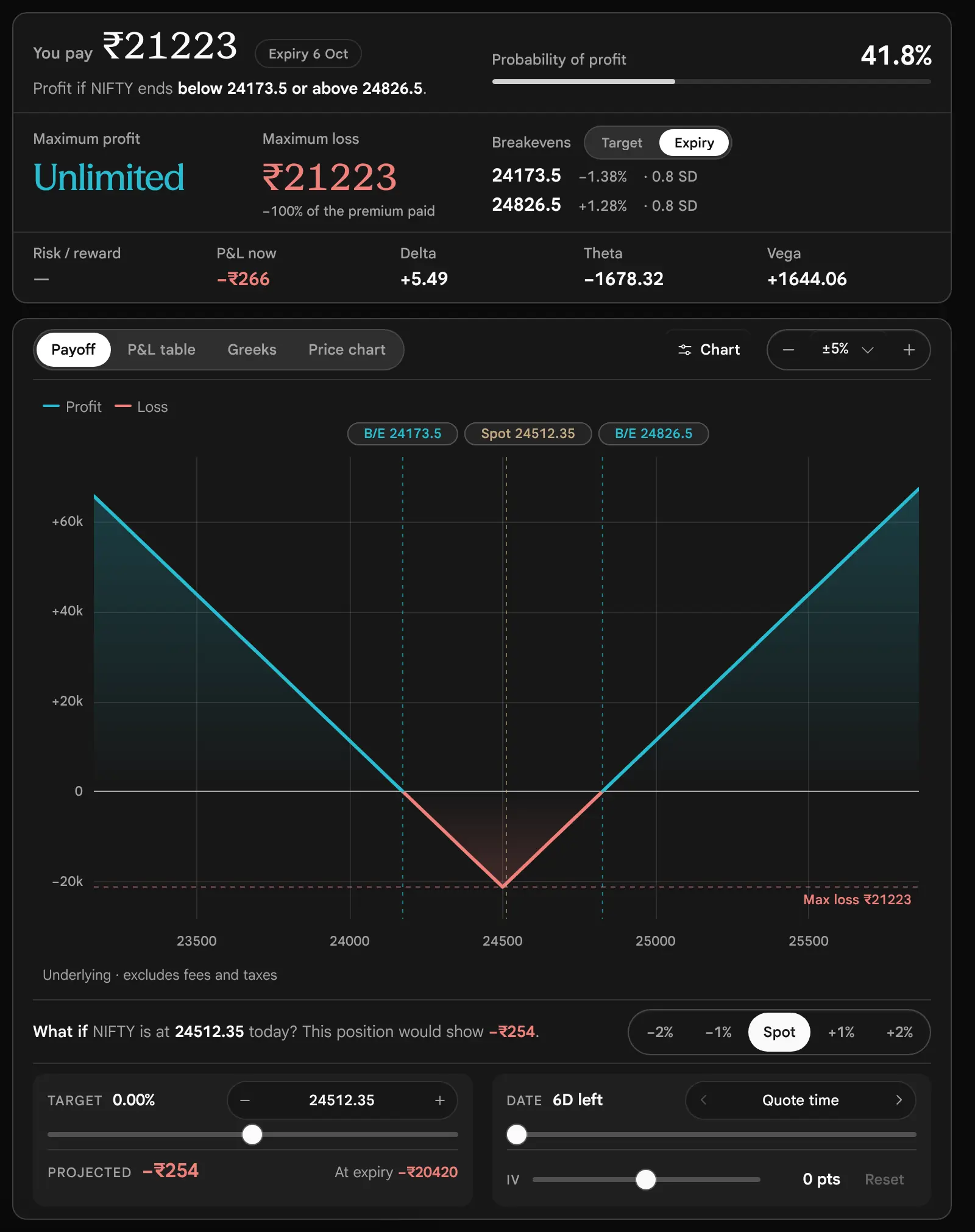
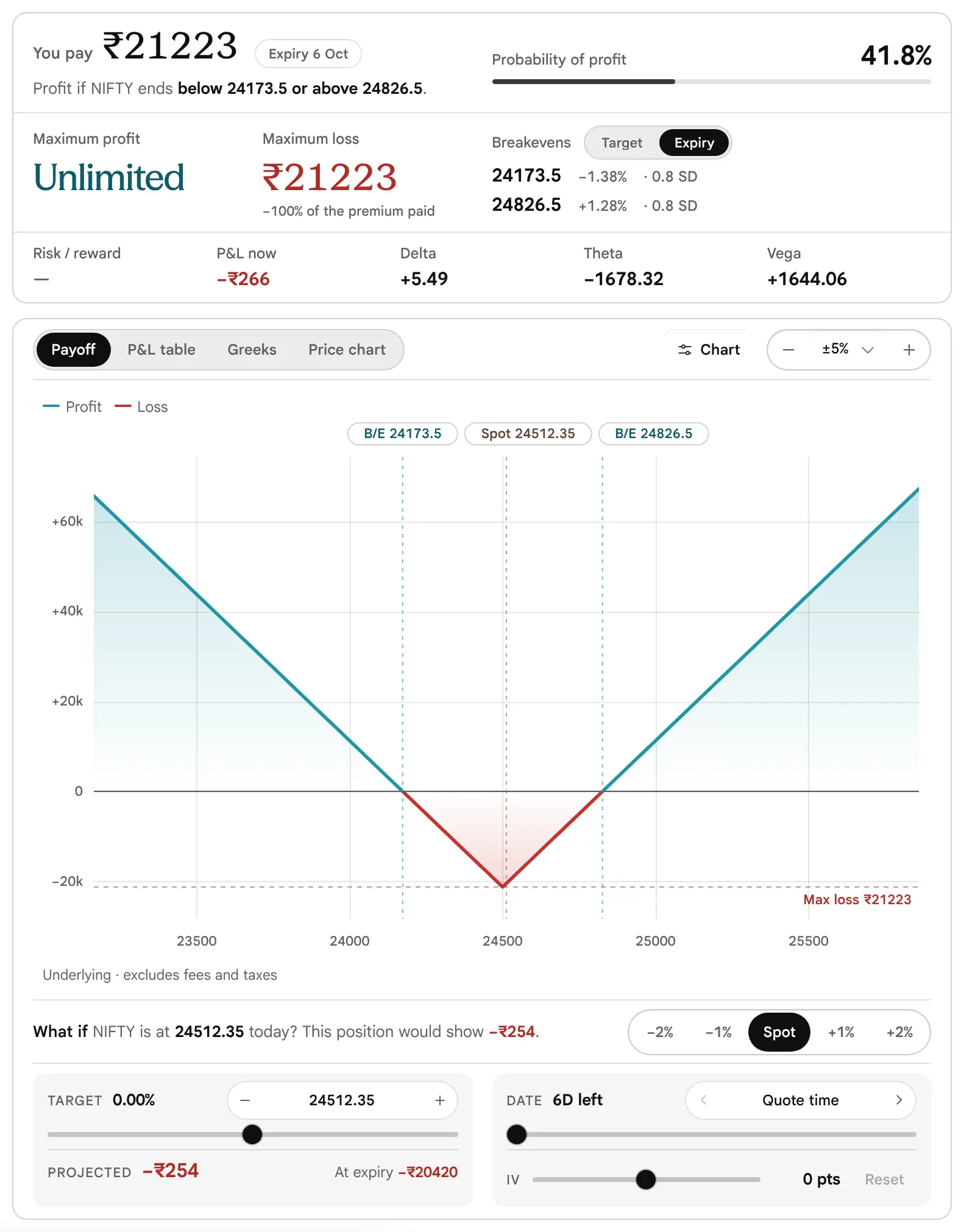
Buy the 24500 Call at 183.1 and the 24500 Put at 143.4: 326.50 per unit, ₹21223 in all, and that whole premium is the most it can lose. At expiry the position is a V. It breaks even 326.50 either side of 24500, at 24173.5 and 24826.5, a move of about 1.3% from spot. That is about 0.8 SD, against the ±401 move that the at-the-money implied volatility prices in by expiry. If NIFTY ends exactly at 24500 both options are worth nothing at expiry and the whole ₹21223 is lost.
Reading the Greeks. Delta is +5.49, nearly flat, so the position does not care which way the price starts to move. Theta is −1678.32 a day: a quiet day costs about that much. Vega is +1644.06: it gains if implied volatility rises. The trap: a straddle bought before a known event pays for the event in the premium. If the market moves only as much as the options priced in, the position still loses.
4. Short Strangle: a Range, With the Risk Open
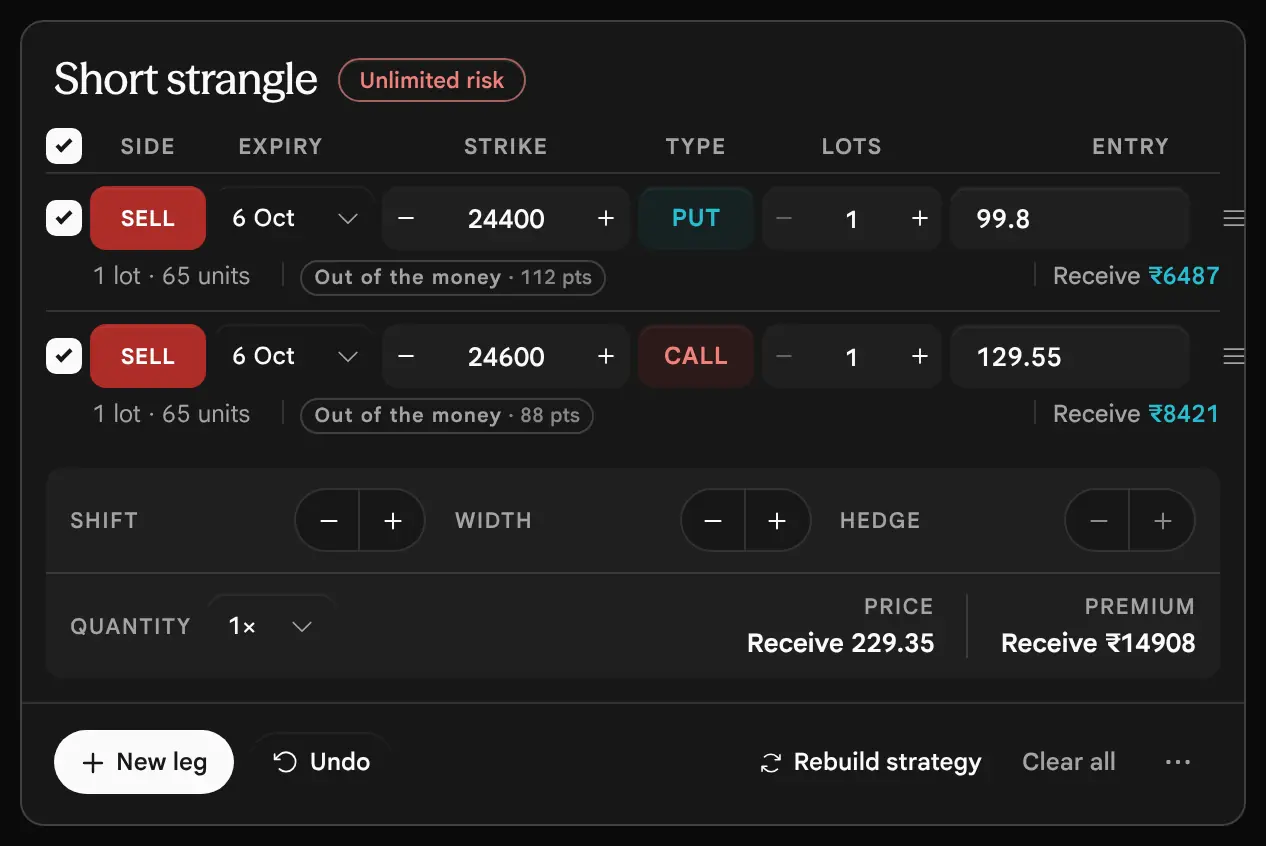
Short strangle
Neutral · unlimited risk- Sell 24400 Put
- Sell 24600 Call
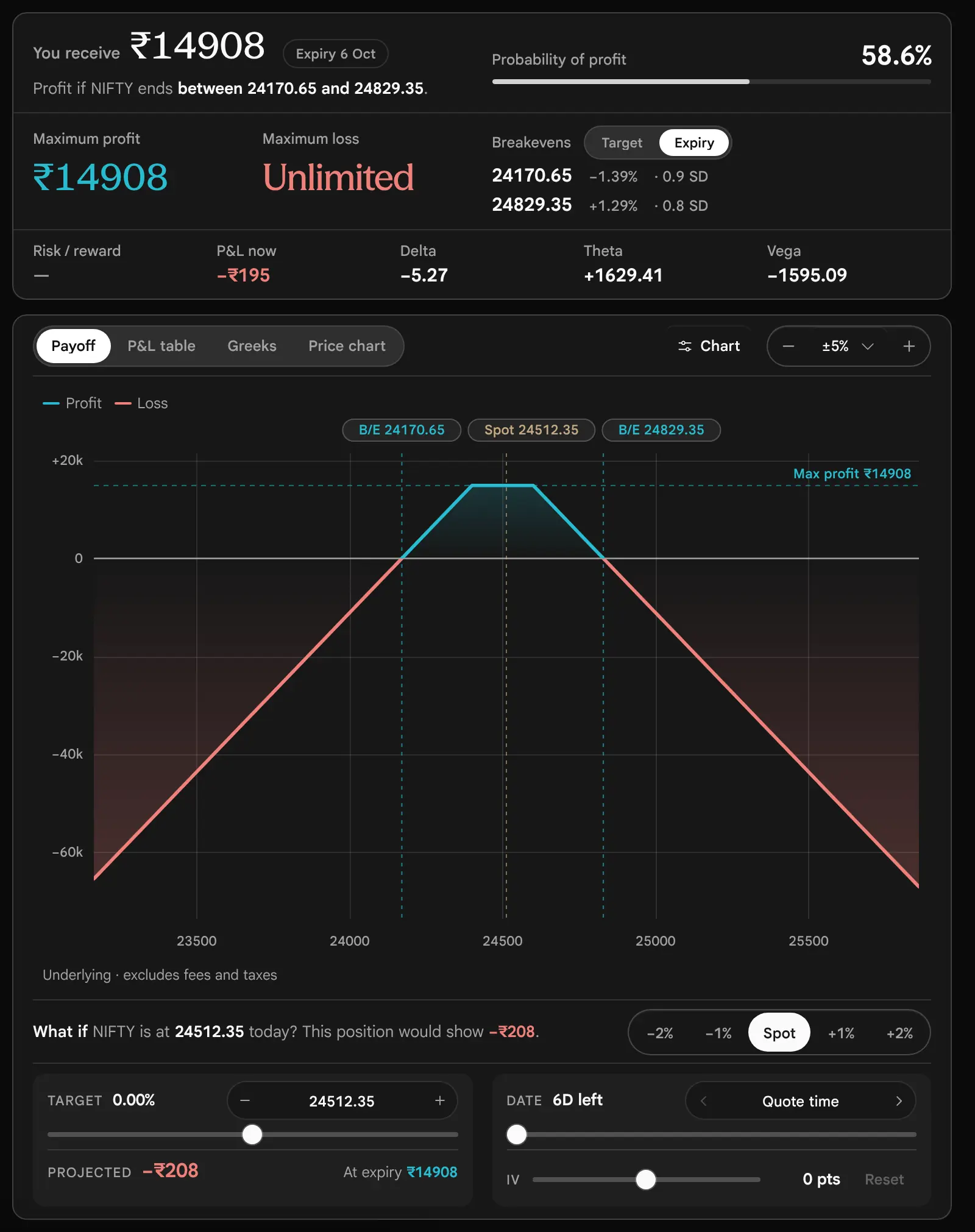
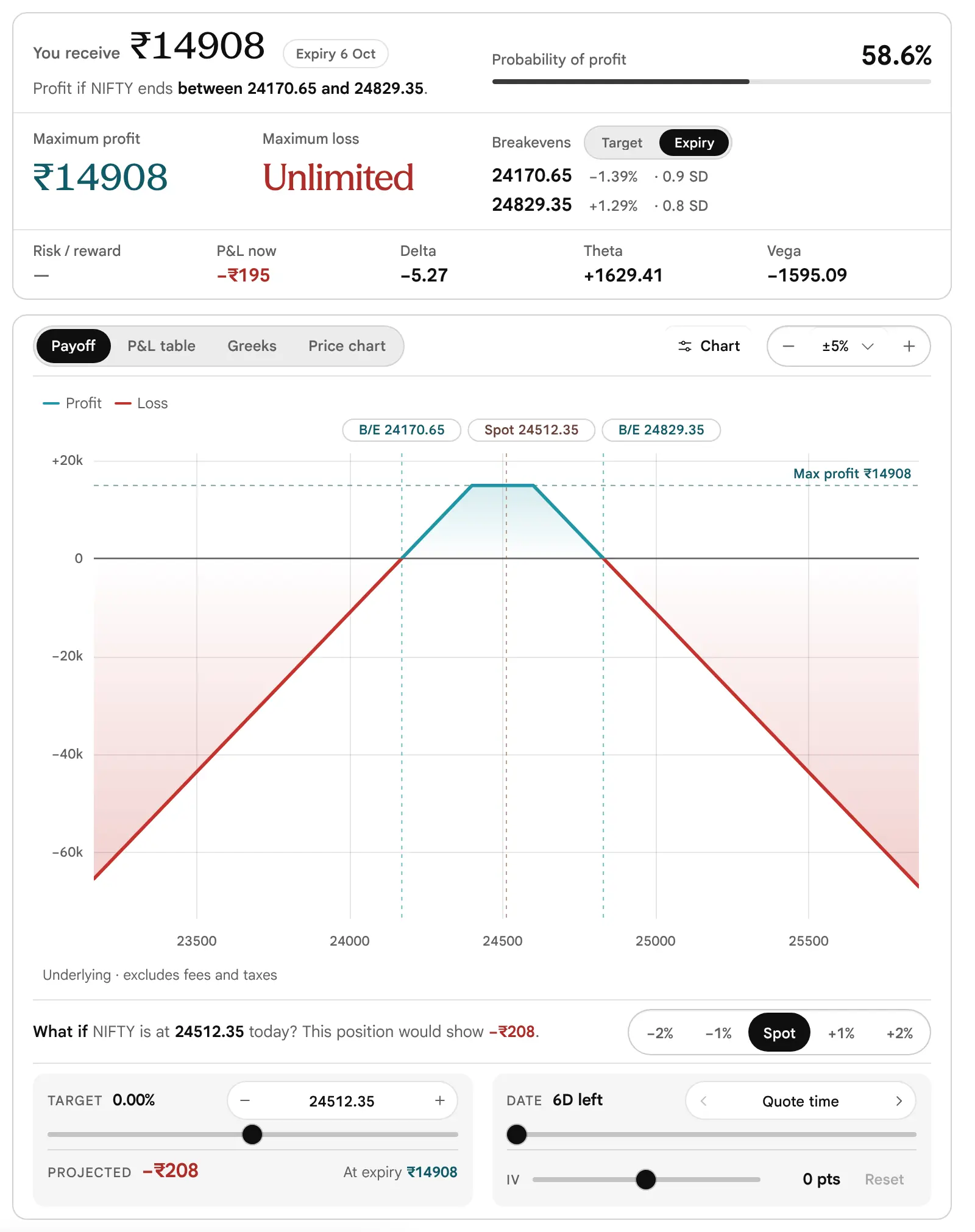
- You receive₹14908
- Maximum lossUnlimited
- Maximum profit₹14908
- Breakevens24170.65 and 24829.35
- Chance of profit58.6%
Sell the 24400 Put at 99.8 and the 24600 Call at 129.55: 229.35 per unit, ₹14908 in all, with nothing bought to protect either side. Before reading the credit, read the risk: nothing is bought to protect either side, so the loss has no cap on a rise, and on a fall it stops only at zero. The position keeps the whole credit if NIFTY ends between 24400 and 24600. It breaks even at 24400 − 229.35 = 24170.65 and 24600 + 229.35 = 24829.35. Beyond either breakeven the loss grows by ₹65 for every point, with no limit above and a very large finite one below. The tag reads Unlimited risk and the Maximum loss reads Unlimited.
Compare it with the Iron condor. The Iron condor is the same idea with a bought Put and a bought Call added as wings. The wings cost ₹10631 of the credit and turn an open-ended loss into a capped one of ₹2223. Read the Greeks too: Theta +1629.41 and Vega −1595.09 are more than ten times those of the condor, because nothing is bought to offset the sensitivity of the sold legs.

5. Short Straddle: the Same Idea, Narrower
Short straddle
Neutral · unlimited risk- Sell 24500 Call
- Sell 24500 Put
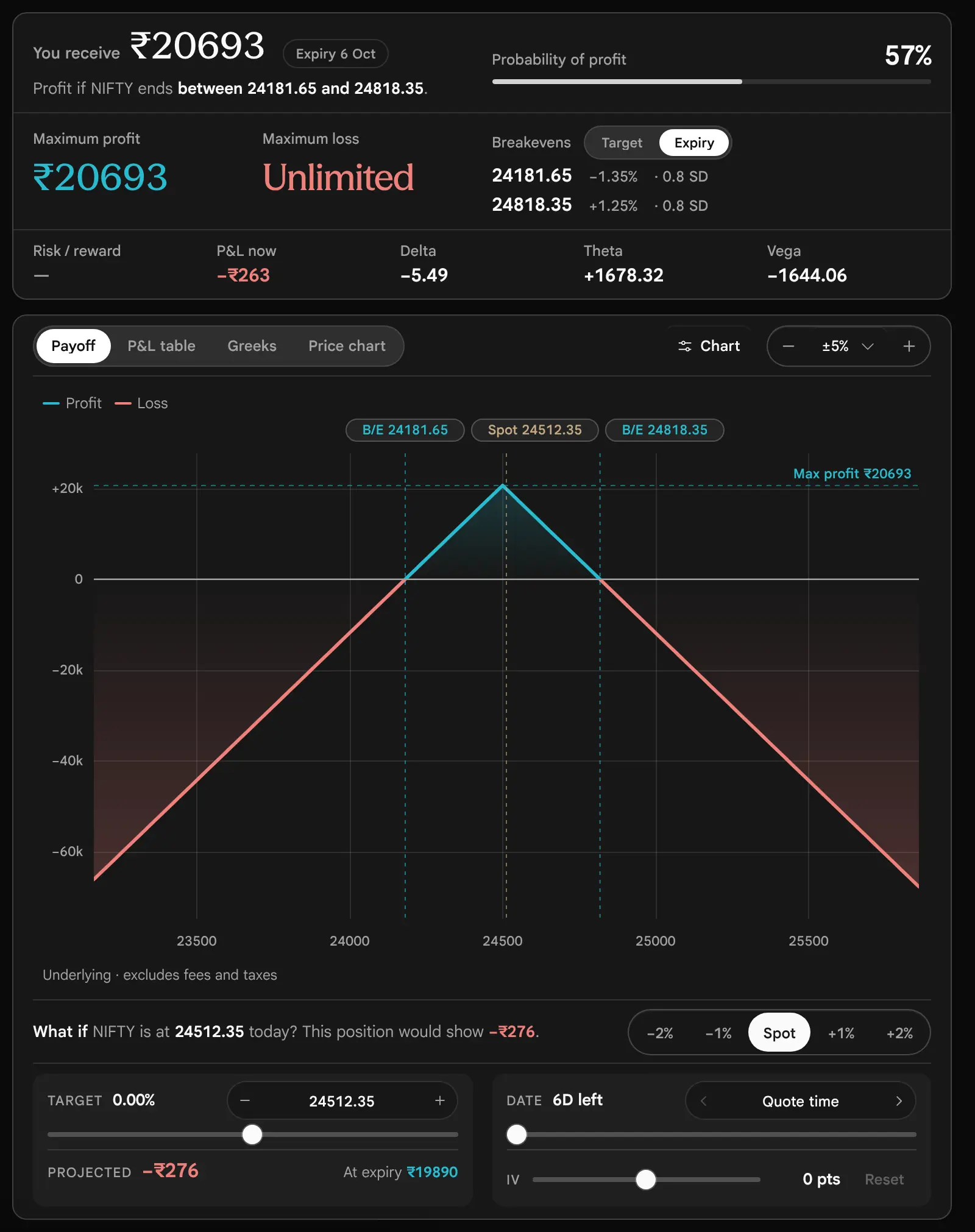
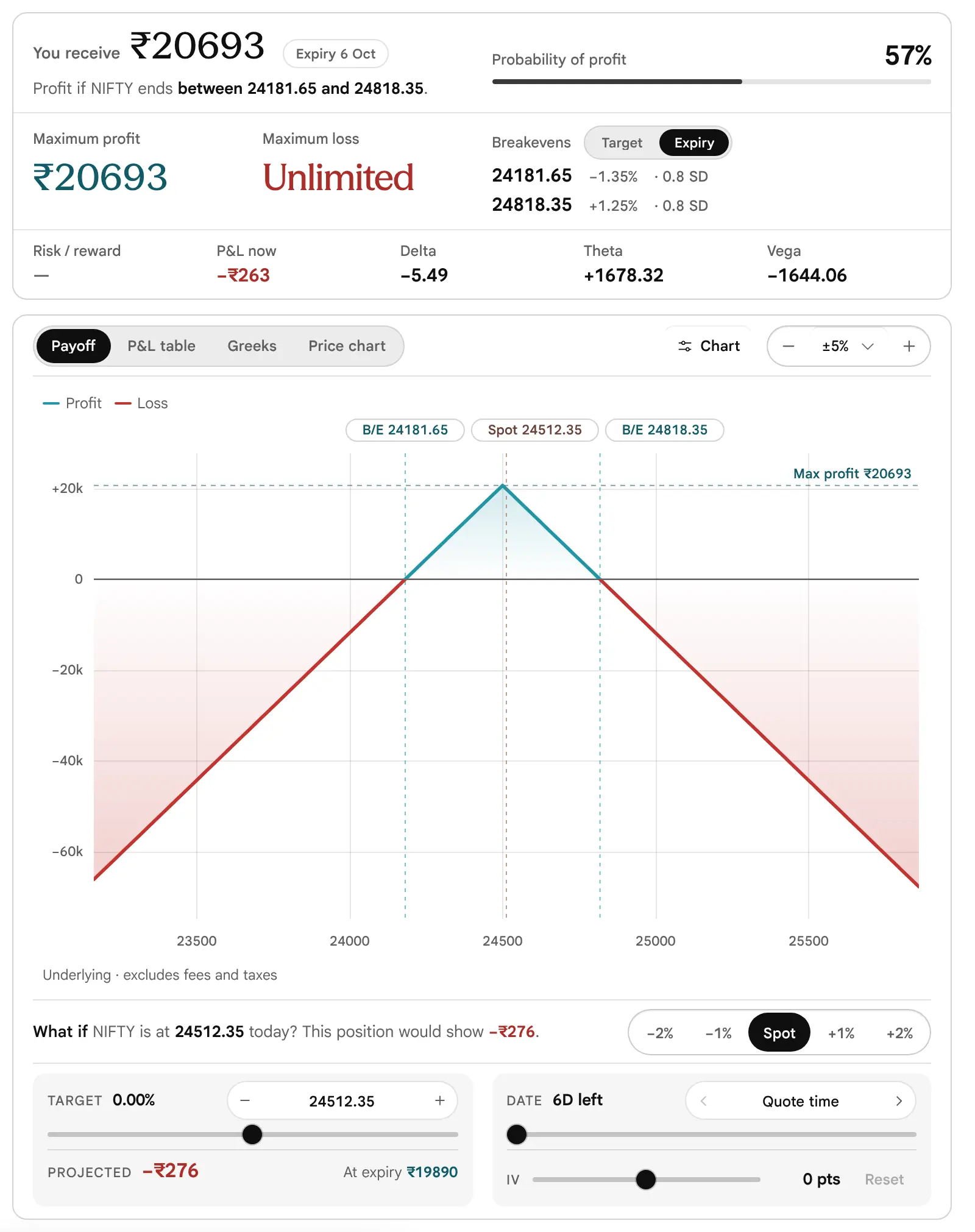
- You receive₹20693
- Maximum lossUnlimited
- Maximum profit₹20693
- Breakevens24181.65 and 24818.35
- Chance of profit57%
Sell the 24500 Call at 178.55 and the 24500 Put at 139.8: 318.35 per unit, ₹20693. The loss has no cap on a rise and is very large on a fall. The profit peaks at exactly 24500 and falls away on both sides, reaching zero at 24181.65 and 24818.35. Past a breakeven, every extra point costs ₹65 on the side that is moving. Like the strangle, its loss has no cap; the Iron condor and the Bull put spread fix the worst case with bought legs. If NIFTY ends at 25000, the loss is (500 − 318.35) × 65 = ₹11807; at 25200 it is (700 − 318.35) × 65 = ₹24807.




6. Bear Put Spread: a Fall, With the Cost Capped
Bear put spread
Bearish · defined risk- Buy 24500 Put
- Sell 24400 Put
- You pay₹2834
- Maximum loss₹2834
- Maximum profit₹3666
- Breakeven24456.4
- Chance of profit41.1%
Buy the 24500 Put at 143.4 and sell the 24400 Put at 99.8: 43.60 per unit, ₹2834. The most it can lose is the cost, ₹2834, if NIFTY ends at or above 24500. The best case is NIFTY at or below 24400, where the spread is worth its full 100 less the premium: (100 − 43.60) × 65 = ₹3666. It breaks even at 24500 − 43.60 = 24456.4. It is the Bull call spread turned over: the same shape, on the other side of the price.
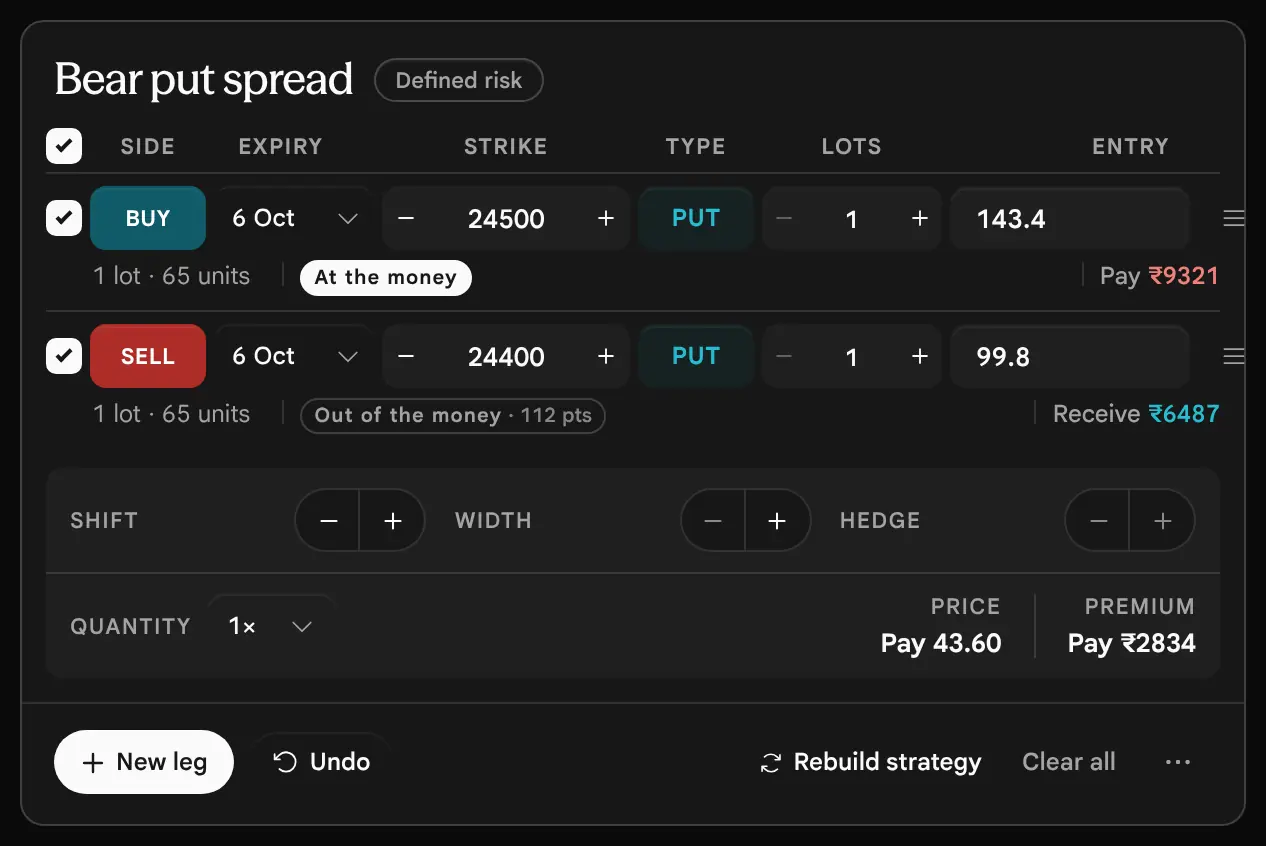


7. Bull Put Spread: Collecting Premium, With a Floor
Bull put spread
Bullish · defined risk- Buy 24350 Put
- Sell 24450 Put
- You receive₹2152
- Maximum loss₹4349
- Maximum profit₹2152
- Breakeven24416.9
- Chance of profit62.7%
Sell the 24450 Put at 118.6 and buy the 24350 Put at 85.5: a credit of 33.10 per unit, ₹2152. The loss is capped at the 100-point width less the credit: (100 − 33.10) × 65 = ₹4349, if NIFTY ends at or below 24350. The profit is the credit, kept if NIFTY ends above 24450. The breakeven is 24450 − 33.10 = 24416.9. The position is paid for being not wrong and has a larger loss than gain, and the chance of profit of 62.7% is what the market charges for that.



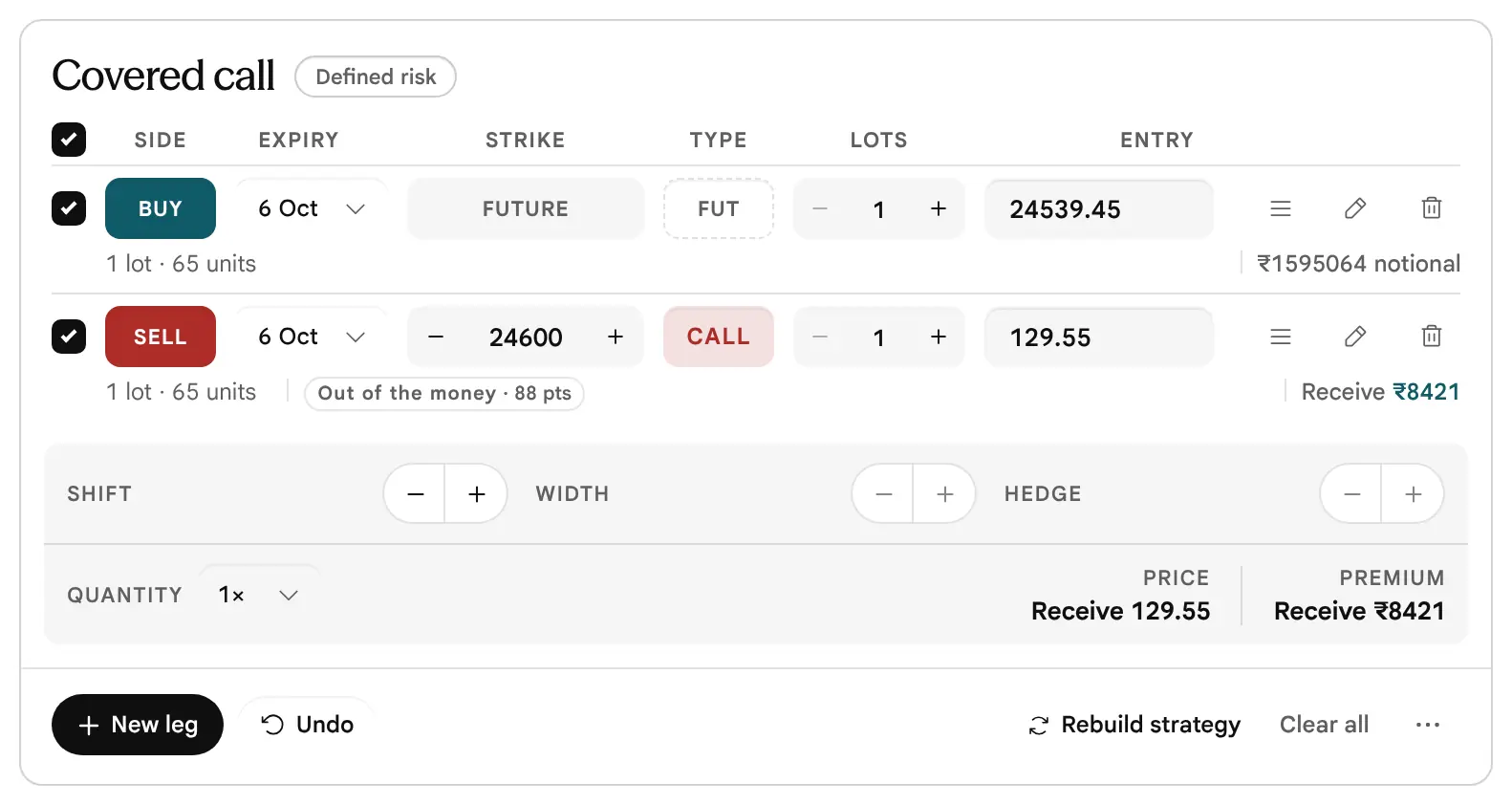
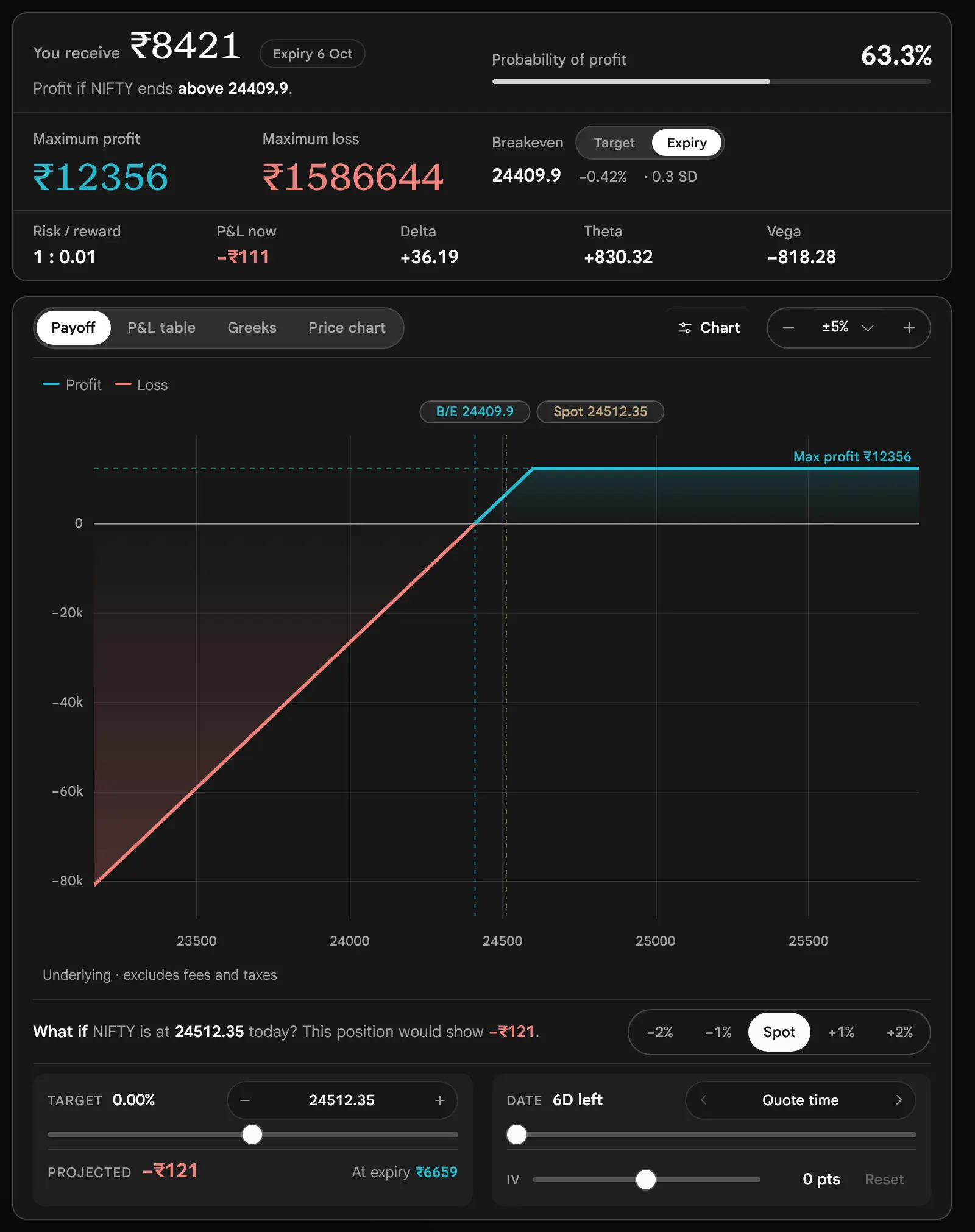
8. Covered Call: a Future and a Sold Call
Covered call
Bullish · tagged defined risk- Buy future
- Sell 24600 Call
- You receive₹8421
- Maximum loss₹1586644
- Maximum profit₹12356
- Breakeven24409.9
- Chance of profit63.3%
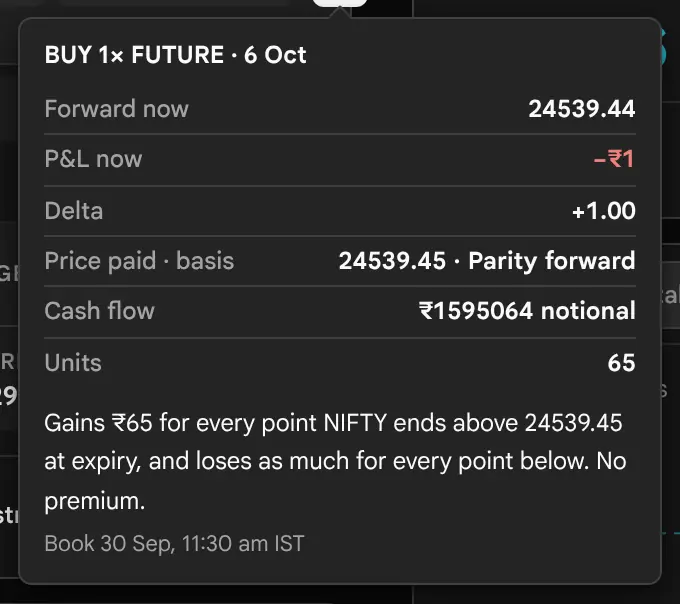
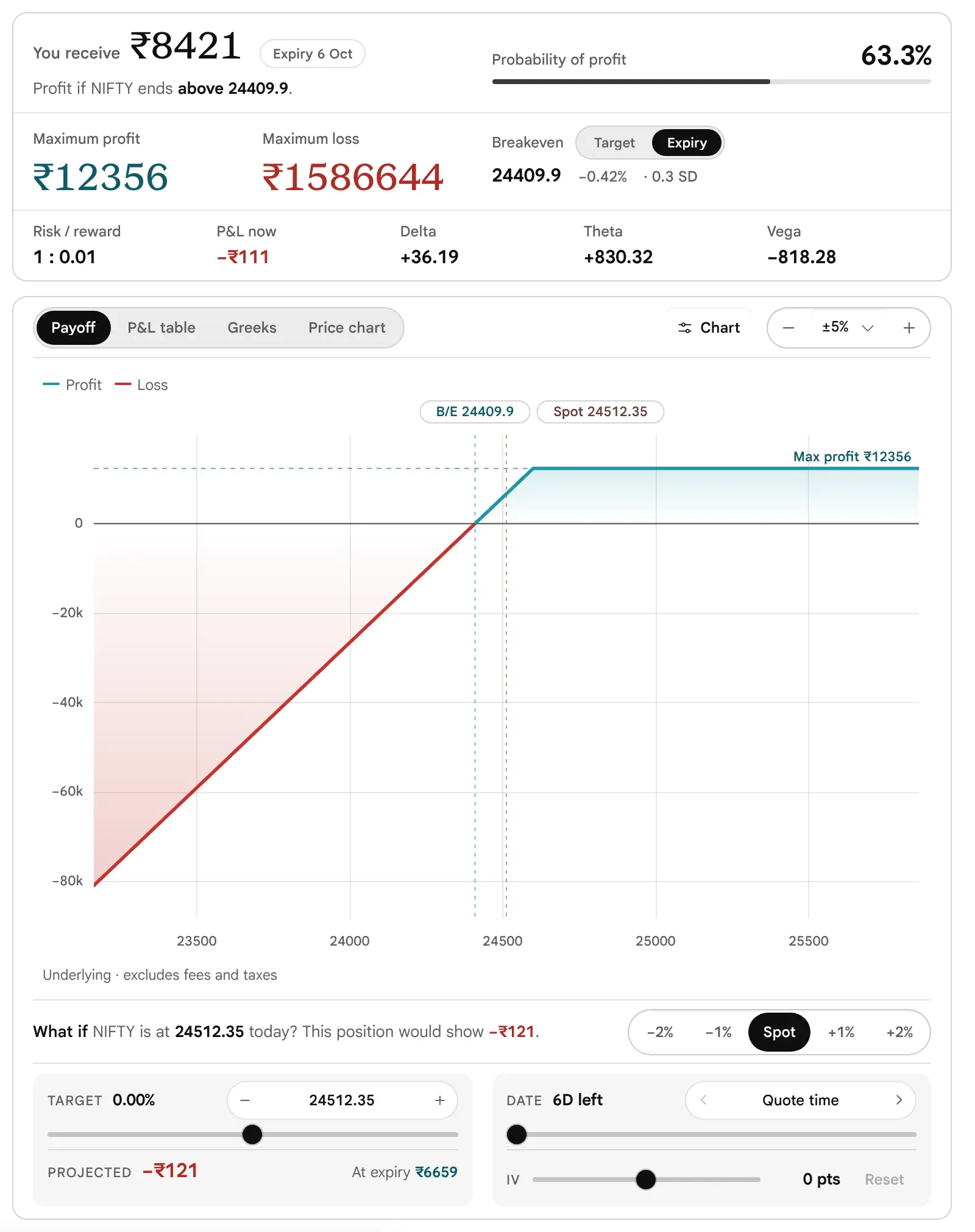
The tile buys one future and sells the 24600 Call at 129.55. The feed carries no futures quote, so the future is priced at this expiry’s put–call parity forward, 24539.45. The Call brings in 129.55 per unit, so the breakeven is 24539.45 − 129.55 = 24409.9. The gain stops at 24600: (24600 − 24539.45 + 129.55) × 65 = ₹12356. Below the breakeven the loss grows by ₹65 per point, one for one, as with a future.
Read the Maximum loss first. It prints ₹1586644. That is the loss if NIFTY fell to zero, which cannot be ruled out in arithmetic and is not a forecast. In practice a fall of 10% would cost about ₹159506 on the future, less the Call’s premium of ₹8421: still a large sum, so a large fall is a real case to plan for. It is why the tag reads Defined risk while the figure is large. The line “You receive ₹8421” is the Call’s premium alone, because a future has no premium.

9. Call Calendar: Two Expiries
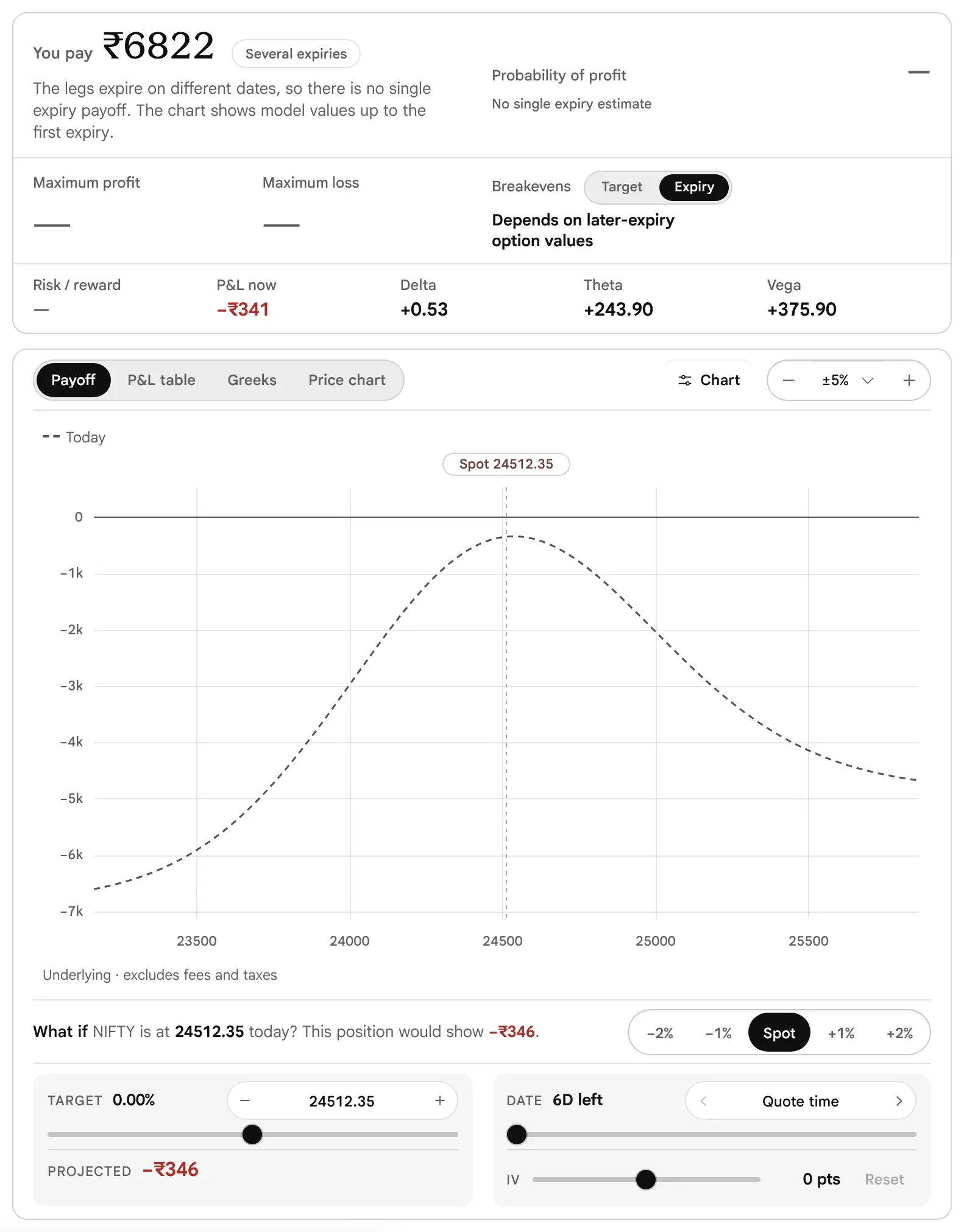
Call calendar
Neutral · mixed expiries- Sell 24500 Call 6 Oct
- Buy 24500 Call 13 Oct
- You pay₹6822
- Maximum loss—
- Maximum profit—
- BreakevensNone at expiry
- Chance of profit—
Sell the 24500 Call on 6 October at 178.55 and buy the 24500 Call on 13 October at 283.5: a debit of 104.95 per unit, ₹6822. The idea is that the near Call loses time value faster than the far Call. The legs sit on different expiries, so there is no single payoff at expiry: Maximum profit and Maximum loss print a dash, there is no expiry breakeven, and the chance of profit is blank. The page says so in words: “The legs expire on different dates, so there is no single expiry payoff.” The chart draws only the dashed model line up to the first expiry, and the table ends in a column named First expiry.
The values in a calendar are conditional. At the first expiry the near leg settles at the scenario price, and the far leg is priced by the model, using its own expiry’s chain, which the page loads in the background and refreshes about every minute. They are model estimates throughout, so they depend on the implied volatility of the far expiry staying where it is.



The 45 Ready-Made Strategies, by Shape
Which strategy has the payoff shape I am looking for, and what are its legs?
The Ready-made tiles hold 45 strategies in four views. Each row below gives a small sketch of its payoff at expiry, a shape word, its legs and what the page computes. A leg’s number is its distance in listed strikes from the at-the-money strike (plus above, minus below), multiplied by the Spacing choice, 1 by default. The first strategy to appear on a fresh page is the Iron condor, then the Bull call spread, then the Long call, whichever the chain can build. A name that is a link has a worked example in this guide.
Find It by Shape
- Peak (tent)
- Bull butterfly, Call ratio spread, Bear butterfly, Put ratio spread, Short straddle, Iron butterfly, Call butterfly, Put butterfly
- Flat top (trapezoid)
- Bull condor, Bear condor, Short strangle, Iron condor
- V or U (a loss in the middle)
- Long straddle, Long strangle, Strap, Strip, Reverse iron butterfly
- Step up
- Bull call spread, Bull put spread, Reverse jade lizard
- Step down
- Bear put spread, Bear call spread
- Bell (two expiries, model only)
- Call diagonal, Put diagonal, Call calendar, Put calendar
- Lines, hockey sticks and combinations
- Long call, Long synthetic future, Long future, Call backspread, Range forward, Short put, Covered call, Jade lizard, Protective put, Collar, Long put, Short synthetic future, Short future, Put backspread, Risk reversal, Short call, Batman, Double plateau, Reverse iron condor
How to Use the Tables
“Large (price to zero)” means a loss or gain that is finite only because a price cannot go below zero. It can be very large, roughly the strike times the units, and the tag still reads Defined risk. “Unlimited” means the figure on the page is the word Unlimited. A tile may be disabled when the chain has no quotes at the strikes it needs; a closer Spacing then helps. A calendar or diagonal also needs the next expiry’s chain. The sketch ignores premiums, so it shows where the line bends and not where it crosses zero.
Pick a view, a shape, or both. Choose All and Any shape to see every row again.
No strategy has that view and that shape together. Choose All or Any shape to widen it.
Bullish: 16 strategies
| Sketch | Strategy | Shape | Legs | At expiry, as the page computes it |
|---|---|---|---|---|
| Long call | Hockey stick up | Buy Call +0 | Profit unlimited; loss the premium | |
| Bull call spread | Step up | Buy Call +0, sell Call +2 | Both capped | |
| Long synthetic future | Straight line up | Buy Call +0, sell Put +0 | Profit unlimited; loss large (price to zero) | |
| Long future | Straight line up | Buy future | Profit unlimited; loss large (price to zero) | |
| Call backspread | Dip, then up | Sell Call +0, buy 2 Calls +2 | Profit unlimited; loss finite | |
| Call diagonal | Bell (model only) | Sell Call +2, buy Call +0 on the next expiry | Two expiries: no expiry payoff | |
| Bull butterfly | Peak | Buy Call +1, sell 2 Calls +3, buy Call +5 | Both capped; two breakevens | |
| Bull condor | Flat top | Buy Call +1, sell Calls +3 and +5, buy Call +7 | Both capped; two breakevens | |
| Range forward | Up, flat middle, up | Sell Put −2, buy Call +2 | Profit unlimited; loss large (price to zero) | |
| Short put | Hockey stick (loss on a fall) | Sell Put −1 | Profit capped; loss large (price to zero) | |
| Covered call | Up, then flat | Buy future, sell Call +2 | Profit capped; loss large (price to zero) | |
| Bull put spread | Step up | Buy Put −3, sell Put −1 | Both capped | |
| Jade lizard | Up, flat top, step down | Sell Put −2, sell Call +2, buy Call +4 | Profit capped; loss large on a fall | |
| Call ratio spread | Peak, then falling | Buy Call +0, sell 2 Calls +2 | Profit capped; loss unlimited | |
| Protective put | Floor, then up | Buy future, buy Put −2 | Profit unlimited; loss finite | |
| Collar | Floor, up, cap | Buy future, buy Put −2, sell Call +2 | Both capped |
Bearish: 13 strategies
| Sketch | Strategy | Shape | Legs | At expiry, as the page computes it |
|---|---|---|---|---|
| Long put | Hockey stick down | Buy Put +0 | Profit large (price to zero); loss the premium | |
| Bear put spread | Step down | Buy Put +0, sell Put −2 | Both capped | |
| Short synthetic future | Straight line down | Sell Call +0, buy Put +0 | Profit large (price to zero); loss unlimited | |
| Short future | Straight line down | Sell future | Profit large (price to zero); loss unlimited | |
| Put backspread | Down, dip, flat | Sell Put +0, buy 2 Puts −2 | Profit large (price to zero); loss finite | |
| Put diagonal | Bell (model only) | Sell Put −2, buy Put +0 on the next expiry | Two expiries: no expiry payoff | |
| Bear butterfly | Peak | Buy Put −5, sell 2 Puts −3, buy Put −1 | Both capped; two breakevens | |
| Bear condor | Flat top | Buy Put −7, sell Puts −5 and −3, buy Put −1 | Both capped; two breakevens | |
| Risk reversal | Down, flat middle, down | Buy Put −2, sell Call +2 | Profit large (price to zero); loss unlimited | |
| Short call | Flat, then down | Sell Call +1 | Profit capped; loss unlimited | |
| Bear call spread | Step down | Sell Call +1, buy Call +3 | Both capped | |
| Reverse jade lizard | Step up, flat top, down | Buy Put −4, sell Put −2, sell Call +2 | Profit capped; loss unlimited on a rise | |
| Put ratio spread | Peak, then falling | Buy Put +0, sell 2 Puts −2 | Profit capped; loss large (price to zero) |
Neutral: 10 strategies
| Sketch | Strategy | Shape | Legs | At expiry, as the page computes it |
|---|---|---|---|---|
| Short strangle | Flat top, open sides | Sell Put −2, sell Call +2 | Profit capped; loss unlimited | |
| Short straddle | Peak, open sides | Sell Call +0, sell Put +0 | Profit capped; loss unlimited | |
| Iron condor | Flat top | Buy Put −4, sell Put −2, sell Call +2, buy Call +4 | Both capped | |
| Iron butterfly | Peak | Buy Put −3, sell Put +0, sell Call +0, buy Call +3 | Both capped | |
| Batman | Twin peaks, open sides | Sell 2 Puts −3, buy Put −1, buy Call +1, sell 2 Calls +3 | Profit capped; loss unlimited | |
| Double plateau | Twin flat tops | A bear condor below and a bull condor above the price | Both capped; four breakevens | |
| Call butterfly | Peak | Buy Call −2, sell 2 Calls +0, buy Call +2 | Both capped; two breakevens | |
| Put butterfly | Peak | Buy Put −2, sell 2 Puts +0, buy Put +2 | Both capped; two breakevens | |
| Call calendar | Bell (model only) | Sell Call +0, buy Call +0 on the next expiry | Two expiries: no expiry payoff | |
| Put calendar | Bell (model only) | Sell Put +0, buy Put +0 on the next expiry | Two expiries: no expiry payoff |
Either way: 6 strategies
| Sketch | Strategy | Shape | Legs | At expiry, as the page computes it |
|---|---|---|---|---|
| Long straddle | V | Buy Call +0, buy Put +0 | Profit unlimited; loss the premium | |
| Long strangle | V with a flat bottom | Buy Put −2, buy Call +2 | Profit unlimited; loss the premium | |
| Strap | V, steeper on the right | Buy 2 Calls +0, buy Put +0 | Profit unlimited; loss the premium | |
| Strip | V, steeper on the left | Buy 2 Puts +0, buy Call +0 | Profit unlimited; loss the premium | |
| Reverse iron condor | Flat-bottom U, capped | Sell Put −4, buy Put −2, buy Call +2, sell Call +4 | Both capped | |
| Reverse iron butterfly | V, capped | Sell Put −3, buy Put +0, buy Call +0, sell Call +3 | Both capped |
The last column is what the app computed on a test chain, not a promise for any particular day. Each strategy’s own tile, under the matching view in the Ready-made tiles of the Strategy Builder, shows its real figures on the chain you are reading. The Strategy Finder, described later, uses a different list of 22 structures in 6 families; the two lists overlap but are not the same.
The question each topic answers
- What will it really cost me, and how many can I afford?
- The market has moved: how do I look at changing a position I hold?
- How do I keep a position, and can I share it?
- What can I change in how the page reads, and what are the defaults?
- What changes on expiry day, and what does the page not model?
- How does the Strategy Finder hand me a position, and how does the Builder relate to the other tools?
- What do readers get wrong, and what should I check before a first spread?
- What does the page not do?
Costs, Taxes, Position Sizing and Margin
What will it really cost me, and how many can I afford?
By default every figure on the page is before fees, taxes and slippage. The chart says so in its footnote (“excludes fees and taxes”). A position that looks worthwhile before costs can look different after them, so the page lets you enter them. Open the folder Costs & position sizing under the Ready-made tiles.
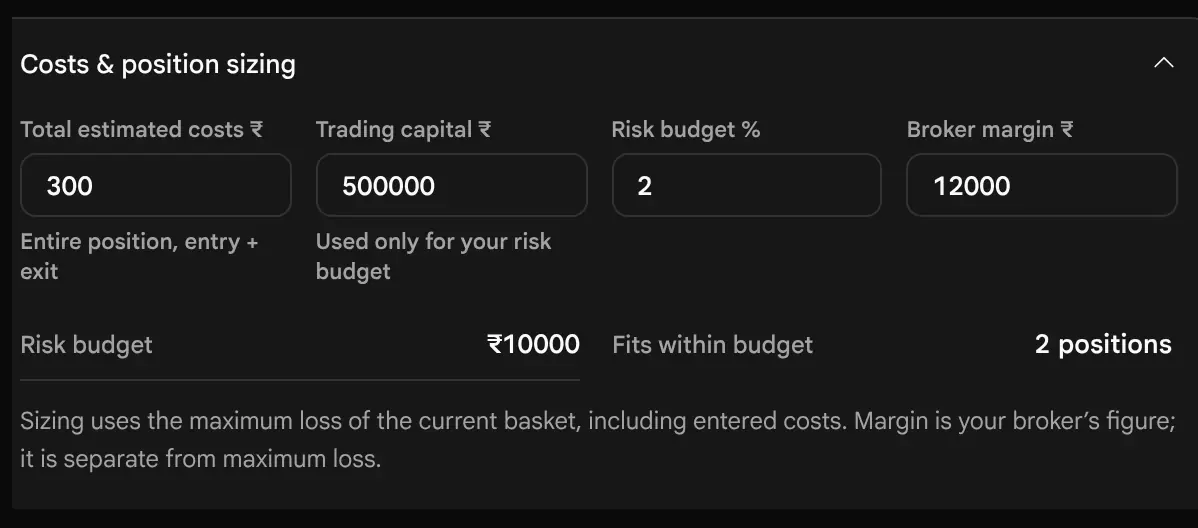

| Field | What it does |
|---|---|
| Total estimated costs | One figure for the whole position, entry and exit together. It is taken off once, from the expiry payoff and from every model value. The default is 0. |
| Trading capital | Used only to work out your risk budget. |
| Risk budget % | The share of capital you are willing to put at risk on one position. The default is 2. |
| Broker margin | A figure you type in from your broker. It is optional, and the page uses it only to print the maximum profit and loss as a share of it, and a return on margin. |
| Fits within budget | The risk budget divided by the maximum loss, rounded down. It needs a finite maximum loss. |
The effect of costs is exact. With total costs of ₹300 on the Bull call spread, the maximum loss moves from ₹3481 to ₹3781, the maximum profit from ₹3019 to ₹2719, the breakeven from 24553.55 to 24558.17, and the chance of profit from 49.3% to 48.8%. Sizing then follows the new loss: a risk budget of 2% of ₹500000 is ₹10000, and 10000 ÷ 3781 fits two positions.


Margin: What This Page Cannot Tell You
The builder never calculates margin. The Maximum loss it prints is the most the position can lose at expiry; margin is the money your broker blocks to let you hold it, and the two are different numbers. For a position with sold options the blocked amount can be many times the premium received. The exchange and the broker set it, and it can change. Before you trade a structure, ask your broker for its margin, and use the Broker margin field only to see the page’s figures against that number. Whether and how a hedged position receives a margin benefit is set by the exchange and your broker (not verified here; ask your broker).
Taxes and Brokerage: What to Enter, and What the Page Leaves Out
The page has one box for all charges: Total estimated costs. It takes that figure off once, from every result. It does not know your broker’s plan or the current rates, so it works out nothing for you. To fill it in:
- List every charge on a round trip, meaning entering the position and leaving it (or letting it expire): brokerage on each order, the securities transaction tax, the exchange transaction charges, the SEBI turnover fee, GST on the charges that attract it, and stamp duty. Your broker’s charge calculator and your contract notes show each one for a real trade; we state no rates here because they change and differ by broker.
- Add them for the whole position: all legs, all lots, entry and exit. Type the sum into Total estimated costs.
- Add a margin of your own for slippage if you wish, since the page includes none.
The page does not compute any tax, does not work out the income tax on a profit or the treatment of a loss, does not apply the securities transaction tax that arises on exercise at expiry, and does not know your brokerage plan. The ₹300 used in the pictures above is a number typed for the picture, not a typical charge. Read the example: with ₹300 in the box, the Bull call spread’s breakeven moves from 24553.55 to 24558.17, because the costs have to be earned back before the position gains.
Liquidity Is a Cost Too
Entries are quotes, not fills. A fill depends on the depth at the bid or ask and on how fast the market is moving. Three places on the page show what is at stake: the Spread and sizes on a leg’s market card, the Spread cost vs mid row of the premium card, and the Market columns. A leg whose spread is 5% of its price costs about half of that against the mid to enter and again to leave, and a deep out-of-the-money leg with thin Open Interest may not trade at the price shown at all.
Adjusting a Live Strategy
The market has moved: how do I look at changing a position I hold?
Markets move after a position is opened. The builder cannot see your orders or your account, so it does not know what you hold. What it can do is hold a copy of your position, with the prices you traded at, and show you what a change would do before you make it. That makes it a good place to plan an adjustment.
-
Rebuild your position with your own prices
Load the structure or add its legs, then type the price you actually traded at in each leg’s Price box. Each typed price marks the leg Manual. Enter the lots, and the Quantity if you traded a multiple. Enter the costs you paid, in Costs & position sizing, if you want figures that include them.
-
Read where it stands
On the figures card, read P&L at LTP, which marks each leg at its last traded price against your entry, before costs. Then read the maximum loss, the breakevens against spot, and the position Greeks on the Greeks tab. P&L at LTP is a mark at last prices, not an exit value: closing the legs means paying the ask on sold legs and receiving the bid on bought ones.
-
Try an idea on a copy of the legs
Switch a leg off with its tick to see the position without it. Use Shift to slide the structure, Width to move the wings, or Hedge to move only the protective legs. Each move shows its new strikes, prices and premium in its guide before you press. Add a leg with New leg. Move one leg to another expiry with its Expiry choice to see a roll: the page prices that leg from the other expiry’s chain. Undo steps back, up to 30 times.
-
Compare, then decide
Put the numbers side by side: the maximum loss, the maximum profit, the breakevens, the premium paid or received, Delta, Theta and Vega, before and after. Read how far each figure moves with the adjustment, the credit and the risk together.


Named Adjustments, and Where to Try Each
Traders use a few names for the common changes to a position. The page has no button called by these names; each is a combination of its controls, so you can look at the result before you decide.
| Adjustment | What it means | How to try it in the page |
|---|---|---|
| Roll out | Move a leg to a later expiry, usually at the same strike, to give the position more time. | Change that leg’s Expiry choice. The leg is priced from the other expiry’s chain; the position then has two expiries, so it has no single expiry payoff. |
| Roll up or down | Move the strikes with the market. | The minus and plus beside a strike for one leg, or Shift for the whole position. |
| Add a hedge | Buy a further-out option to put a cap on a loss. | New leg for a bought Call above a sold Call, or a bought Put below a sold Put; or Hedge closer if a protective leg already exists. |
| Turn a short strangle into an Iron condor | Add the two bought wings so the loss is capped. | Add the two legs with New leg and read the Maximum loss before and after. |
| Narrow or widen | Bring the legs closer together or push them apart. | Width. |
| Close a leg | Take one leg out of the position. | Switch the leg off with its tick to see the position without it. Closing a real leg in the market costs the bid–ask spread, which the page does not take off. |
Decide the exit before the entry. The page has no alerts and no stop orders. Write down, before you trade, the price or the loss at which you will act and the date by which you will act in any case. The What if controls will show what the position is worth at that price and date. An adjustment is a new position with a new maximum loss: read that figure first.
What the Rebuild and Refresh Buttons Do to a Live Position
Rebuild strategy and Refresh entry prices re-quote every leg at the current quotes (the bid or ask, or the mid if Customise says so). That changes the entry prices you typed, so they are for planning a new position, not for keeping a record of an old one. Press them only when you want today’s prices in the figures. Undo restores the previous prices.
Frozen Entries, Moving Market
Each leg keeps its entry price and the implied volatility it had when it was added. The model line, the Greeks and the chances run on that stored implied volatility; P&L at LTP runs on the latest last prices (why the two differ). After a large move the two can disagree, and the model line can describe a quote that no longer exists. Refresh entry prices if you want the model to use today’s implied volatility.
A Leg on a Settled Expiry
A draft reopened after an expiry has passed may hold legs on a date that has settled. They have no quotes to refresh and no time value. The page shows a banner above the legs: “A leg is on 29 Sep, which has settled. Its figures below are not a live trade.” with a button Move to the selected expiry. Pressing it prices those legs again at today’s quotes, and Undo reverses it.
Saving, Loading, Sharing and Keeping a Draft
How do I keep a position, and can I share it?
There is no account and no server behind the builder. Everything you keep is stored in this browser, on this device, for the underlying you are on.
| What | How it is kept |
|---|---|
| The current position (the draft) | Saved shortly after each change, and at once when you leave the tab, for each underlying separately. Leave the page and come back, and it is there. The status line warns if the browser cannot store it. |
| A saved strategy | Press Save strategy, give it a name of up to 100 characters, and press Save. It is kept with every leg and its entry price, the costs, Quantity, capital, risk percent and margin. Up to 30 are kept for each underlying, newest first. When 30 are saved, a new save is refused with a message that says to delete one in Saved first; nothing is dropped without your asking. |
| Customise settings | Kept in this browser as well, for every underlying. |
| What if settings | Never kept. Loading, rebuilding or reopening starts from today. |
| Undo | Kept in memory for 30 steps while the page is open. A reload clears it. |

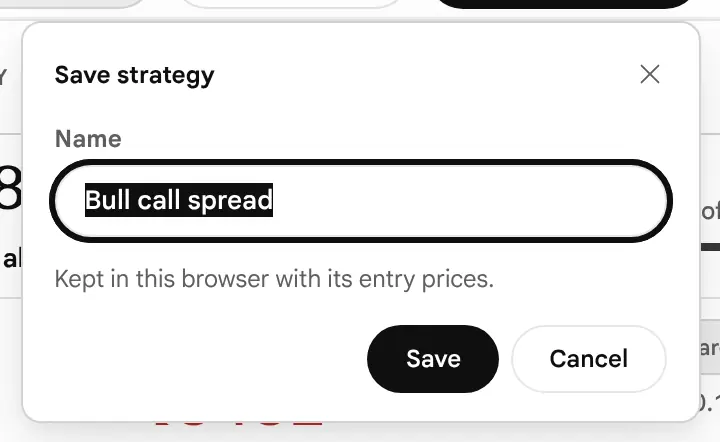
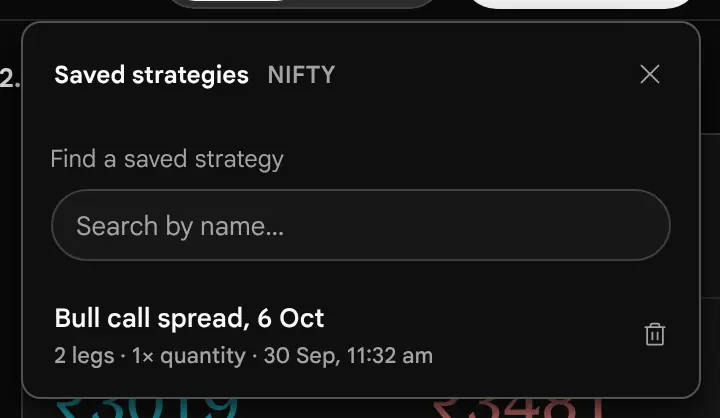
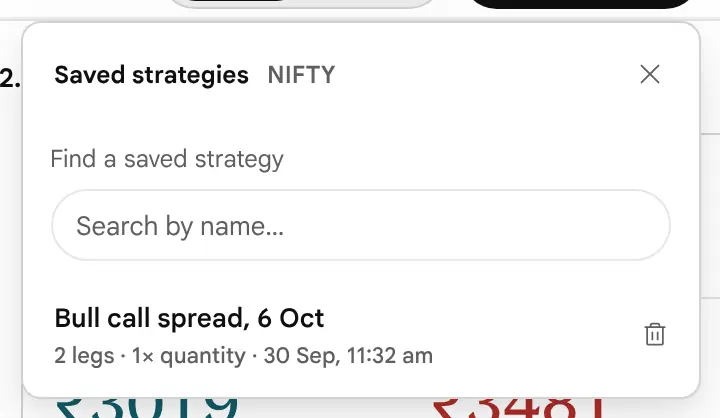
Loading a saved strategy restores its legs with their original entry prices and the lot size it had, so a strategy reopened a week later shows last week’s premium and not today’s. The status line says so. To see today’s prices, press Refresh entry prices. If the saved legs are on an expiry that has since settled, the page shows the settled-expiry banner.
Browser Storage Can Disappear
Clearing site data, a private window, another browser or another device will not find your saved strategies. If a strategy matters, copy its legs as text from the three-dot menu and keep the note elsewhere.
Sharing and Exporting: What Exists
As far as the page’s program code shows, there are exactly two ways to take a position out of the builder:
- Copy legs as text (More actions, the three dots under the legs) puts one line per leg, and the net price, on your clipboard, to paste into a message or a note.
- Save strategy keeps it in this browser.
There is no share link, no image or file export (no CSV, no PDF), no print layout for the page itself, and no way to move a saved strategy to another browser or device. A friend cannot open your position from a link. To share one, paste the copied text and add the time of the data from the strip, since the prices belong to that moment. The copied text names each option with the exchange’s two-letter code for its type, not the words Call and Put.
Customise: What You Can Change and What the Defaults Are
What can I change in how the page reads, and what are the defaults?
Customise sits last in the page bar. Every change applies at once and is kept in this browser. The builder is one view: nothing is hidden behind a mode, and what Customise changes is how the chart and the table read, whether the leg rows carry the market columns, the help, and two settings about prices and chances.


| Section | Setting | Options | Default |
|---|---|---|---|
| Chart | Price range | ±3%, ±5%, ±10%, ±20% | ±5% |
| Chart | Today line | On or off | Off |
| Chart | SD lines (±1 SD, ±2 SD) | On or off; needs the expiry’s ATM implied volatility | Off |
| Chart | Open Interest under the payoff | On or off (Total or Change in the chart options) | Off |
| Chart | Chance curve at expiry | On or off | Off |
| Leg rows and help | Market columns | LTP, IV, Delta, P&L, Open Interest, Spread on every row | Off |
| P&L table | Size | Compact (11 prices, up to 6 dates) or Full (17 prices, up to 8); the same setting is called View, with the choices Compact and Detailed, on the P&L table tab | Compact |
| P&L table | Figures in | Rupees or % of max loss | Rupees |
| P&L table | Heat shading | On or off | Off |
| Leg rows and help | Term help | On or off (pop-ups on terms such as IV, Delta, Theta and Breakeven) | Off |
| Prices and chances | Price new legs at | Bid / Ask, or Mid | Bid / Ask |
| Prices and chances | Chances from | IV smile, or Flat IV | IV smile |
One setting, two names: in Customise the P&L table’s size is Size, with the choices Compact and Full; on the P&L table tab the same setting is View, with the choices Compact and Detailed. Choosing one changes the other.
Reset returns the chart, leg row, table and help settings to the defaults. It does not change Prices and chances (Price new legs at and Chances from), which keep their choice. Changing Price new legs at does not re-price legs already in the position; it applies to legs added, shifted, rebuilt or refreshed afterwards. Choosing Flat IV removes the dependence on the chain’s smile, which helps when the chain has too few usable implied volatilities for a smile, and the panel says so when it is the case.
Expiry-Day Behaviour
What changes on expiry day, and what does the page not model?
On expiry day the model line and the expiry line come together, and the figures that were slow all week start to move quickly. The builder does not change its method; the inputs change.
- Time value collapses. With hours left, an at-the-money option has little value beyond what the price implies. Theta, the change per calendar day, is a large share of what is left, and the dashed line sits almost on the solid one.
- Gamma peaks near the money. Delta can swing from near zero to near one over a few strikes. A position that looked neutral can have a very different Delta a few points away, and the Greeks cards, which are measured at today’s spot, say nothing about that. Move the target and read the projected figure instead.
- The clock is floored. The model never uses less than one minute to expiry, so figures stay defined at the last moment. Once a leg has settled, its Delta becomes a step and its Theta and Vega are zero.
- The expiry is a time, not only a date. A date-only expiry is taken to settle at the derivatives close of that day: 15:40 for expiries from 3 August 2026 and 15:30 before. The time is the page’s assumption and is not verified against the exchange’s circular. The book strip shows “today” as the days to expiry on the day itself.
- Stored readings. When the page has only a stored reading, for example after the close, every figure is as of that reading. The strip still reads “As of” with its time, so read the time itself (when this happens: not yet verified).


Before Expiry, a Loss Can Exceed the Expiry Maximum Loss
The maximum loss is an expiry figure. On expiry day a sold option near the money can be quoted far above the premium you received, and your P&L at LTP can be well below the maximum loss you would see at expiry if the market is still moving. The only way to see that in the builder is to read P&L at LTP, and to look at the model line at different targets.
What the Builder Does Not Model Here
Early exercise, assignment, physical or cash settlement, the exact settlement price used by the exchange, dividends and the margin applied on expiry day are not modelled. Whether an option can be used before expiry, whether it settles in cash or by delivery, and at which price, are rules of the exchange. We could not confirm them from the exchange’s own pages, so this guide does not state them (what to check and where). Read the contract specification of your underlying on the NSE or BSE website before you sell an option, and especially a stock option.
The Strategy Finder and the Hand-Off From the Scanner
How does the Strategy Finder hand me a position, and how does the Builder relate to the other tools?
The Builder | Finder switch in the page bar changes the page from building one position to scanning for many. The Finder is the strategy scan that used to live in the Options Scanner; its old address now opens here, and the Options Scanner itself keeps three views: Contracts, Underlyings and Custom.
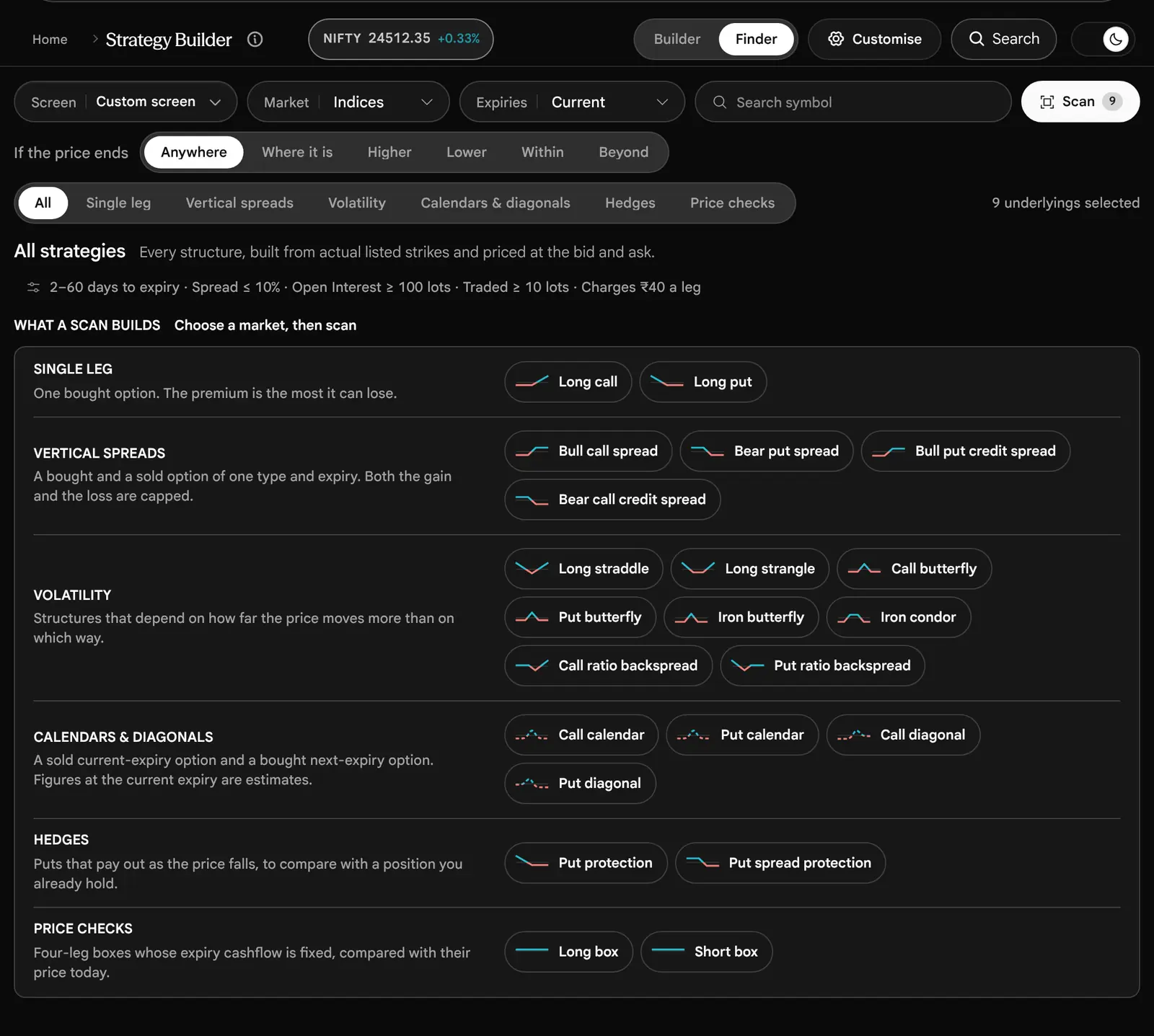

The Finder builds each of its structures from actual listed strikes and prices each leg at the bid or ask, or at the midpoint if you choose. It knows 22 structures in 6 families: single legs (Long call, Long put), vertical spreads, volatility structures (straddles, strangles, butterflies, the Iron butterfly and Iron condor, ratio backspreads), calendars and diagonals, hedges (put protection) and price checks (boxes). It does not scan the futures-based strategies, the jade lizards, the Strap and Strip, or the other ratio spreads of the builder’s 45. Each result is one lot per leg.
| Control | What it does |
|---|---|
| Screen | 7 built-in screens, such as credit spreads outside the expected move, or Iron condors where implied volatility is above realised, plus screens you save in this browser. |
| Market | Indices (the default), Stocks, All underlyings, or one symbol. |
| Expiries | Current (the default), current and next, or all three. |
| If the price ends | Anywhere, Where it is, Higher, Lower, Within or Beyond a distance measured in expected moves or percent. It keeps structures that profit if the price ends there, or all of them. The Finder still uses the words expected move: for each row it is spot × ATM implied volatility × the square root of the time left, from that underlying’s own chain. It is the same arithmetic as the builder’s ±1 SD. |
| Customise | Filters on premium paid or received, maximum loss, days to expiry, liquidity (spread, Open Interest, traded lots, recent quotes), delta, and the costs taken off each result. |
How it ranks. Quote quality comes first: a recent quote always outranks an older one, whatever the figure. Within that, rows follow the column you choose. The default column is Widest spread, ordered so that the tightest worst-leg spread comes first. Other columns include Max loss, Max reward, Reward ÷ risk and Chance of profit. The order of the rows is a sort and not a forecast.
How the Builder Relates to the Option Chain and to the Options Scanner
- The Option Chain (see its guide) is where you read every strike side by side. The Builder reads the same chain data for the expiry you select, but no button on the Option Chain page sends a contract into the Builder: you open the Builder yourself and add the legs there. Use the chain to choose strikes, then build them here.
- The Options Scanner (see its guide) keeps three views: Contracts, Underlyings and Custom. It no longer carries a strategy scan: that moved here, as the Finder.
- The Finder searches for baskets across many underlyings; the Builder looks at one position closely. A Finder result is the only thing that can be handed to the Builder, with its entry prices and costs (below).
The Hand-Off
Open a result and press Open in builder. The builder opens on that basket with the Finder’s reviewed entry prices and the costs it charged (fees and slippage, entered as one figure in Total estimated costs). The book strip adds a cell that names the source: “Options Scanner”, with “Reviewed quotes” (or “Historical prices”, for a basket priced from stored prices) and the time of those prices beneath it. The status line says “Scanner basket opened with its reviewed entries and costs. Undo restores your previous draft.”, and your earlier draft is one Undo away. Each result opens in the builder once in a browser session, so going back in the browser does not overwrite the edits you made after. Any edit clears the source cell, since the position is then yours. Calendars and diagonals come over as estimates, because their figures at the current expiry are model values.
Common Mistakes
What do readers get wrong, and what should I check before a first spread?
| Mistake | Why it matters, and what the page shows |
|---|---|
| Reading the tag and not the figure | Defined risk can still mean a very large loss: a Covered call on the illustrative chain prints ₹1586644. Read the Maximum loss. |
| Reading the ratio and not the chance | The Iron condor risks ₹2223 to make ₹4277, a ratio of 1 : 1.92, with a model chance of 31.9%. A good ratio can sit on an unlikely result. |
| Taking a model chance as a forecast | It is a spread of prices from the options’ own implied volatility, with no view of trend or events. |
| Reading the dashed line as exact | It is a model with one stored implied volatility per leg. The solid line is exact. |
| Leaving costs at zero | Fees, taxes and slippage are excluded by default, and a narrow profit can vanish when they are included. |
| Confusing maximum loss with margin | The page never computes margin. Ask your broker. |
| Ignoring the spread | Entries are quotes, not fills. The Spread cost vs mid row shows what crossing costs. |
| Trusting a stale book | Check the “As of” time in the strip. It reads the same way for a stored reading, so read the time itself. |
| Reading P&L at LTP as a model value | P&L at LTP marks the legs at their last prices, before costs. The What if line and the table are model values, after costs. They can differ (why). |
| Forgetting that entries are frozen | Greeks and the model line run on the implied volatility stored at entry. Refresh entry prices when you want today’s. |
| Assuming a saved strategy is current | It reopens with its old premium and lot size. |
| Reading a calendar as if it had a maximum profit | Two expiries have no single payoff. The page prints dashes, and the values are conditional model estimates. |
| Reading Greeks at the wrong price | They are measured at spot now and do not follow the What if target. |
| Comparing the illustrative numbers in this guide with a live chain | The pictures use an invented chain. Use them to learn where to look. |
Before You Place a First Spread
- I know the Maximum loss of this position in rupees, and I could accept it.
- I have read the breakevens against today’s price and I know how far the market has to move.
- The position has no Unlimited figure on the loss side, or I know exactly why it does.
- I have checked the “As of” time in the strip, and the legs are priced recently.
- I have entered my costs and read the figures again.
- I have asked my broker for the margin of this exact position.
- I have looked at the spread and Open Interest of each leg and I can leave the position.
- I know the expiry date and what I will do before it.
Practise first: the page places no order, so build and adjust positions here as often as you like before any real one.
What the Builder Does Not Do
What does the page not do?
The page is an analysis tool, and its boundaries are part of how to read it.
- It places no orders. There is no broker connection and no order ticket. Nothing here sends a contract to an exchange.
- An entry price is a quote, not a fill. The ask for a bought leg and the bid for a sold leg are the sides a market order would meet, but a real fill depends on depth and timing, which the page cannot know.
- It does not compute margin. The Broker margin field is a number you type in.
- Costs are only what you enter. With none entered the figures exclude fees, taxes and slippage.
- It does not model early exercise, assignment, dividends or the exchange’s settlement price. What the exchange’s rules are on these is in What we have not verified.
- Model figures are estimates. The dashed line, the Greeks and the chances depend on the stored implied volatility of each leg and a fixed interest rate of 6.5%. Only the expiry figures are exact.
- A future is priced at the put–call parity forward, not at a traded futures price.
- Data is polled, not streamed. The chain is fetched about every 5 seconds while the market is open.
- Your drafts live in this browser. They are not on any server and not on another device.
- It does not say what to trade. Everything on the page describes what a position pays at a price. None of it is advice.
To read the implied volatility that feeds the model, see the implied volatility guide. To read the chain that supplies the premiums, see the option chain guide.
What We Have Not Verified
Which statements in this guide could we not confirm, and what should I check myself?
Everything in this guide about how the page behaves was read from the page’s own program code or taken from a picture of the page. The items below are the ones we could not confirm. Where the guide touches one of them it links here instead of stating it as fact. For the exchange rules we tried the exchanges’ own pages and could not open them, so we have left the rules out rather than repeat them from memory.
| What | What we do not know | What you can do |
|---|---|---|
| When the page shows a stored reading | The page can show a stored reading rather than the current chain. The strip then still reads “As of” with the time of that reading; it no longer says “Snapshot”. We have not confirmed in which situations a stored reading is shown (for example after the close). | Read the “As of” time in the strip before you trust any figure. |
| Where the Price chart’s line comes from | The Price chart draws today’s underlying price from readings the app supplies to the page. We have not confirmed how often those readings are taken. | Treat the line as a rough path of the day, and read the last price tag. |
| Exercise style: can an option be used before expiry? | Whether an option on an index or a stock can be used only at expiry (European style) or at any time before (American style) is set in the exchange’s contract specification. We could not read that specification for this guide, so we do not state the style for any contract. The page does not model early exercise or assignment in any case. | Read the contract specification for your underlying on the NSE or BSE website (the page for the index or the stock, under equity derivatives). |
| Cash or physical settlement | Whether an index option settles in cash and a stock option by delivery of shares is the exchange’s rule. We could not read it from the exchange’s own pages for this guide. Delivery would change the risk of a sold stock option a great deal. | Read the same contract specification and your broker’s note on physical settlement before selling a stock option. |
| The expiry settle time: 15:30 or 15:40 | The page treats a date-only expiry as settling at 15:40 from 3 August 2026 and at 15:30 before. The extension of derivatives trading to 15:40 has been reported from an NSE circular of May 2026, but we could not open the circular itself, so the time is the page’s assumption, not a verified rule. The P&L table places each close column at the same time: 15:40 from 3 August 2026, 15:30 before. | Read the latest NSE circular on market timings and the expiry-day settlement price. |
| Margin for hedged positions | Whether and how much a hedged position (a spread, a condor) receives a margin benefit is set by the exchange and your broker. The page does not compute margin at all. | Ask your broker for the margin of the exact position before you trade it, and use your broker’s own calculator. |
| Exchange holidays in the P&L table | The date columns skip Saturdays, Sundays and the NSE trading holidays in the app’s own list (for example 2 October 2026). We have not checked that list against the exchange’s holiday circular, and a holiday declared later would not be in it. | Check the exchange holiday list for the dates you care about. |
| Lot sizes | The lot size in the pictures (65 for NIFTY) belongs to the invented chain. Exchange lot sizes change by circular. | Read the lot size in the book strip of the live page. |
| Strike gaps for each underlying | A ready-made strategy places its legs a number of listed strikes apart, so the gap in points depends on the underlying’s strike ladder. We state the gap only for the pictures’ NIFTY chain (50 points). | Read the strikes of the underlying you are using on the live page. |
| Keyboard, touch, phone and tablet behaviour | How the switches (Payoff, P&L table and so on) respond to the arrow keys was read from the code and not tried on every device. The chart’s arrow-key and touch behaviour, and the phone and tablet layouts, were also read from the code and the pictures. | If a control does not respond as described, press it with the pointer or by touch instead. |
| Pictures taken before the page changed | On 19 October 2026 the page changed in ways several pictures do not show. Every label, table head and chip is in sentence case (Buy, Sell, Call, Put, Future). P&L now is called P&L at LTP. The data time reads “As of 30 Sep, 11:30 am IST” and the Date control starts at Now; a leg’s details say “Priced as of …”. The ±1 SD range is no longer called the expected move in the builder. The What if line reads “… today? By the model, this position would show …”. The P&L table skips NSE holidays and uses each day’s real close. A ready-made name is no longer shown beside the title once its legs change. These pictures were taken before that change and have not been retaken, so they still show the earlier page: The builder as it opens, The book strip, The New leg line, A Bull call spread loaded, One leg row, The column heads, The market card of the 24500 Call, A leg opened for editing, Market columns switched on, Flipping a leg, Shift, Width, Hedge and Quantity, The guide on Shift, The figures card of a Bull call spread, Behind the chance of profit, Behind the breakeven, The payoff of a Bull call spread, with the What if controls, Today line and SD lines on, Open Interest bars and the chance curve, The What if controls, Target set to plus 1 percent, Date moved three days on, IV raised by 5 points, The P&L table of a Bull call spread, Heat shading on, The Price chart, The Greeks tab of a Bull call spread, Bull call spread: figures and payoff, Iron condor: the legs, The Iron condor as it opens: figures and payoff, Long straddle: the legs, Long straddle: figures and payoff, Short strangle: the legs, Short strangle: figures and payoff, Short straddle: the legs, Short straddle: figures and payoff, Short straddle: the P&L table, Bear put spread: the legs, Bear put spread: figures and payoff, Bull put spread: the legs, Bull put spread: figures and payoff, Covered call: the legs, The card of the futures leg, Covered call: figures and payoff, Call calendar: the legs, Call calendar: figures and payoff, Call calendar: the P&L table, The same spread after costs and a margin figure, Trying an idea: a leg switched off, The same position, figures, The Customise panel, An Iron condor with the date moved to expiry, The Finder view, The phone layout. Other pictures may still show labels in capitals. The text describes the page as it is now. | Trust the text where it differs from a picture, and read the labels on the page itself. |
| The Finder’s scan results and the hand-off cell | A scan reads many underlyings at once and the invented chain covers only NIFTY, so no picture shows a scan’s results or the cell that names the Options Scanner as the source of a position. | Open the Finder on the live page and press Scan. |
If you find any of these settled by an official source, the guide can be updated: each one has a place in Sources.
Glossary
What does each word mean?
- Strategy
- Two or more option or futures positions held together because their combined payoff has a shape no single option has.
- Leg
- One position in a strategy: buy or sell, Call or Put (or a future), one strike, one expiry, a number of lots and an entry price.
- Call, Put
- A Call gives its holder the right to buy the underlying at the strike; a Put gives the right to sell it. A Call gains when the price rises above the strike, a Put when it falls below.
- The price of an option per unit. The net premium of a strategy is what the legs cost together: you pay it if it is a debit and receive it if it is a credit.
- Strike
- The price at which the holder of a Call may buy, or the holder of a Put may sell, the underlying.
- Underlying
- The index or share the option is written on, for example NIFTY.
- Expiry
- The date on which the option ends. After it the option has no value except any intrinsic value that settles.
- Lot, units
- A lot is the contract size set by the exchange; units are lots times the lot size. Lot sizes change by exchange circular, so read the lot size off the page.
- Bid, ask, mid
- The best price a buyer offers, the best price a seller asks, and the price halfway between them.
- Spread (bid–ask)
- Ask less bid: what crossing the market costs. Not to be confused with a spread strategy, which is two legs of one type.
- Payoff
- The profit or loss of the position at each price of the underlying at expiry.
- Breakeven
- A price at expiry at which the position neither gains nor loses, after premiums and any costs entered.
- Maximum profit, maximum loss
- The highest and lowest points of the expiry payoff after costs. Unlimited where a side has no cap.
- Risk and reward
- Maximum profit divided by maximum loss, shown as 1 : n. It carries no probability.
- Debit, credit
- A strategy that costs money to open (a debit) and one that pays money to open (a credit).
- Defined risk
- The tag the page gives a position whose loss is finite when the price rises without limit. It can still be a very large figure.
- At the money, in the money, out of the money (ATM, ITM, OTM)
- An option is at the money when its strike is at (or nearest to) the underlying’s price, in the money when it already has intrinsic value (a Call with the strike below the price, a Put with the strike above it) and out of the money when it has none.
- Intrinsic value
- What an option would be worth if it settled now: the amount by which it is in the money. Zero for an option that is out of the money.
- Time value
- Premium less intrinsic value: the part of the price paid for time and volatility, which runs off by expiry.
- Implied volatility (IV)
- The yearly percentage movement that an option’s price implies. Higher implied volatility makes options cost more. It is read from the price, not forecast.
- Skew, smile
- Options at different strikes of one expiry carry different implied volatilities. Drawn against the strike, the pattern is called the smile or skew. The page’s chances read it by default; the dashed line does not.
- One standard deviation (1 SD)
- A yardstick for the size of a move, written 1 SD on the page. One standard deviation here is spot × implied volatility × the square root of the time left. About two in three outcomes fall within one in a model with a bell-shaped spread; the real market does not promise that.
- Expected move
- The Finder’s word for one standard deviation, as above, for an expiry: spot × ATM implied volatility × the square root of the time left. The builder labels the same range ±1 SD. A pricing convention, not a forecast.
- P&L at LTP
- The figures card’s mark of the position: every leg at its last traded price (LTP) against its entry price, before the costs you entered. It is neither a model value nor an exit value.
- Greeks
- The model’s measures of how an option’s value reacts to one thing changing at a time: Delta (price), Gamma (Delta itself), Theta (time), Vega (implied volatility) and Rho (interest rates). The page prints them for the whole position.
- Delta
- The change in value for a 1-point rise in the underlying. On the page, rupees per point for the whole position. A negative figure gains when the price falls.
- Gamma
- The change in Delta for a 1-point rise. It says how quickly the position’s direction changes, and it is largest near the money close to expiry.
- Theta
- The change in value as one calendar day passes, everything else equal. Positive means time works for the position.
- Vega
- The change in value for a 1-point rise in implied volatility. Positive gains from a rise.
- Rho
- The change in value for a 1-point rise in interest rates. It rarely matters for a weekly expiry.
- Forward
- The price implied for the expiry by put–call parity. The page uses it to price a future.
- Future (futures contract)
- A contract to buy or sell the underlying at a set price on a set date. It gains or loses one for one with the price and has no premium. The page prices it at the forward, not at a traded futures price.
- Open Interest (OI)
- The number of contracts at a strike that are open and not yet closed. The page writes it in full.
- Settlement, cash and physical
- How an option ends. Cash settlement pays the difference in money; physical settlement delivers the underlying. Which one a contract uses is the exchange’s rule: see What we have not verified.
- Exercise, assignment, European and American style
- To exercise is to use the right in an option; assignment is when a seller is called upon to meet it. A European-style option can be exercised only at expiry, an American-style one at any time before. Which style a contract has is the exchange’s rule: see What we have not verified. The page does not model early exercise.
- Model chance
- A probability from the model’s spread of prices at expiry. Not a forecast and not a historical rate.
- Calendar, diagonal
- A sold near-expiry option with a bought far-expiry option, at the same strike (calendar) or another (diagonal). The page shows no single expiry payoff for them.
- Margin
- The money a broker blocks to let you hold a position. Separate from maximum loss, and not computed by the page.
- What if
- The target price, date and implied volatility set under the chart: model estimates that are never saved.
- Spacing
- The number of listed strikes (1, 2, 3 or 5) that a ready-made strategy places between its legs.
- Ready-made
- One of the 45 strategies the page can load at the current at-the-money strike.
Questions Readers Ask
What do readers ask most?
Does the Strategy Builder place orders?
No. It has no broker connection and no order ticket. It is a page for looking at a position.
Where do the premiums come from?
From the option chain of the underlying and expiry you select: the ask for bought legs and the bid for sold legs, or the midpoint if you choose it in Customise, and the last price when a side is missing. The chain is fetched again about every 5 seconds while the market is open. It is polled data, not a continuous stream.
Why is the first strategy an Iron condor?
With no saved draft, the page loads the first of Iron condor, Bull call spread and Long call that the chain can build, so the screen is never empty. If it was built from a stored reading or from last prices, the page prices it once more from the first newer live book, as long as you have not changed it. Press Clear all to start blank.
What is the difference between the solid line and the dashed line?
The solid line is the exact value at expiry. The dashed line is a model estimate for the date you set. They meet at expiry.
Is the probability of profit a forecast?
No. It is the share of the model’s possible prices at expiry that end in profit, from the options’ own implied volatility. It does not know the trend or events.
Why does Maximum loss say Unlimited?
A sold Call, or more Calls sold than bought, can lose without limit as the price rises. The tag says Unlimited risk too.
Why does a tagged Defined risk position show a huge Maximum loss?
The tag looks at the upside. A Covered call, a Short put or a Put ratio spread have a finite loss, but it can be about the strike value times the units, because a price cannot fall below zero.
Why are the maximum profit and loss dashes for my calendar?
The legs are on different expiries, so there is no single payoff at expiry. The chart shows a model line to the first expiry.
Why is the dashed Today line not on the solid line?
The solid line is exact arithmetic at expiry. The dashed line is a model value for the date you set, and before expiry an option still holds time value that the solid line leaves out. The model also keeps each leg’s implied volatility from the moment it was added. The two meet at expiry; move the date slider to the end to see it.
Why does P&L at LTP differ from the What if line and the Now column of the P&L table?
P&L at LTP values each leg at its last traded price against the price you entered, before costs. The What if line and the table’s Now column are model values: Black-Scholes at each leg’s implied volatility as of entry, after costs. On the pictures’ Bull call spread they read −₹260 and −₹257. The gap comes from the bid–ask spread paid at entry, any change in implied volatility since entry (the last prices show it, the model does not), an old last price, and costs. See the two numbers.
What should I type under Total estimated costs?
The sum of every charge on entering and leaving: brokerage, securities transaction tax, exchange charges, SEBI fee, GST and stamp duty. See Taxes and brokerage. The page works out none of them.
Can I share a position, or export it?
You can copy the legs as text. There is no share link, no file export and no sync between devices. See Sharing and exporting.
Does the Option Chain open a contract in the Builder?
No. Only a result of the Finder can be handed to the Builder. See how the three relate.
Does the page know my margin?
No. The Broker margin box is a figure you type, used only to show the profit and loss against it. Ask your broker for the real number.
Why does my saved strategy show an old price?
A saved strategy keeps the entry prices and lot size it was saved with. Press Refresh entry prices for today’s quotes.
Are the numbers in this guide real prices?
No. The pictures use an illustrative NIFTY chain made for the guide. The figures show how the page works, not what the market is.
Can I use it for stocks and for BANKNIFTY?
The builder works on the underlyings the app lists. The Finder covers Indices, Stocks, all underlyings or one symbol. Strike spacing and lot size differ by underlying, so read them off the page.
Sources
Where does each statement in this guide come from?
The guide rests on the program code of the Strategy Builder and on pictures of the page itself. The constants below are quoted in the text from one list (scripts/guides/strategy-builder-parts/limits.mjs); each row names the file the value comes from. No official exchange or regulator document is cited as proof of an exchange rule in this guide: the rules we could not confirm are in What we have not verified.
Where Each Part Comes From
| Part of the guide | Source files |
|---|---|
| The screen, the book strip, the three ways to start | src/features/strategy-builder/StrategyBuilderPage.tsx; StrategyHandbook.tsx; handbookModel.ts; strategyPresets.ts |
| Building a leg, entry prices | StrategyBuilderPage.tsx; strategyPresets.ts (entryFromQuote); strategyStorage.ts |
| Moving the position (Shift, Width, Hedge) | src/features/strategy-builder/strategyAdjustments.ts |
| Figures card, payoff, breakevens, risk and reward | strategyModel.ts (analyzeStrategy, expirationPayoff); StrategyPayoffChart.tsx; strategyExplain.ts |
| What if, the dashed line, Greeks, chance of profit | strategyModel.ts (scenarioPayoff, probability); src/lib/optionPricing.ts (Black-Scholes, Black-76 form); StrategyGreeksPanel.tsx |
| P&L table and Price chart | StrategyPnlTable.tsx; StrategyPriceChart.tsx |
| The 45 ready-made strategies | strategyModel.ts (STRATEGY_TEMPLATES); handbookModel.ts (views, payoff sketches); real-catalog.json |
| Costs, saving, Customise | StrategyBuilderPage.tsx; strategyStorage.ts; StrategySavedMenu.tsx; strategyCustomise.ts; StrategyCustomizePanel.tsx; docs/SAHI-TERMINOLOGY.md |
| The Finder and the hand-off | src/features/strategy-builder/finder/ (strategyCatalogue.ts, strategyScreens.ts, StrategyScanner.tsx); src/features/options-scanner/scannerTransfer.ts; OptionsScannerPage.tsx |
| Refresh timing | src/hooks/useOptionChain.ts |
| Expiry clock | src/lib/marketSession.ts; strategyModel.ts |
| The pictures | scripts/guides/shot-strategy-builder.cjs; strategy-builder-mock.cjs; strategy-builder-parts/figures.json |
The Numbers the Guide Quotes
| Number | What it is | Source file |
|---|---|---|
| 5 | Option chain re-fetched this often while the market is open and the tab is visible | src/hooks/useOptionChain.ts |
| 60 | Other expiries a position uses are re-fetched this often while the tab is visible | src/features/strategy-builder/StrategyBuilderPage.tsx |
| 6.5 | Fixed yearly interest rate in every model value | src/lib/optionPricing.ts |
| 12 | Legs in one position | src/features/strategy-builder/StrategyBuilderPage.tsx |
| 30 | Saved strategies kept for each underlying (a 31st save is refused with a message, nothing is dropped) | src/features/strategy-builder/strategyStorage.ts |
| 30 | Undo steps kept while the page is open | src/features/strategy-builder/StrategyBuilderPage.tsx |
| 10000 | Lots in one leg (minimum 1) | src/features/strategy-builder/StrategyBuilderPage.tsx |
| 20 | Quantity multiplier offered (1x to 20x) | src/features/strategy-builder/StrategyBuilderPage.tsx |
| 100 | Characters in a saved strategy name | src/features/strategy-builder/StrategySavedMenu.tsx |
| 20 | The IV slider moves each leg by up to this many points either way | src/features/strategy-builder/StrategyBuilderPage.tsx |
| 1, 2, 3 or 5 | Template strike Spacing choices (default 1) | src/features/strategy-builder/StrategyHandbook.tsx |
| 3%, 5%, 10% or 20% | Chart and table price range either side of spot (default 5%) | src/features/strategy-builder/strategyCustomise.ts |
| 45 | Ready-made strategies in the library | src/features/strategy-builder/strategyModel.ts |
| 16 | Bullish view | src/features/strategy-builder/handbookModel.ts |
| 13 | Bearish view | src/features/strategy-builder/handbookModel.ts |
| 10 | Neutral view | src/features/strategy-builder/handbookModel.ts |
| 6 | Either way view | src/features/strategy-builder/handbookModel.ts |
| 22 | Structures the Finder scans | src/features/strategy-builder/finder/strategyCatalogue.ts |
| 6 | Families of Finder structures (the Finder shows an All tab beside them) | src/features/strategy-builder/finder/strategyCatalogue.ts |
| 7 | Built-in Finder screens | src/features/strategy-builder/finder/strategyScreens.ts |
| 11 | Prices in the Compact P&L table | src/features/strategy-builder/strategyCustomise.ts |
| 6 | Most date columns in the Compact P&L table | src/features/strategy-builder/strategyCustomise.ts |
| 17 | Prices in the Detailed (Full) P&L table | src/features/strategy-builder/strategyCustomise.ts |
| 8 | Most date columns in the Detailed (Full) P&L table | src/features/strategy-builder/strategyCustomise.ts |
| 450 | A card opens when the pointer rests this long (about half a second) | src/lib/dwell.ts |
| 8 | The status line clears after this long | src/features/strategy-builder/StrategyBuilderPage.tsx |
| 1100 | Two-column layout needs at least this width (and 640 high) | src/features/strategy-builder/StrategyBuilderPage.tsx |
| 15:40 | Settle time the page assumes for a date-only expiry from 3 August 2026 (15:30 before) (not verified) | src/lib/marketSession.ts |
Exchange Facts Looked For
We searched for the exchanges’ and regulator’s own statements on exercise style, cash settlement, the expiry settle time and margin for hedged positions. News and broker pages report that NSE extended equity derivatives trading to 15:40 from 3 August 2026 under a circular of 29 May 2026 and that SEBI’s circular of 16 January 2026 introduced a closing auction session. The exchange’s own pages (nseindia.com, nsearchives.nseindia.com, bseindia.com) did not open from our tools, so none of this is cited here as verified.
The Pictures
Each picture is a capture of the real page on an invented NIFTY chain, taken on 30 September 2026 at 11:30 (the chain’s own clock). They are regenerated with node scripts/guides/shot-strategy-builder.cjs, and the rupee figures in the text are checked against figures.json, which that script writes, every time the guide is built.
Test Your Knowledge
Check the mechanics before you take them to a live chain.
1. A Bull call spread buys a Call at 183.10 and sells a higher Call at 129.55, for 65 units, with no costs. What is its maximum loss?
2. Why can the dashed line differ from the solid line at the same price?
3. A Covered call is tagged Defined risk, yet its Maximum loss prints over fifteen lakh rupees. What explains it?
4. An Iron condor receives money and shows a model chance of profit of 31.9%. What does that say?
5. The figures card shows P&L at LTP of −₹260, and the What if line gives a different figure for today at the same price. Why?
6. What does the Target | Expiry switch in the figures card change?
7. You reopen a strategy saved last week. Which entry prices does it show?
8. The page shows a Maximum loss of ₹3481 for a spread. Your broker blocks a different amount as margin. Which is right?
9. A position carries the tag Defined risk. What may you conclude?
About the Sahi Strategy Builder
Combine option legs into a strategy and inspect the combined payoff, entry premium and exposure. Start from a template or choose contracts from the selected underlying, then adjust buy or sell direction, strike, lots and entry price.
The expiry payoff and modelled target-date value answer different questions. Use price, time and volatility scenarios to understand how the position can change before expiry, and read the quote timestamp and pricing assumptions alongside each estimate.
At a glance
- Data
- The option chain of the underlying and expiry you select; polled, not streamed
- Updates
- About every 5 seconds while the market is open (other expiries about every minute)
- Coverage
- The underlyings the app lists: indices such as NIFTY, BANKNIFTY, FINNIFTY, MIDCPNIFTY, SENSEX and BANKEX, and stock options. Read the list on the live page
- Orders
- Analysis only. The page places no order
- Kept
- Drafts and saved strategies stay in this browser; nothing is sent to a server
- Pictures
- Real captures of the page on an invented NIFTY chain set at 30 September 2026, 11:30. Pictures taken before the page changed on 19 October 2026 are marked
See it on today's numbers
Everything above is method. These articles apply it to a live book — strategy builder among the rest — and are rebuilt as the snapshot data refreshes. Where a symbol's option book is too thin to support a reading, the article says so rather than asserting a level.
Frequently asked questions
What is an options strategy builder?
An options strategy builder combines individual option positions into one view of potential profit, loss and exposure. Each leg has its own contract, direction, quantity and entry price. The combined payoff helps you compare structures, locate breakevens and understand where a position has limited or unlimited risk before placing any orders.
How does an expiry payoff differ from a target-date estimate?
An expiry payoff uses each option's intrinsic value at a chosen settlement price, together with the entered premiums and quantities. Before expiry, options can retain time value, so a target-date estimate needs a pricing model and assumptions about volatility and time remaining. That estimate can change even when the underlying price is unchanged.
Are the displayed premiums guaranteed execution prices?
Displayed premiums are reference quotes or the entry prices you enter. They do not guarantee a fill. Actual execution depends on the available bid and ask, order quantity, liquidity and market movement. Check the quote timestamp and your broker's current order book, charges and margin requirements when evaluating a position for execution.
Does building a strategy place an order?
Building a strategy is an analysis action and does not place an order. Adding, removing or editing legs changes the simulated position and its calculations. Use the resulting payoff and scenarios to examine the structure, then make any separate execution decision through your broker after checking the current contracts, prices and account requirements.
Read next
Explore more Sahi tools
Every tool runs on the same market data and keeps whichever instrument you have selected, so you can move between them without re-picking the symbol.
Option Chain
Scan and build
Every Sahi guide
Each guide pairs with a live tool. The options FAQ collects every question from all of them in one place.