


Add options to your watchlist in one tap
WhereSAHI appWatchlistSearch
Search any index or stock in the watchlist and a mini option chain opens inline: Calls on the left, Puts on the right, strikes in the middle, with each strike's LTP and open interest. Tick the contracts you want, on either side, and add them all at once.
The chain marks the key strikes for you: OI Support, Max Pain and OI Resistance, so you can pick around the levels that matter.
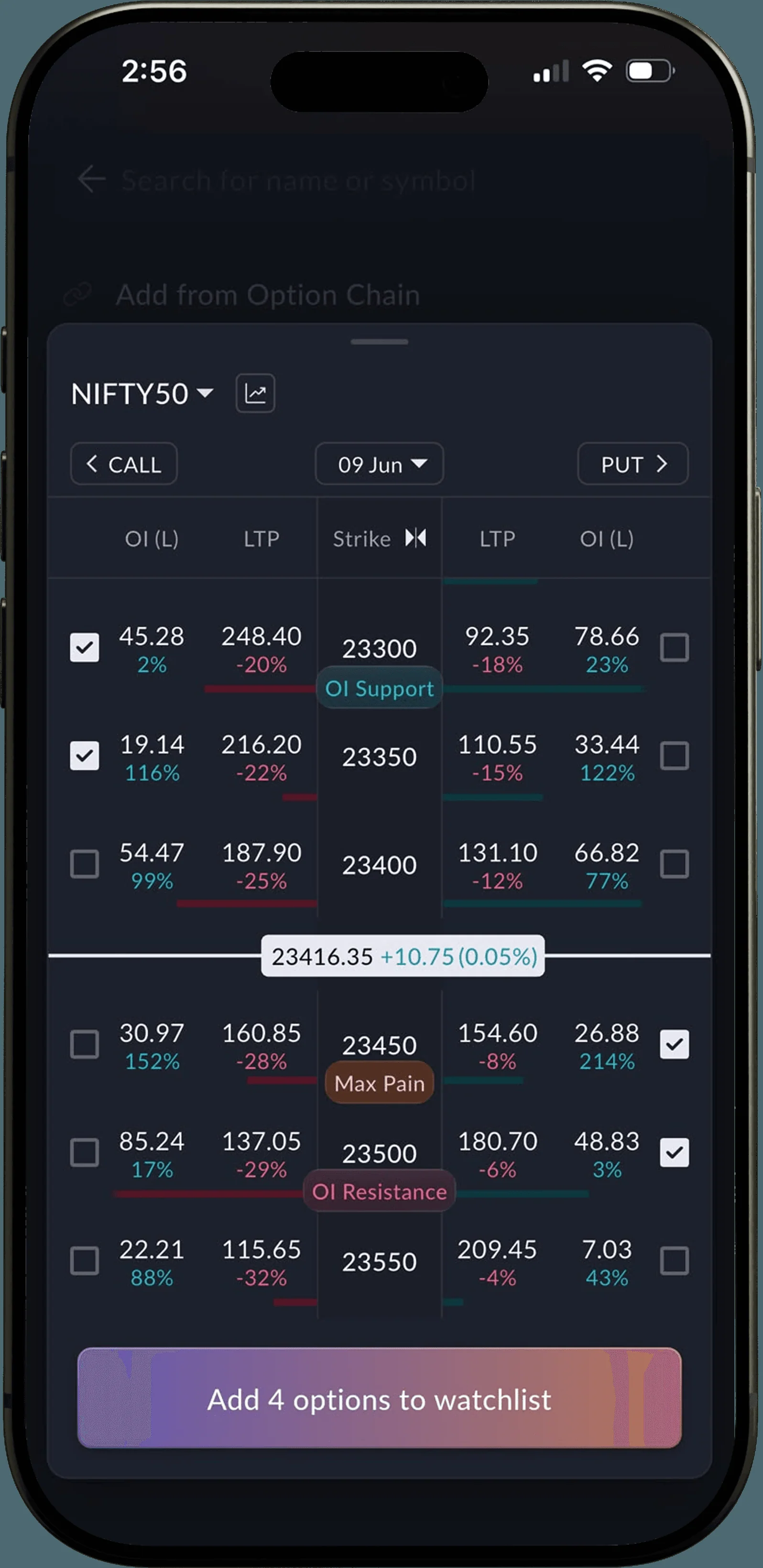 Four strikes ticked: Add 4 options to watchlist
How to use it4 steps
- Open your Watchlist and tap the search icon.
- Search an index or stock. The mini option chain appears inline; change the expiry from the date menu.
- Tick the strikes you want, on the Call side, the Put side or both.
- Tap Add options to watchlist.
On NIFTY50 at 23,416.35 (09 Jun expiry), the chain tags 23300 as OI Support, 23450 as Max Pain and 23500 as OI Resistance. Ticking the 23300 and 23350 Calls and the 23450 and 23500 Puts turns the button into Add 4 options to watchlist.
AI market trend in Options Scalper
WhereSAHI appOptions ScalperLive analysis
The Live analysis strip at the top of Options Scalper now shows the AI market trend next to your live data, with a link to analyse it with SAHI AI. You see which way the market is leaning without leaving the trading screen.
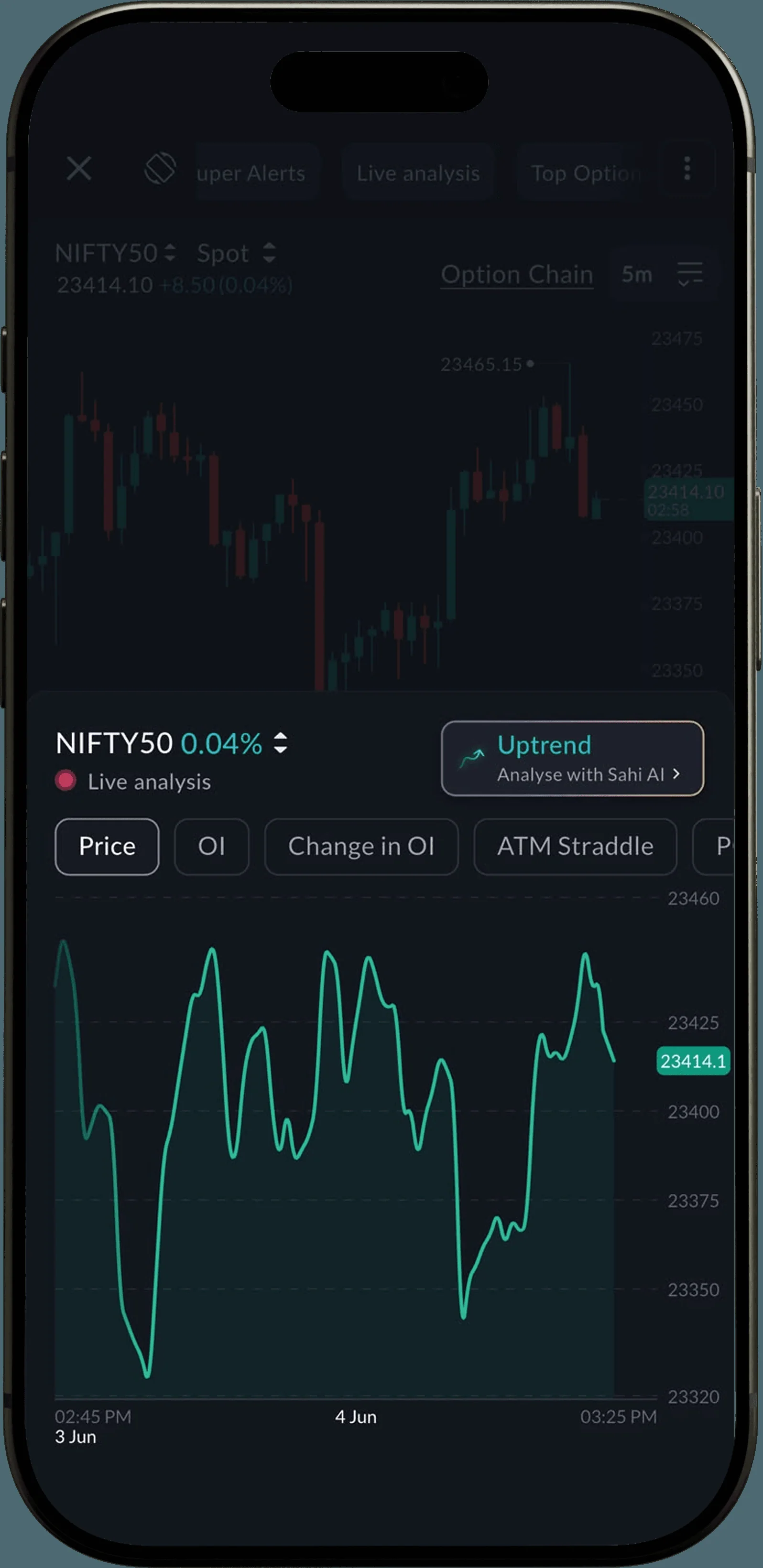 Uptrend, with Analyse with Sahi AI
How to use it3 steps
- Open Options Scalper.
- Look at the Live analysis strip at the top: the trend badge sits on the right.
- Tap Analyse with Sahi AI for the reasoning behind it.
- The trend is a reading of current conditions, not a forecast or a trade signal.
Update the appBoth features are in the latest SAHI app. Update it, then open your watchlist and tap search.
Open SAHI