


Pushkar Premium Trend: one checklist instead of three indicators
WhereAny chartIndicatorsPushkar Premium Trend
Most traders run several indicators and piece together whether conditions line up. Pushkar Premium Trend combines trend, momentum and sentiment and shows the result as a checklist in the corner of the chart: each row is ticked under Bullish or Bearish, and a Mode row adds up the score.
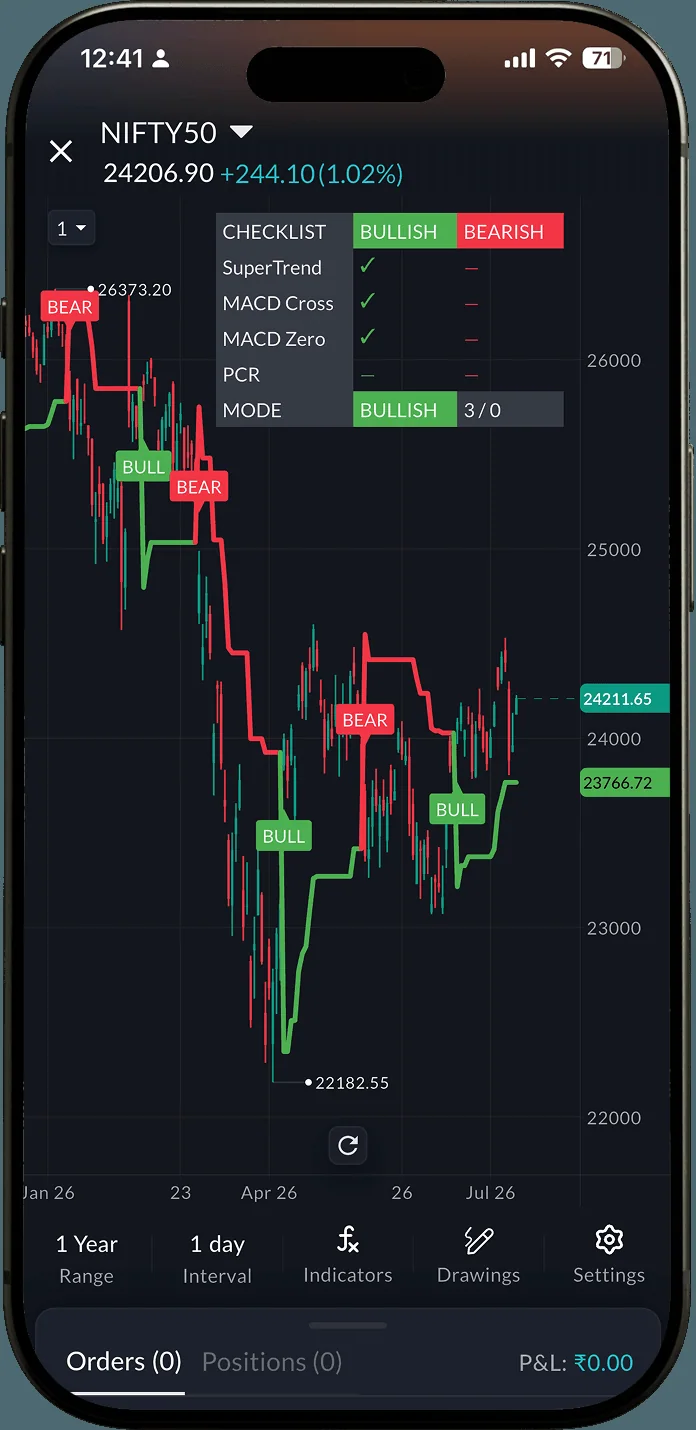 Checklist: Mode BULLISH 3/0
How to use it3 steps
- Open any chart and tap Indicators.
- Search Pushkar and add Pushkar Premium Trend.
- Read the checklist: a tick under Bullish or Bearish for each condition, and the Mode row for the total.
On the NIFTY50 daily chart at 24,206.90, SuperTrend, MACD Cross and MACD Zero are all ticked Bullish and none Bearish, so Mode reads BULLISH 3/0. PCR shows no tick either way.
A split score such as 2/1 is the indicator telling you conditions do not agree. That is a reason to wait, not a signal.
GIFT NIFTY: an early read before the bell
WhereSAHI appHomeIndicesGIFT NIFTY
GIFT NIFTY trades while the Indian market is shut, so it hints whether NIFTY may open gap up, gap down or flat. SAHI shows it among the indices, with a How is this calculated? card that compares it with the last NIFTY futures close.
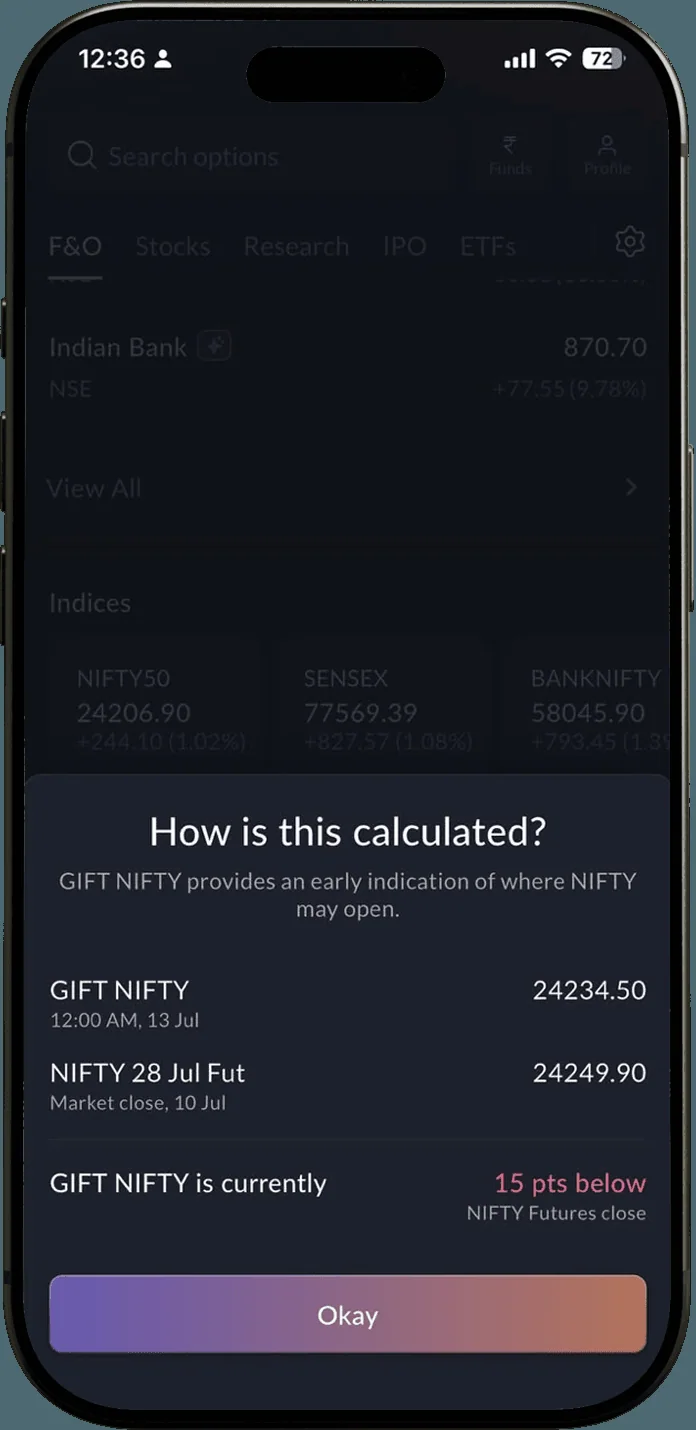 GIFT NIFTY 15 pts below the futures close
At 12:00 AM on 13 Jul, GIFT NIFTY was 24,234.50 against a NIFTY 28 Jul futures close of 24,249.90 on 10 Jul: 15 points below (24,249.90 − 24,234.50 = 15.40), a hint of a slightly lower open.
- Shown from 4:35 PM to 5 AM and from 7 AM to 9 AM on market days.
- It is an indication of where NIFTY may open, not a forecast.
Price Range, Date Range, and Date and Price Range
WhereAny chartDrawingsPrice Range
Three tools for marking out a move, the same ones traders know from TradingView: Price Range spans two prices, Date Range spans two dates, and Date and Price Range covers both in one box. Mark your levels and zones without leaving the chart.
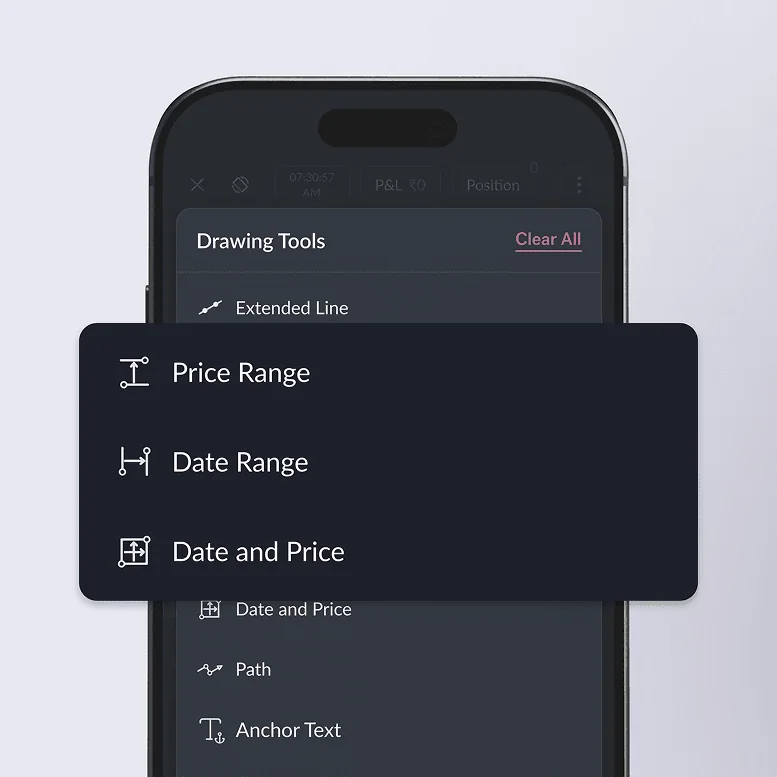 The three tools in the Drawings menu
How to use it3 steps
- Open Drawings on any chart.
- Pick Price Range, Date Range or Date and Price Range.
- Click where the move starts, then where it ends.
Try the checklistOpen any chart, tap Indicators and add Pushkar Premium Trend.
Open SAHI