


Most orders are about now: buy at market, or place a limit and hope it fills today. A GTT (Good Till Triggered) order is about later. You decide the price at which you want to act, and SAHI watches the market for you until it gets there.
Below: how a GTT works, the GTT tab of the order window with every field explained, the numbers behind a real example, and the signals that now appear beside stocks in your watchlist and scanners.
GTT orders
1Where it is
WhereChartBuy or Sell (1-Tap off)GTT
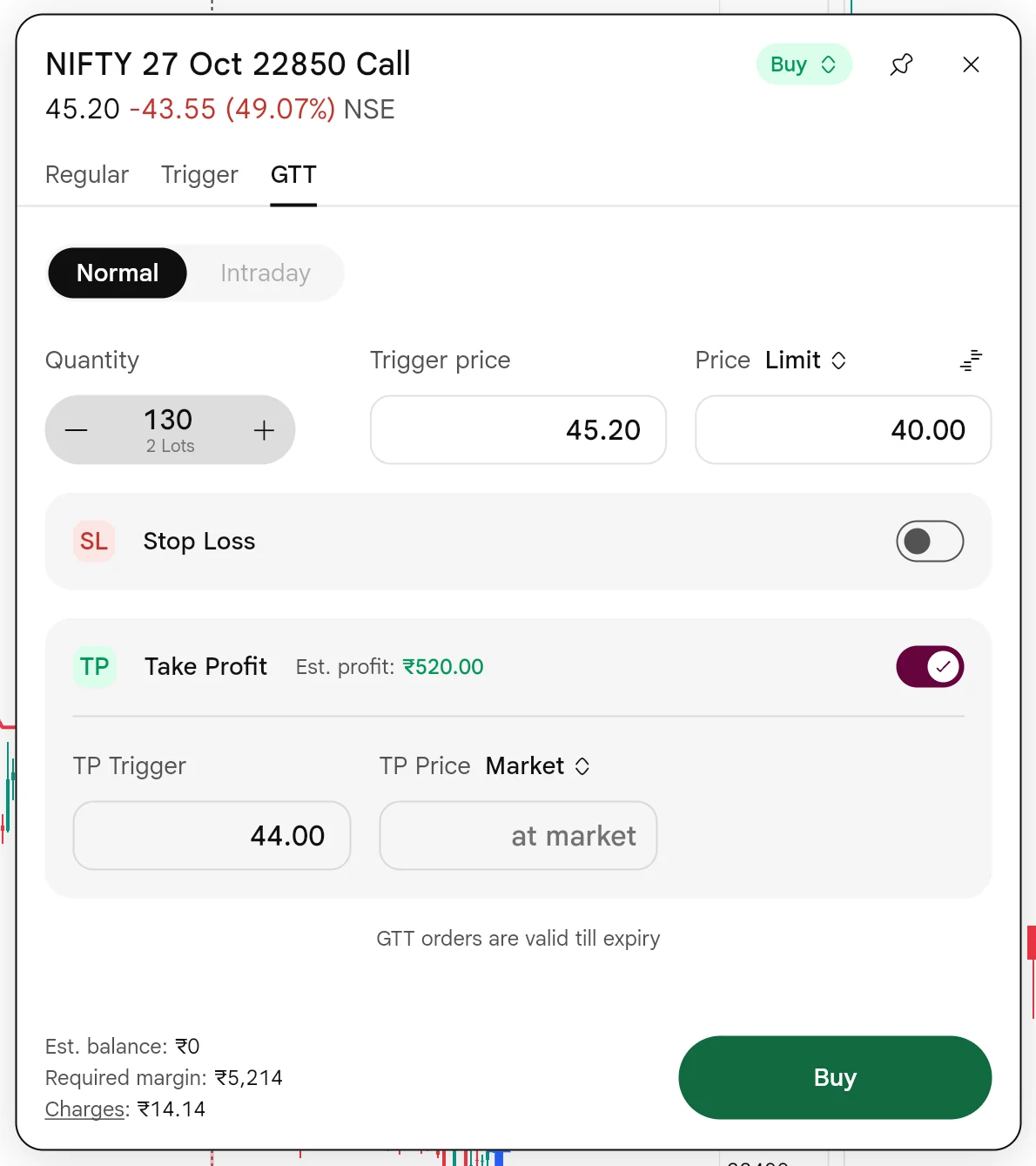
In the order window, as the third tab beside Regular and Trigger. The order window opens when you press Buy or Sell on a chart with 1-Tap switched off. GTT uses Normal; Intraday is not available for it.
How to use it5 steps
- Open the chart of the stock or contract and press Buy or Sell. With 1-Tap off, the order window opens instead of trading at once.
- Pick the GTT tab. GTT uses Normal; Intraday is not available for it.
- Set the quantity, the Trigger price to wait for, and the Price: a limit, or market.
- Optionally switch on Stop Loss and Take Profit and set their triggers.
- Check the margin and charges at the bottom, then press Buy or Sell. The order now waits for your trigger.
2What it is
You set two things: a trigger price to watch for, and the order to send when it is reached, at a limit price or at market. Until the trigger, the order waits with SAHI. It is not on the exchange, so it does not sit in the queue or show in the order book.
When the last traded price reaches your trigger, SAHI sends the order to the exchange. From that moment it behaves like any other order: a market order fills at the best available price, a limit order fills at your price or better, or waits.
GTT lives in the order window, beside Regular and Trigger. The order window opens when you press Buy or Sell with 1-Tap switched off.
| Stocks | F&O | |
|---|---|---|
| How long it waits | Up to 1 year | Until the contract expires |
| Product | Normal (not Intraday) | Normal (not Intraday) |
| Order types | Limit or market, once triggered | Limit or market, once triggered |
| Stop loss and take profit | Can be added to the same order | Can be added to the same order |
- AGTT tab
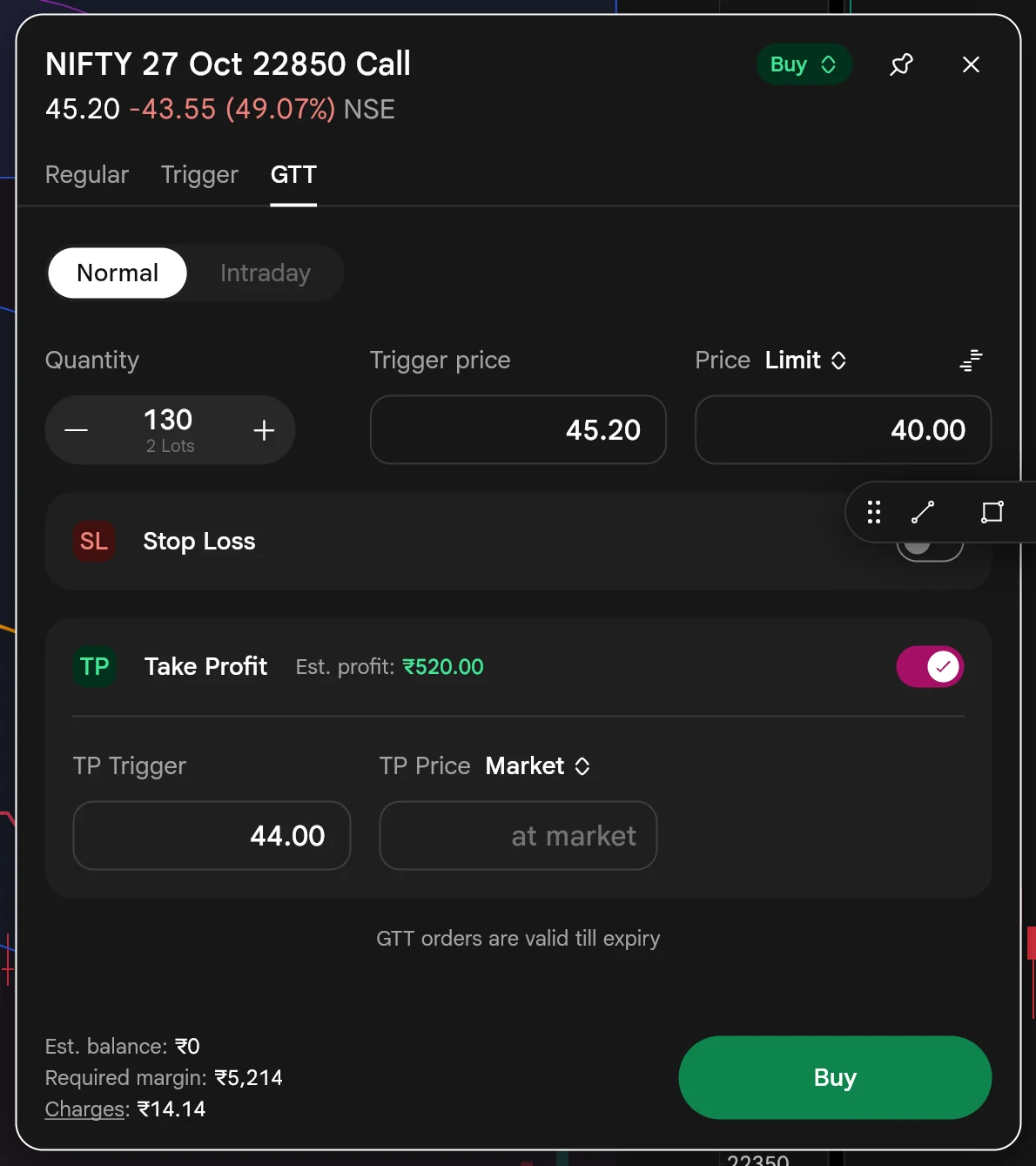
Beside Regular and Trigger. Regular goes to the exchange now; GTT waits for your trigger.
- BNormal or Intraday
Normal only: GTT is not available for Intraday, and SAHI says so if you pick it.
- CQuantity
130, which is 2 lots of 65. The − and + buttons step a lot at a time.
- DTrigger price
45.20: the price SAHI watches for. Nothing is sent until the last traded price reaches it.
- FStop Loss
Switch it on to attach a stop loss to the same order.
- EPrice
Limit, at 40.00: the order SAHI sends at the trigger. Switch the arrows to Market to fill at the best price instead.
- GTake Profit
On here: a TP trigger of 44.00, exiting at market. SAHI shows the estimated profit before you place it, ₹520.
- HValid till expiry
On an option, the GTT waits until the contract expires.
- IMargin and Buy
Required margin ₹5,214 and the charges link, then Buy to place the GTT.
3How it helps
- Set your price once and stop watching the screen. SAHI watches for the trigger and sends the order when it is reached.
- Waits for as long as your plan needs. Up to a year for stocks, and until expiry for F&O.
- Plans the exit with the entry. Stop Loss and Take Profit go on the same order, and SAHI shows the estimated profit before you place it.
- Keeps your order off the exchange until it matters. Nothing sits in the queue until your trigger is hit.
Two lots of the 22850 Call are 130 units. The trigger is 45.20 and the order it sends is a buy limit at 40.00. With Take Profit on at 44.00, the expected gain is (44.00 − 40.00) × 130 = ₹520, the figure shown in the window. The margin is 130 × 40.00 = ₹5,200 plus ₹14.14 in charges: ₹5,214.
Take Profit shows its estimated profit before you place the order, so you can size a GTT by the result you want rather than by the trigger alone.
- A GTT is not at the exchange until it triggers. If price gaps through your trigger, a limit order may then not fill at your price.
- The trigger watches the last traded price. A brief spike to your trigger is enough to send the order.
Signals on watchlists and scanners
1Where it is
WhereSAHI appWatchlistStock ScannersSignal badge
In the SAHI app, beside a stock's name on your watchlists and on scanner lists such as Gainers. Look for the small badge.
2What it is
A small badge beside a stock's name means there is a signal for it: market-moving news, a corporate action such as a bonus, dividend, split, merger or demerger, or a technical event like unusual volume.
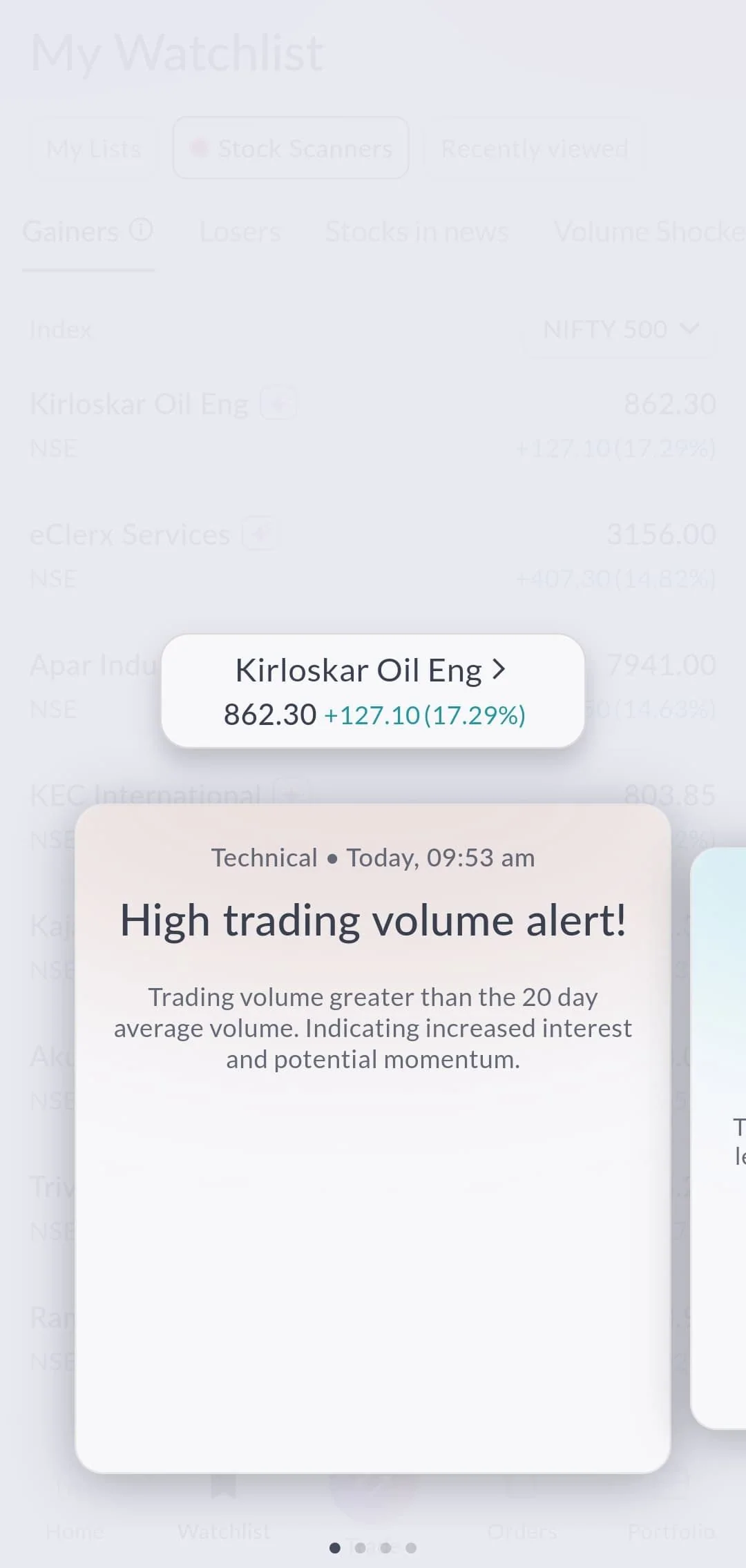
Tap the badge and the signals open as cards over the list, each with its type, the time it fired and what it means. Swipe for the next one.
- AStock Scanners
Signals show on scanner lists like Gainers, as well as on your watchlists.
- BSignal badge
The badge beside a name. Tap it to open that stock's signals.
- FMore signals
Four dots, four signals for this stock. Swipe across to read the rest.
- CThe stock
Kirloskar Oil Eng at 862.30, up 17.29%. Tap it to open the stock.
- DType and time
Technical, today at 09:53 am. News and corporate actions show here too.
- EWhat it means
High trading volume alert: volume above its 20-day average, a sign of more interest in the stock.
3How it helps
- Shows why a stock is moving, in the list itself. News, corporate actions and technical events such as unusual volume each carry a badge.
- Explains it in one tap. Each signal card says what happened, when, and what it usually means.
- Saves the search. No switching to a news app to find out why a name is on the Gainers list.
- A signal tells you something happened. It is information to read, not a recommendation to trade.
Questions
How long does a GTT order wait?
For stocks up to a year, and for F&O until the contract expires. On an option, the order window says so: "GTT orders are valid till expiry".
Is a GTT order on the exchange?
Not until it triggers. Until then it waits with SAHI; when the last traded price reaches your trigger, SAHI sends it.
Can a GTT carry a stop loss and a take profit?
Yes. The GTT tab has Stop Loss and Take Profit switches, and shows the estimated profit for the take profit you set.
What do watchlist signals cover?
News, corporate actions (bonus, dividend, split, merger, demerger) and technical events such as unusually high volume.
Can a GTT be an intraday order?
No. On the GTT tab Intraday is greyed out, and SAHI shows "GTT orders are not supported for intraday product". GTT orders use Normal.
Set your first GTTOpen a chart on web.sahi.com, switch 1-Tap off, press Buy and choose the GTT tab.
Open web.sahi.com