


Every chart shows you what price is. Anchored VWAP shows you what people paid. Pick the candle that changed the story, and from then on the line answers one question: are the people who bought since that moment in profit, at break-even, or underwater?
Below: the idea in one picture, where the tool lives, a real SAHI chart with every part explained, and how to read the line. Click any screenshot to explore it full screen.
Anchored VWAP on SAHI web
1Where it is
WhereAny chartDrawing toolbar (left edge)Anchored VWAP
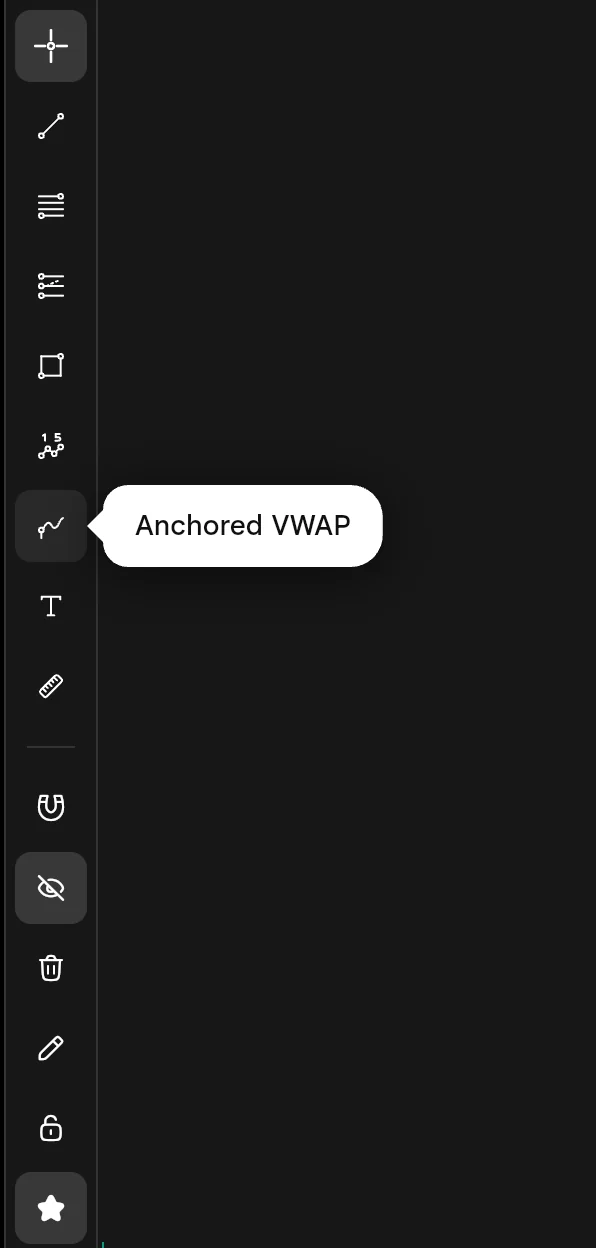
On the drawing toolbar down the left edge of every chart, with Text and Measure. It is a drawing, so it is not in Manage Indicators. The pencil menu in the chart header lists it too.
- AAnchored VWAP
The button with the rising curve. Hover it and the name appears; click it, then click a candle on the chart.
- ASearch for VWAP
Type VWAP in Manage Indicators (the fx button on the chart header)…
- CNo Anchored VWAP here
Not under All, Main chart or My scripts: Anchored VWAP is a drawing, so it lives on the drawing toolbar.
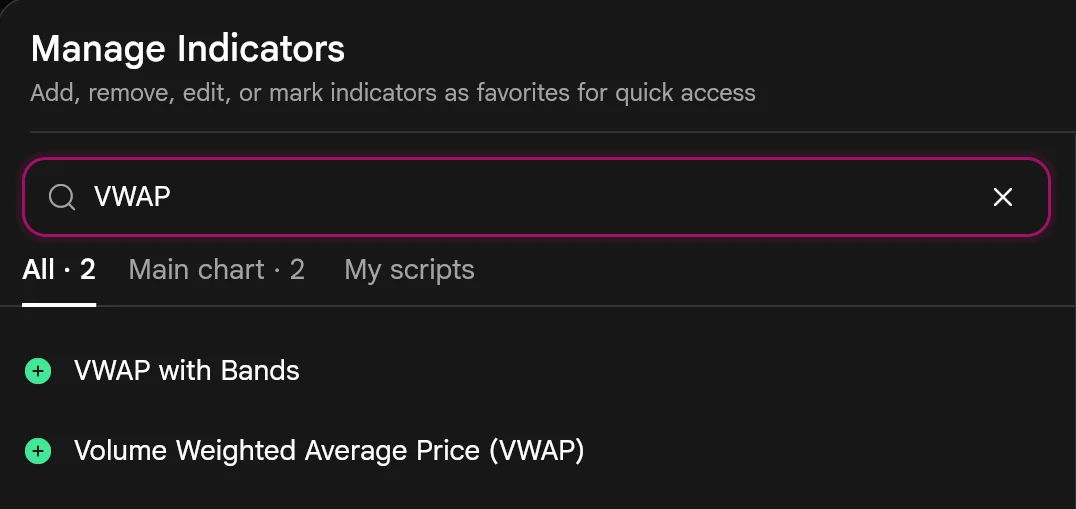
- BTwo session VWAPs
…and you get VWAP with Bands and the plain VWAP. Both are indicators that work from the session open.
Place it in one click4 steps
- Open a chart and pick the interval you want to read the line on.
- Click Anchored VWAP on the drawing toolbar.
- Click the anchor candle. The line appears at once, from that candle to the latest one, with its value tagged on the price axis.
- While the line is selected, its own toolbar sets the colour and width, clones it, opens its settings, locks it or deletes it.
2What it is
VWAP is the volume-weighted average price: add up price × volume for every bar, divide by the total volume, and you get the average price paid, with busy bars counting for more than quiet ones.
The ordinary VWAP indicator does this from each session's open, so it starts again every day. Anchored VWAP does it from a candle you pick and keeps going, bar after bar, until the latest candle. That makes it the average cost of one particular group of traders: everyone who bought since your anchor.
Choose the timeframe first, because the anchor is a whole candle: weekly candles suit an anchor years back, 5-minute candles suit this morning's high.
- Anchor
- 91.0
- Anchored VWAP now
- 137.0
- Price now
- 176.4
- Price vs the line
- +28.7%
- 1Anchor at the low
The candle you click. The average starts here, at that candle's own price.
- 2The line climbs
Each new candle adds its price × volume, so the average rises while trading happens higher.
- 3Back at the line
Price falls to the line: the average buyer since the low is at break-even, and here it holds.
- 4Above the line
The teal gap is their average profit. The wider it is, the bigger their cushion.
- Anchor
- 159.2
- Anchored VWAP now
- 146.3
- Price now
- 176.4
- Price vs the line
- +20.6%
- 1Anchor at the high
Where the late buyers piled in. The average starts at the top.
- 2Under the line
The coral gap: everyone who bought since the top is, on average, at a loss.
- 3Price takes the line back
From here they are back to break-even on average, and selling to get out even dries up.
- 4Above again
Teal: the buyers from the top are back in profit.
- CBack at the line
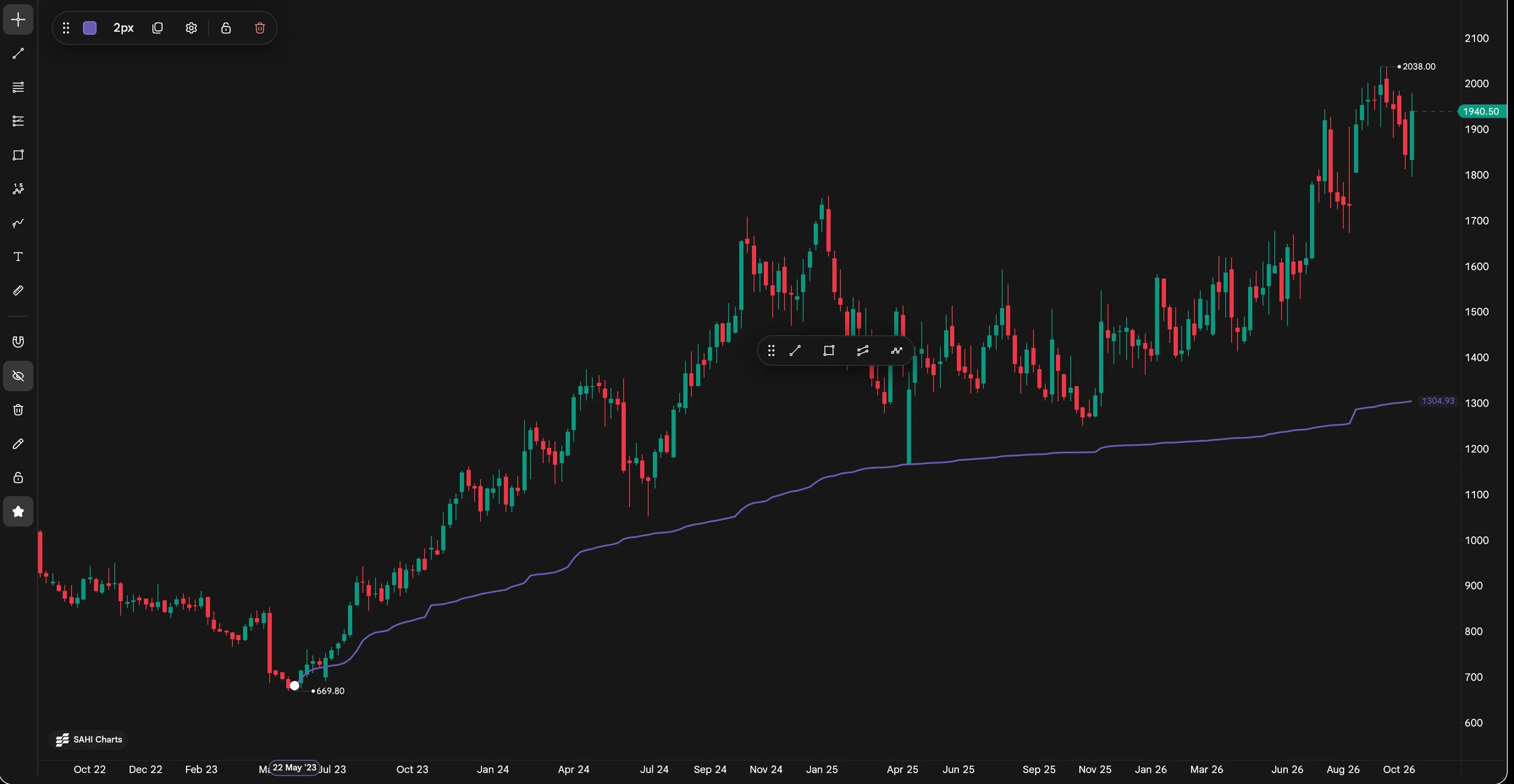
April 2025: one weekly candle fell to the line, about 1,170 on the price axis, and closed far above it. For a moment the average buyer since the 2023 low was at break-even, and the line held.
- DThe line's value now
1,304.93, tagged on the price axis in the line's colour: the average price paid since the anchor.
- EThe line's toolbar
Shows while the line is selected: colour, width (2px here), clone, settings, lock and delete.
- AThe anchor
The week of 22 May 2023, at its 669.80 low: one weekly candle, because the chart is on 1w. The white dot marks the candle that was clicked; the time axis shows its date.
- BThe VWAP line
Runs from the anchor to the latest candle. Each week it takes in that week's prices and volume, so it climbs slowly while trading happens at higher prices.
| VWAP | VWAP with Bands | Anchored VWAP | |
|---|---|---|---|
| Where | Indicators | Indicators | Drawing toolbar |
| Starts from | Each session's open | Each session's open | The candle you click |
| Runs until | The session ends | The session ends | The latest candle, across sessions |
| On the chart | One line | The line and bands around it | One line from your anchor |
| Answers | Today's fair price | How stretched price is from today's fair price | The average cost since an event you choose |
3How it helps
- Shows what people paid, not just where price is. The line is the average cost of everyone who traded since the candle you chose.
- Gives you a break-even level for one group of traders. Price above the line: they are, on average, in profit. At the line: at break-even. Below: at a loss.
- Keeps running across sessions. Unlike the session VWAP, it does not reset at the open, so it can track a swing low from two years ago.
- Compares two groups at once. Anchor one line at a low and one at a high: price between them means one group is in profit and the other is not.
| Where price is | For the buyers since the anchor |
|---|---|
| Above the line | On average in profit. The further above, the bigger their cushion. |
| At the line | On average at break-even. This is where many defend a position, or get out. |
| Below the line | On average at a loss. Rallies back to the line can meet selling from traders waiting to get out even. |
| Anchor at | The line then shows | How to read it |
|---|---|---|
| A swing low | The average cost of buyers since the bottom | Price above the line: the move is being held. A fall back to it is the first real test. |
| A swing high | The break-even of those who bought near the top | Price under the line: they are underwater. Price taking the line back changes that. |
| A gap or results-day candle | The average price since the news | Whether the market has kept paying more, or less, than it did on the day. |
| A breakout candle | The average cost of the breakout's buyers | A pullback that holds the line keeps them in profit. |
| Today's open, intraday | The same as the ordinary VWAP | Use the VWAP indicator for this, and anchor elsewhere for anything older. |
On the Ipca chart above, the line anchored at the 669.80 low reads 1,304.93 while Ipca trades at 1,953.30, about 50% higher: the average buyer since May 2023 is comfortably in profit. The one time price came back to the line, in April 2025, it closed the week far above it.
Draw two lines, one from the low and one from the high. Price between them means one group is in profit and the other is not, which is often where a range forms.
- The line describes what has already traded. It is not a forecast and not a signal on its own.
- VWAP weights by volume, so it needs traded volume. On a chart with none of its own, such as an index, anchor it on the index future or on a stock instead.
The same tool in the SAHI app
1Where it is
WhereSAHI appAny chartDrawingsAnchored VWAP
In the SAHI app, open any chart, tap Drawings and pick Anchored VWAP, then tap the candle to anchor it.
2What it is
In the app the line works the same way: tap the candle and VWAP runs from there. The drawing's toolbar at the top of the chart sets its width (1px to 4px), colour and lock.
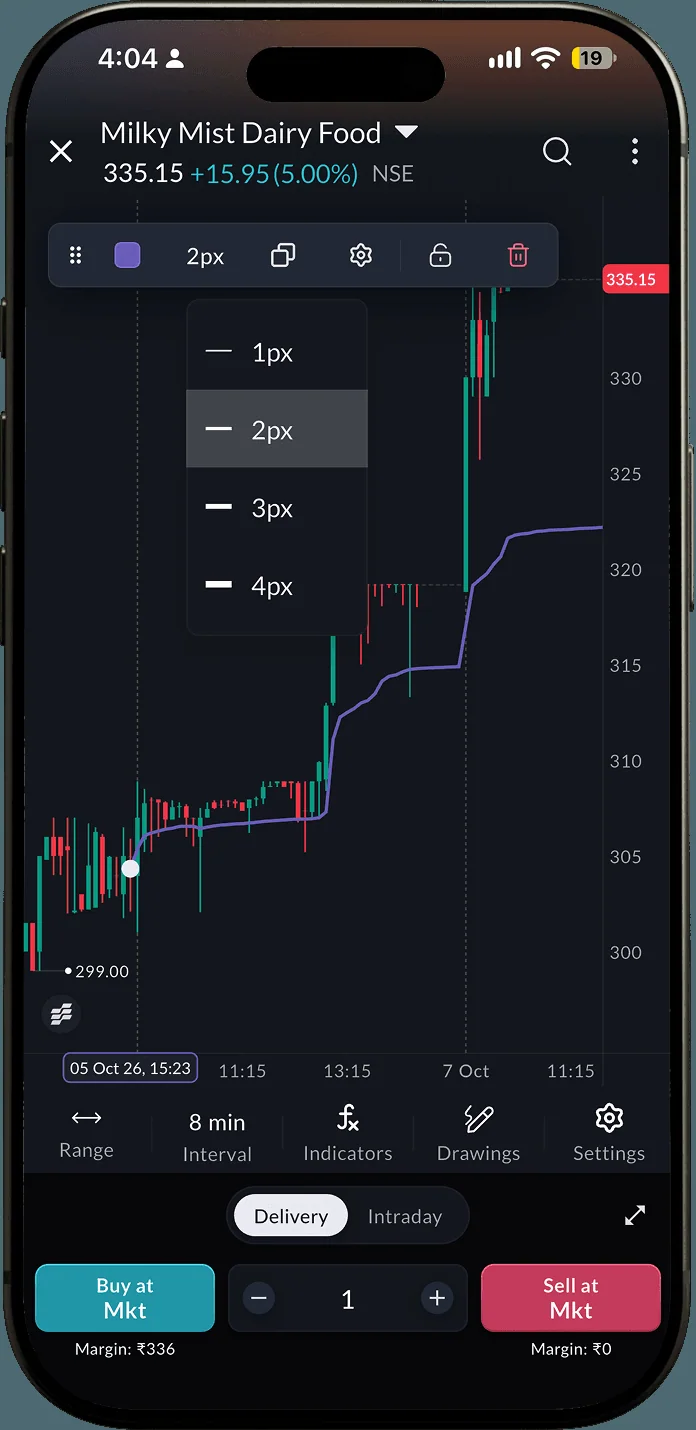 Milky Mist Dairy Food, 8-minute candles, with the width menu open
3How it helps
- The same line on your phone. Anchor it where you are, and set its width (1px to 4px), colour and lock from the drawing toolbar at the top of the chart.
Questions
How is it different from the VWAP indicator?
The VWAP indicator starts again at every session's open. Anchored VWAP starts at the candle you choose and keeps running across sessions to the latest candle.
Why does the line move so slowly?
It averages everything since the anchor. The longer it runs, the more volume it carries, so each new candle moves it less.
Does it work on any timeframe?
Yes. It is a drawing, so you can place it on any chart and interval. The anchor is one whole candle of that interval.
Where is it on web?
On the drawing toolbar down the left edge of the chart, below the tool groups, with Text and Measure. The pencil menu in the chart header lists it too.
Anchor your first VWAPOpen a chart on web.sahi.com, click Anchored VWAP on the drawing toolbar and click the last swing low.
Open web.sahi.com